Soku AI
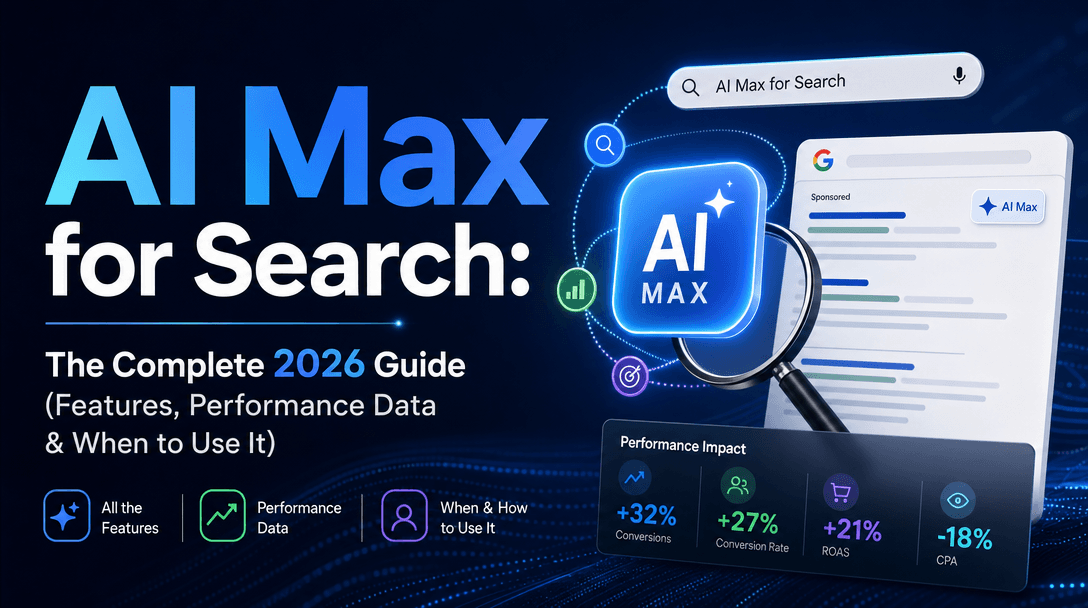
Performance Max campaigns now account for over 80% of Google Shopping ad spend and influence more than 50% of total Google Ads conversions for the average e-commerce advertiser. Yet most marketers treat PMax like a black box — upload a few images, write some headlines, and hope the algorithm figures it out.
It does not work that way. Google's AI needs raw material to optimize. The quality, diversity, and structure of the creative assets you feed into PMax directly determine how well the algorithm can find and convert your audience across Search, Shopping, Display, YouTube, Discovery, and Gmail — all at once.
This guide breaks down exactly how to build Performance Max asset groups that the algorithm actually rewards, what "asset quality" means in practice, and how to use AI creative tools to keep the machine fed without burning out your team.
How Performance Max Actually Uses Your Creatives
Before optimizing anything, you need to understand what PMax does with the assets you upload.
The Asset Assembly Engine
Unlike traditional Google Ads campaigns where you build finished ads, Performance Max dynamically assembles ads from your raw assets in real time. For every impression, Google's AI:
- Selects the best combination of headline + description + image/video + CTA
- Formats it for the specific placement (Search text ad, YouTube pre-roll, Display banner, Discovery card, Gmail promotion)
- Tests thousands of combinations across audiences and placements simultaneously
- Learns which combinations drive conversions for which audience segments
This means a single PMax campaign with 20 images, 5 videos, 15 headlines, and 5 descriptions can generate thousands of unique ad variations — without you building any of them manually.
But the flip side is critical: if your inputs are weak, every combination will be weak. Garbage in, garbage out — at scale.

The Asset Quality Feedback Loop
Google rates every asset you upload with a performance label:
| Rating | What It Means | Action |
|---|---|---|
| Best | Top 5% of similar assets across all advertisers | Scale — use as template for new variations |
| Good | Performs well, competitive with most advertisers | Keep running, test improvements |
| Low | Below average compared to similar assets | Replace within 2-4 weeks |
| Pending | Not enough data yet (usually <1,000 impressions) | Wait — do not remove prematurely |
These ratings update dynamically and directly influence how often Google uses each asset. A "Best" headline might appear in 60-70% of impressions while a "Low" image gets suppressed to under 5%.
The mistake most advertisers make: leaving "Low" assets running for months. Every "Low" asset drags down the overall asset group quality score, which reduces your competitiveness in auctions. Google has confirmed that advertisers who maintain mostly "Good" and "Best" assets see up to 12% lower CPA than those with mixed quality.
Asset Group Structure: The Foundation
An asset group is PMax's equivalent of an ad group — but instead of targeting keywords, you target audience signals and let Google find converters across all its surfaces. Getting the structure right is the single biggest lever you have.
The Golden Rules
1. One product category per asset group. Do not mix running shoes and dress shoes in the same asset group. The algorithm cannot optimize creative messaging for fundamentally different products simultaneously.
2. Fill every slot. Google recommends these minimums for "Excellent" ad strength:
| Asset Type | Minimum | Recommended | Maximum |
|---|---|---|---|
| Headlines (30 chars) | 3 | 8-11 | 15 |
| Long headlines (90 chars) | 1 | 3-5 | 5 |
| Descriptions (90 chars) | 2 | 4-5 | 5 |
| Images (landscape 1.91:1) | 1 | 5-8 | 20 |
| Images (square 1:1) | 1 | 5-8 | 20 |
| Images (portrait 4:5) | 1 | 3-5 | 20 |
| Logo (1:1) | 1 | 1-2 | 5 |
| Videos (horizontal + vertical) | 0 | 3-5 | 5 |
3. Hit "Excellent" ad strength. Google's internal data shows that PMax asset groups upgraded from "Good" to "Excellent" ad strength see an average of 6% more conversions at the same CPA. Going from "Poor" to "Excellent" can deliver up to 20% more conversions.
4. Provide both horizontal and vertical videos. YouTube Shorts is now PMax's fastest-growing placement. If you only provide landscape video, you are invisible on Shorts — and missing 30%+ of YouTube inventory.
The Audience Signal Strategy
Audience signals are suggestions, not hard targeting. PMax will go beyond your signals if it finds better converters — but strong signals help the algorithm learn faster.
Layer these signals in every asset group:
- Custom segments: Your top search terms (brand + category + competitor names)
- Your data: Customer lists, website visitors, converters
- Interests/demographics: Google's in-market and affinity audiences
- Lookalikes: Google automatically expands from your signals
Advertisers who provide all four signal types see 15-20% faster learning phase completion compared to those using only one or two.
Image Assets: What the Algorithm Rewards
Images are the highest-impact asset type for PMax. They appear across Display, Discovery, YouTube thumbnails, and Gmail — the surfaces where visual quality directly drives engagement.

The 5 Image Categories Every Asset Group Needs
| Category | Examples | Why It Matters |
|---|---|---|
| Hero product shots | Clean product on white/lifestyle background | Shopping, Display retargeting |
| In-use/lifestyle | Product being used by real people | Discovery, YouTube, Display prospecting |
| Close-up details | Texture, material, unique features | Differentiates from competitors |
| Social proof | User reviews overlaid, awards, ratings | Builds trust on Display/Gmail |
| Seasonal/contextual | Holiday, seasonal use, trending aesthetic | Relevance signals for Discovery |
Image Quality Specifications
Google's asset quality algorithm evaluates images on multiple dimensions:
- Resolution: Minimum 600x314 (landscape), 300x300 (square), 480x600 (portrait). But always upload the highest resolution available — Google downscales intelligently.
- Text overlay: Keep below 20% of image area. Heavy text is flagged and may reduce serving.
- Faces and people: Images with people outperform product-only images by 15-25% on Discovery and Display placements. Eye contact with the camera performs best.
- Color contrast: High-contrast images with clear focal points outperform busy or low-contrast compositions by 10-20% in CTR.
- Brand consistency: Google rewards asset groups where images share a cohesive visual style — this signals quality and professionalism.
Avoid These Image Mistakes
- Collages or multi-panel images — Google may crop unpredictably across placements
- Screenshots with small text — unreadable on mobile Display and Discovery
- Identical images with minor edits — the algorithm treats these as duplicates and wastes asset slots
- Stock photos that appear in competitor ads — Google's duplicate detection can reduce serving priority
Video Assets: The Biggest PMax Opportunity
Video is where most PMax advertisers leave the most performance on the table. Only 40-50% of PMax campaigns include custom video assets — and when they do not, Google auto-generates videos from your images. These auto-generated videos convert 30-50% worse than custom video in most verticals.
Why Video Matters for PMax
- YouTube is PMax's largest reach surface (2.5B+ monthly active users)
- YouTube Shorts alone now serves over 70 billion daily views
- Video assets unlock YouTube placements that image-only campaigns cannot access
- PMax campaigns with video see 12-20% more total conversions than image-only campaigns (Google internal data)
The Video Asset Playbook
Format requirements:
- Landscape (16:9) for YouTube in-stream and pre-roll
- Vertical (9:16) for YouTube Shorts and mobile Discovery
- Square (1:1) as a universal fallback
- Minimum 10 seconds, recommended 15-30 seconds
Structure every video with:
- Hook (0-5s): Problem statement or attention grab — front-load the value proposition
- Body (5-20s): Product demonstration, benefit proof, social proof
- CTA (last 5s): Clear next step with urgency or incentive
Performance benchmarks:
| Metric | Good | Excellent |
|---|---|---|
| View-through rate (VTR) | >15% | >25% |
| Click-through rate | >0.5% | >1.2% |
| Cost per view | <$0.05 | <$0.02 |
AI Video Generation for PMax
If custom video production is not feasible, AI video generators have reached a quality threshold that makes them viable for PMax:
- Google's auto-generated videos: Free, but generic. Use as a baseline, not a strategy.
- AI video tools (Runway, Kling, Veo, Seedance): Can produce product demos and lifestyle content from product photos. Quality has improved dramatically in 2025-2026. For which one to pick on ad economics rather than cinematic fidelity, see Omni Flash vs Veo 3.1 vs Seedance vs Sora.
- AI avatar presenters: Effective for testimonial-style and explainer formats. Work well on YouTube Shorts.
The key is diversity. Upload 3-5 videos with different hooks, formats, and lengths. Let PMax's algorithm determine which combinations work on which placements.
Headlines and Descriptions: The Text Asset Strategy
Text assets are underrated in PMax. They appear in Search, Shopping titles, Display overlays, Discovery cards, and Gmail subject lines. A strong headline can be the difference between a click and a scroll-past.
Headline Framework
You get up to 15 headlines (30 characters each) and 5 long headlines (90 characters). Use this distribution:
| Headline Type | Count | Examples |
|---|---|---|
| Brand + product | 2-3 | "Nike Air Max 90 Running Shoes" |
| Benefit-driven | 3-4 | "Run Faster, Recover Quicker" |
| Social proof | 2-3 | "Rated #1 by 50,000 Runners" |
| Urgency/offer | 2-3 | "Free Shipping — Today Only" |
| Question/curiosity | 2-3 | "Still Running in Last Year's Shoes?" |
Description Best Practices
Descriptions (90 characters, up to 5) should complement headlines, not repeat them. Each description should be able to pair with any headline and still make sense.
- Lead with the strongest benefit — first 60 characters are visible on most placements
- Include a CTA in at least 2 descriptions — "Shop now," "Get yours today," "See the collection"
- Use specific numbers — "4.8 stars from 12,000 reviews" outperforms "highly rated" every time
- Avoid superlatives without proof — "best running shoe" gets ignored; "winner of Runner's World 2026 award" gets clicks
Headline Testing and Rotation
Google surfaces which headlines get "Best," "Good," or "Low" ratings. Check asset reports weekly:
- Replace any "Low" headline immediately with a new variation
- Create variations of "Best" headlines — same angle, different wording
- Never remove a "Best" headline unless you have a tested replacement
- Maintain at least 8 active headlines at all times for optimal rotation
The PMax Creative Optimization Loop
Performance Max creative is not set-and-forget. The algorithm continuously tests, but you need to continuously feed it better material based on what it learns.

Weekly Optimization Checklist
Every Monday (or your preferred review day):
- Check asset performance ratings in Google Ads → Assets → Performance
- Identify any "Low" assets — plan replacements by end of week
- Note "Best" assets — create 2-3 variations of each winning angle
- Review placement performance — which surfaces drive the most conversions?
- Check ad strength score — maintain "Excellent" at all times
- Monitor conversion volume — if declining, the algorithm may need fresh assets
The Refresh Cadence
| Campaign Phase | Refresh Frequency | Focus |
|---|---|---|
| Launch (weeks 1-4) | Do not change anything | Let the algorithm learn |
| Optimization (weeks 5-8) | Bi-weekly | Replace "Low" assets, add variations of winners |
| Mature (8+ weeks) | Weekly | Creative refresh to combat fatigue, seasonal updates |
| Seasonal peaks | 2-3 weeks before | Pre-load seasonal creatives so the algorithm has time to learn |
Critical rule: Never overhaul more than 20-30% of an asset group at once. Changing too many assets simultaneously resets the learning phase and can cause a 1-2 week performance dip.
Diagnosing Creative Problems
| Symptom | Likely Cause | Fix |
|---|---|---|
| High impressions, low CTR | Weak headlines or images | Test new hooks, more lifestyle imagery |
| High CTR, low conversions | Creative-to-landing-page mismatch | Align messaging and visual style |
| Low impression share | Low ad strength or poor asset quality | Fill all asset slots, replace "Low" assets |
| CPA rising steadily | Creative fatigue | Refresh 2-3 images and headlines per week |
| One placement dominates | Missing asset types for other surfaces | Add vertical video (Shorts), improve image diversity |
PMax Creative Mistakes That Kill Performance
1. Ignoring Auto-Generated Assets
When you do not upload video, Google creates it from your images. When you do not fill all headline slots, Google may auto-generate headlines from your landing page. These auto-generated assets frequently underperform — but you cannot turn them off.
The fix: Always fill every asset slot manually. This minimizes the algorithm's need to auto-generate and gives you control over messaging.
2. Treating All Asset Groups the Same
A luxury watch and a $20 phone case need fundamentally different creative strategies. Segment your asset groups by product category, price point, or audience intent — not just product type.
3. Optimizing Too Early
PMax needs 2-4 weeks of stable data before asset ratings are meaningful. Making changes during the learning phase extends the learning phase and wastes budget on noise.
4. Ignoring YouTube Shorts
Shorts is PMax's fastest-growing surface. If you have zero vertical (9:16) video assets, you are missing one of the highest-engagement placements in Google's network. Even a 15-second vertical cut of an existing landscape video is better than nothing.
5. No Landing Page Alignment
PMax's conversion optimization assumes consistency between ad creative and landing page. If your ad shows a lifestyle scene but the landing page is a generic category page, conversion rates will suffer. Use final URL expansion wisely and ensure your top landing pages match the creative themes in your asset groups.
Using AI to Scale PMax Creative Production
The biggest constraint for PMax performance is creative volume. Google recommends refreshing assets every 2-4 weeks and maintaining 15+ images per asset group. For advertisers managing dozens of asset groups, this is a production bottleneck that AI can solve — our guide to creating 100 ad variants in one hour covers the exact modular framework that feeds PMax's appetite for diverse assets, including the Shorts-ready variants that Google increasingly needs.
AI-Powered Workflow
- Analyze: Review PMax asset reports to identify which creative angles, formats, and messages have "Best" ratings
- Generate: Use AI image and video tools to produce variations of winning creative directions
- Diversify: AI can generate the same product in different contexts, seasons, and styles — creating the diversity PMax needs to test effectively
- Refresh: Establish a bi-weekly production cycle where AI generates 5-10 new assets per asset group based on performance data
What AI Creative Tools Can Do for PMax
- Product photo enhancement: Remove backgrounds, place products in lifestyle scenes, improve lighting
- Image variation: Generate 10 lifestyle contexts for one product photo
- Video from images: Convert hero product shots into 15-second animated videos
- Headline generation: Draft 20+ headline variations based on winning angle analysis
- Seasonal adaptation: Quickly re-theme existing creative for holidays, promotions, and trends
The key is using AI to increase volume and diversity — not to replace creative strategy. The algorithm needs variety to test, and AI tools make producing that variety economically viable.
Soku AI plugs directly into this workflow through the Google Ads integration, analyzing your existing PMax asset performance, identifying creative gaps, and recommending exactly which types of images, videos, and copy to produce next. Instead of guessing what the algorithm wants, you get data-driven creative briefs that map directly to PMax's optimization signals.
PMax vs Standard Campaigns: When Creative Strategy Differs
If you are running PMax alongside standard Search, Display, or YouTube campaigns, your creative strategy should differ:
| Dimension | PMax | Standard Campaigns |
|---|---|---|
| Ad format | Raw assets assembled by AI | You build finished ads |
| Testing | Algorithm tests combinations automatically | You create and manage A/B tests |
| Placement control | Zero — Google decides | Full control per campaign |
| Creative volume | More is better (within quality) | Focused, fewer variations |
| Optimization | Replace low-rated assets | Pause underperforming ads |
The implication: PMax rewards breadth (many diverse, high-quality assets) while standard campaigns reward depth (fewer, highly optimized finished ads). Your creative production pipeline should account for both.
The Bottom Line
Performance Max is not a black box — it is a machine that transforms your creative inputs into thousands of ad variations across every Google surface. The quality of those inputs directly determines the quality of results.
Three principles separate high-performing PMax advertisers from everyone else:
- Fill every slot with quality — "Excellent" ad strength is the minimum bar, not the goal. Every "Low" asset is actively hurting your campaign.
- Diversity drives discovery — the algorithm needs variety to test. Five similar product shots are worth less than five different creative approaches to the same product.
- Refresh before fatigue hits — bi-weekly creative updates prevent the slow CPA creep that kills PMax campaigns. Use asset ratings as your early warning system.
Feed the algorithm better assets, and it will find you better customers. That is the entire game.