Soku AI

Most ad agencies do not lose money on the work. They lose it on the coordination around the work.
A small creative shop with eight people can produce stunning campaigns and still finish the quarter with thin margins because someone spent six hours hunting for a final-final-v3 file, the producer billed an entire afternoon to a retainer that had already burned through its hours, and the account lead ran four "alignment" meetings that should have been a single shared status. Generic project management tools — Asana, Monday, even Notion — were not designed for that world. They were designed for software teams shipping features, where the work itself is the deliverable and the client is internal.
Agency-specific PM tools exist because agencies have a different operating model: time-based billing on retainers and projects, multiple stakeholders per deliverable, creative review cycles, and margin pressure that lives or dies on utilization. Choosing the wrong tool is not a minor inconvenience — it is the difference between a 22% net margin and a 6% one.
This guide compares nine tools agencies actually shortlist in 2026, ends with a decision framework based on your billing model rather than a generic feature checklist, and is honest about where each tool falls short.
The real problem: agency time is not generic project time
If you are evaluating tools, start by being specific about what agencies need that generic SaaS PM tools do not natively cover:
- Time tracking that ties to billing rates and retainer burn. Not "did the task get done," but "how many billable hours did Sarah spend on this client this week, and are we over the retainer?"
- Retainer and budget management. Most agencies sell a mix of fixed-fee projects, hourly time-and-materials, and monthly retainers. The PM tool has to model all three.
- Proofing and approval workflow. Versioned creative review, annotations on the asset itself, sign-off chains across creative director, account, and client.
- Creative asset management. Where the final files actually live, with version history that survives an account lead leaving.
- Client portal. A read-only or limited-write surface the client can log into without seeing internal task chatter.
- Capacity and resource planning. Knowing whether the senior designer is booked at 110% next week before you take the new RFP.
Generic tools handle 1, parts of 5, and 6 with add-ons. The agency-specific tools handle all six natively but tend to feel heavy and dated. Understanding that trade-off is what this guide is about.
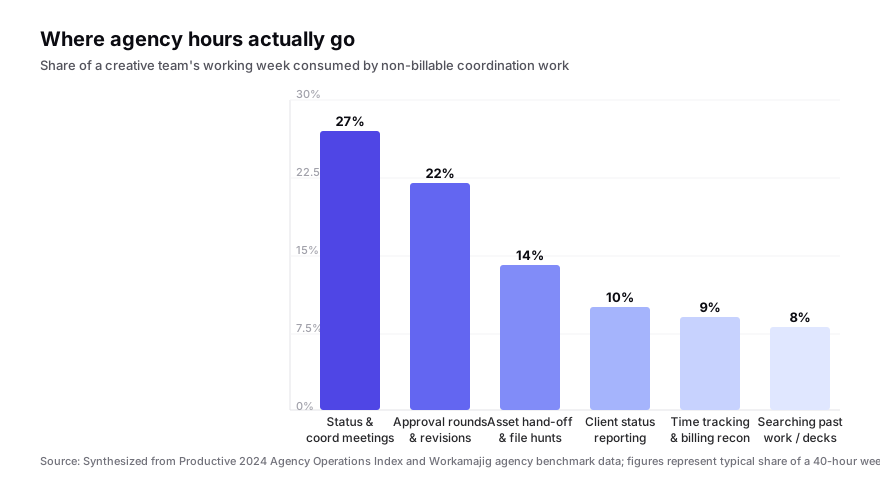
The numbers above are sobering. Roughly half of an agency week is consumed by coordination work that does not appear on a creative brief. A PM tool that does not measurably attack one of those bars is not earning its seat.
The nine tools agencies actually shortlist in 2026
For each tool below: what it actually is, where it wins for agency work, where it falls short, and where it sits on price.
1. Workamajig — the incumbent agency operating system
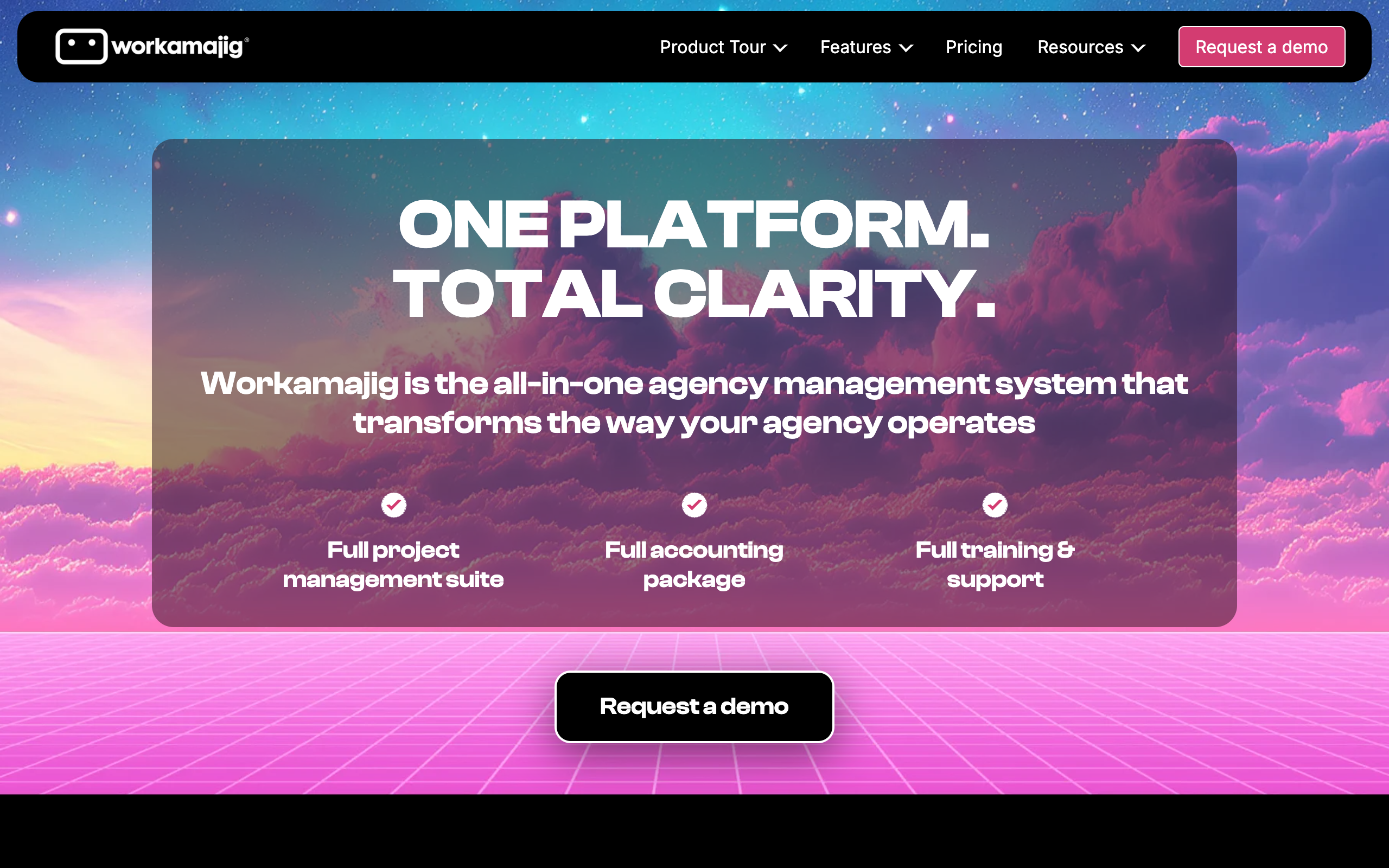
Workamajig is the closest thing the agency world has to a "system of record." It was built specifically for advertising, design, and PR agencies, and it tries to be the single source of truth for projects, time, billing, and resourcing. The interface looks like agency software from a decade ago because, in many ways, it is — but the data model underneath is purpose-built for the way agencies actually run.
Where it wins. Native retainer management, billable rate cards per role and per client, agency-grade financial reporting, integrated time tracking, and capacity planning. The CRM and new business pipeline live in the same tool. If your finance team currently lives in QuickBooks plus a spreadsheet, Workamajig collapses both into one workflow.
Where it falls short. The UI is heavy and the learning curve is real — onboarding takes weeks, not days. Creatives often resist it because the task surface feels bureaucratic compared to a Trello board. Customization requires a Workamajig consultant for non-trivial workflows.
Pricing. Per-user, billed annually; Workamajig publishes a starting price of $41 per user per month with a five-user minimum.
Best for: Mid-size and larger agencies (20+ people) where financial operations matter as much as task execution.
2. Function Point — the lighter agency-native alternative
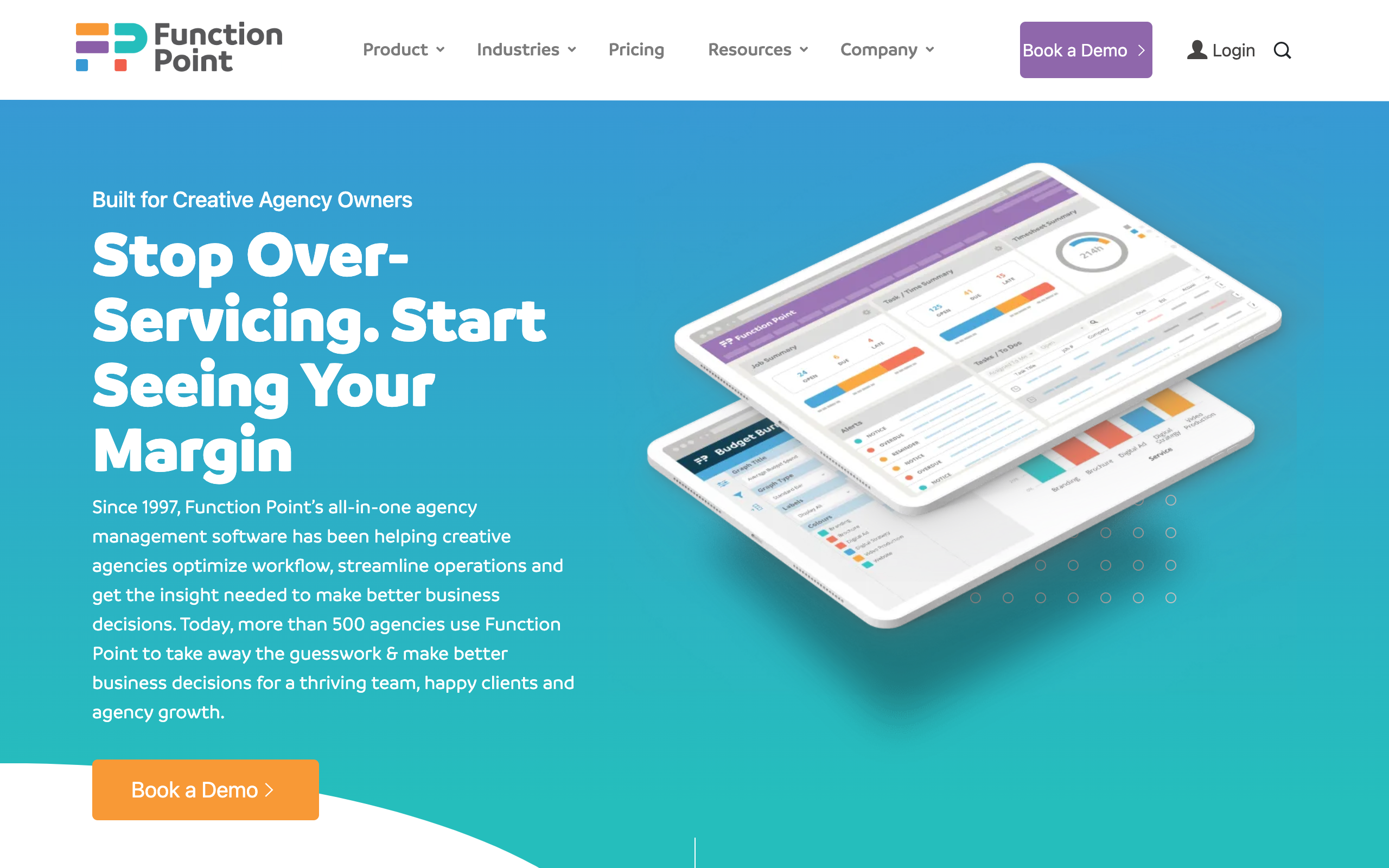
Function Point covers the same agency-specific surface as Workamajig but with a more modern interface and a faster onboarding curve. It integrates with QuickBooks Online and Xero rather than trying to replace your accounting system, which makes it more attractive to smaller shops that already have a finance stack they like.
Where it wins. Genuine agency features — retainer tracking, time-and-billing, profit-per-project reporting — without the Workamajig weight. The proofing module is solid. Capacity planning is built in.
Where it falls short. Reporting is less flexible than Workamajig at the high end. The creative review workflow, while serviceable, is not as deep as a dedicated tool like Ziflow. Mobile is an afterthought.
Pricing. Per-user pricing starting around $44 per user per month, billed annually; minimum seat count applies.
Best for: Independent agencies of 5–40 people that want agency-specific features without committing to Workamajig's depth.
3. Asana — the generalist that most creative teams already know
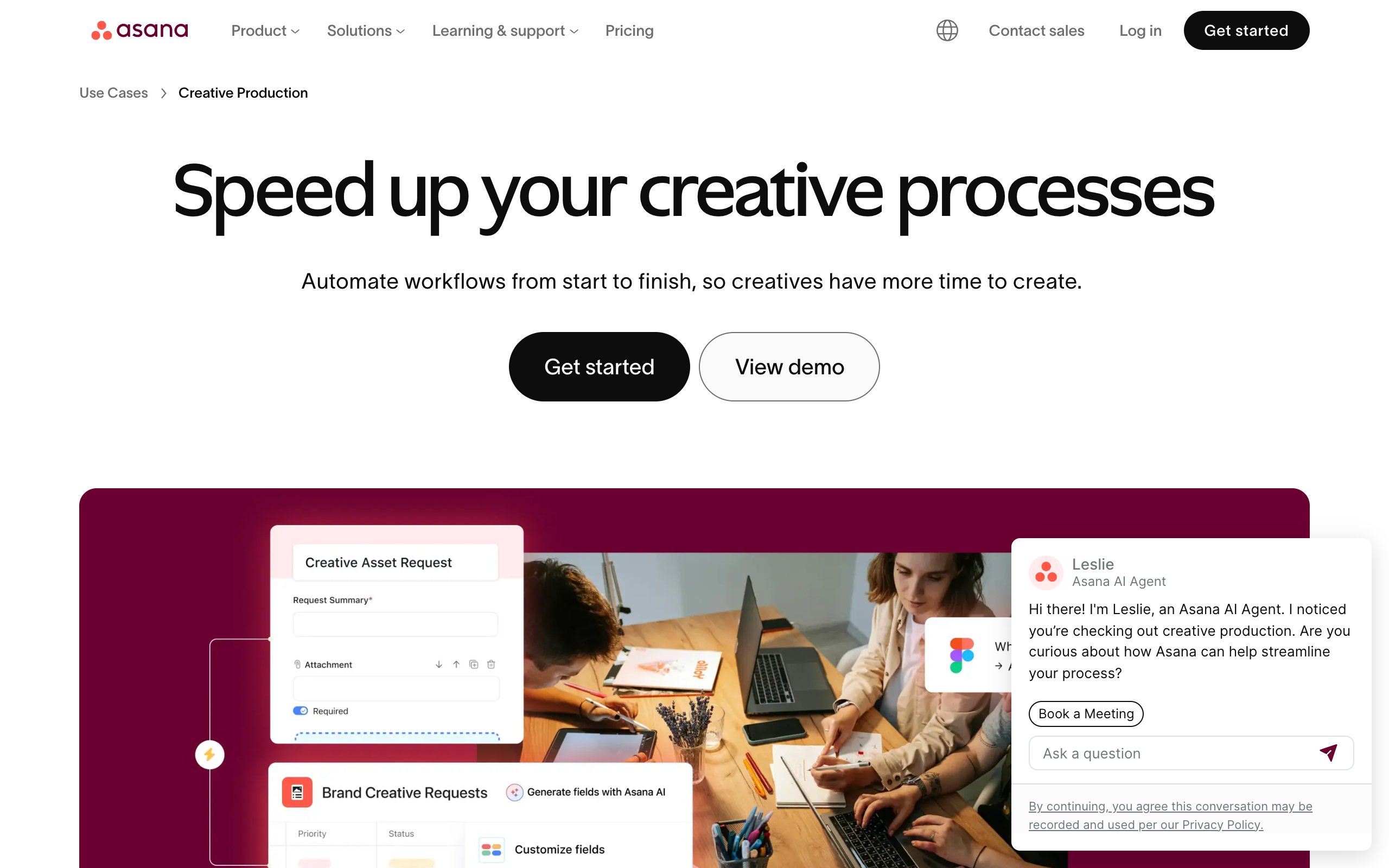
Asana is not agency-specific, but it is probably the most-used PM tool inside agencies — usually for one of two reasons: the agency grew into it organically, or the creative team mutinied against Workamajig and chose something they liked using. Asana's strength is task surface clarity and a UI creatives do not hate.
Where it wins. Beautiful task surface, strong timeline view, mature integrations (Slack, Figma, Adobe), excellent custom fields, and templates that make project kickoff fast. The Asana for Creative Production configuration is genuinely thoughtful.
Where it falls short. No native retainer management, no built-in billable time tracking (you pair it with Harvest or Toggl), no agency financial reporting. You will end up with at least three tools and a spreadsheet to do what Workamajig does in one.
Pricing. Free for up to 10 users; paid tiers from $10.99 per user per month on the Starter plan.
Best for: Agencies that already have separate finance and time-tracking systems and want a clean execution surface their creatives will actually use.
4. Monday.com — the configurable spreadsheet that wants to be everything
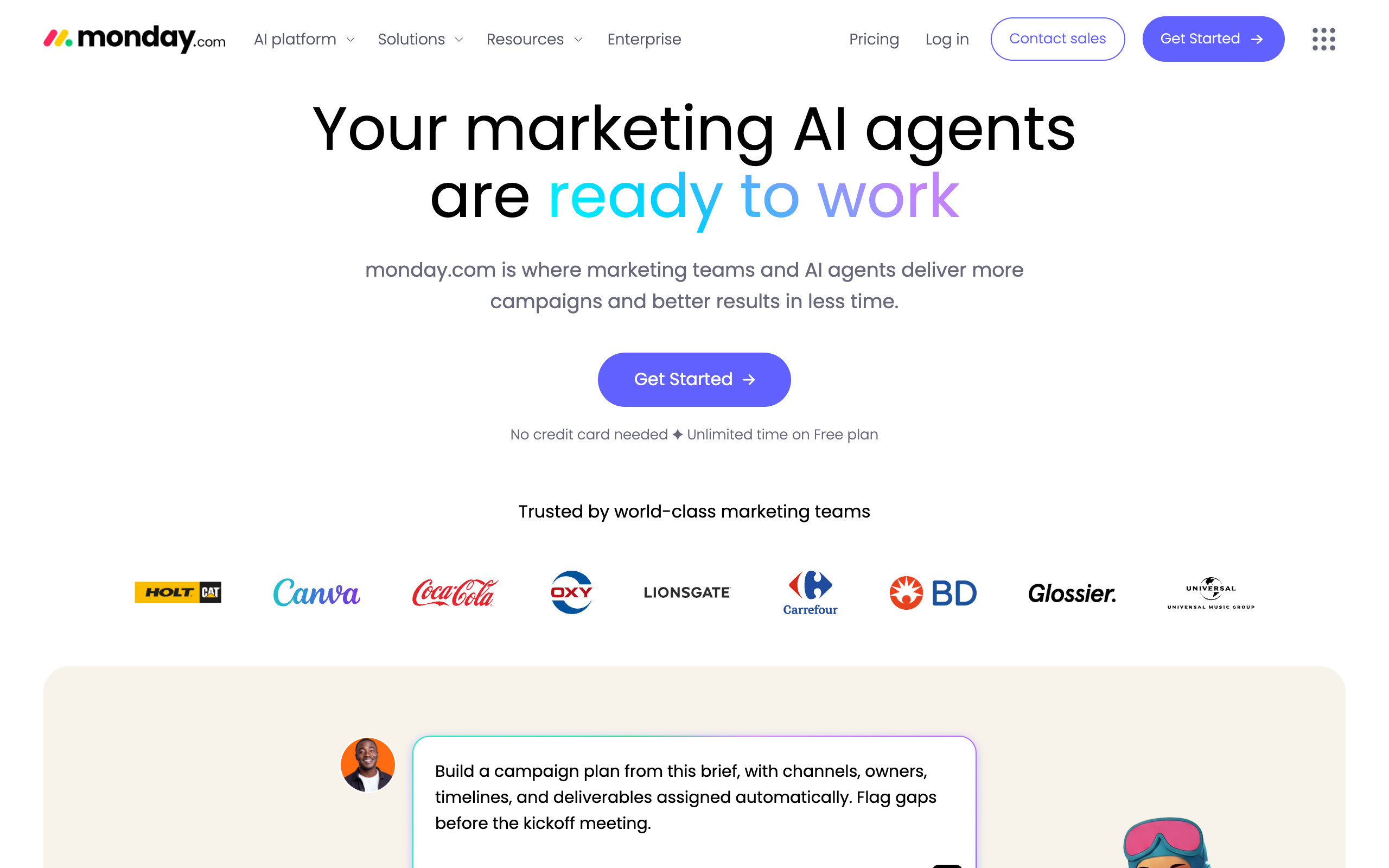
Monday's bet is that any team can build the workflow they need by configuring boards and automations. For agencies, that flexibility cuts both ways: you can model retainer burn or proofing flows yourself, but you also have to. There is no out-of-the-box "agency" template that actually handles billable time properly.
Where it wins. Visual flexibility, strong automations, decent dashboards, fast adoption for non-technical users. The creative and design workflow templates give a reasonable starting point.
Where it falls short. Time tracking exists but is rudimentary; serious agencies pair Monday with Harvest. Approval workflows are clunky compared to dedicated tools. Per-seat pricing escalates fast as you add stakeholders and clients.
Pricing. Paid tiers from $9 per seat per month on the Basic plan; the more useful Pro tier is $19 per seat per month.
Best for: Agencies whose ops lead enjoys configuring tools, with finance run separately.
5. ClickUp — the everything-app gamble
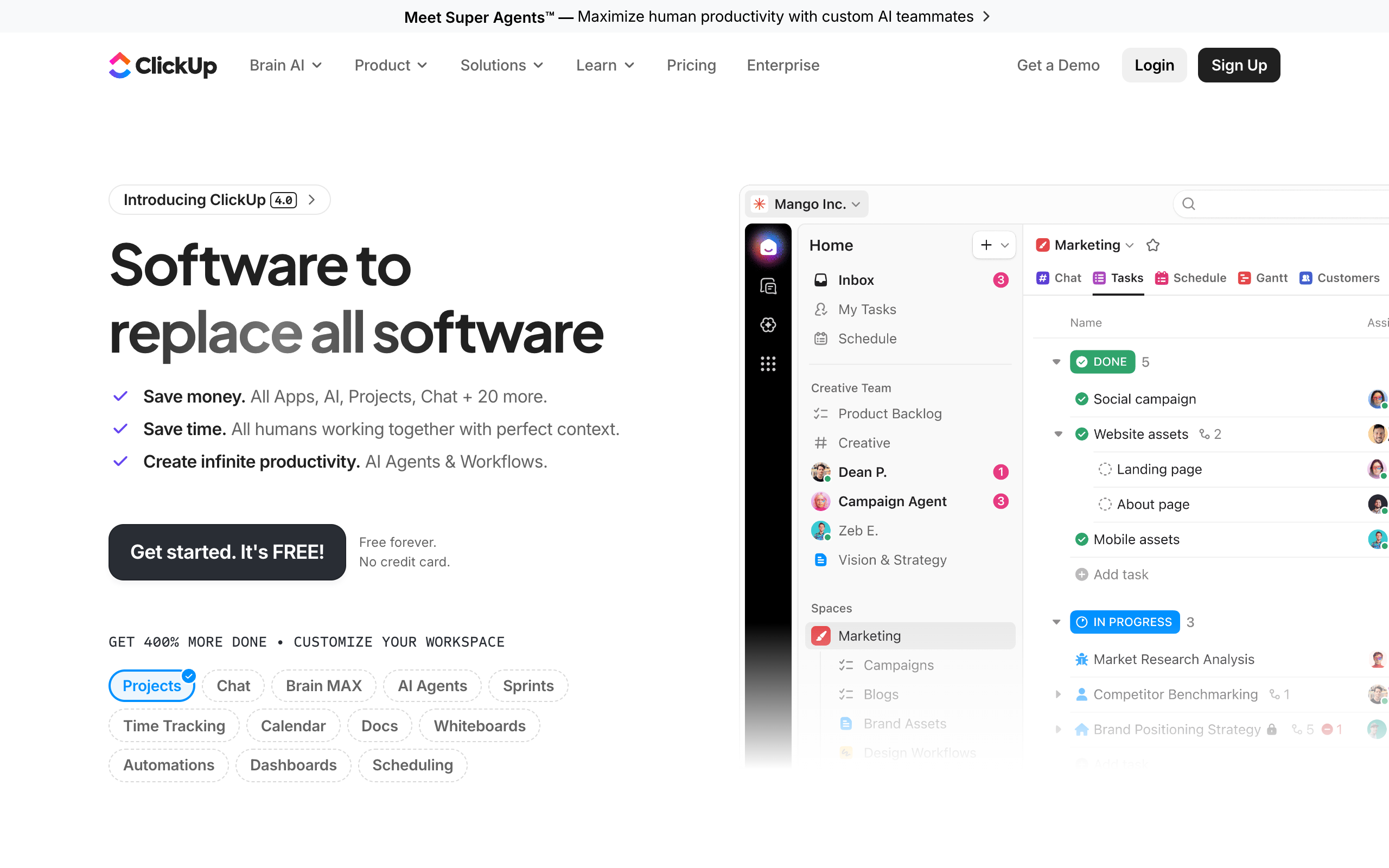
ClickUp's pitch is "one app to replace them all" — task management, docs, whiteboards, goals, time tracking, even chat. For agencies, that breadth is appealing on paper because in theory you could collapse five tools into one. In practice, depth-per-feature is the issue.
Where it wins. Native time tracking (not industry-grade, but better than Asana's), strong custom view system, generous free tier, and built-in docs that can replace Notion for lightweight internal docs.
Where it falls short. The UI density is polarizing — creatives tend to find it visually noisy. Time tracking lacks billable rate sophistication. The platform changes fast, which is exciting for power users and disorienting for clients in shared workspaces.
Pricing. Free tier available; paid tiers from $7 per user per month on the Unlimited plan.
Best for: Smaller agencies or studios that want to consolidate tools and accept that no single feature will be best-in-class.
6. Wrike — pitched at agencies, used by enterprises
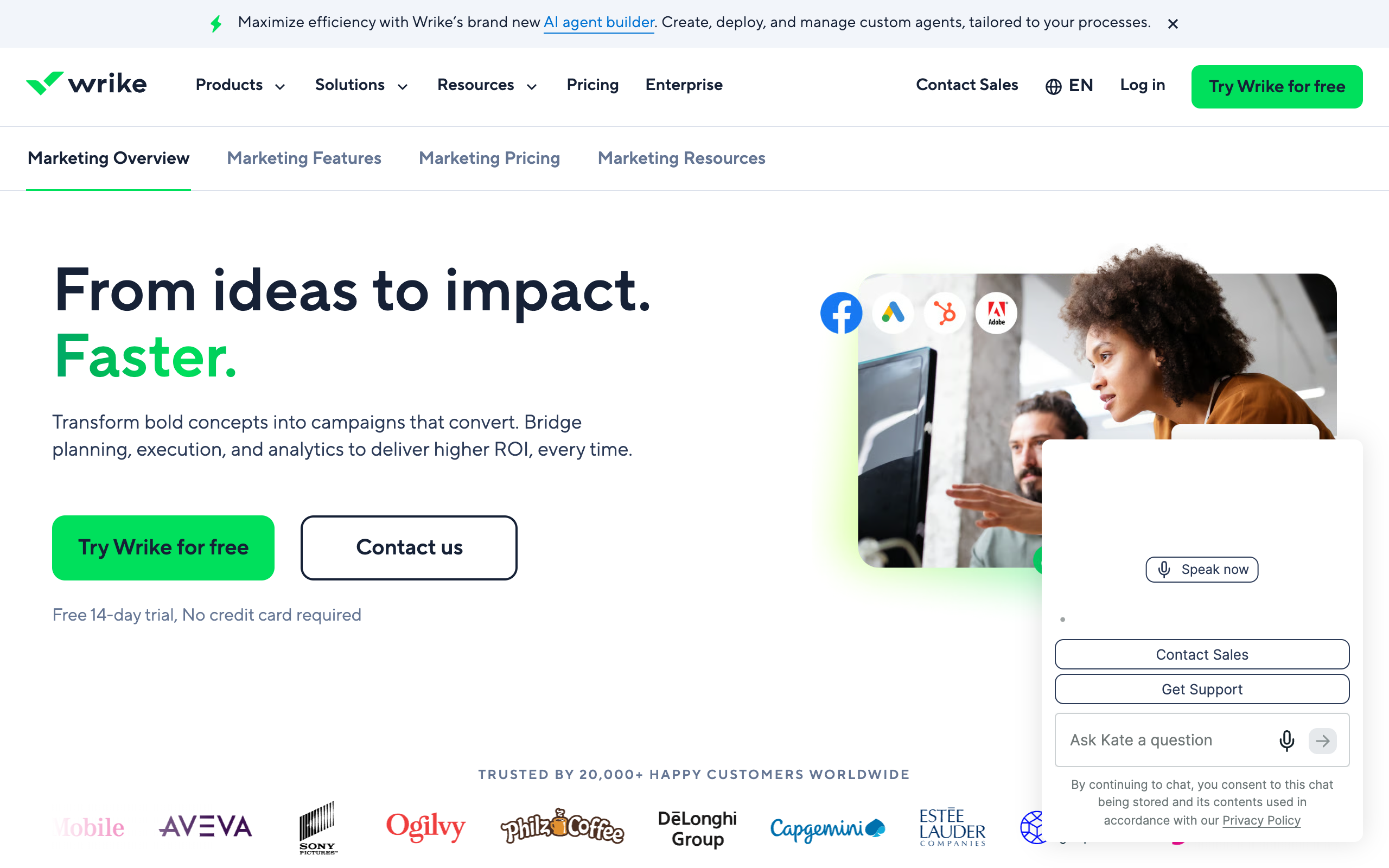
Wrike has explicitly marketed itself to creative and marketing teams for years, with a Wrike for Marketers & Creatives edition that bundles proofing and asset management. The product is genuinely powerful, especially for in-house marketing teams at large companies.
Where it wins. Proofing and approvals are native and good. Resource management is enterprise-grade. The agency-tier package bundles brand asset management.
Where it falls short. Enterprise complexity in a small-agency body. Pricing for the creative-team tier is opaque (you talk to sales). Workflow customization requires admin attention. Not what a four-person studio reaches for.
Pricing. Paid tiers from $10 per user per month on the Team plan; the Marketers tier requires a sales conversation.
Best for: In-house marketing teams and larger agencies (50+ people) where proofing depth matters and admin headcount exists.
7. Basecamp — the anti-PM PM tool
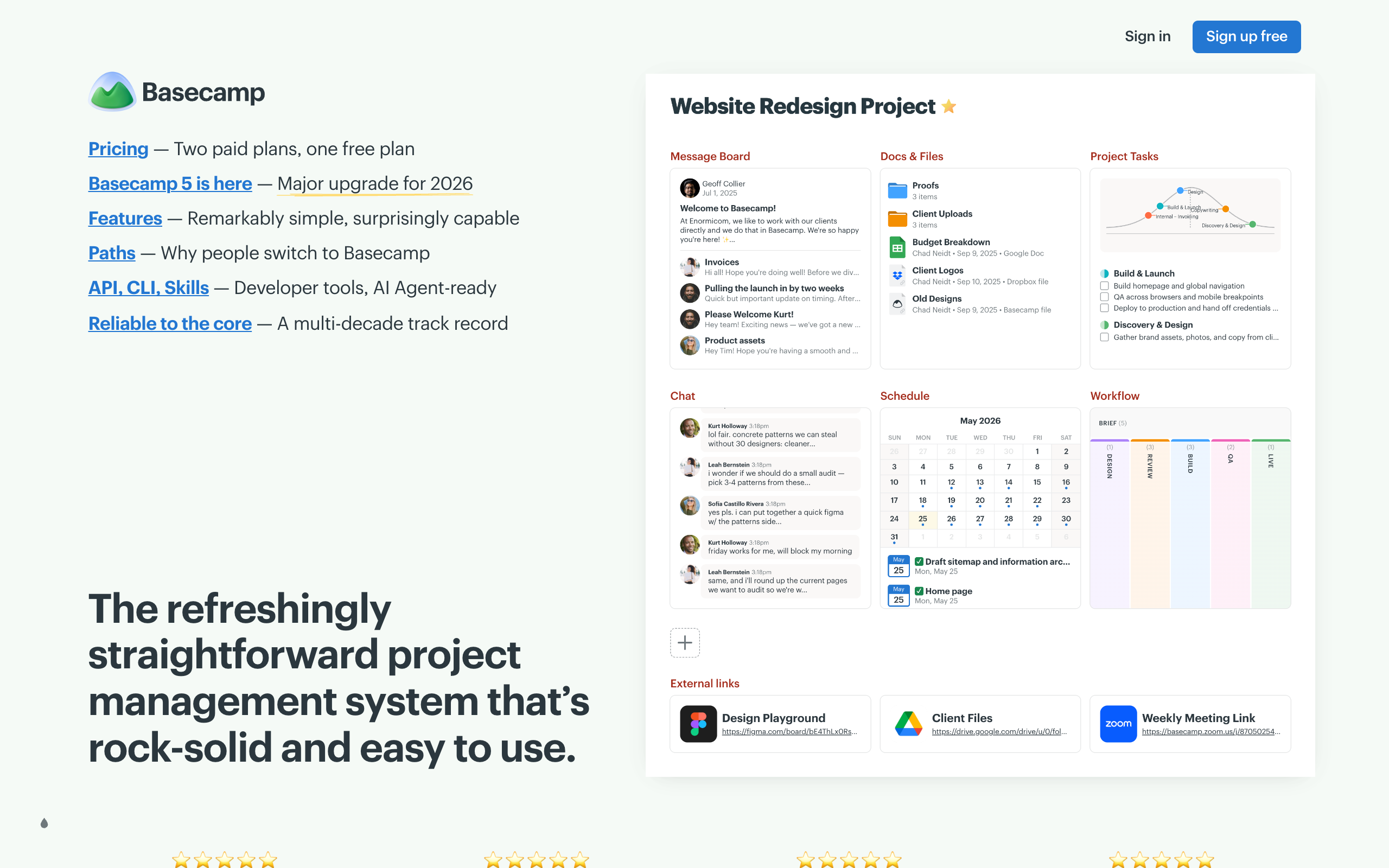
Basecamp made a deliberate choice years ago: do less. There are no Gantt charts, no time tracking, no formal approval workflows. Instead there is a message board per project, a to-do list, a chat, and a schedule. For agencies that have made peace with the fact that the work happens in Figma and the conversation happens in Slack anyway, Basecamp is a clean, calm system of record.
Where it wins. Flat-rate pricing — not per seat. Genuinely simple. Client access is built in and elegant. The "Hill Charts" feature is one of the more honest project status visualizations in any PM tool.
Where it falls short. No native time tracking, no resource planning, no proofing. You bolt those on with other tools. If you bill by the hour, Basecamp will not help you do it.
Pricing. Flat $299 per month for unlimited users on the Pro Unlimited plan, or $15 per user on the Plus plan.
Best for: Small agencies (under 15 people) doing project-based or value-based pricing rather than hourly billing, where client access is a real feature, not a nice-to-have.
8. Notion — the wildcard for boutique studios
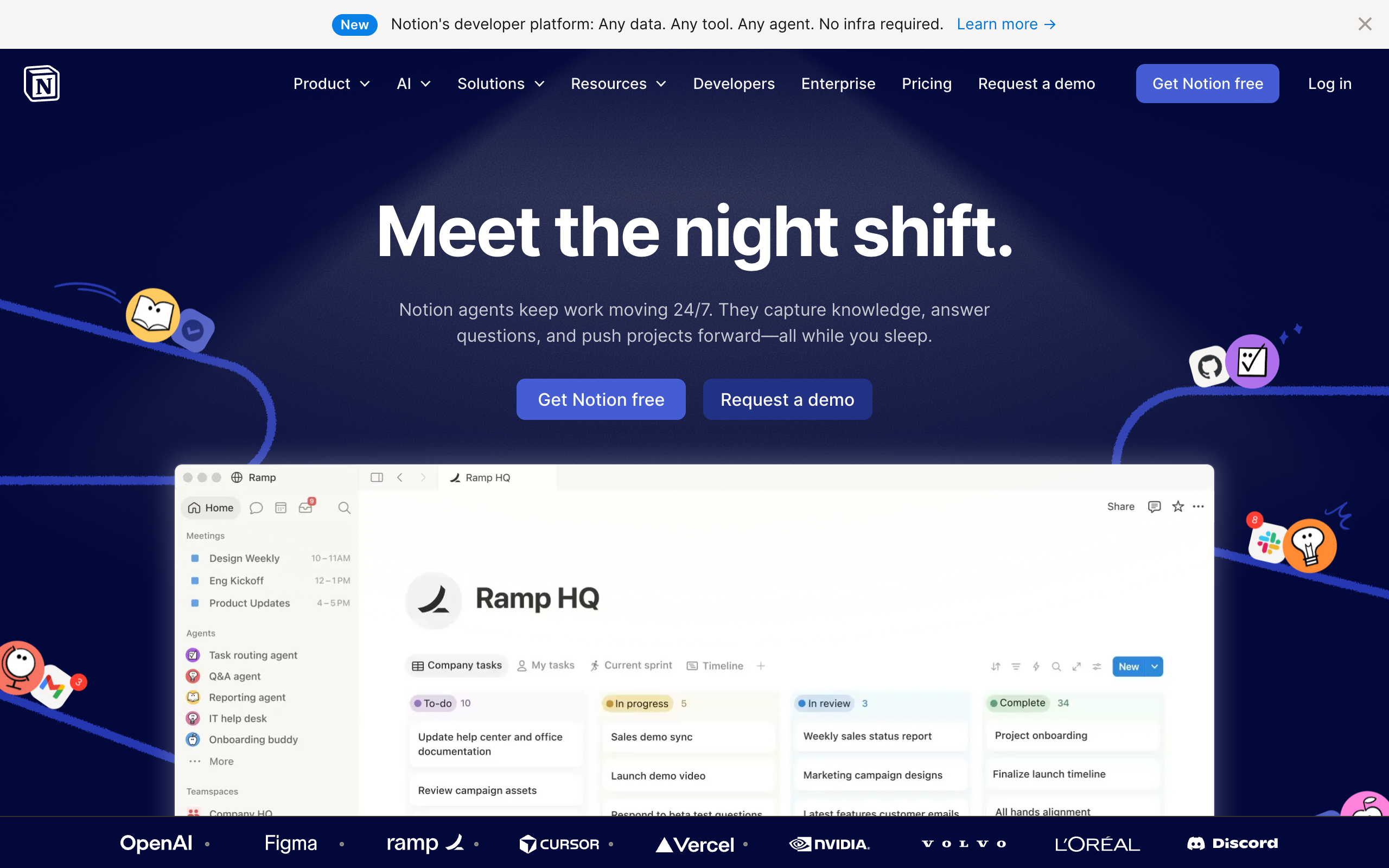
Notion is not a PM tool, strictly speaking. It is a document and database platform that, with discipline, can be configured into a passable project tracker. For boutique studios that already use Notion for wikis, briefs, and client docs, extending it into project management consolidates surfaces.
Where it wins. Documents and tasks live together — briefs, decisions, deliverables, and meeting notes co-located by project. Excellent client portal possibility via Notion sites. Cheap.
Where it falls short. No time tracking, no resource view, no real approval workflow, no Gantt that does not feel hacked together. Performance degrades as databases grow. The "we built our agency on Notion" stories almost always come with a "we eventually moved off" follow-up.
Pricing. Free for small teams; paid tiers from $10 per user per month on the Plus plan.
Best for: Studios under 10 people doing project-based work, where documentation matters as much as task tracking.
9. Soku AI — AI-native campaign management for ad work
Soku AI's campaign management workspace covers the part of agency project management closest to the campaign itself: research and planning, cross-channel launch, continuous monitoring, approved optimization, creative iteration, and client-ready reporting. Instead of moving a campaign from a planning doc into Meta, Google, and TikTok one tab at a time, the team can run that loop from one workspace and keep the work, performance context, and next action together.
Where it wins. AI-native execution across paid-media channels. Soku can turn a brief into a campaign plan, generate and organize creative variants, monitor performance and fatigue, recommend the next action, apply approved changes, and draft the client update. That removes a large share of the coordination work that traditional PM tools can record but do not perform.
Where it falls short. Soku is not a full agency ERP. It does not replace Workamajig or Function Point for timesheets, utilization, retainer burn, role-based billing rates, or accounting. Agencies that bill by the hour will still want a financial system of record alongside it.
Pricing. Free to start.
Best for: Performance marketing teams and ad agencies whose projects revolve around launching, monitoring, and iterating campaigns across multiple channels.
Side-by-side: the agency feature matrix
A feature comparison is a blunt instrument — what matters is fit — but here is an honest read on which tools cover the six agency-specific capabilities natively, with add-ons, or not at all.
| Tool | Native time + billing | Retainer / budget mgmt | Proofing & approvals | Creative asset mgmt | Client portal | Capacity planning | Starting price |
|---|---|---|---|---|---|---|---|
| Workamajig | Yes | Yes | Yes | Yes | Yes | Yes | $41 / user / mo |
| Function Point | Yes | Yes | Yes | Partial | Yes | Yes | ~$44 / user / mo |
| Asana | Add-on | No | Add-on | No | Limited | Yes | $10.99 / user / mo |
| Monday.com | Add-on | Configurable | Configurable | No | Yes | Add-on | $9 / seat / mo |
| ClickUp | Yes (basic) | Configurable | Configurable | Partial | Limited | Yes | $7 / user / mo |
| Wrike | Yes | Partial | Yes | Yes | Yes | Yes | $10 / user / mo + |
| Basecamp | No | No | No | No | Yes | No | $299 / mo flat |
| Notion | No | Configurable | No | No | Configurable | No | $10 / user / mo |
| Soku AI | No | Campaign budgets | Partial (actions) | Yes | No | No | Free to start |
"Configurable" means you can build something passable but the work to maintain it is non-trivial. "Add-on" means you pair the tool with Harvest, Toggl, Ziflow, or similar. Soku's budget and approval capabilities apply to live campaigns and recommended actions, not agency retainers or creative proofing.
A decision framework: pick by your billing model, not by feature checklist
Most buyer's guides tell you to "list your requirements" and then walk down a feature matrix. That advice is fine and useless. Every agency's requirements list looks roughly the same. The real differentiator is how you bill, because that determines what the PM tool actually has to do for your finance team.
Here is the framework we have seen work:
If you bill primarily on retainer or hourly time-and-materials → start with Workamajig or Function Point. The economics of retainer-heavy agencies depend on knowing utilization and retainer burn in something close to real time. Generic tools force you into a spreadsheet workflow that is slow, error-prone, and produces fights with clients at month-end. Workamajig wins for 20+ person shops; Function Point wins below that.
If you bill primarily on fixed-fee projects or value-based pricing → use Asana, ClickUp, or Basecamp. When the price is set up front and the goal is to deliver inside the budget, the PM tool's job is execution clarity, not financial telemetry. Pair with Harvest if you want time data for internal margin analysis.
If you are an in-house marketing team or a creative-production division inside a larger company → look at Wrike or Asana. You almost certainly do not bill externally, but you do need proofing depth and resource planning across many concurrent campaigns. Wrike's marketing tier is built for this; Asana's Creative Production configuration is the cheaper, more flexible alternative.
If the work itself is cross-channel campaign execution → look at Soku AI. Soku manages the operating loop from research and planning through launch, monitoring, approved optimization, creative iteration, and reporting. Pair it with a time-and-billing system if you sell retainers or hourly work; use it as the primary campaign workspace if delivery speed and performance are the bigger constraints.
If you are a boutique studio under 10 people → Basecamp or Notion is probably enough. The overhead of Workamajig will eat any margin gain. Buy back the time you would have spent in tool configuration and put it into client work.
*If the answer is "we do all four" → pick the model that produces 60%+ of your revenue, and pick the tool that fits that model.* Trying to optimize for all four in one tool is how agencies end up with a Workamajig deployment nobody actually uses.
Where AI fits — and the part PM tools do not solve
A buyer's guide written in 2026 has to address AI honestly. Generative AI does not solve project management. It does not stop your senior designer from being double-booked, and it does not collect a missing client approval. But it does collapse two pieces of agency time that show up in the time-leakage chart above: searching past work and producing first-pass creative.
The agency PM stack now has a layer above and a layer below most teams think about. The PM tool orchestrates, but the actual creative work happens in the execution layer — Figma, Adobe, Frame.io, and increasingly AI creative tools that produce ad variants, video, and copy at draft quality.
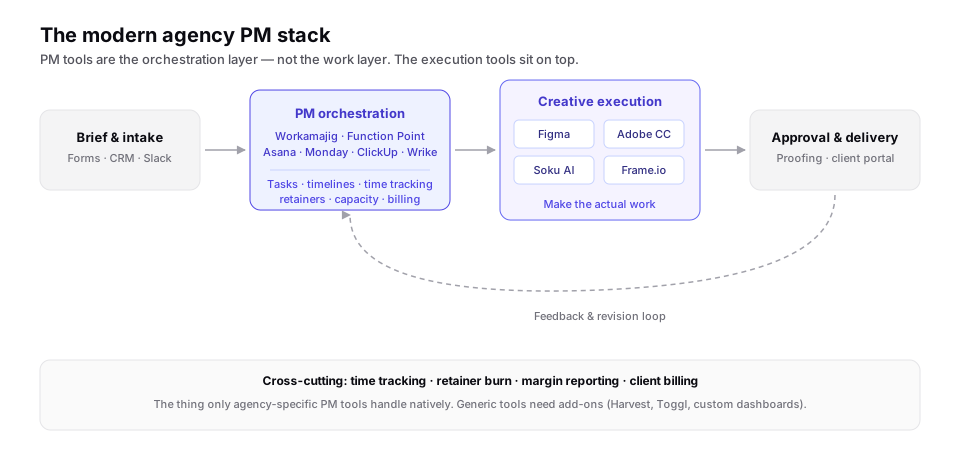
This is where Soku AI's campaign management software differs from a traditional PM tool. Soku manages the campaign work itself — research, planning, cross-channel launch, creative variants, monitoring, approved optimization, and reporting — while Workamajig or Function Point remains the financial system of record for hours, utilization, retainers, and billing. An agency can use both: the traditional PM system tracks the commercial project, while Soku runs and improves the campaign inside it.

What we would do today
If we were starting an ad agency today and choosing one tool, the decision would come down to two questions, in order:
- Do we bill on retainer or hourly time? If yes, we would buy Function Point on day one and accept the per-seat cost as an operating expense, because the alternative is reconstructing utilization in a spreadsheet at month-end and losing money on every retainer that we overserve.
- If we bill on fixed-fee or value-based projects, can we trust the team to maintain discipline in a simpler tool? If yes, Basecamp at the flat $299 rate is genuinely hard to beat for under 20 people. If no, Asana with a Harvest add-on for internal margin tracking is the safer pick.
Workamajig is the right answer for established agencies of 30+ people; we would not recommend it as a day-one decision because the implementation cost (time, not money) is too high for a team that does not yet know its own workflow.
FAQ
What is the best project management software for ad agencies in 2026?
There is no single best tool. For retainer-heavy agencies of 20+ people, Workamajig is the most defensible choice. For smaller agencies, Function Point offers most of Workamajig's value with less weight. For project-based shops, Asana or Basecamp are honest answers. For teams whose work centers on cross-channel ad campaigns, Soku AI combines campaign planning, execution, monitoring, optimization, and reporting in one workspace. Match the tool to your billing and delivery model — not to a feature wish list.
Is Asana good for ad agencies?
Asana is good for agencies that already have separate time tracking and accounting tools. It excels at task surface and timeline clarity, but it does not handle retainers, billable rates, or agency financial reporting. Most agencies that use Asana pair it with Harvest, QuickBooks, and a proofing tool — meaning you end up with three or four tools doing what Workamajig or Function Point do in one.
What is the difference between Workamajig and Function Point?
Both are agency-specific PM tools with native time tracking, retainer management, and capacity planning. Workamajig is deeper on financial operations and includes its own accounting; Function Point is lighter and integrates with QuickBooks and Xero instead of replacing them. Workamajig fits agencies of 20+ people where ops complexity is real; Function Point fits independent agencies of 5–40 people that want agency-native features without Workamajig's onboarding curve.
Do I need agency-specific PM software, or is Asana / Monday enough?
If you bill primarily on retainer or hourly, agency-specific tools (Workamajig, Function Point) pay for themselves quickly because retainer burn and billable utilization are first-class concepts. If you bill on fixed-fee projects, generic tools plus add-ons can be cheaper and faster to adopt.
What is the cheapest project management tool for a small agency?
Basecamp's flat $299 per month for unlimited users is the cheapest at scale once you exceed roughly 20 seats on a per-user tool. Below that, ClickUp's free tier or Notion can cover small studios at near-zero cost, with the trade-off that you have to build the agency-specific workflows yourself.
What is creative project management software?
"Creative project management software" describes PM tools designed around the creative review cycle — versioned proofing, annotated approvals across stakeholders, and brand asset management. Wrike for Marketers, Workamajig, and Function Point are the most agency-native options; dedicated proofing tools like Ziflow can layer on top of generic tools to add the same capability.
Should we move off Workamajig?
Most agencies that consider this end up staying. The pain of Workamajig is usually creative-team adoption rather than data-model misfit. Before switching, check whether a lighter task surface (a Trello or Notion view) layered on top — with Workamajig still as the system of record for time and billing — would solve the actual complaint. The cost of migrating a multi-year billing history is almost always higher than the cost of teaching the team to live with the tool.
How does Soku AI fit into an agency's PM stack?
Soku AI is an AI-native campaign management layer for the work between brief and report: research, planning, launch, creative production, monitoring, approved optimization, and reporting. It can be the primary campaign workspace, but it does not replace an agency ERP for timesheets, utilization, retainer burn, or accounting. Agencies that need both can run campaign delivery in Soku and keep financial operations in Workamajig or Function Point.
Is marketing resource management the same thing as agency PM software?
No, though the shortlists overlap. Agency PM software is organised around jobs, time and billing; marketing resource management software is organised around the marketing work product itself — briefs, asset libraries, review and approval routing, and brand governance. In-house marketing teams usually want MRM. Agencies usually want PM first, because the thing they have to get right is billable time, and only add MRM once asset volume rather than job volume becomes the bottleneck.