Soku AI
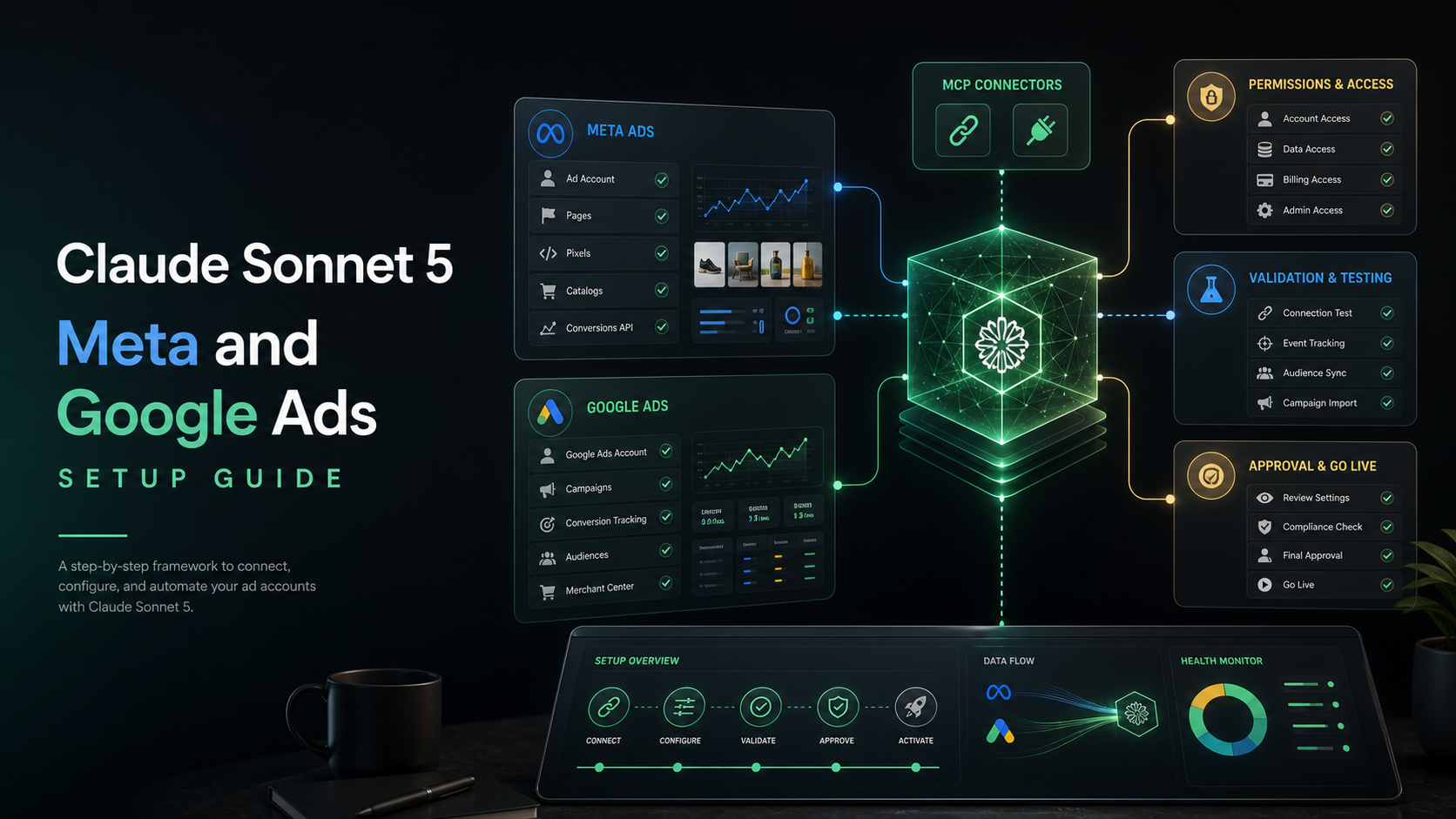
Claude Sonnet 5 is useful for ad teams only if it can see the right data and stop at the right boundary. Anthropic says Sonnet 5 can make plans, use browsers and terminals, and run more autonomously than prior Sonnet models (Anthropic). That is exactly why the setup matters. A stronger model connected to vague exports is still guessing. A stronger model connected directly to spend-changing tools without approval is risky.
For the broad overview, start with the Claude Sonnet 5 for AI marketers pillar. This guide owns the setup query: how to wire Sonnet 5 into Meta and Google Ads workflows without turning the model into an unbounded media buyer.
The target architecture
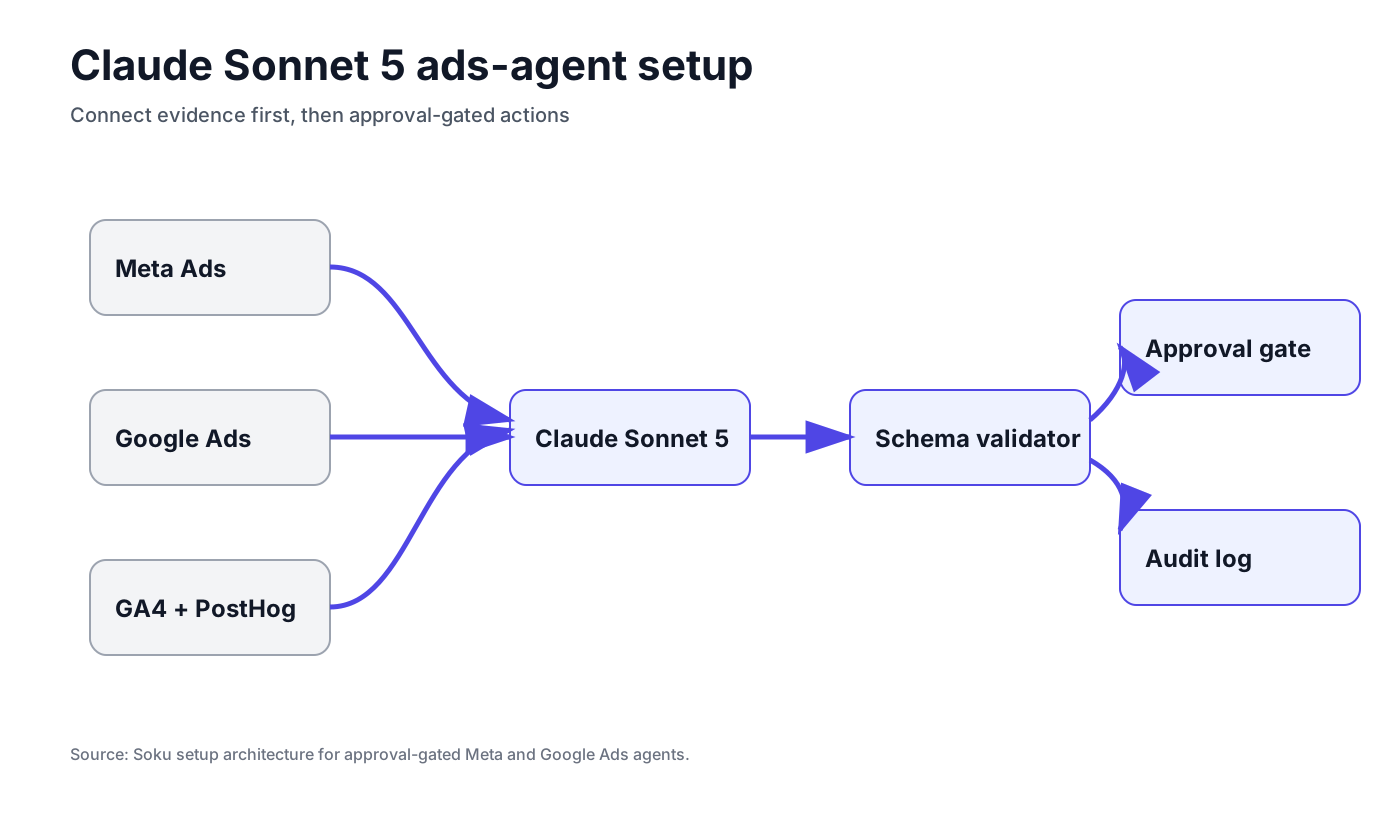
The safest setup has five layers.
| Layer | Purpose | Example |
|---|---|---|
| Data connectors | Read performance, settings, creative, and conversion data | Meta Ads, Google Ads, GA4, PostHog, CRM |
| Model runtime | Reason over the evidence and draft next actions | claude-sonnet-5 |
| Tool schemas | Keep platform actions structured and validated | Campaign ID, ad set ID, date range, platform |
| Approval gates | Stop before spend, targeting, publishing, or customer-data changes | Human approval, spend caps, allowlists |
| Audit log | Record what was proposed, approved, changed, and measured | Change log, report links, rollback note |
The model is only one layer. If you skip the other four, Sonnet 5 becomes a confident analyst with incomplete evidence.
Step 1: Define the model role
Do not tell Sonnet 5 to "optimize my ads." That instruction is too broad.
Use a role like this:
You are a paid media analyst. You may read account, campaign, creative, landing-page, and analytics data. You may draft recommendations and prepare platform changes. You must not execute spend, targeting, creative publishing, or customer-data changes unless an explicit approval tool returns approved=true for the exact change.The key is the boundary. Sonnet 5 can plan and reason. Your product should decide what it can touch.
Step 2: Start read-only
The first production use case should be diagnosis. Give Sonnet 5 enough evidence to answer a narrow question:
- Which campaign changed most?
- Was the change driven by CPM, CTR, CVR, AOV, or mix?
- Which ad or keyword object explains it?
- What should we check before changing anything?
- What is the smallest safe next action?
For Meta, read:
- Account, campaign, ad set, and ad IDs.
- Spend, impressions, CPM, clicks, CTR, CPC, conversions, CPA, ROAS.
- Frequency, placement, audience, creative ID, and landing URL.
- Creative fatigue signals by ad.
For Google Ads, read:
- Campaign, ad group, asset group, keyword, search term, and final URL.
- Spend, clicks, impressions, CTR, CPC, conversions, CPA, ROAS.
- Match type, search-term expansion, negatives, and landing-page status.
- AI Max, Performance Max, and Demand Gen settings where relevant.
For analytics, read:
- GA4 landing-page sessions and conversion rate.
- PostHog funnel drop-off and event changes.
- CRM or ecommerce revenue when available.
- Tracking anomalies and missing events.
Step 3: Normalize platform object names
Most failed ad-agent runs are not reasoning failures. They are object failures. The model refers to "the Meta campaign" but the tool needs an account ID, campaign ID, ad set ID, ad ID, platform, and date range.
Force every recommendation into a schema:
| Field | Required? | Why |
|---|---|---|
platform | Yes | Prevents a Meta action from being sent to a Google tool. |
account_id | Yes | Avoids ambiguous brand or client routing. |
object_type | Yes | Campaign, ad set, ad, keyword, asset group, landing page. |
object_id | Yes when available | Makes the recommendation executable and auditable. |
date_start and date_end | Yes | Prevents cherry-picked comparisons. |
metric_delta | Yes | Forces evidence rather than opinion. |
recommended_action | Yes | The proposed change in plain English. |
tool_payload | Only after validation | The exact structured action, not prose. |
This is where Sonnet 5's agentic gains help: it is better at carrying structured context across steps. But the schema still belongs in your product.
Step 4: Give Sonnet 5 a platform-specific checklist
Meta Ads checklist
Ask Sonnet 5 to check these before recommending creative changes:
- Did frequency rise on the affected ad set?
- Did CTR fall while CPM stayed stable?
- Did conversion rate fall after the click?
- Did a placement or audience mix shift?
- Did a winning ad exit learning or hit fatigue?
- Did a tracking or pixel event change?
- Is the issue isolated to creative, audience, landing page, or budget?
Only after that should it draft an action. For example:
| Symptom | Better recommendation |
|---|---|
| Frequency up, CTR down, CVR stable | Refresh hook and first frame. |
| CTR stable, CVR down | Check landing page, offer, and tracking. |
| CPM up, CTR stable | Audience auction pressure, not necessarily creative. |
| CPA up on one placement | Split placement analysis before changing creative. |
Google Ads checklist
Ask Sonnet 5 to check these before recommending Google changes:
- Did the search-term mix change?
- Did broad match or AI Max expansion enter weak terms?
- Did final URL expansion route traffic to a weaker page?
- Did negatives, brand exclusions, or assets change?
- Is CPA movement volume-driven or quality-driven?
- Did conversion lag explain the apparent drop?
The model should not add negatives blindly. It should propose candidate negatives with evidence:
| Candidate negative | Evidence required |
|---|---|
| Off-intent query | Spend and clicks with low or zero conversion. |
| Competitor query | Strategic decision, not automatic block. |
| Research query | Low conversion rate across enough clicks. |
| Brand-adjacent query | Human approval because brand defense may matter. |
Step 5: Add approval gates
Use three approval levels:
| Level | Agent can do | Examples |
|---|---|---|
| No approval | Read data, summarize, diagnose | Daily report, anomaly explanation |
| Soft approval | Draft a change package | Negative list, creative brief, budget recommendation |
| Hard approval | Execute after exact human confirmation | Pause ad, change budget, publish creative |
The approval record should include the platform, object ID, proposed change, estimated impact, rollback plan, and reviewer.
Step 6: Use effort levels deliberately
Anthropic says Sonnet 5 supports effort levels and that higher effort expands cost-performance options on agentic search and computer-use work (Anthropic). Marketing teams should not run every task at the highest setting.
Use this routing:
| Task | Suggested effort |
|---|---|
| Daily metric summary | Low or medium |
| Account anomaly diagnosis | Medium |
| Cross-platform root-cause analysis | Medium or high |
| Preparing executable change payloads | High |
| Investigating tracking or landing-page failures | High |
| Ambiguous strategy call | Escalate to Opus 4.8 or human |
A starter prompt for read-only diagnosis
Use a prompt like this after the tool layer has loaded structured data:
Analyze the attached Meta, Google Ads, GA4, and PostHog data for the last 7 days versus the previous 7 days. Identify the largest performance change by business impact. Separate volume, cost, click-through, conversion-rate, and mix effects. Cite the exact campaign, ad set, keyword, creative, or landing page objects behind the claim. Do not recommend a spend or targeting change unless the evidence points to one object-level action. End with a change package that requires human approval.A starter prompt for creative refresh planning
Use this when the diagnosis points to creative fatigue:
Given the fatigued ads and their historical winners, propose 12 new creative hypotheses. Group them by hook, offer, proof, format, and audience angle. For each hypothesis, name the performance symptom it addresses, the platform placement it fits, and the first metric we should watch after launch. Do not write final ad copy until the hypotheses are approved.Common setup mistakes
Mistake 1: Giving the model screenshots instead of data
Screenshots are useful for interface context. They are not enough for diagnosis. Sonnet 5 needs structured rows with date ranges, metric definitions, and object IDs.
Mistake 2: Letting prose become the tool payload
The model can write "reduce budget by 20%." Your tool should require a structured payload with object ID, current budget, new budget, reason, approval ID, and rollback note.
Mistake 3: Mixing brands or accounts
Marketing agents often fail when one user manages several brands. Always bind the data namespace: organization, brand, platform account, and connected credential.
Mistake 4: Treating recommendations as truth
Sonnet 5 should produce evidence-weighted hypotheses, not unquestioned commands. Force confidence labels: high, medium, low, and "needs data."
How Soku fits
Soku's role is to provide the workflow shell around models like Sonnet 5:
- Connect the ad accounts and analytics tools.
- Normalize the data and object IDs.
- Give the model platform-safe tools.
- Enforce approval gates.
- Record the change log.
- Measure the result after the action.
Claude Sonnet 5 is the reasoning and execution layer. Soku should remain the operating system around it.
Where to go next
- For the overall model launch and pricing implications, read Claude Sonnet 5 for AI marketers.
- To evaluate whether your setup is working, run the Claude Sonnet 5 ad automation test.
- To decide whether Sonnet 5 or Opus 4.8 should run a workflow, read Claude Sonnet 5 vs Opus 4.8 for marketing agents.