Soku AI
All tools

AI Human Video Generator Generate People on Camera

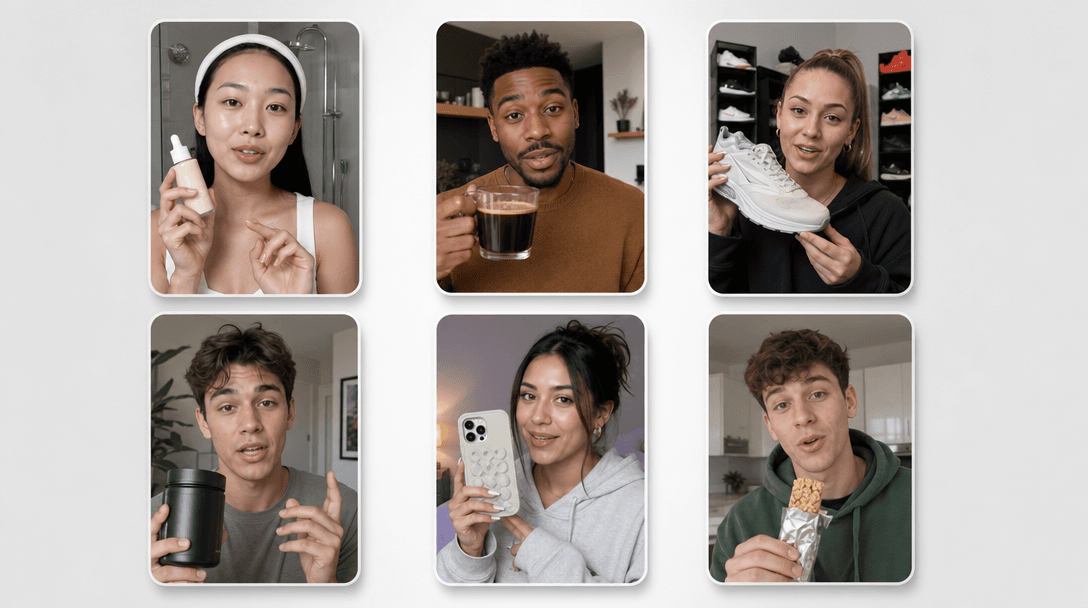
Most ad footage has a person in it, and most of the time that person is not anybody in particular — they are "someone like our customer, doing the thing our product is for".

PeopleUGC-style

Three deliberate steps

01

Describe the person as a role, not a face

Age range, build, clothing, demeanour, what they are holding. "A man in his fifties in a work shirt, unhurried" renders reliably. A named celebrity or a specific colleague does not, and should not — the model has no reference for them and you have no rights to them.

02

Give them one action and one place

Sitting down with a coffee. Looking up from a workbench. Catching their breath against a railing. A person doing one legible thing in one identifiable space renders cleanly; a list of three actions across two rooms renders as none of them, because a single clip is a single continuous shot.

03

Light the room, then frame the shot

Soft window light from the left, warm overhead practicals, hard midday sun. Then say how far away the camera is: close-up, medium, wide, and whether it moves. Skin and faces are where flat lighting shows most, so this is the setting that most changes whether the clip reads as footage or as output.

Use cases

Who reaches for this, and when

Cover a lifestyle beat your shoot never captured

A campaign shoot returns with the hero shots and none of the connective moments — someone unlocking a door, glancing at a phone, sitting down with the product nearby. Those beats carry an edit and are the cheapest thing to generate rather than reconvene a crew for.

Localise the person without a second shoot

The same script often needs a different-looking presence in a different market, and a shoot budget rarely stretches to both. Render a market-appropriate person performing the same beat so the smaller market runs real footage rather than a recycled cut.

Pretest a hook before booking talent

Generate four openers with four different people doing the same first action, run them as a paid creative test, and let the ad account decide which framing earns the shoot. Casting from performance data is a better argument than casting from a mood board.

Questions before you run it

Will the same person appear across several clips?
No, and this is the most important thing to know before you plan around it. Every generation produces a new person from your description, so two clips from the same prompt give you two similar-looking but different people. There is no character memory and no way to lock a face here. If you need one consistent presenter across a campaign, this is the wrong tool — use an avatar product built for that, or shoot the person once and use image-to-video from a still.
Do they speak? Can I put a script in their mouth?
They will move as though speaking if you describe them speaking, and audio is generated with the clip, but this is not lip-sync to a script you supply. The words are not yours and will not match a voiceover you lay over the top. For footage where the specific words matter, generate the visual here and either replace the audio and cut around the mouth, or use a lip-sync tool with a track you control.
Can I generate a real, named person?
No, and we would refuse to build a page that implied otherwise. The model renders a person matching your description, not a specific individual it has never seen, and generating a real named person for advertising raises rights and likeness problems that no output quality would fix. Describe the role you need cast, not the person you have in mind.
How long is each clip and what resolution?
Between 4 and 15 seconds per generation, at 480p or 720p, in 9:16, 16:9, 1:1, 4:3, 3:4 or 21:9. Cost scales with duration and resolution, and 480p runs at roughly half the credit rate of 720p — worth using while you are still deciding who is in the shot and what they are doing. Set the aspect ratio before generating rather than cropping afterwards.
Is it free?
Generating requires a paid plan — Creator or higher. The Free plan does not include tool generation. Each render draws credits based on the duration and resolution you select, and the cost is shown before you run it. Output can be handed straight into the Creatives canvas to be cut, captioned and pushed to your ad platforms.