 Soku AI
Upload the clip that looks soft
Up to 15 seconds of source video. Pick the specific cut that is letting the ad down rather than a whole master — this is a per-shot repair, and short ad cuts are exactly the shape it suits.
Most footage does not arrive soft — it becomes soft. A clip gets exported, uploaded, re-compressed by a platform, pulled back down and cut into a new edit, and each pass sands a little more detail off it. This runs Topaz Video Precision over the clip to rebuild that detail from what is still in the frames. It is a restoration model, not a generative one: it resolves the shot you filmed rather than imagining a new one.Most footage does not arrive soft — it becomes soft.
Up to 15 seconds of source video. Pick the specific cut that is letting the ad down rather than a whole master — this is a per-shot repair, and short ad cuts are exactly the shape it suits.
The Proteus model reconstructs edge and texture detail and cleans up compression artefacts, doubling the resolution as it goes. A 1080p source comes back at roughly 4K, so a clip that was only ever soft because it was small stops being small.
Play the two side by side at the size the ad will actually run. Restoration is convincing on lightly damaged footage and honest about its limits on badly damaged footage, and a fast A/B is how you tell which one you had.
Use cases
The creative that carried last quarter often survives only as a platform download, two re-encodes away from the master nobody can find. Sharpening that copy is usually faster than reshooting it, and it keeps the exact cut the algorithm already learned to spend on.
Clips that arrive from a manufacturer, a reseller or a creator are frequently phone-grade and heavily compressed. A restoration pass makes them sit alongside your own material in the same ad set instead of visibly dragging it down.
A 720p archive clip that looked fine on a 2019 feed looks soft full-bleed on a modern phone. Doubling resolution and restoring detail is what lets an existing library be re-cut rather than retired.
Keep building

The same restoration model, framed for footage that is too small rather than too soft.
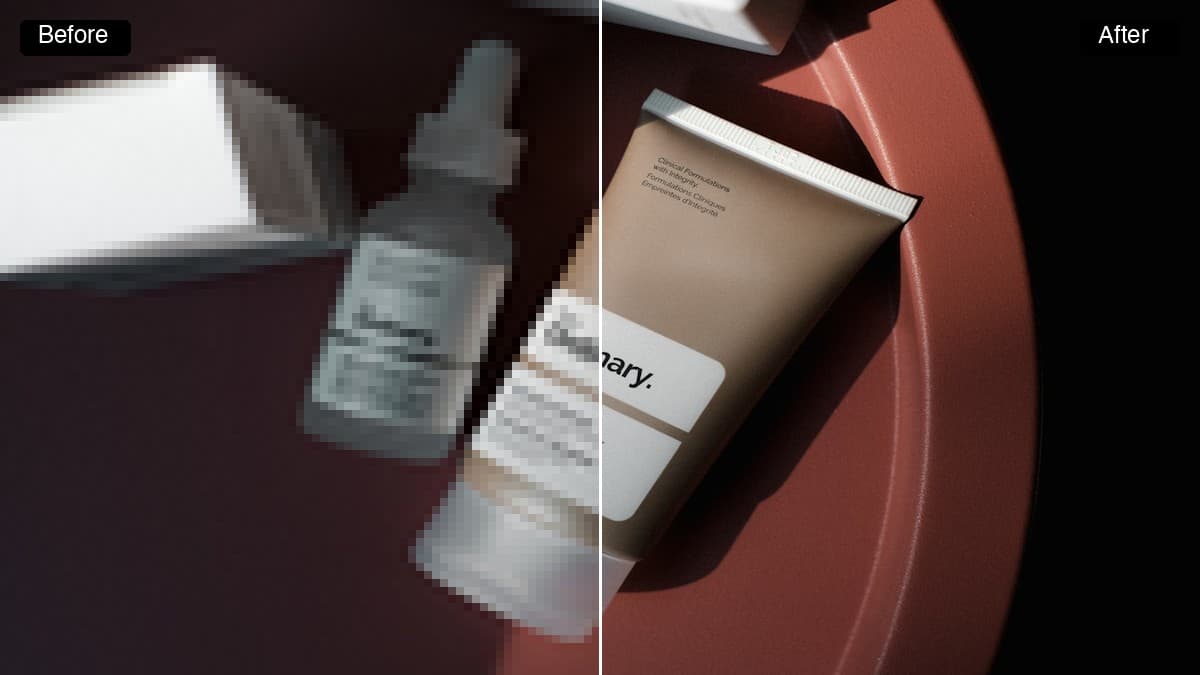
The still-image equivalent, for product shots that went through the same compression mill.

Once the clip is sharp, the next problem is usually that it is the wrong shape for the placement.