Soku AI
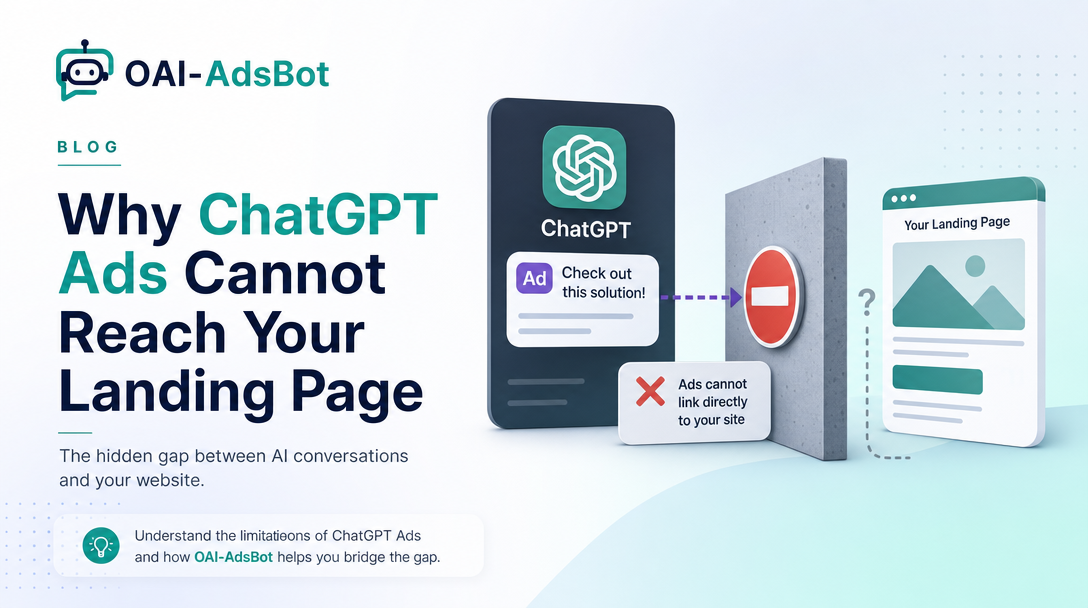
Most ChatGPT Ads troubleshooting advice is about bids, budgets and creative. This is about the failure that happens before any of that matters: OpenAI tries to look at your landing page, cannot, and the ad does not run.
The crawler that does that looking is OAI-AdsBot. It is not GPTBot, it is not OAI-SearchBot, and allowing either of those does not allow it. Update, 2026-10-29. OpenAI rewrote its crawler guidance for advertisers on 2026-10-28. The old three-layer explanation (robots.txt, then bot mitigation, then human verification) has been replaced by a five-step checklist that starts with the exact ad URL and its redirects, and adds a table of what to do for a 403, 404, 429 or blank page. We have updated the sections below, and what changed is summarised in its own section.
This post covers what OpenAI actually documents about it across two surfaces, OpenAI's checklist for finding what blocks it, and some numbers we pulled ourselves on 2026-09-23 that change how you should think about IP allowlisting.
The one sentence that decides whether your ad runs
OpenAI's advertiser guidance is unusually direct about the requirement:
You must allow OAI-AdsBot. We recommend allowing both OAI-AdsBot and OAI-SearchBot.
— Advertiser Guidance for Allowing OpenAI Web Crawlers
The reason is stated on the same page: when you submit an ad, OpenAI may visit the landing page to check it complies with policy, and may also use the landing page content to work out when the ad is relevant to show. So crawlability is not only a review gate — it is an input to targeting quality.
Why "we already allow OpenAI" is usually wrong
This is the part that catches teams who consider themselves well-configured, because they have thought about AI crawlers — just not about this one.
OpenAI's developer documentation lists four agents and is explicit that the settings are independent of one another:
| Agent | What it is for | Published IPs |
|---|---|---|
| OAI-AdsBot | Validating pages submitted as ads on ChatGPT. Only visits pages submitted as ads. Its data is not used to train foundation models. | adsbot.json |
| OAI-SearchBot | Surfacing sites in ChatGPT's search features. | searchbot.json |
| GPTBot | Crawling content that may be used to train OpenAI's foundation models. | gptbot.json |
| ChatGPT-User | User-initiated visits from ChatGPT and Custom GPTs. Not automatic crawling. | chatgpt-user.json |
Source: Overview of OpenAI Crawlers, read 2026-09-23.
Read that table again with an advertiser's eyes. The bot most sites deliberately allow — GPTBot — is the one with no bearing at all on whether your ad clears review. The bot that decides it is the one least likely to appear in a hand-curated allowlist, because it only shows up in your logs after you start advertising.
We checked our own site while writing this, and it is a fair example of the trap. soku.ai/robots.txt carries a deliberate block of explicit AI-crawler permissions — GPTBot, ClaudeBot, Google-Extended, PerplexityBot and Applebot-Extended each named and allowed. Neither OpenAI ads crawler was on that list. Nothing was broken, because the wildcard User-agent: * rule above it allows everything. But the curated list — the one written by someone who had clearly thought about AI crawlers — omitted both bots that matter for ChatGPT Ads. We have added them in the same change as this post.
The numbers OpenAI links to but does not summarise
The help centre points at adsbot.json and searchbot.json for stable IP ranges without saying what is in them. We fetched all four files on 2026-09-23:
| File | Creation time in file | IPv4 prefixes | Addresses covered |
|---|---|---|---|
adsbot.json | 2026-05-12 | 2 | 256 |
searchbot.json | 2026-01-02 | 39 | 2,560 |
gptbot.json | 2026-09-22 | 18 | 2,704 |
chatgpt-user.json | 2026-09-22 | 229 | 36,416 |
Two things are worth drawing out, and both are our reading rather than OpenAI's statement.
OAI-AdsBot has by far the smallest published footprint. Two prefixes — 130.131.229.128/25 and 20.168.90.128/25 — 256 addresses in total. That is small enough to paste into a firewall rule without argument, which is a genuinely useful fact if your security team's objection to allowlisting is scale.
It is also the stalest file. GPTBot and ChatGPT-User were regenerated on 2026-09-22, the day before we looked. The AdsBot file still carried a 2026-05-12 creation time. A file that has not moved in four months is either a very stable range or a file that is not being maintained at the same cadence as the others, and you cannot tell which from the outside. That is precisely why OpenAI's own note on stable IP ranges tells you not to lean on IP alone:
Because crawler infrastructure may evolve over time, your engineering team should avoid relying solely on short-term IP observations from logs. Instead, validate traffic through a combination of user-agent identification, verified bot programs where supported, firewall allowlists, robots.txt behavior, and provider-level bot verification systems.
Use the IP file as belt-and-braces. Identify on the user agent.
The exact user-agent strings
From the developer documentation, read 2026-09-23. The AdsBot string is fixed; the SearchBot version number may change.
Mozilla/5.0 AppleWebKit/537.36 (KHTML, like Gecko); compatible; OAI-AdsBot/1.0; +https://openai.com/adsbotMozilla/5.0 (Macintosh; Intel Mac OS X 10_15_7) AppleWebKit/537.36 (KHTML, like Gecko) Chrome/131.0.0.0 Safari/537.36; compatible; OAI-SearchBot/1.4; +https://openai.com/searchbotOne detail that saves log-reading time: when OpenAI fetches robots.txt specifically, it may append a robots.txt marker to the user-agent string, so that site owners whose logs do not record paths can still tell a robots.txt fetch from a page fetch.
What OpenAI changed on 2026-10-28
Soku's documentation monitor compared the guidance captured on 2026-10-27 with the version captured at 00:05 UTC on 2026-10-29. The requirement did not change: OAI-AdsBot "is required for ChatGPT Ads landing page validation and review," and OAI-SearchBot is recommended. The notes on stable IP ranges, rate limiting, Cloudflare and product-feed images are also unchanged. What changed is the troubleshooting section.
| Before (captured 2026-10-27) | Now (captured 2026-10-29) | |
|---|---|---|
| Heading | "OpenAI crawlers fail to crawl my website. What should I do?" | "Check that OpenAI can access your ad landing page" |
| Structure | Three layers: robots.txt, web protection and bot mitigation, human verification | Five checks: the exact ad link, crawler access, security settings, the page the crawler receives, and checking again |
| Where to start | robots.txt | "Open the complete ad URL, including any tracking parameters. Follow the redirects and confirm that the final page shows the product or service you are advertising." |
| robots.txt | A sample block allowing OAI-SearchBot and OAI-AdsBot | "check the robots.txt rules for the landing page and any required assets. Check each host involved in a redirect, including subdomains and third-party destinations." |
| Security layer | Named Cloudflare and Akamai, and said these systems can return 403 errors | "A robots.txt rule alone may not be enough. Your firewall, content delivery network (CDN), or bot-protection service may apply separate restrictions." |
| Response codes | Not covered | A table for 403, 404, 429, and "A blank, incomplete, login, or challenge page" |
| After the fix | Re-upload or resubmit | Test the exact URL again, start with "a few representative URLs" for large groups, and "Ads still need to pass review; fixing crawler access does not guarantee approval." |
| Contacting support | Not covered | What to send: account and ad IDs, the exact URL and final destination, the error, when it happened with time zone, and what your team changed |
OpenAI's five checks
These are OpenAI's steps, in OpenAI's order, from the current guidance.
1. Check the exact link used in your ad
Start with the full ad URL, tracking parameters included, and follow every redirect to the final page. OpenAI adds: "If you use a tracking link, check where it sends visitors on different devices or in different locations. A working homepage does not confirm that the link in your ad works."
2. Allow the relevant OpenAI crawlers
Allow OAI-AdsBot; OAI-SearchBot is recommended. Check the robots.txt rules for the landing page and the assets it needs, on every host in the redirect chain. A plain robots.txt block that allows both looks like this. OpenAI's old guidance showed the same shape; the new version links to the crawler documentation instead.
User-agent: OAI-SearchBot
Allow: /

User-agent: OAI-AdsBot
Allow: /
3. Check your website's security settings
Your firewall, CDN or bot-protection service can block a crawler that robots.txt allows. OpenAI asks you to confirm that "verified OpenAI crawler requests can reach the landing page and required content without signing in, completing a CAPTCHA, or passing a browser challenge," on the destination host as well as the starting domain. If access is denied, "use the failed request's time and request ID, when available, to find the relevant event in your website or security logs."
One piece of good news is still documented: OAI-AdsBot is officially verified and allowlisted by Cloudflare. If you are on Cloudflare, look first at custom WAF rules and bot settings you added yourself.
4. Check the page the crawler receives
"A page opening in your browser does not always mean the crawler receives the same content." OpenAI's table:
| What the request returns | What to check or update |
|---|---|
| 403 / Access denied | "Review security rules on the host that denied the request. This may be a redirected subdomain rather than the original website." |
| 404 / Page not found | "Fix the missing page or the redirect destination. For tracking links, check the destination selected for different devices or locations." |
| 429 / Too many requests | "Review rate limits and bot-protection events. For large ad uploads, spreading submissions over smaller batches may help." |
| A blank, incomplete, login, or challenge page | "Make sure the intended page content and required assets are accessible to the crawler. A successful HTTP response alone does not confirm that the content loaded." |
5. Check again after making changes
Record what changed and when, then test the exact ad URL and its redirects again. For many ads, start with a few representative URLs. Then check the ads in Ads Manager, and follow the resubmission or review steps if their status does not update. Repeat the checks whenever your landing pages, tracking links, redirects, hosting or security settings change.
Soku analysis: the rewrite moves the likely failure from your main domain to everything between the ad and the page. Tracking links that send mobile and desktop visitors to different places, a redirect through a regional subdomain, and a landing page whose images or scripts sit on another host each get their own line. The last row of the table matters too: a 200 response with a login wall or an empty JavaScript shell is now named as a failure, not a pass.
Product feeds have a second surface you will forget
This is the detail most likely to bite an ecommerce advertiser, and it is one sentence in the guidance:
For product feeds, also allow OAI-SearchBot to crawl the product image URLs. Check firewall, CDN, and bot-protection rules on the image host; a 403 response can block feed processing.
Landing pages and product images usually live on different hosts. The landing page is on your main domain behind whatever rules you tuned for it; the images are on a CDN or object-storage bucket configured by someone else, possibly years ago, and frequently with tighter hotlink and bot rules precisely because images are what gets scraped. Feed processing can fail on the image host while the landing page is perfectly crawlable, and the error surfaces as a feed problem rather than a crawler problem.
If you run feed-based campaigns, audit both hosts. And note this applies to OAI-SearchBot on the image URLs, not only AdsBot — the two bots have different jobs even inside a single feed campaign.
Rate limiting, and why big bulk uploads are a bad idea
OpenAI's guidance notes that large batch uploads or sudden spikes in crawler traffic can trip automated rate limiting. The tell is HTTP 429 in your logs around the time the crawler tried, alongside firewall, CDN and bot-mitigation events.
The documented remedy is unglamorous and effective: upload in smaller batches over a longer period. If you are launching a few hundred ads at once and a portion of them stall in review, the cause may not be the ads at all — it may be that your own infrastructure throttled the crawler that was trying to validate them.
What to do, in order
- Start from the ad, not the homepage. Open the exact ad URL with its tracking parameters, follow every redirect, and check the final page on mobile and desktop if your tracking link routes by device or location.
- Confirm the failure mode before changing anything. Ask your engineering team what the page returns to OAI-AdsBot specifically: a 403, 404 or 429, or a 200 that is really a login, challenge or blank page.
- Name both bots explicitly in robots.txt on every host in the redirect chain, even if a wildcard already allows them. An explicit
Allowsurvives the next person who tightens the wildcard. - Check Cloudflare or your WAF for custom rules, not the platform defaults. AdsBot is a verified bot on Cloudflare, so a block is more likely to be something you added. Use the failed request's time and request ID to find it.
- Audit the image host separately if you run product feeds, for OAI-SearchBot.
- Look for 429s if you bulk-uploaded, and split the batch.
- Test a few representative URLs again, then resubmit. Re-upload or resubmit affected ads if their status does not clear on its own. Do not wait for a manual bypass, and remember that fixing access does not guarantee the ad passes review.
Crawler access is one of several checks a new account goes through. Business verification is another, and since 2026-10-28 OpenAI says it is not a gate before spend: ads can deliver and spend before you are verified.
The Soku view
Two editorial observations, clearly separated from the documentation above.
The first is that this is an unusually cheap problem to prevent and an expensive one to diagnose. The fix is four lines of robots.txt and a firewall rule. The failure presents as ads that do not start, which everyone instinctively debugs as a bidding, budget or policy problem — three places where the answer is not.
The second is about who owns it. Every step in OpenAI's own troubleshooting list routes to "your engineering or security team." That is accurate and it is also the reason these tickets sit: the person watching the ads is not the person who can change the WAF, and the symptom does not obviously belong to infrastructure. If you are standing up ChatGPT Ads, get the crawler access agreed before the first campaign rather than as an escalation during it.
At Soku we run the landing pages and the campaigns in one loop, which means crawler reachability is a deployment concern rather than an escalation — but the underlying checklist above is the same whether or not you use us, and it is worth running once before you need it.
Sources, read 2026-09-23 and re-checked 2026-10-29:
- Advertiser Guidance for Allowing OpenAI Web Crawlers — help centre
- Overview of OpenAI Crawlers — developer documentation
- adsbot.json, searchbot.json, gptbot.json, chatgpt-user.json — published IP ranges
Last verified: 2026-10-29 for the help centre guidance; the IP file counts above were read on 2026-09-23. Crawler IP files change without notice; re-read them before you build a firewall rule from the numbers in this post.