 Soku AI
How to Create AI Thumbnails
Go from idea to click-worthy thumbnail in 3 simple steps with Soku AI.
Describe Your Video
Paste your video title, describe the scene, or upload a frame. Soku AI understands your content and generates thumbnail concepts instantly.
AI Generates Options
Get multiple thumbnail variations with optimized text placement, face enhancement, and attention-grabbing compositions — all tuned for maximum CTR.
Publish & Track Performance
Pick your favorite, customize branding if needed, and publish directly. Soku AI tracks which thumbnails drive the most clicks across platforms.
Why Creators Choose Soku AI
Not just another template tool. Soku AI uses AI to optimize every element of your thumbnail for clicks.
Smart Text Overlay
AI analyzes your thumbnail composition and places text with optimal contrast, sizing, and positioning — ensuring readability across desktop and mobile YouTube feeds.
Face Detection & Enhancement
Thumbnails with expressive faces get more clicks. Soku AI detects faces, enhances expressions, and adjusts lighting to maximize emotional impact and CTR.
Brand Kit Consistency
Upload your logo, colors, and fonts once. Every thumbnail maintains your channel identity automatically — perfect for agencies managing multiple channels.
Batch Generation
Create thumbnails for entire playlists or video series at once. Maintain visual consistency while varying each thumbnail to stand out in search results.
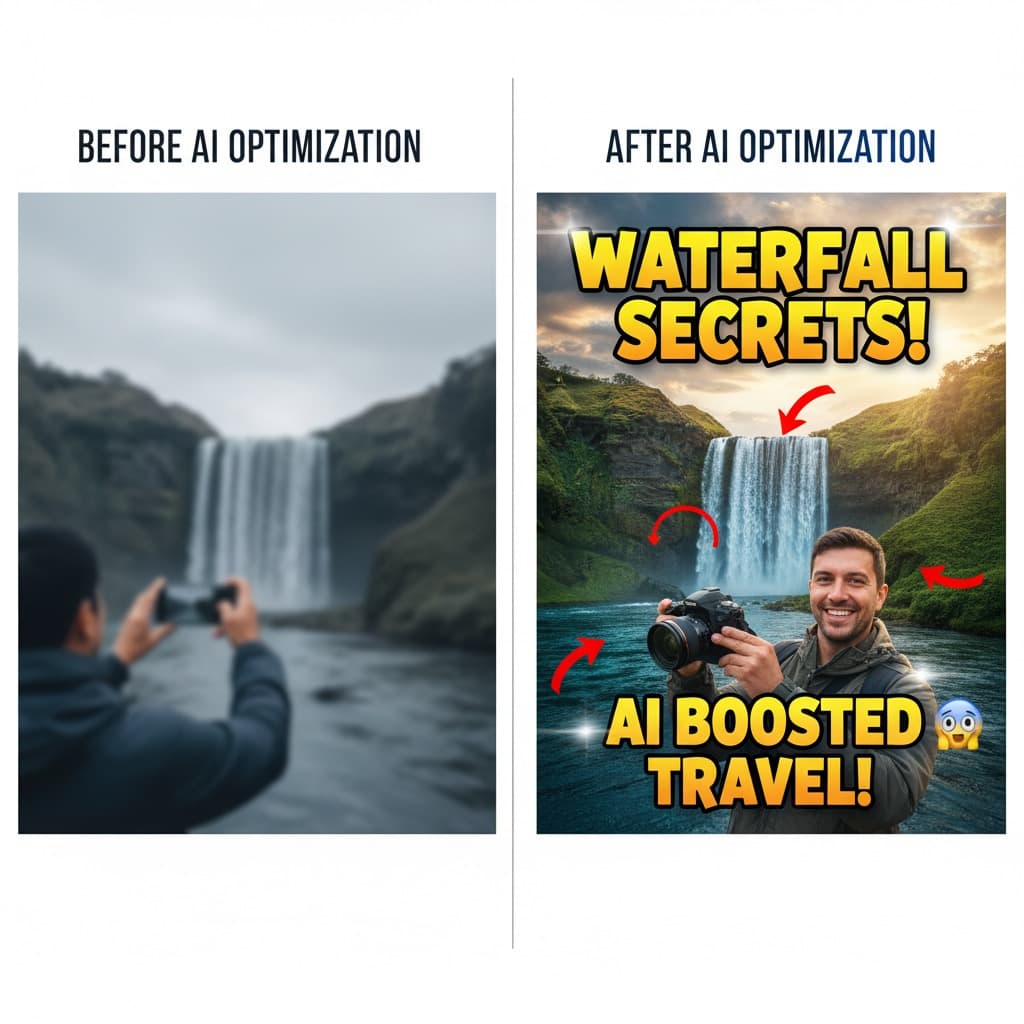
More Than a Thumbnail Generator
Creation + Distribution in One
Standalone thumbnail tools stop at the download button. Soku AI connects thumbnail creation to video ad deployment across Meta, Google, and TikTok — so you can track which thumbnails actually drive conversions, not just clicks.
CTR-Optimized by Default
Every thumbnail is generated with click-through rate in mind. The AI analyzes contrast ratios, face expression intensity, text readability, and curiosity-gap elements — the same factors that top YouTubers optimize manually.
Scale Without Sacrificing Quality
Whether you publish 1 video a week or 50, Soku AI generates consistent, on-brand thumbnails at any volume. Agencies use batch generation to produce thumbnails for entire client portfolios in minutes.
Who Uses Soku AI for Thumbnails
YouTube Creators
Generate professional thumbnails in seconds. No Photoshop skills needed — describe your video and AI creates multiple click-optimized options.
Content Agencies
Batch-produce thumbnails for multiple client channels with brand kit consistency. Scale thumbnail production without scaling your design team.
E-Commerce Brands
Create compelling thumbnails for product review, unboxing, and demo videos. Optimize for both YouTube search and shopping intent.
Educators & Coaches
Maintain a consistent, professional look across course and tutorial series. Batch-generate thumbnails for entire playlists in one go.
Marketing Teams
Create video ad thumbnails optimized for CTR across YouTube, Meta, and TikTok. Track which creative drives the best ROAS from Soku AI.
Social Media Managers
Generate platform-specific thumbnails for YouTube, Instagram Reels, TikTok, and Shorts. One prompt, multiple formats — all on brand.
Ready to Create Click-Worthy Thumbnails?
Plans start at $19/month. Generate your first AI-powered thumbnail in seconds.
Get Started FreeHow Soku AI Compares
Most thumbnail tools stop at design. Soku AI connects creation to ad deployment and performance tracking.
| Platform | Best For | Pricing | Note |
|---|---|---|---|
| Soku AIRecommended | End-to-end marketing workflow | From $19/mo | Create thumbnails, deploy ads, and track CTR in one platform |
| Canva | General design templates | Free / $13/mo | Template library — manual design, not AI-optimized for CTR |
| vidIQ | YouTube analytics | Free / $17/mo | Analytics-focused — thumbnail generation is secondary |
| Fotor | Photo editing | Free / $9/mo | Photo editor with templates — not purpose-built for thumbnails |
| TubeBuddy | A/B thumbnail testing | Free / $8/mo | Testing only — no AI thumbnail generation capability |
Frequently Asked Questions

Start Creating AI Thumbnails for Free
Join 1,000+ marketing teams using Soku AI to generate click-worthy thumbnails and launch video campaigns across every channel.