Soku AI
All tools

Text overlay

Put the hook on the video, where the thumb stops.

Add a headline, a hook or a CTA onto a video ad and have it sized, placed and held for the right length in the ratio it actually runs in. This is text you choose, not a transcript of what is said — so it works on product footage, b-roll and silent clips.

Your copy, not a transcriptSafe-zone aware

This tool runs inside Soku, not on this page. Write the text you want on the video — it stays with you through sign-up.

Create a free account and your brief comes with you — it is kept on this page through sign-up, so you are not retyping it afterwards.

Three deliberate steps

01

1. Bring the video and the copy

Upload the clip and write the lines you want on it, with roughly when each should appear. A hook, a turn and a CTA is the usual shape for a paid-social ad, and each one is its own line rather than a single block of text.

02

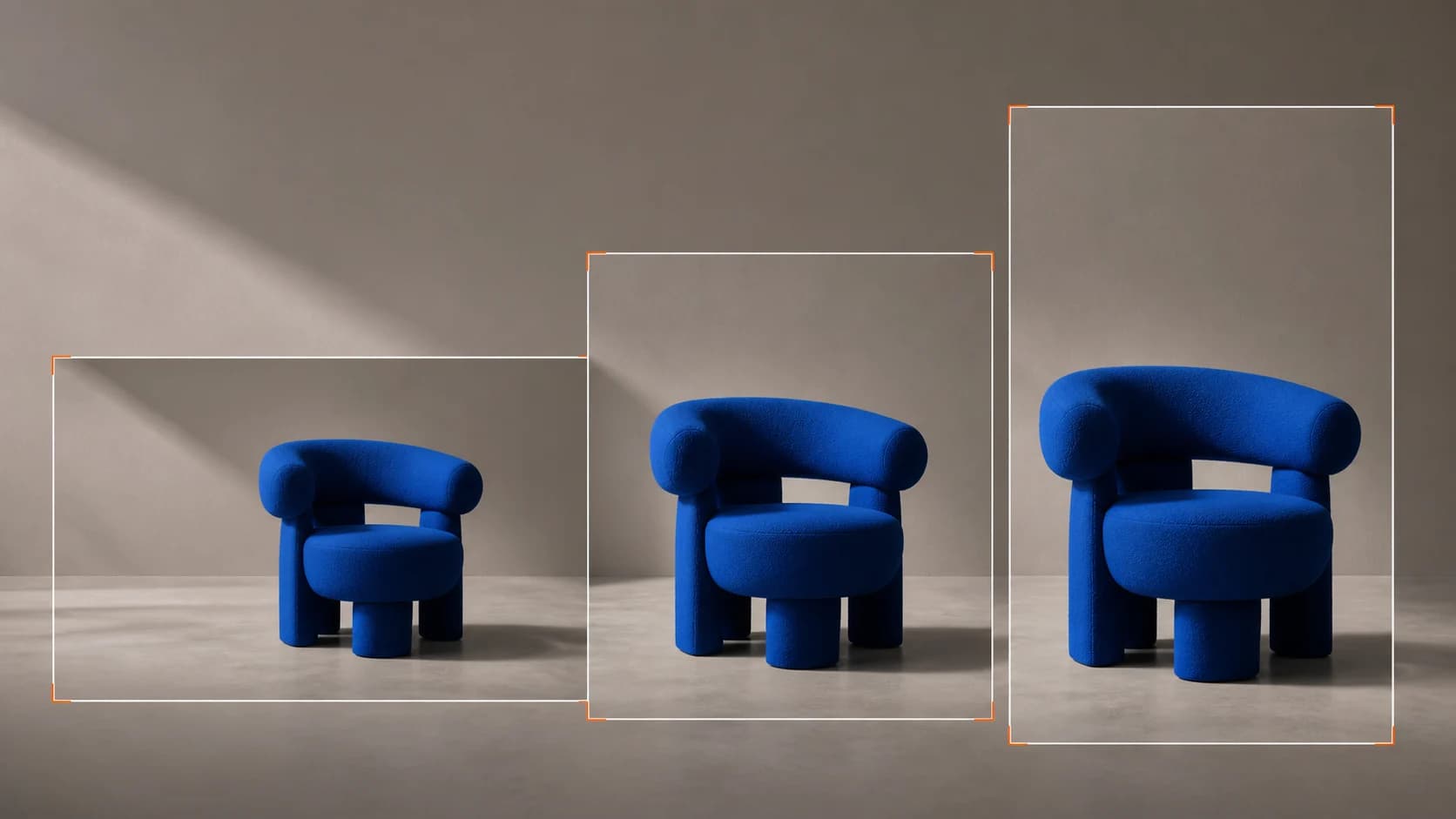
2. It gets placed, not just pasted

Type size and position are set for the ratio the ad runs in and kept clear of the areas each platform covers with its own UI. Text that sits under a TikTok caption bar is text nobody reads.

03

3. Export, or version it

Take the finished file, or produce the same clip with different hooks to test which line does the work. Changing the first two seconds is usually a bigger lever than changing the footage.

Why Soku

Text overlay, not captions

These are two different jobs and conflating them is why so much paid-social creative reads badly.

Captions transcribe; overlays argue

An auto-caption tool writes down what was said. This writes what you decided the ad should claim — which may be nothing that is spoken aloud, and often is not spoken at all.

It works with no audio

Product shots, screen recordings, drone footage and stock clips have no speech to transcribe. A captioning tool has nothing to work with on any of them; a text overlay is the only option.

Placement is a performance decision

Where the line sits, how big it is and how long it holds change whether it is read at all. Those are chosen per ratio rather than defaulted to centre-bottom.

Use cases

Who reaches for this, and when

Paid social teams

Test hooks without recutting

The fastest creative test available is the same video with five different opening lines. It isolates the one variable that most reliably moves through-rate, and it costs nothing but the overlay.

Ecommerce

Put the offer on the footage

Product b-roll with no text is a mood piece. The same clip with the price, the discount or the guarantee on screen is an ad. Most catalogue footage needs exactly one line to become sellable.

Anyone running muted placements

Make a silent clip legible

Feed video autoplays without sound. If the point of the ad is only in the voiceover, most of the audience never gets it — the on-screen line is the whole message for them.

Questions before you run it

Does this run on this page?
No. This page takes the copy you want on screen and carries it through sign-up; the video itself is rendered inside Soku, against your brand and your credits. There is no Generate button here that would only open a sign-up form.
How is this different from the auto subtitle generator?
The subtitle generator listens to the audio and burns in a transcript of what is said. This tool burns in text you write, which may have nothing to do with the audio and works on footage with no speech at all. Use subtitles for talking-head content and text overlay for hooks, offers and CTAs.
Will the text be hidden behind the platform UI?
It is placed to avoid the regions each platform covers with its own interface — captions, handles, buttons. That is a per-ratio decision, which is why the same overlay is not simply reused across 9:16, 1:1 and 16:9.
Can I make several versions with different hooks?
Yes, and it is the main reason to do this inside Soku rather than in an editor. Producing the same clip with several opening lines is the cheapest creative test there is, and it is tedious to do by hand.
What video formats can I use?
Standard ad formats — MP4 and MOV clips at the lengths paid social accepts. If your source is a longer cut, trim it to the ad length first; overlay timing is written against the ad, not the master.