Soku AI
All tools

One master, every placement

Fit every placement without squeezing the ad.

Turn one approved master into vertical, square, feed, and landscape variants. Unlike a basic crop or letterbox, image mode generates the missing scene around your layout; video mode keeps the subject visible across the full shot. The product is not stretched and the empty area is not filled with black bars.

9:16 Stories1:1 Square16:9 Video4:5 Feed (video)

Upload a finished image ad, pick its destination ratio, and generatively extend the scene. This changes the composition, not the product proportions.

  • Nine placement ratios across image and video
  • Scene extended, never stretched
  • Product proportions held
  • One ratio, one visible charge

Sample result gallery

Reframed, not squeezed — in both directions.

Fifteen real runs. The five video pairs are ads from public ad libraries put through this tool — vertical opened out to landscape and landscape rebuilt as vertical — and both sides play in full so you can watch what happens outside the original frame line. The image pairs are original static creatives from Soku Ad Library reframed into a new placement.

9:16 source · 10s
16:9 output
videoMotion reframe

Apparel try-on · 9:16 → 16:9

The vertical original is a phone-width slice of a hallway. The landscape cut keeps the model centred and builds the rest of the room around her, with the product captions still legible.

Source: Ad archive · Quince
9:16 source · 10s
16:9 output
videoMotion reframe

Beauty UGC · 9:16 → 16:9

Bedroom set extended left and right — door, lamp, framed art — while the presenter, the applicator and the 'Daily Face Lift' caption hold their position.

Source: Meta Ad Library · Soluna SKIN

9:16 source · 10s
16:9 output
videoMotion reframe

Supplement UGC · 9:16 → 16:9

A tight vertical talking-head opened out to a full room. Review generated edges before running this on regulated categories — everything outside the original frame is new.

Source: Meta Ad Library · Based Supplies

16:9 source · 10s
9:16 output
videoMotion reframe

Testimonial · 16:9 → 9:16

The reverse direction: a landscape interview reframed for Stories. The speaker stays in frame across cuts instead of being centre-cropped out of the shot.

Source: Meta Ad Library · Texas Engineering Executive Education

1:1 original
1:1 original
9:16 reframe
9:16 reframe
imageGenerative extend

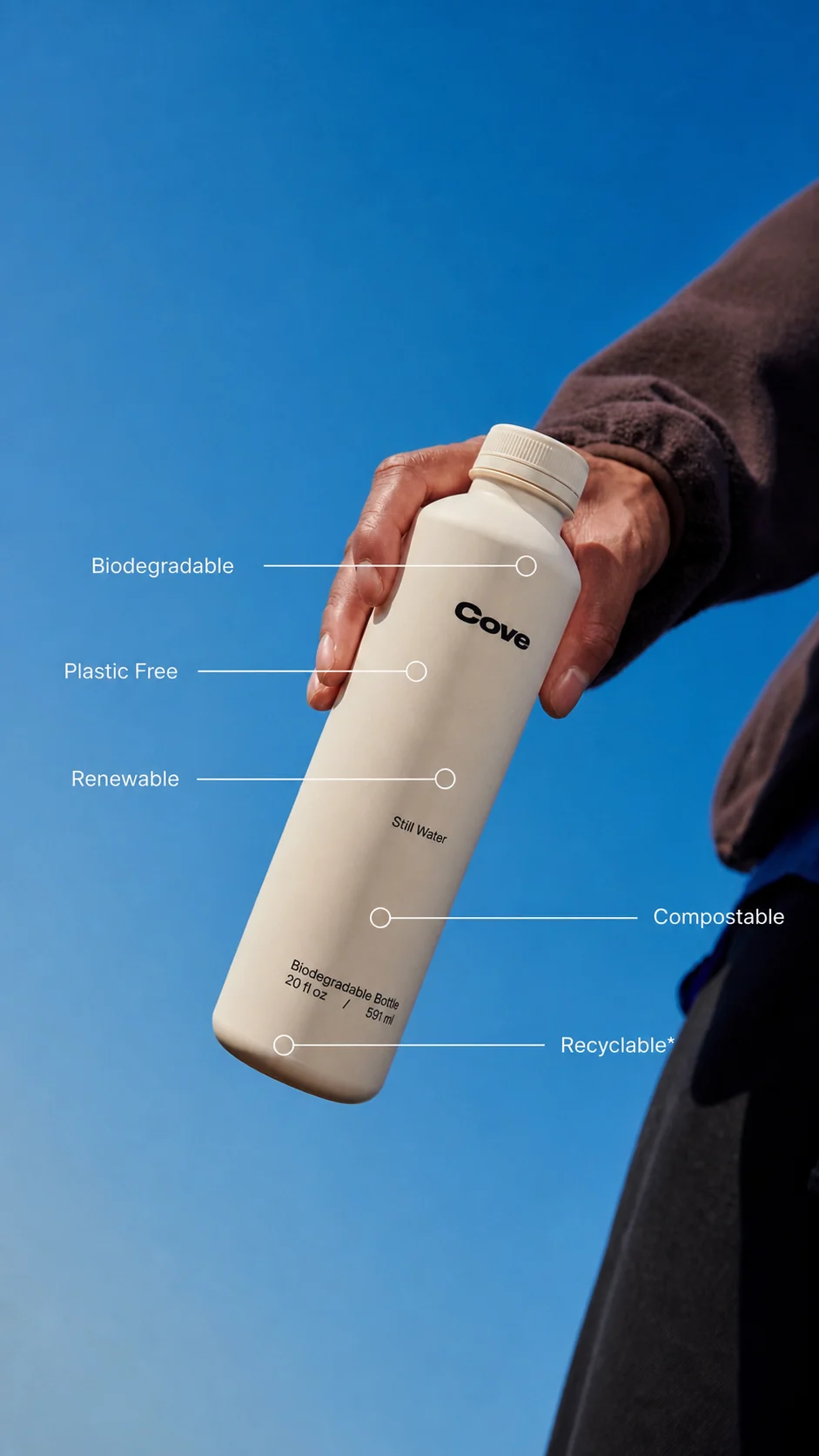
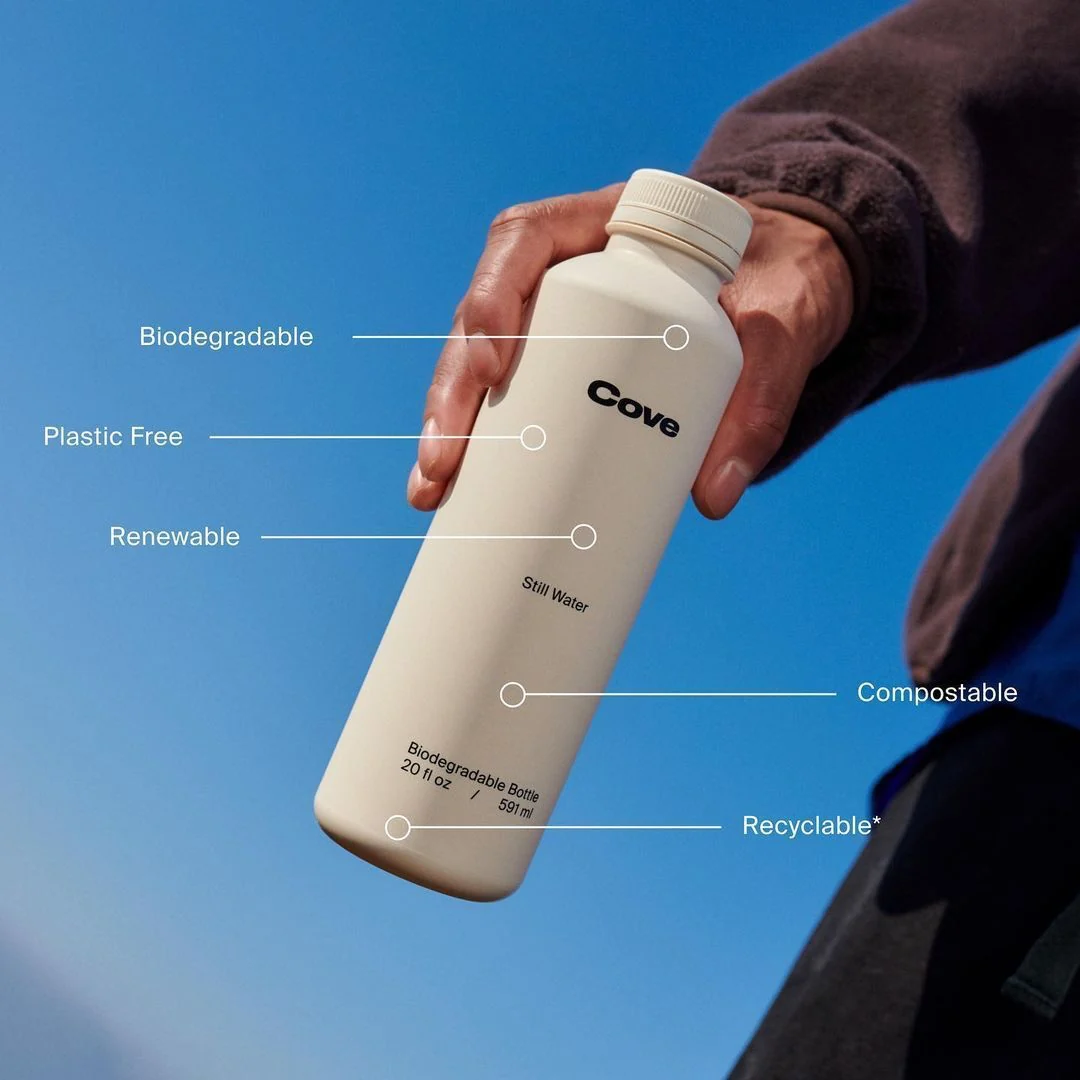
Cove square ad → 9:16 Story

The blue scene grows vertically while the bottle, hand, benefit labels, and connector lines keep their proportions.

Source: Soku Ad Library · Cove

1:1 original
1:1 original
4:5 reframe
4:5 reframe
imageGenerative extend

Brex square ad → 4:5 feed

The campaign texture extends vertically; logos, CTA, guide cover, and card remain legible and undistorted. 4:5 is on the studio’s video ratio menu, not its image one — for a still, 1:1 or 3:4 are the closest feed sizes on offer.

Source: Soku Ad Library · Brex

4:5 original
4:5 original
1:1 reframe
1:1 reframe
imageGenerative extend

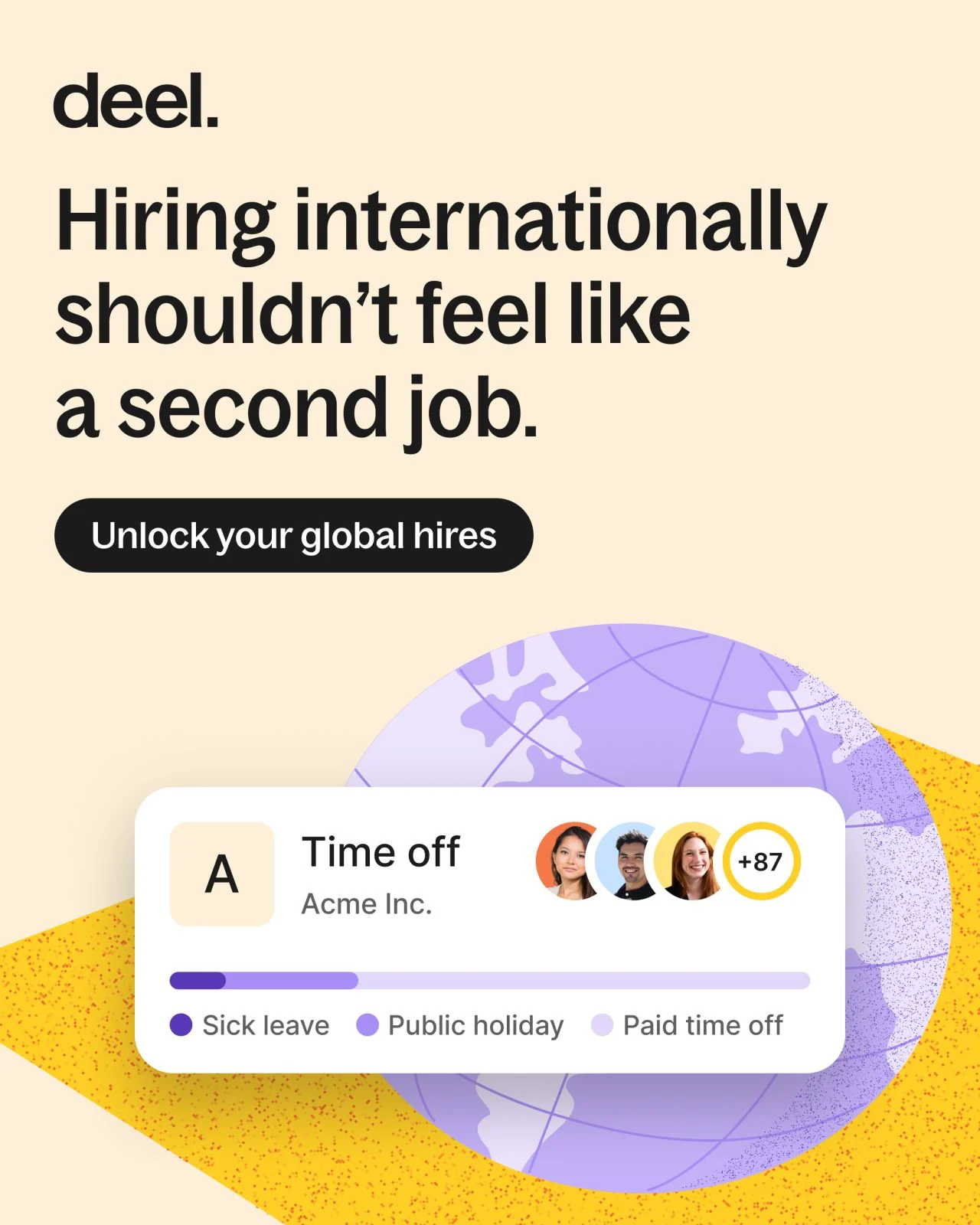
Deel 4:5 ad → square feed

The headline, CTA, globe, and product UI are recomposed into a square instead of simply losing the bottom of the ad.

Source: Soku Ad Library · Deel

2:3 original
2:3 original
4:5 reframe
4:5 reframe
imageGenerative extend

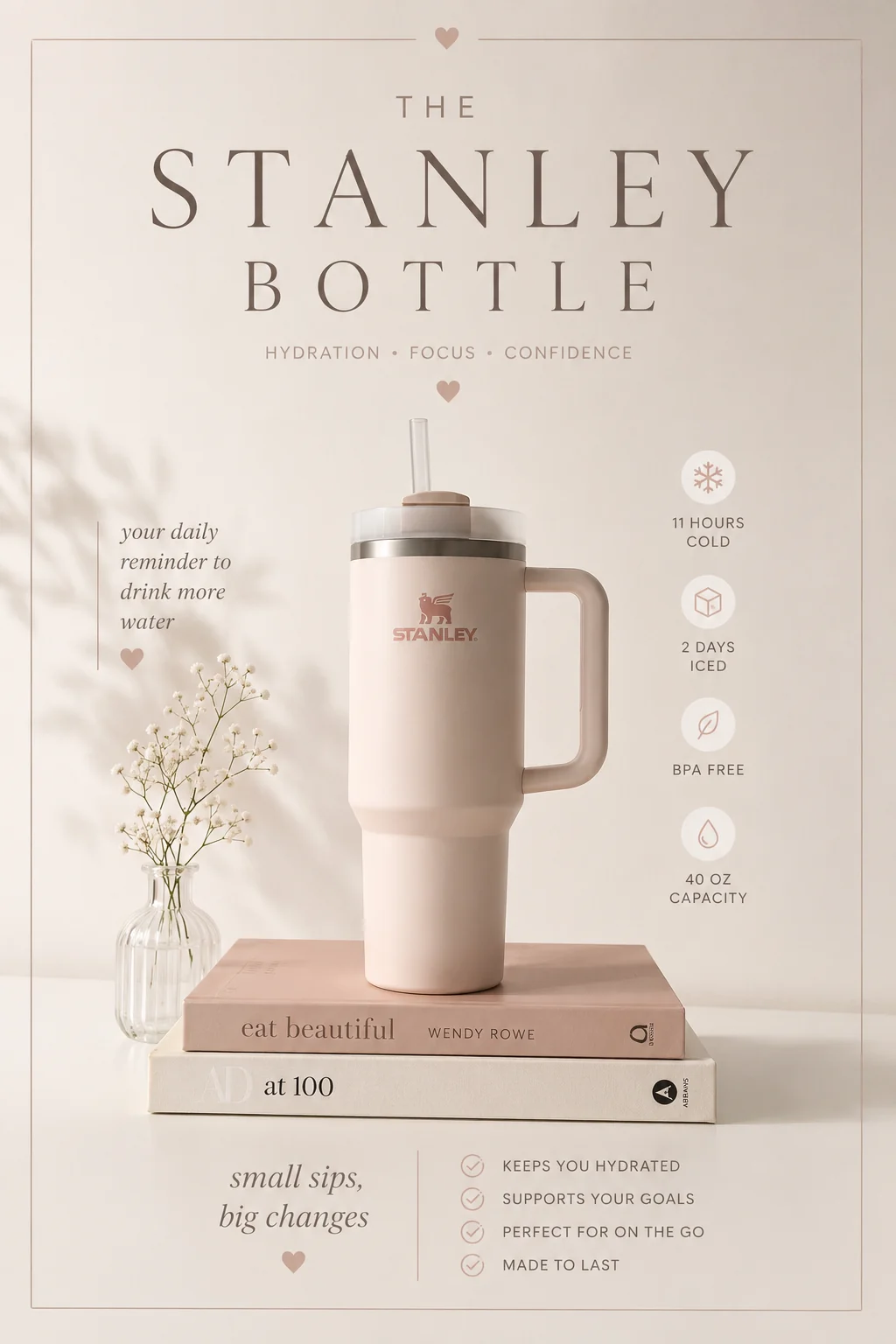
Stanley portrait ad → 4:5 feed

A tall editorial product layout is tightened for feed while retaining the bottle, benefits, icons, and warm styling. As above, image mode offers 1:1 and 3:4 rather than 4:5.

Source: Soku Ad Library · Stanley

2:3 original
2:3 original
1:1 reframe
1:1 reframe
imageGenerative extend

Voilà portrait ad → square feed

The lifestyle room expands laterally so the person, newspaper folds, and full handwritten hook remain part of the same composition.

Source: Soku Ad Library · Voilà Candles

1:1 original
1:1 original
9:16 reframe
9:16 reframe
imageGenerative extend

Lattice square ad → 9:16 Story

The clean white studio grows vertically and the existing B2B message, CTA, chair, and consultation note are redistributed.

Source: Soku Ad Library · Lattice

4:5 original
4:5 original
16:9 reframe
16:9 reframe
imageGenerative extend

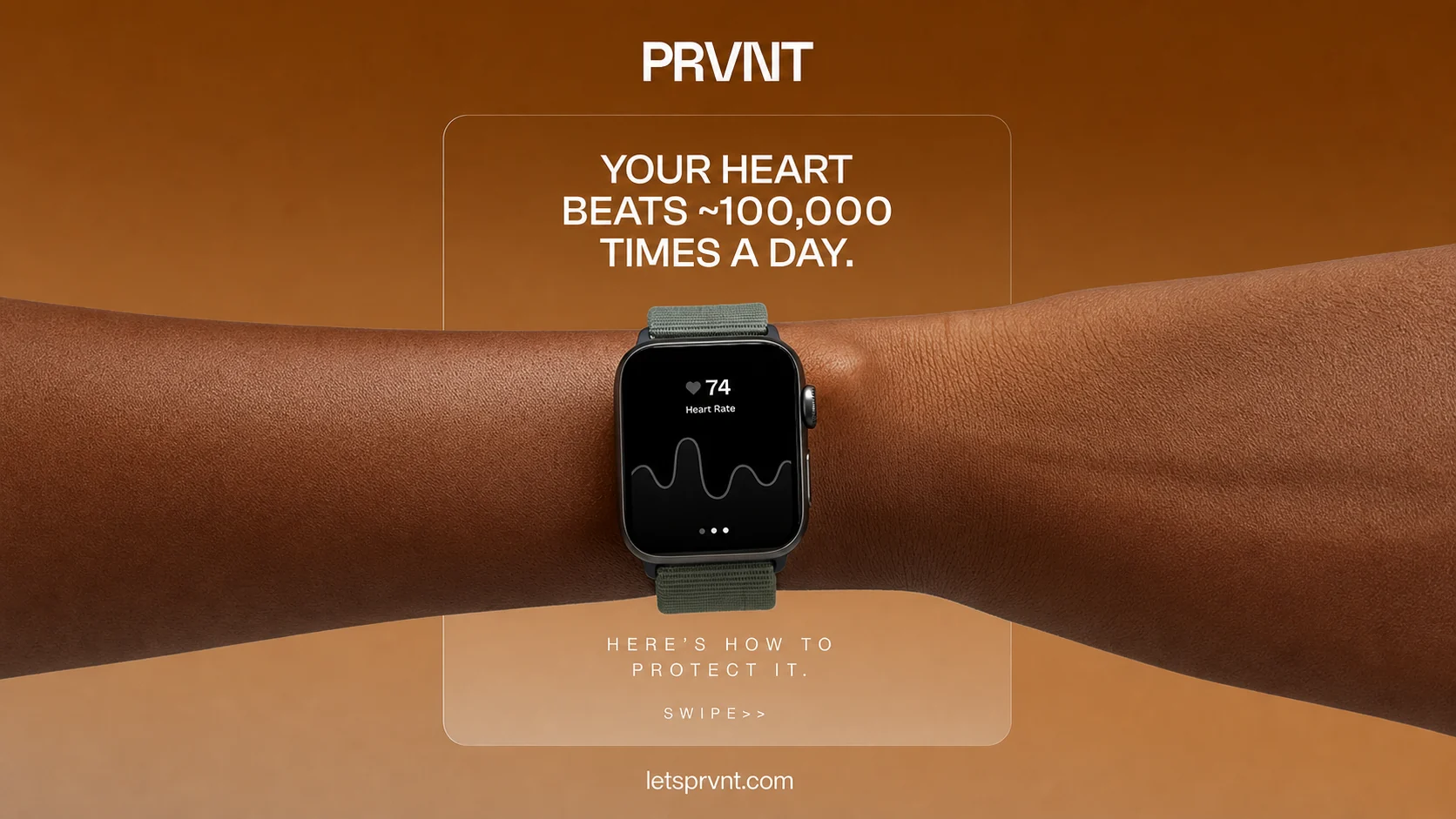
PRVNT feed ad → 16:9 landscape

The warm graphic environment extends sideways while the watch stays central and both layers of copy remain readable.

Source: Soku Ad Library · PRVNT

4:5 original
4:5 original
16:9 reframe
16:9 reframe
imageGenerative extend

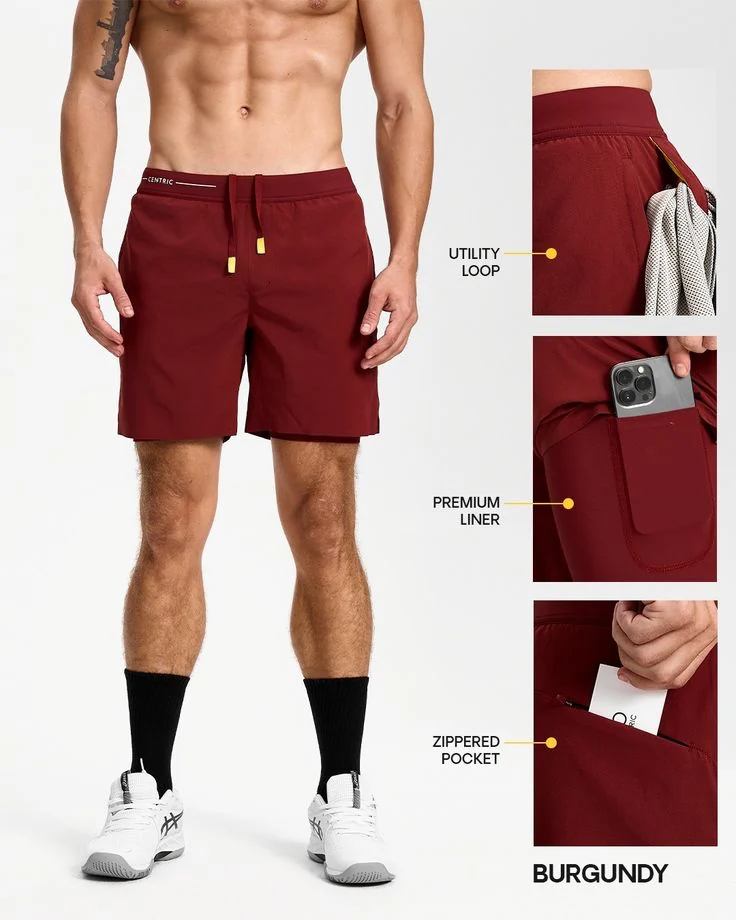
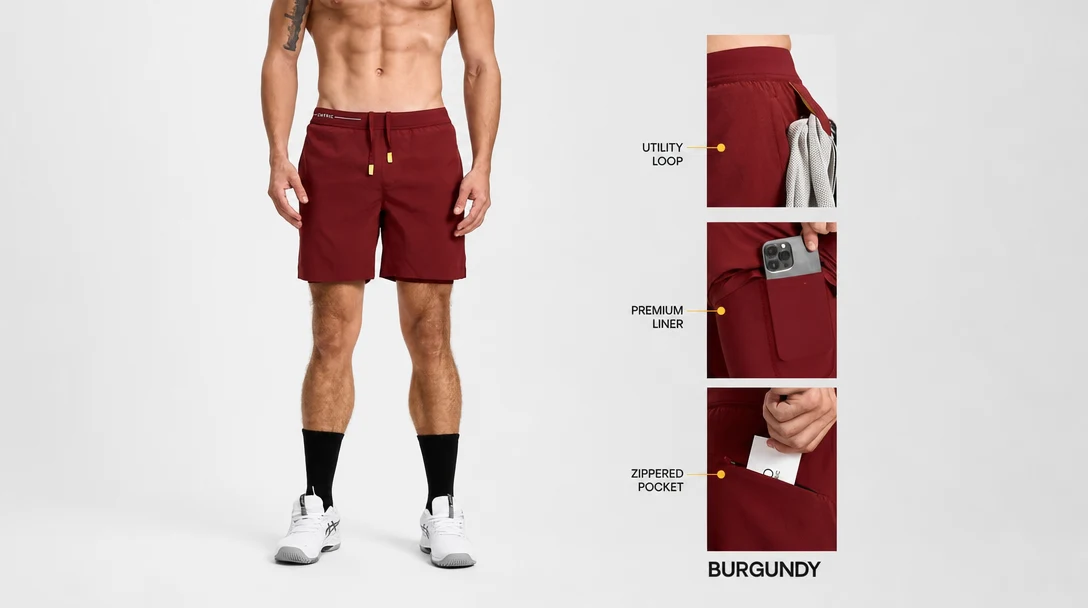
Apparel feature sheet · 4:5 → 16:9

The vertical original stops at the calf. The landscape output extends the studio floor and completes the model down to the shoes, keeping the three detail crops, callout lines, colour name, and burgundy palette exactly where they were.

Source: Soku Ad Library · apparel creative

2:3 original
2:3 original
16:9 reframe
16:9 reframe
imageGenerative extend

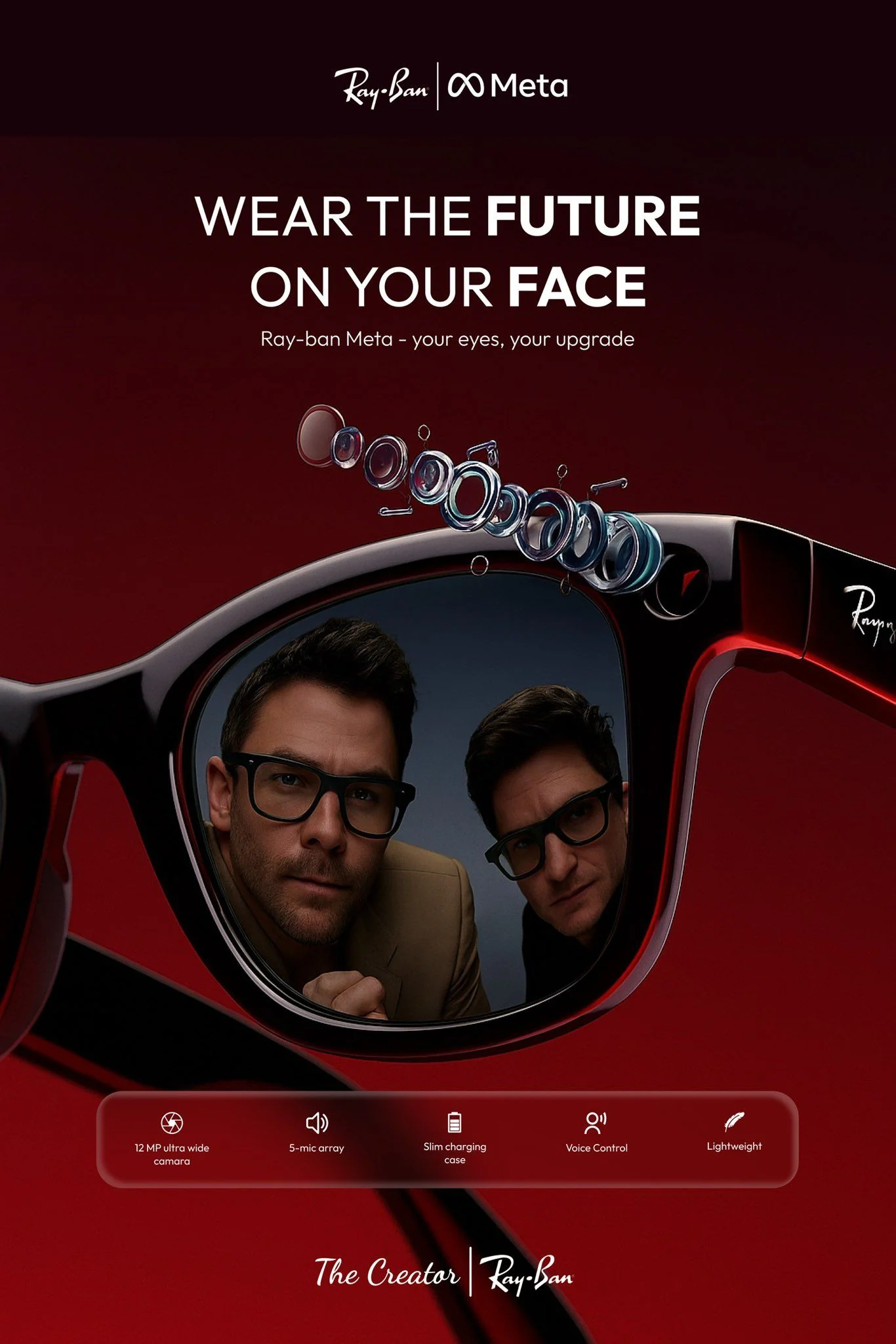
Ray-Ban Meta portrait ad → 16:9

A dense portrait campaign is rebuilt across a landscape frame while eyewear, talent, headline, exploded lens, and feature strip stay present.

Source: Soku Ad Library · Ray-Ban Meta

1:1 original
1:1 original
9:16 reframe
9:16 reframe
imageGenerative extend

Food Strong square ad → 9:16 Story

The green product world expands vertically while the pouch and all seven benefit callouts remain part of the placement.

Source: Soku Ad Library · Food Strong

16:9 source master
9:16 reframed output
videoMotion reframe

Landscape footage → vertical placement

Requested: 9:16. The original master only captured a sleeve and hand; the vertical output generates the scene beyond that frame line. Review invented areas before using contracted talent or regulated products.

Source: Live advertising reference clip

Features

What the tool actually does

Generative extension, not cropping

A crop discards everything outside the target ratio. This keeps the composition and creates the missing scene around it, so a 16:9 master can become 9:16 without cutting the subject in half.

No destructive stretching

Product proportions stay intact. New ratios come from recomposing and extending the frame, never from pulling pixels sideways or padding with black bars.

A different path per medium

Stills are recomposed; video holds subject continuity across the whole shot. Both return the real media file rather than a preview frame.

Only ratios the model can deliver

The studio offers the sizes the active mode actually accepts, so a paid job never fails on an unsupported dimension after you have been charged.

Placement-by-placement history

Each run records its source, target ratio, status, cost and output, so a placement family can be compared without guessing which file used which settings.

Straight into the placement

The approved variant is already in the workspace the campaign launches from — no re-upload between resizing and running it.

What happens after generation

Download the result. Keep the evidence.

Every paid run stays in your history with its source, settings, status, cost, and output. Download the approved file immediately; use Canvas later only when you need to build more variants around it.

Start with my asset

A different model for each medium

Stills and video take different paths — one recomposes a layout, the other holds motion continuity across a shot — and both return the actual media file, not a preview frame.

No destructive stretching

Product proportions stay intact. New aspect ratios are made by recomposing and extending, not pulling pixels sideways.

Platform-native presets

The studio only offers ratios its active model accepts, preventing paid jobs from failing on an unsupported size.

Placement-by-placement history

Each run records its source, target ratio, cost, status, and output so you can compare a placement family without guessing which file used which settings.

Three deliberate steps

01

Upload the approved master

Start from the highest-resolution version you have. The model can create missing scene area, but it cannot recover a product detail that was never visible in a compressed source.

02

Choose the placement ratio

Use 9:16 for Reels, Stories, TikTok, and Shorts; 4:5 or 1:1 for feeds; 16:9 for YouTube and landscape placements.

03

Inspect the generated edges

Check faces, hands, packaging, legal copy, and every area outside the original frame. Generated edges are new pixels, so approve each destination ratio independently.

Why Soku

One master should not mean one placement.

Every channel wants a different shape, and the usual answers are all lossy: crop and lose the subject, letterbox and lose the impression, or send the designer back to rebuild the layout. Extending the scene keeps the ad that was approved and gives each placement the frame it wants.

The approved layout survives

Because the composition is preserved and the frame grown around it, every ratio still reads as the campaign that went through review.

One ratio, one charge

A click never buys the whole placement set. Approve the first generated edge treatment before paying for the rest.

Generated pixels are flagged as generated

Everything outside the original frame is new, and we say so — faces, hands, packaging and legal copy are what to check on each destination ratio.

The resize is not the destination

Standalone resizers end at the download. Here the variant lands next to your campaigns, so the agent can launch it and report which placement converts.

Use cases

Who reaches for this, and when

Performance marketer

Cover every placement from one winner

The creative already carrying the account gets a Stories, feed and landscape cut without going back into production for each one.

Agency

Deliver the full placement set on brief

Clients ask for the matrix, not the master. Producing it from the approved file keeps the delivery on-brand and off the designer queue.

E-commerce

Reuse the packshot everywhere

One product image becomes the square for feed, the vertical for Stories and the landscape for YouTube, with the pack proportions untouched.

Brand team

Stop local teams rebuilding layouts

A resize that preserves the layout is a resize that does not quietly drift away from the brand book in each market.

Social and content

Make a landscape asset work vertically

Footage shot 16:9 gets a 9:16 cut where the subject stays in frame, instead of a centre crop that clips heads.

Growth and experimentation

Test placement, holding creative constant

Same creative, different frames, same audience — so the result is about the placement rather than about a new design.

Specifications

Image resizing

One approved still in, one placement-ready still out, with the layout preserved.

Source
A finished image ad — the highest-resolution copy you have
Ratios
16:9, 9:16, 1:1, 4:3, 3:4
Method
Composition preserved, surrounding scene generated
What is held
Readable text, logos, product, pose, colour, lighting
What to review
Everything outside the original frame — it is new pixels
Output
A downloadable image at the target ratio

Video resizing

A short cut in, the same cut reframed for another placement out, with the subject held in frame.

Clip length
Up to 10 seconds on this page
Ratios
9:16, 1:1, 4:5, 5:4, 16:9
Output resolution
720p
Method
Subject kept visible across the shot, frame extended around it
Per run
One ratio, at the flat credit price shown before you generate
Output
A complete playable video

Alternatives

How this compares to the other ways of doing it

There are three honest alternatives: crop it, letterbox it, or have a designer rebuild the layout at each size. Each trades away something specific.

What happens to the frame

Soku
Composition kept, scene generated around it
Crop / smart crop
Everything outside the target ratio is discarded
Letterbox / pad
Original kept, empty area filled with bars
Designer rebuild
Rebuilt from source files

Subject stays whole

Soku
Yes
Crop / smart crop
Often clipped
Letterbox / pad
Yes, but smaller
Designer rebuild
Yes

Product proportions

Soku
Held
Crop / smart crop
Held
Letterbox / pad
Held
Designer rebuild
Held

Uses the full placement

Soku
Yes
Crop / smart crop
Yes
Letterbox / pad
No — bars eat the impression
Designer rebuild
Yes

Needs the source files

Soku
No — the exported ad is enough
Crop / smart crop
No
Letterbox / pad
No
Designer rebuild
Yes

Time per placement

Soku
One generation
Crop / smart crop
Seconds
Letterbox / pad
Seconds
Designer rebuild
Hours to days

Comparison is by category, not by vendor — the specific tools in each column change faster than this page does.

Pricing

Pay per placement, not per seat

Resizing is billed in credits, so a month costs what you generated rather than how many people had a login.

One run is one ratio on one asset, at a charge shown before you generate and recorded against that run. Build the placement set one approved variant at a time instead of buying it up front.

Free

$0/ month

No card required

  • Try the tool on your own asset
  • 1 brand, 1 member

Creator

$19/ month

7,000 credits / month

  • Where most tool-page visitors land
  • Full generation + deploy

Starter

$49/ month

20,000 credits / month

  • Multiple brands and teammates
  • Cheaper per credit than top-ups

Prices are per month, billed monthly. See all plans and the credit calculator.

Questions before you run it

Is this just a crop tool?
No. A crop throws away the frame outside the target ratio. These tools preserve the main composition and generate new scene area around it. That is why a 16:9 master can become 9:16 without cutting away most of the subject.
Which aspect ratios are supported?
Image mode offers 16:9, 9:16, 1:1, 4:3, and 3:4. Video mode offers 9:16, 1:1, 4:5, 5:4, and 16:9. The two lists differ: 4:5 and 5:4 are video only, 4:3 and 3:4 are image only. The studio shows only what the active mode can actually deliver, so a ratio you saw in a sample may belong to the other mode.
Will text and logos remain pixel-perfect?
The image instruction explicitly preserves readable text, logos, product, pose, colour, and lighting, but it is still a generative edit. Video areas outside the original frame are also invented. Review legal copy, pack text, faces, and hands before publishing.
How long can a video be?
This acquisition page caps source video at 10 seconds and outputs 720p. A longer clip is refused twice: the browser measures it before the upload starts, and the server measures the uploaded file again and refuses to charge for it. The flat credit price shown on the page is the price of a clip at that cap.
Where does my uploaded master go?
The source file is uploaded straight to the storage of the model provider that renders it, on an unlisted link that is not itself password-protected. The generated result is normally copied into our own storage and served only to your signed-in account — though if that copy fails we fall back to the provider’s own unlisted link so you still get your result. Treat both the way you would treat sending a file to a vendor.
Can I export all ratios at once?
Each run produces one ratio with one visible charge. This avoids paying for an entire placement set before you know whether the first generated edge treatment is acceptable.

Give the winning ad every frame it needs.

Upload the approved master, pick one placement ratio, and inspect the generated edges at full size before it goes live.

Start with my asset

We use essential cookies to operate and secure Soku. With your permission, we also use optional analytics and advertising cookies to measure usage and campaigns. You can change your choice at any time. Privacy Policy