Soku AI
Upload the person
The model shot you want to keep. Head-and-torso or full-body both work, as long as the clothing area is unobstructed.
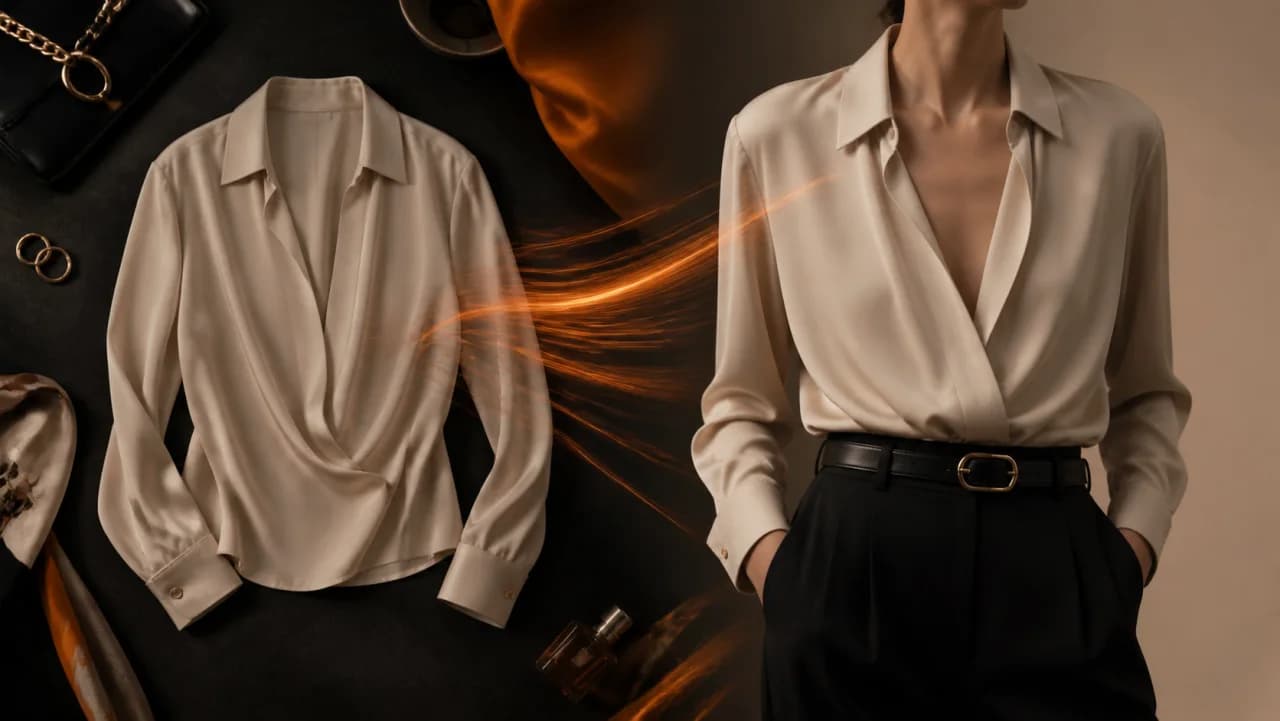
Upload a photo of a person and a photo of a garment. The person keeps their pose, face and lighting; only what they are wearing changes. It is the cheapest way to get one consistent model across an entire product line, which is what an apparel ad set actually needs.Upload a photo of a person and a photo of a garment.
The model shot you want to keep. Head-and-torso or full-body both work, as long as the clothing area is unobstructed.
A product photo or flat-lay of the item you want them wearing. Order matters — person first, garment second.
The same model comes back in the new outfit. Send it to Creatives and resize it for each placement, or run it again with the next SKU.
Use cases
The reason apparel creative is expensive is that every SKU needs its own shoot. Re-dress a single approved model shot instead, and the model, lighting and framing stay constant across the set — which is exactly what you want when the thing you are testing is the product, not the photography.
Put a sample garment on a model before you have shot it, or before you have manufactured it. If the concept does not read at thumbnail size in the feed, you learn that for the cost of one generation rather than one production day.
A winning apparel creative decays because the audience has seen it, not because it stopped being good. Swapping the garment on the same proven layout keeps the composition that worked and resets the novelty.