Soku AI
All models

Text to video · Image to video · Native audio

MiniMax H3 Max AI Video Generator Turn Text or Images Into Video in Seconds

Create a 5–15 second AI video from a prompt or reference image with MiniMax H3 Max.

5–15 second videosText or image to video
Reference image
Reference image
H3 Max output · native audio
A fashion still becomes a controlled camera orbit

See all 11 sample results

Describe the video you want, or upload an image to guide the subject and composition. You can also add video and audio references. Choose the length, resolution and format; the exact credit cost appears before you generate.

  • 5–15 seconds at 24fps
  • About 3s model inference for a 5s 768P clip
  • The credit cost is shown before generation

Sample result gallery

MiniMax H3 Max image-to-video and text-to-video examples

These are our own five-second, 768P MiniMax H3 Max generations. The first four animate a reference image; the next seven start from text. Each clip comes directly from the same endpoints used by the generator above, with no editing, upscaling or separate audio pass. Hover to play and use the speaker button for sound.

Reference image
Reference image
H3 Max output · native audio
videoImage reference · fashion

A fashion still becomes a controlled camera orbit

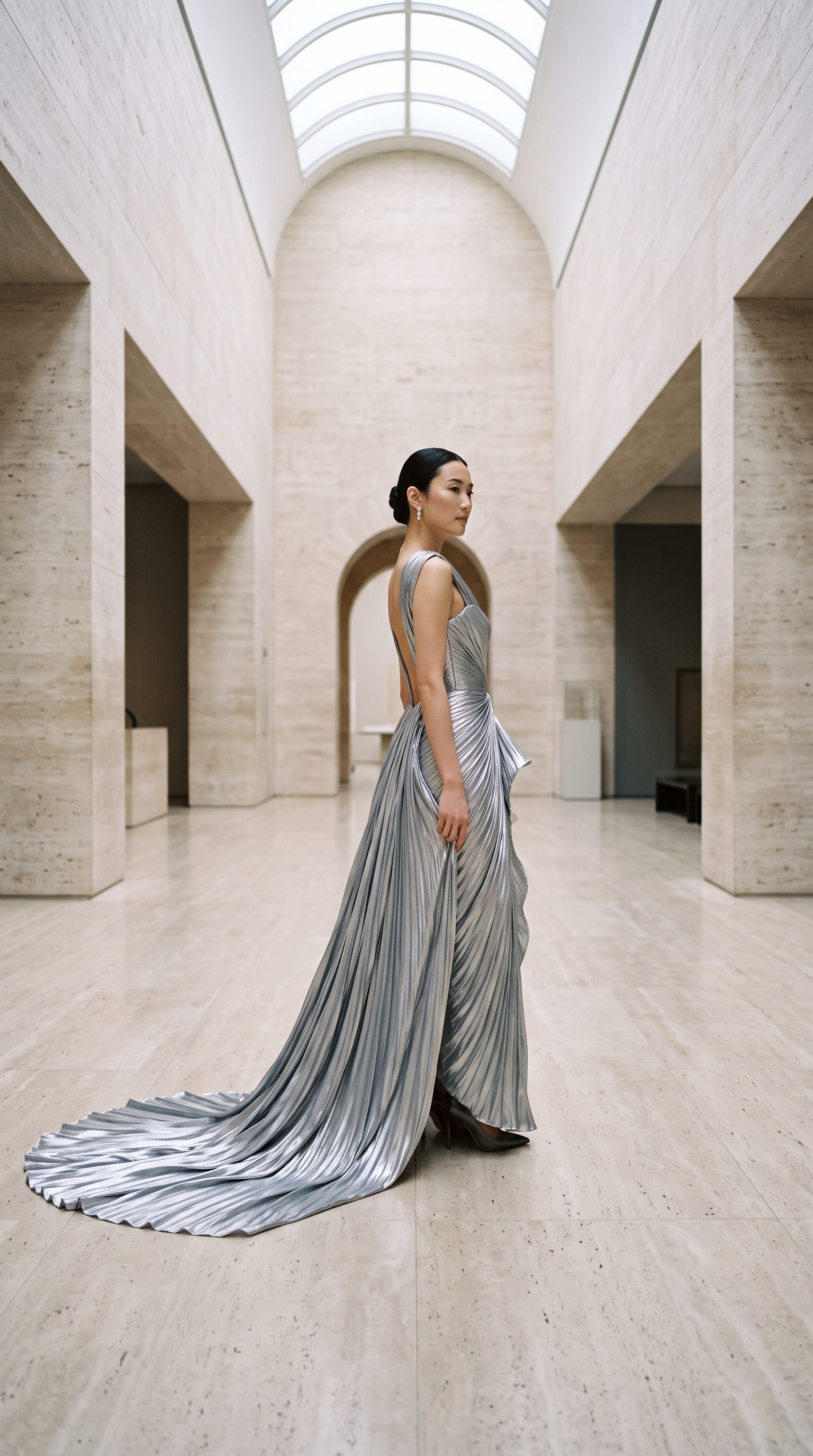
The reference locks the model, silver pleating, travertine set and editorial light while H3 Max adds camera movement and physically weighted fabric motion.

Source: Our H3 Max image-to-video run · 768P · 5 seconds · no post-production

Reference image
Reference image
H3 Max output · native audio
videoImage reference · product

One product still, then a finished fragrance spot

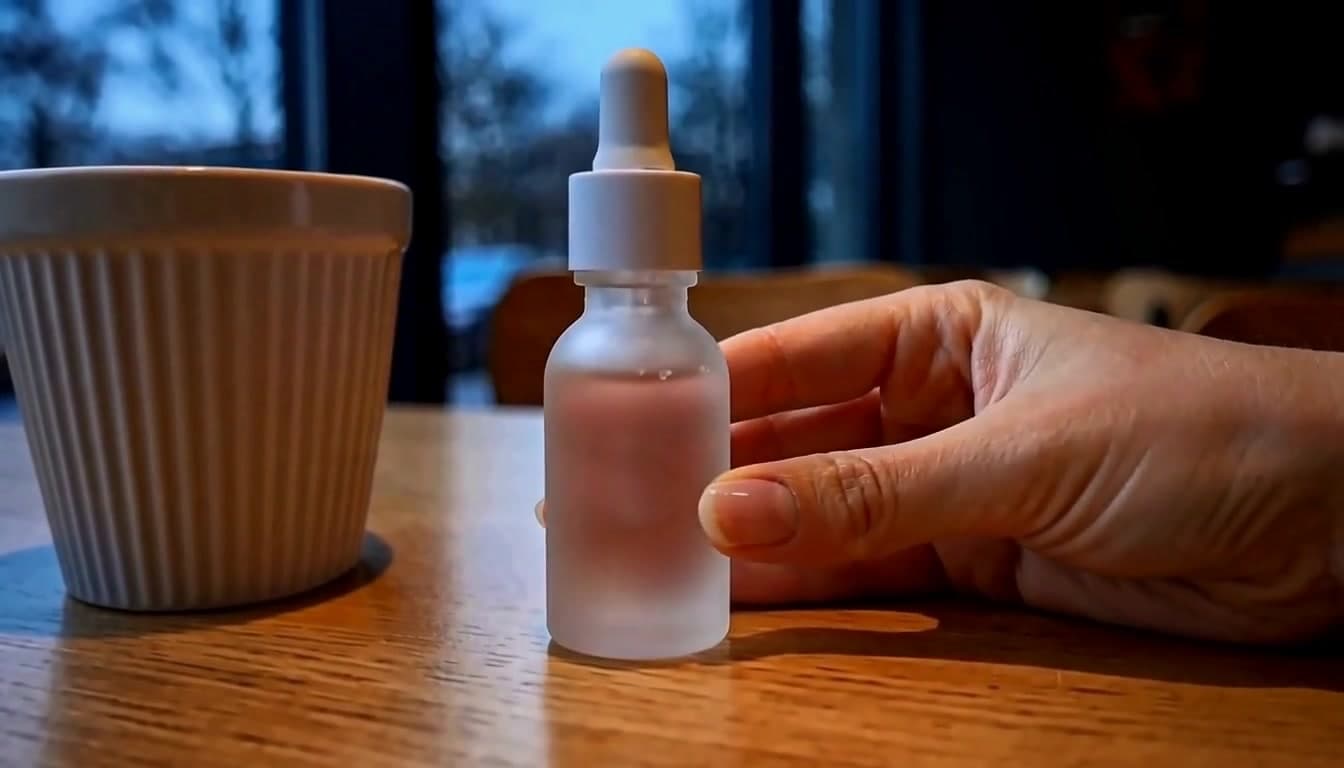
The bottle facets and black-sand composition stay fixed while a restrained macro arc, moving highlight and wind-driven grains create the commercial motion.

Source: Our H3 Max image-to-video run · 768P · 5 seconds · no post-production

Reference image
Reference image
H3 Max output · native audio
videoImage reference · architecture

Architectural photography with atmosphere added

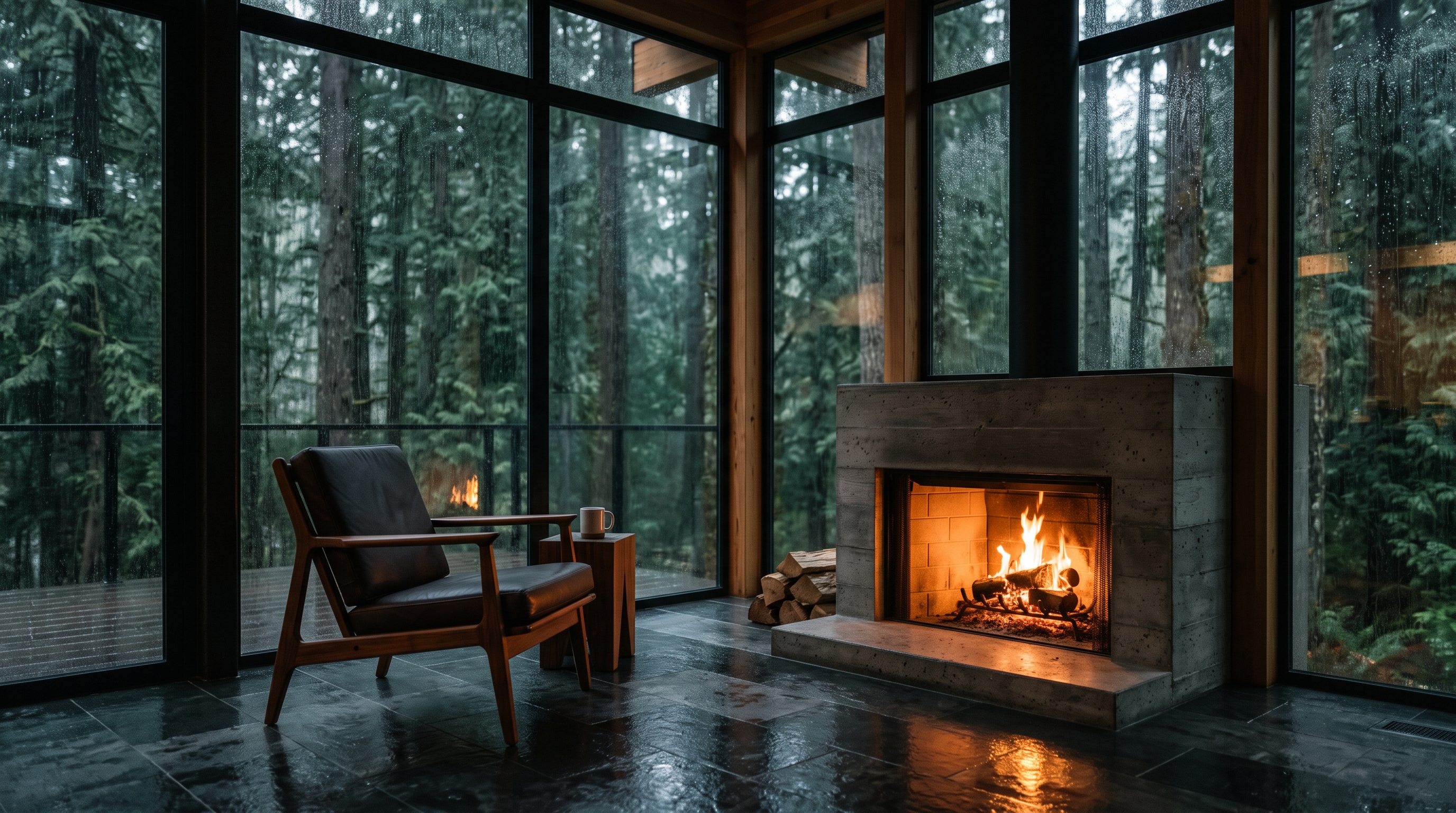
The room geometry and furniture remain intact as the camera advances, rain moves across the glass and the warm fireplace breathes against the cool forest.

Source: Our H3 Max image-to-video run · 768P · 5 seconds · no post-production

Reference image
Reference image
H3 Max output · native audio
videoImage reference · character

A designed paper character stays on model

The folded fox, layered hills and visible paper fibers carry from the illustration into tactile stop-motion movement and a small narrative beat.

Source: Our H3 Max image-to-video run · 768P · 5 seconds · no post-production

H3 Max output · native audio
videoTimed action

Four corners, one five-second pit stop

A continuous low tracking shot has to land three ordered beats: arrival, four simultaneous wheel changes, then launch through tyre smoke.

Source: Our H3 Max render · 768P · 5 seconds · no post-production

H3 Max output · native audio
videoVertical UGC + dialogue

Creator line to camera, then a drone launch

The vertical phone-style take holds the face, spoken line, wind noise and launch action in one coherent piece of UGC footage.

Source: Our H3 Max render · 768P · 5 seconds · no post-production

H3 Max output · native audio
videoCinematic timing

A cinematic world, then the title beat

A ruined arcology rises through ash, the picture falls to black, and the requested title lands on the final impact.

Source: Our H3 Max render · 768P · 5 seconds · no post-production

H3 Max output · native audio
videoProduct film

Cobalt bottle in a controlled water splash

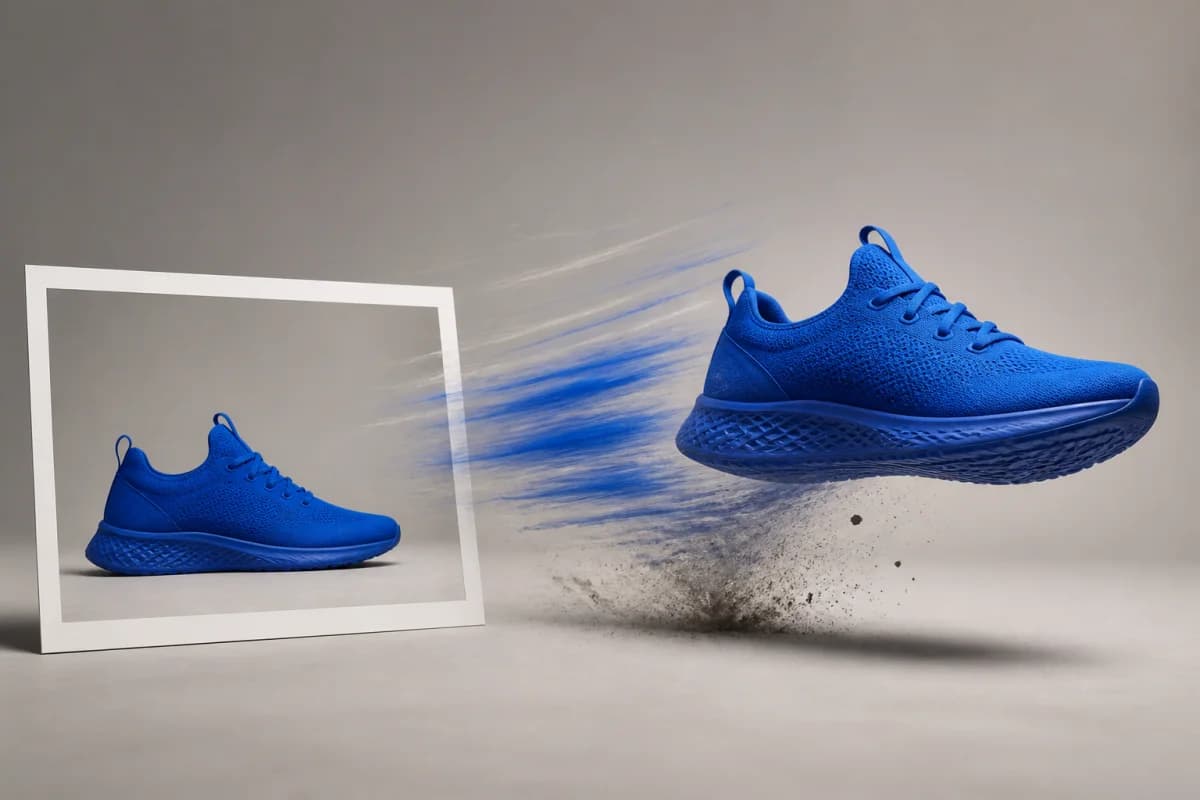
A square commercial macro shot keeps the bottle sharp while the splash, rim light, camera orbit and impact sound happen together.

Source: Our H3 Max render · 768P · 5 seconds · no post-production

H3 Max output · native audio
videoStylized motion

A playable-looking pixel-art runner

The courier runs, jumps a robot, ducks a drone and collects a parcel while the parallax, chiptune and game effects stay in sync.

Source: Our H3 Max render · 768P · 5 seconds · no post-production

H3 Max output · native audio
videoClaymation

A clay frog delivers an unstable breakfast

Visible fingerprints, handmade set, stop-motion cadence and comic audio all survive a complete action with a beginning and payoff.

Source: Our H3 Max render · 768P · 5 seconds · no post-production

H3 Max output · native audio
videoPerformance + audio

One quiet line in a rainy diner

The waitress delivers a lip-synced line, hears something outside and turns toward the window while the push-in and room tone continue.

Source: Our H3 Max render · 768P · 5 seconds · no post-production

Features

What the tool actually does

Create short AI videos in seconds

fal reports about three seconds of model inference for a five-second 768P clip. That timing covers the model run itself; upload, queue and file-delivery time can make the full request take longer.

Follow detailed video prompts

fal added new training data and reinforcement-learning work to improve ordered actions, requested visual styles and specific camera direction.

Generate video with native audio

Dialogue, ambience, foley and music are created alongside the picture instead of added in a separate synchronization pass.

Use text, images, video or audio as input

Start with a text prompt, animate an image or add video and audio references for motion, identity and sound. Refer to each file in the prompt as Image 1, Video 1 or Audio 1.

Generate for widescreen, square or vertical

Choose 21:9, 16:9, 4:3, 1:1, 3:4 or 9:16 for cinematic shots, social feeds and vertical video without a separate reframing step.

See real generation progress

The result includes backend inference timing, while Soku keeps the request saved through upload, queueing and delivery so you can leave the page and return later.

Three deliberate steps

01

Describe the shot and sound

Name the subject, action, camera movement and lighting. Put events in order when timing matters, and describe dialogue, ambience or sound effects in the same prompt.

02

Add an image or other reference

Upload the product, character, composition, movement or voice you want to preserve. Leave references empty when you want the model to invent the shot from text.

03

Choose your format and generate

Select 5–15 seconds, 480P or 768P, and an aspect ratio. Review the credit charge before submitting, then open the finished video in Creatives to edit or resize it.

Why Soku

Generate, review and edit in one workflow

Soku turns MiniMax H3 Max into more than a model demo. Sign in, pay, generate and move the result into your creative workflow without downloading and rebuilding every take by hand.

Generate directly on this page

Sign-in, credit check, payment and generation all happen here, so you do not have to move to a disconnected model playground.

Edit the result in Creatives

Open a finished clip on the canvas to trim, caption, resize or create another variation without starting over.

Create more variations while ideas are fresh

Generate several hooks, compare the outputs and keep developing the direction that deserves the next pass.

Use cases

Who reaches for this, and when

Performance creative teams

Test more hooks and camera directions

Explore openings, camera moves and visual styles before approval, then spend editing time only on the strongest take.

Product and growth teams

Build a more responsive video workflow

Fast model inference makes live creative tools, rapid previews and high-volume generation workflows more practical.

Social teams

Create landscape, square and vertical video

Generate each placement in its native shape, with dialogue and ambience already synchronized, instead of stretching one master into every feed.

Specifications

MiniMax H3 Max specifications

These are the controls the live endpoint accepts today; the studio is generated from the same server-owned specification.

Developer
fal Research, post-trained from MiniMax H3
Duration
5–15 seconds
Resolution
480P or 768P
Frame rate
24fps
Aspect ratios
21:9 · 16:9 · 4:3 · 1:1 · 3:4 · 9:16
Audio
Generated jointly with video
References
Images, clips and audio · up to 12 files total
Prompt expansion
Balanced, optimized for the fast path

Alternatives

MiniMax H3 Max vs. MiniMax H3

They share a foundation but are different production choices. Pick the one whose ceiling matches the job.

Best for

H3 Max
Fast iteration and adherence
MiniMax H3
2K delivery and precise editing

Resolution ceiling

H3 Max
768P
MiniMax H3
2K

5s 768P inference

H3 Max
About 3 seconds
MiniMax H3
Much slower

Native audio

H3 Max
Yes
MiniMax H3
Yes

Video editing

H3 Max
Not the reason to choose it
MiniMax H3
Documented precision editing workflow

768P fal list price

H3 Max
$0.08 / second
MiniMax H3
$0.06 / second

Use H3 Max when latency changes the workflow. Use standard H3 when resolution or instruction-based editing changes the deliverable.

Pricing

MiniMax H3 Max pricing on Soku AI

New users can create an account without leaving the page. Signed-in users see their live credit balance and the exact cost of the selected length and resolution before the job is submitted.

Billed per generated second; 480P and 768P are priced separately

Free

$0/ month

No card required

  • Try the tool on your own asset
  • 1 brand, 1 member

Creator

$19/ month

7,000 credits / month

  • Where most tool-page visitors land
  • Full generation + deploy

Starter

$49/ month

20,000 credits / month

  • Multiple brands and teammates
  • Cheaper per credit than top-ups

If the balance is too low, the page opens the plan and top-up flow. A provider-side generation failure refunds the committed credits. See all plans and the credit calculator.

Questions before you run it

Can I log in, pay and generate directly on this page?
Yes. Press Generate while signed out and the account dialog opens in place. After login the studio shows your current credit balance and this run’s exact cost. If your balance or plan is insufficient, it opens the pricing and upgrade flow; after payment you return to this page and generate through the same form.
What is MiniMax H3 Max?
MiniMax H3 Max is fal Research’s post-trained version of MiniMax H3. fal added training data and reinforcement-learning work for prompt adherence and aesthetics, then co-optimized the resulting model with its own diffusion inference stack.
How long does MiniMax H3 Max take to generate a video?
fal reports about three seconds of model inference for a five-second 768P video. That is GPU inference time, not a guaranteed end-to-end wait: prompt expansion, reference uploads, queueing and delivery can add time. Soku keeps the request saved and shows its live status until the video is ready.
How is H3 Max different from standard H3?
H3 Max is the speed-and-adherence choice at 480P or 768P. Standard H3 keeps the higher 2K ceiling and the documented precision video-editing workflow. Both cover 5–15 seconds at 24fps with native audio and multimodal references.
Does MiniMax H3 Max support image-to-video?
Yes. Upload an image to guide the subject, composition and style, or add video and audio references for motion and sound. Refer to the files in your prompt by modality and order — Image 1, Video 1 or Audio 1 — with at most 12 reference files in one request.
Can MiniMax H3 Max generate video with audio?
Yes. Dialogue, ambience, foley and music are generated in the same pass as the picture. Describe the sound in the prompt; every sample on this page includes the audio returned by H3 Max.
What happens if a paid generation fails?
The generation service records the deduction before submit so ownership and polling remain safe, but a failed provider job is refunded automatically. The studio reports the failure instead of leaving the credits spent with no output.

Create your first MiniMax H3 Max video from text or an image

Write a prompt or upload a reference, choose your format and generate with native audio. Sign-in, credits and the handoff into Creatives all happen here.

Start with my asset