Soku AI
Upload up to four images
One image to edit, or several when the edit needs a reference — the product you want inserted, the palette you want matched, the style you want it to resemble.
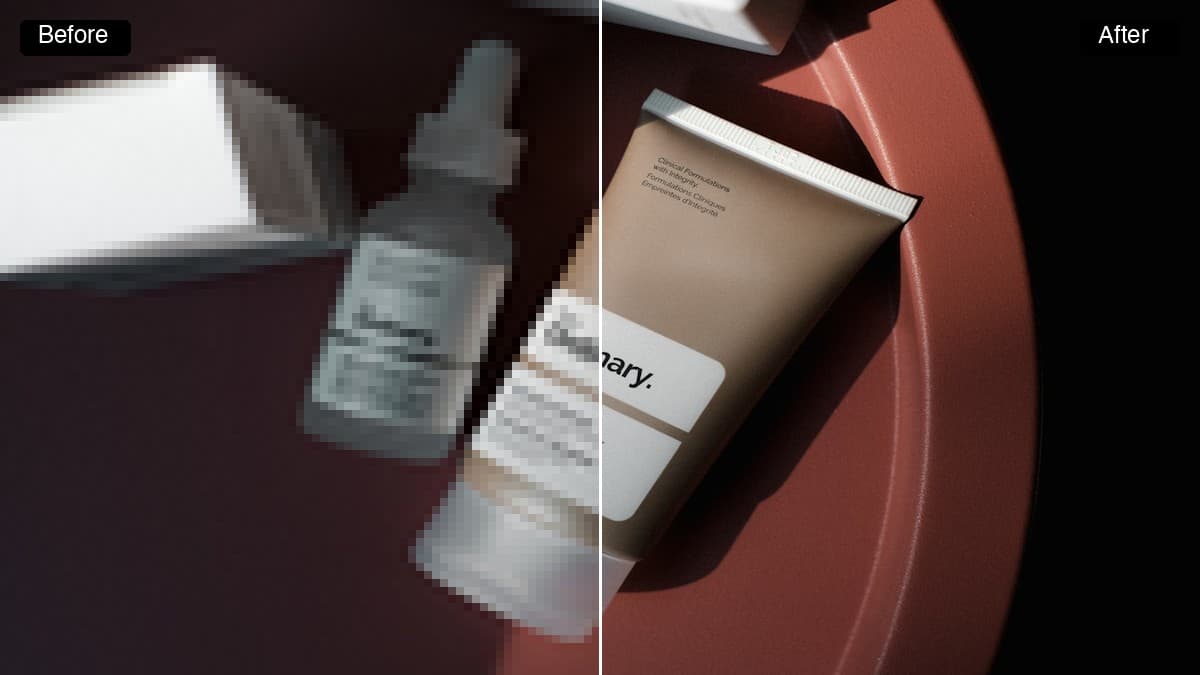
Most ad-image work is not creating something new, it is changing one thing about something that already exists: a different colourway, a cleaner background, the product a third larger. Upload the image, describe the change in a sentence, and get the edited version back — no masks, no selection tools, no layers.Most ad-image work is not creating something new, it is changing one thing about something that already exists: a different colourway, a cleaner background, the product a third larger.
One image to edit, or several when the edit needs a reference — the product you want inserted, the palette you want matched, the style you want it to resemble.
Name what should be different and leave the rest alone. Short, specific instructions land far better than a full re-description of the scene.
The edited image hands into the Creatives canvas, so the same asset can be sized and shipped to Meta, Google and TikTok without a round trip through a desktop editor.
Use cases
One product photo becomes the whole range. Ask for each colour by name and test which one a given audience responds to, without a reshoot per variant.
A shot that is right except for the cluttered background, the wrong season, or a distracting object is normally binned. Describing the fix is faster than masking it.
Licensed stock rarely matches a brand palette. Re-render it with your colours and lighting so it stops looking like stock.