
Soku AI
All tools

AI Interior Design

Upload the room as it stands and describe the direction you want it taken in.

Interior DesignPhoto to Direction
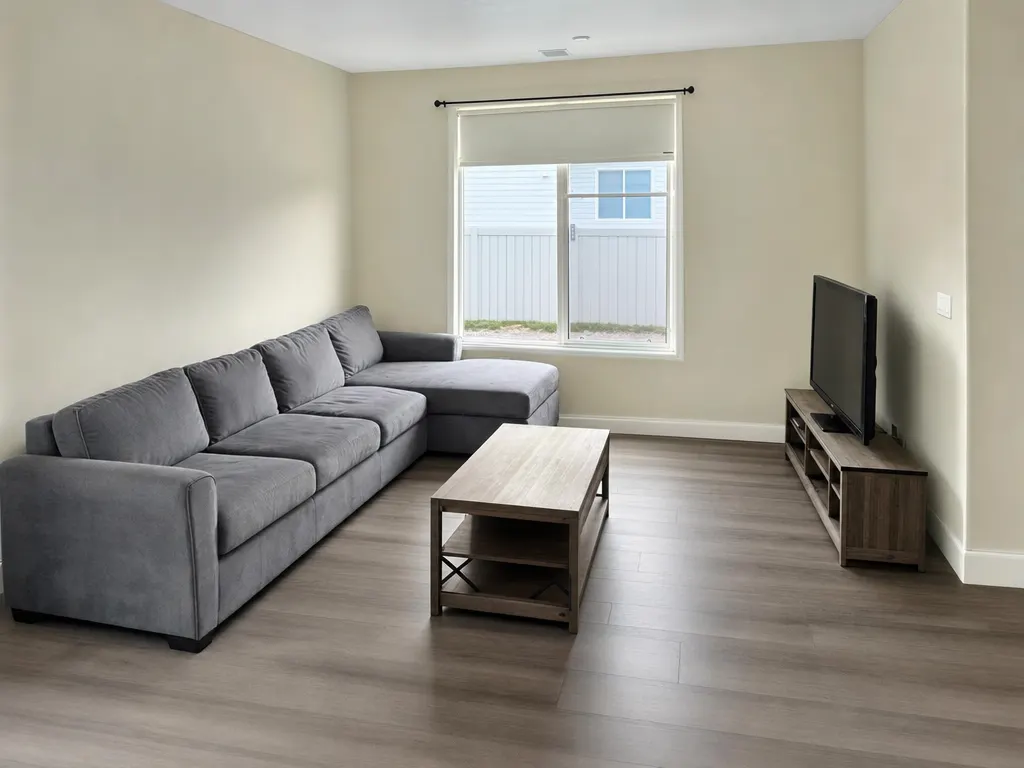
Before
Before
After
After
Living room · warm mid-century

See all 3 sample results

  • Room shape and window positions preserved
  • One photo in, one direction out
  • PNG download, no watermark

Sample result gallery

Three ordinary rooms, three directions

Every pair is one run of this tool on our own demo photography — no customer interiors. Read them for what survives, not just what changes: the room shape, the window positions, the door openings and the ceiling height are the ones that were there. That is what separates a design direction you can actually sell from a stock interior that happens to look nice.

Before
Before
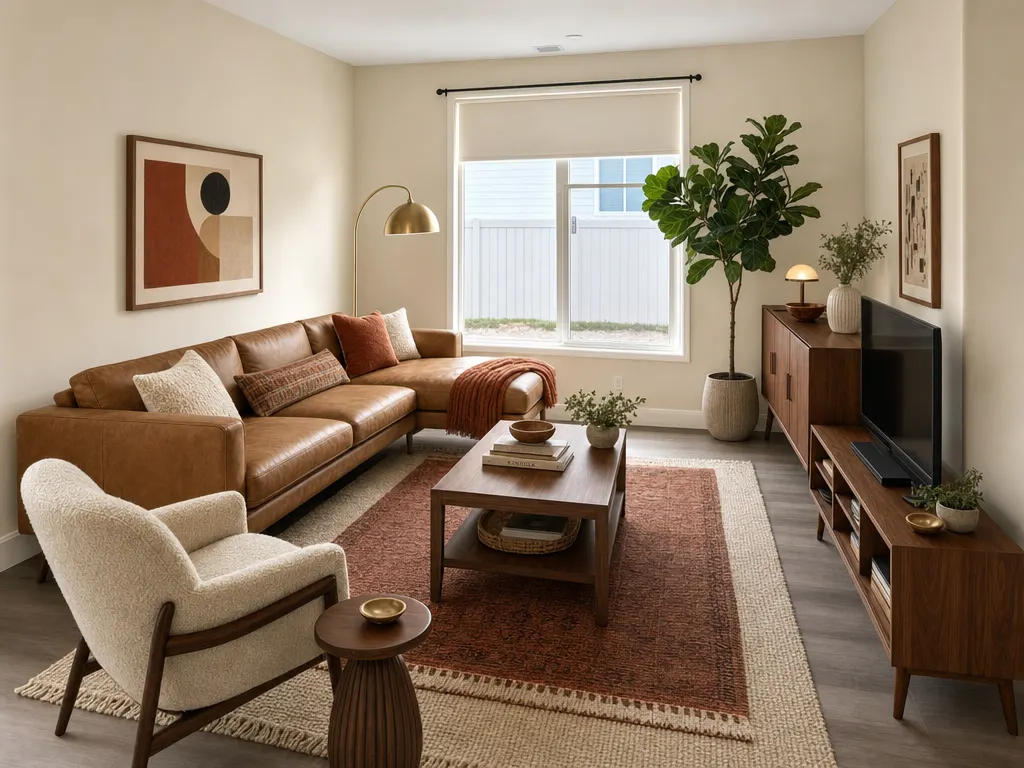
After
After
imageWhole-room direction

Living room · warm mid-century

A grey builder-grade sectional and a bare wall become walnut, tan leather and layered textiles. The window, the ceiling line and the room proportions are unchanged.

Source: Soku demo photography, generated for this page
Before
Before
After
After
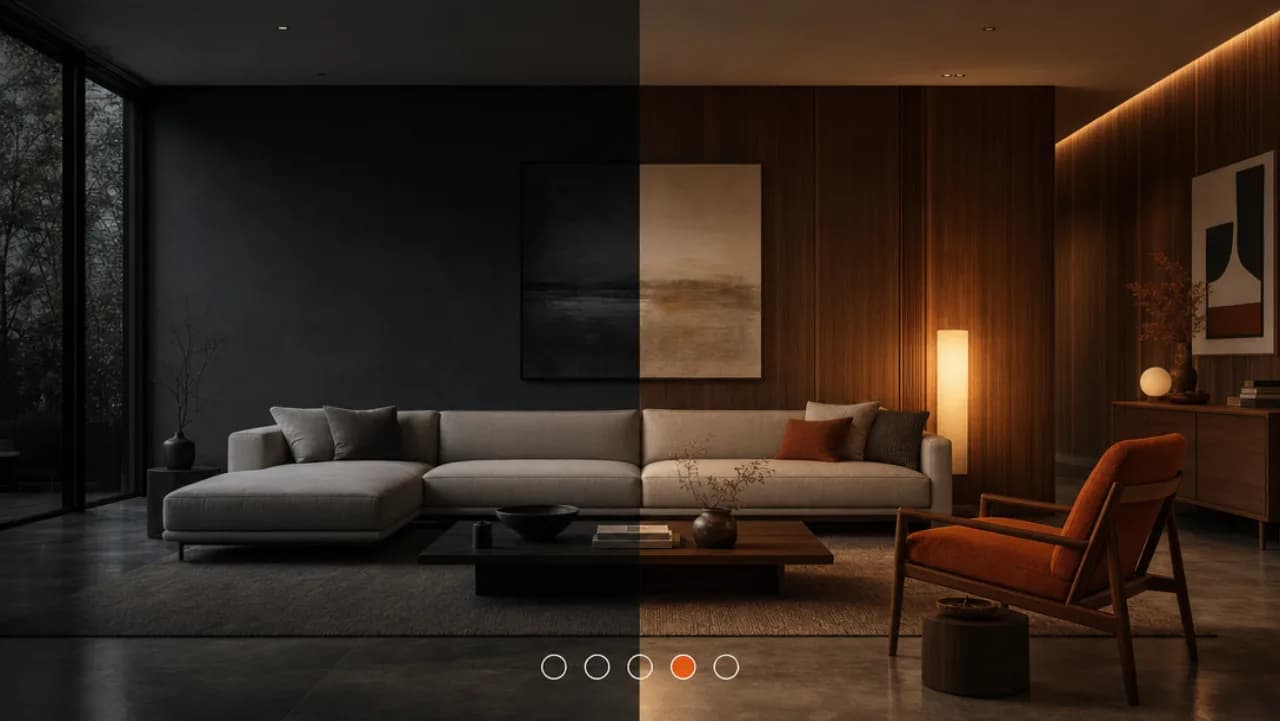
imageWhole-room direction

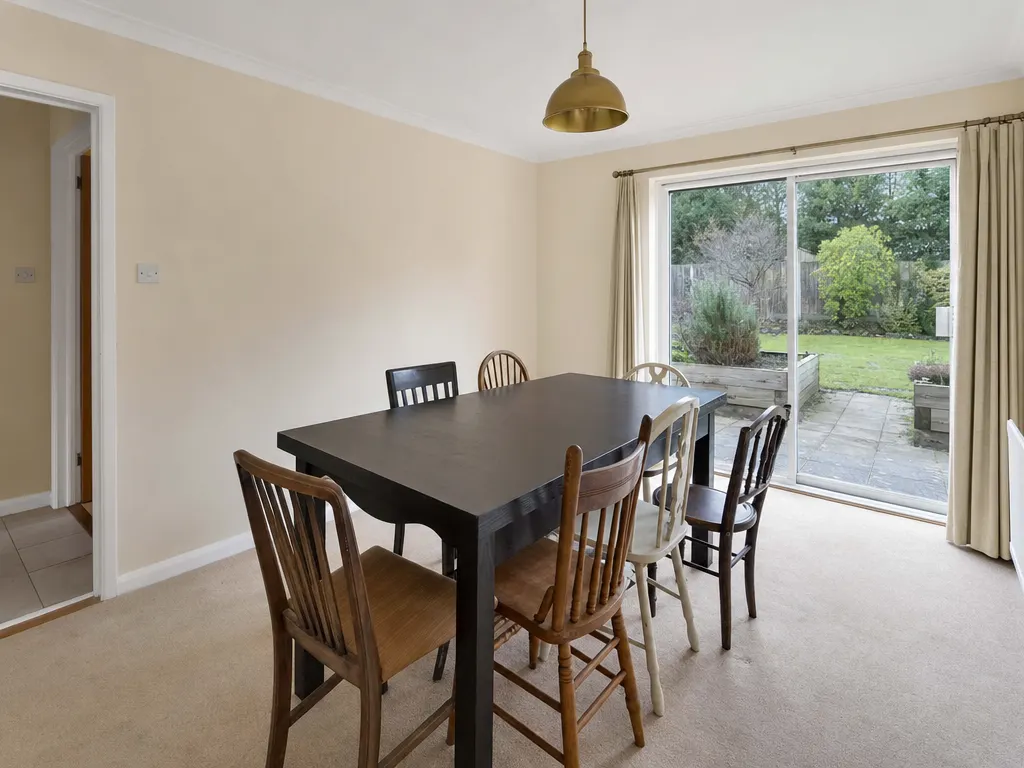
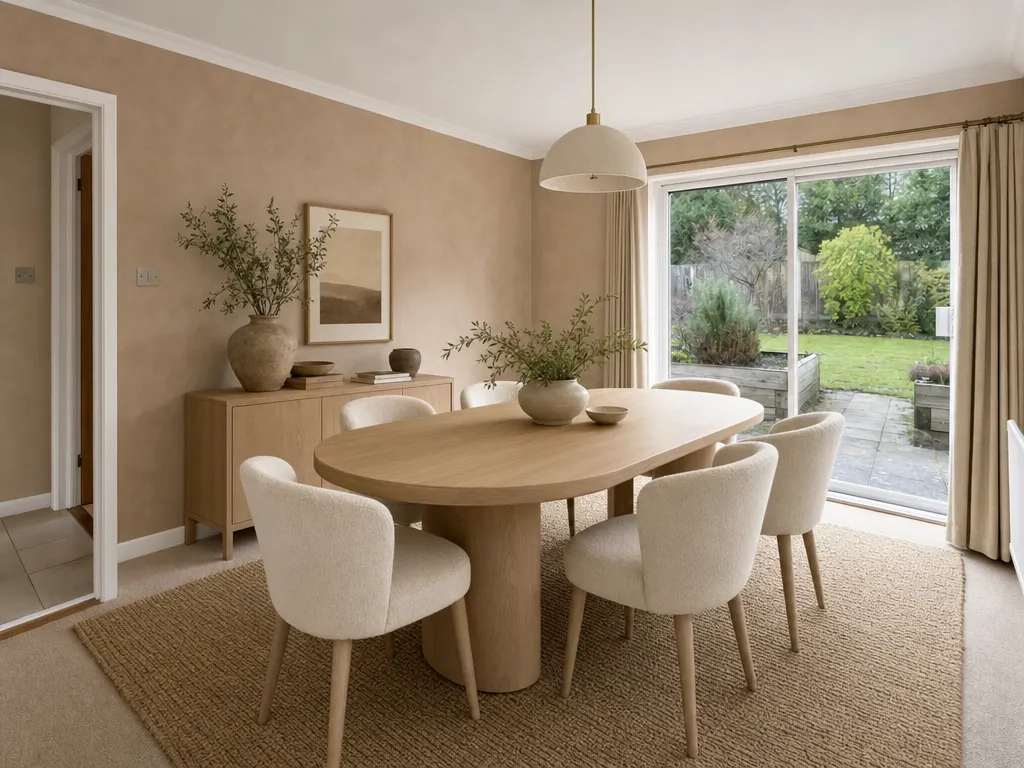
Dining room · soft modern organic

Dark rectangular table and six mismatched chairs taken to pale oak, cream upholstery and clay limewash. The patio door and the garden beyond it are the source photo.

Source: Soku demo photography, generated for this page
Before
Before
After
After
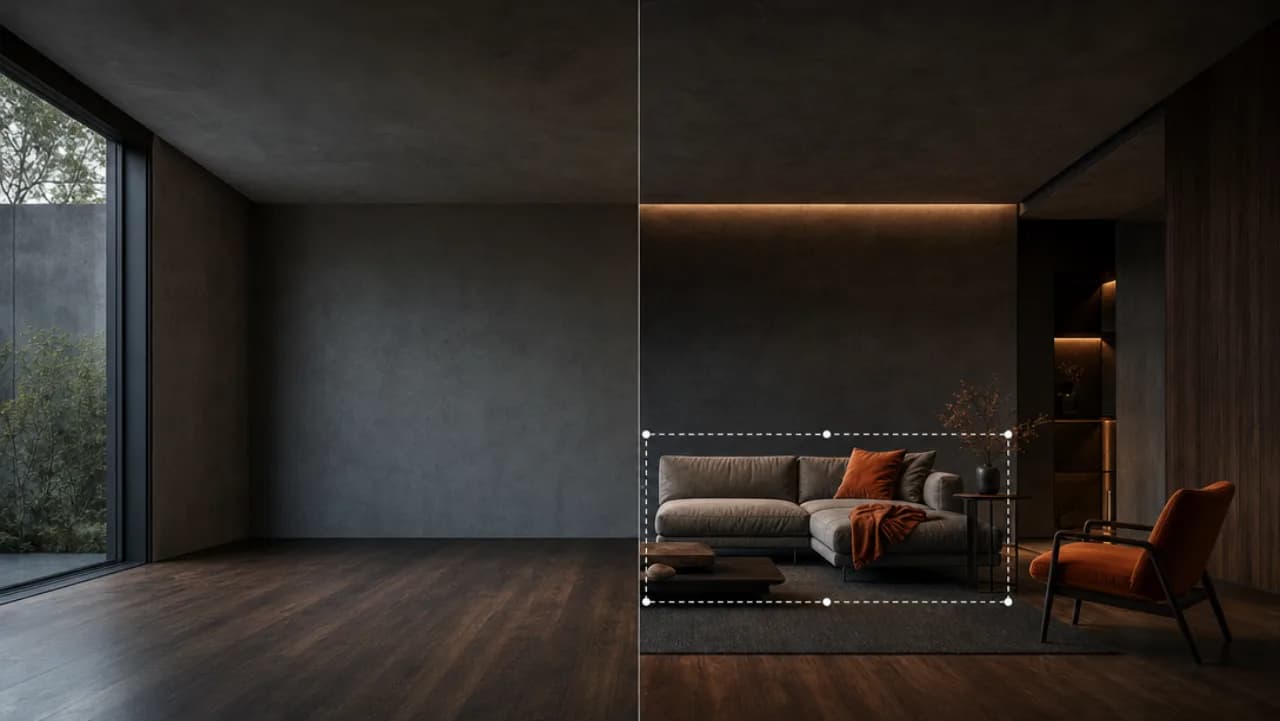
imageWhole-room direction

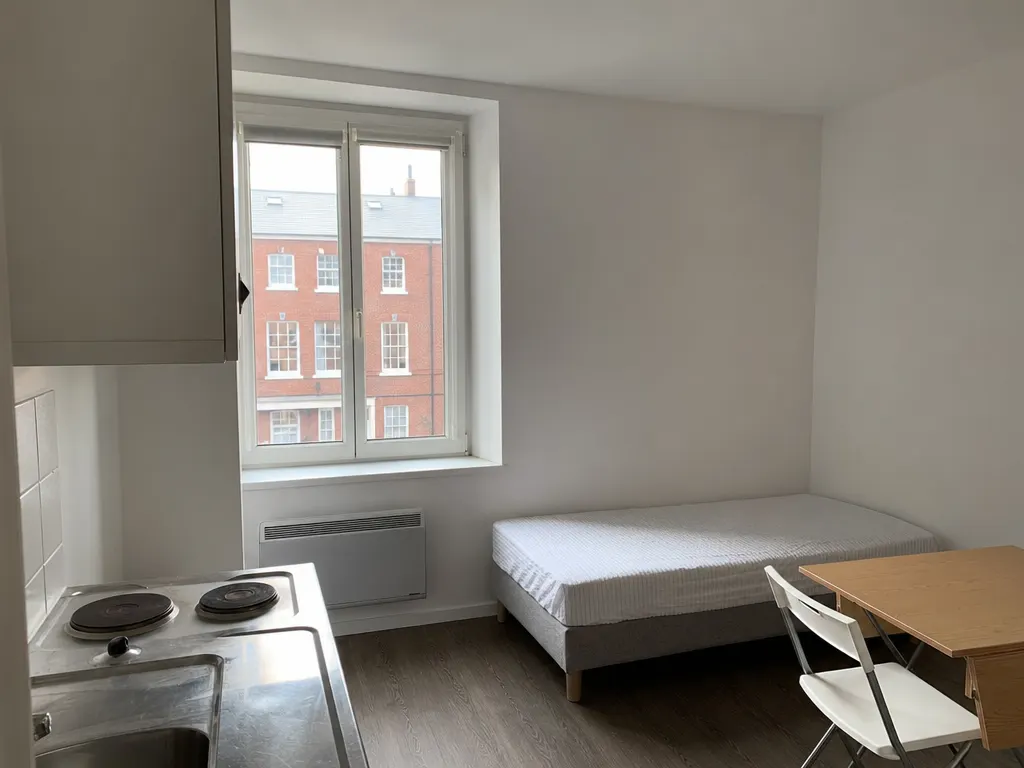
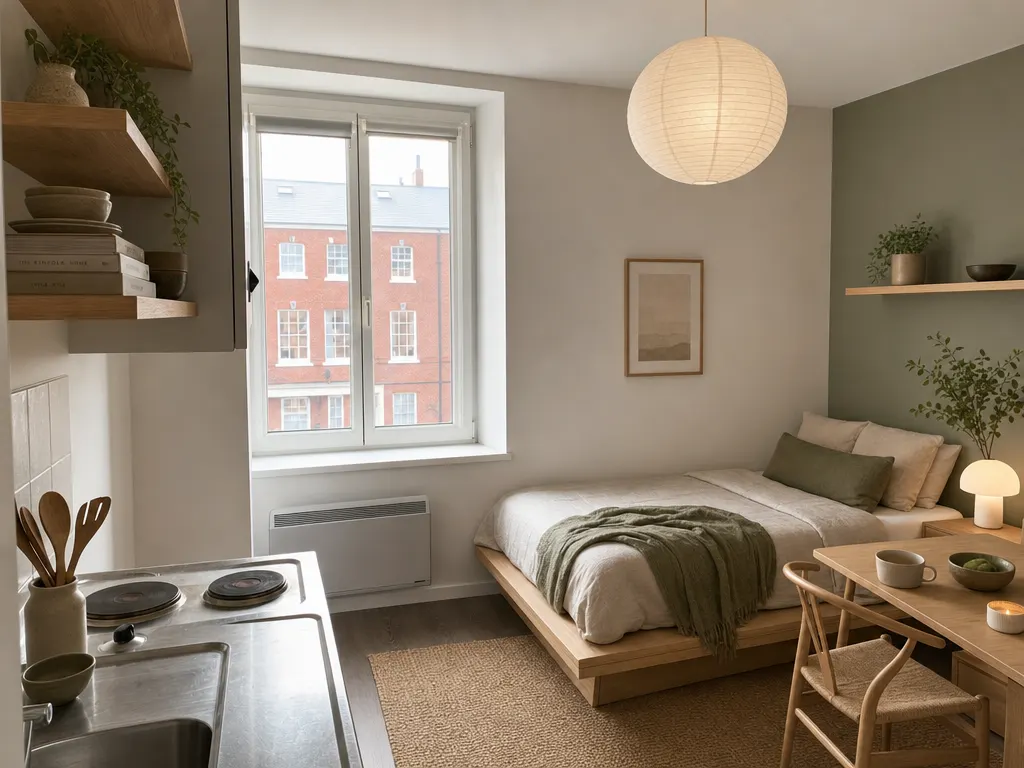
Studio apartment · Japandi

The hardest case: one room doing four jobs. Bed, desk, kitchenette and storage get a single scheme without anything moving.

Source: Soku demo photography, generated for this page

Three deliberate steps

01

Photograph the room as it is

The dated reality is the point — it is the "before". Shoot wide and level so the proportions read clearly, because those proportions are what the new direction has to stay faithful to.

02

Name a direction, then pin the constraints

A named style plus three or four concrete materials beats an adjective: "warm mid-century: walnut, tan leather, rust textiles, brass" works where "modern" does not. Then say what must not move — layout, window positions, ceiling height. Anything left unpinned may be reinterpreted.

03

Present it beside the original

Download the PNG and put it next to the untouched photo. The pair is the deliverable; the after on its own is just another interior render.

Use cases

Who reaches for this, and when

Interior designers

Show a direction before the first site visit

A client who can see their own room in three directions decides faster than one reading a moodboard of other people’s houses.

Renovation and fit-out advertisers

Before-and-after creative without a showroom shoot

The transformation is what sells the service and it is the one thing that is expensive to photograph on demand. A real customer room gives the ad a specific before.

Furniture and homeware brands

Put the range in a room a buyer recognises

Catalogue sets look like catalogues. A restyle of an ordinary room reads as achievable, which is the feeling the ad is buying.

Estate and letting agents

Show a tired property’s ceiling, not its floor

A listing that has been sitting gets a second life when the buyer can see what the space becomes. Disclose the alteration — see the FAQ.

Questions before you run it

How is this different from AI Room Design?
Same engine, different job. This page is the whole-room direction — the brief a designer would hand a client, covering furniture, finishes, palette and lighting together. AI Room Design is the single-room restyle when you already know the style and just want to see it. If you are not sure which you want, start here.
Does it keep my actual room?
It keeps the room’s shape, window positions and ceiling height, which is what makes the result usable as a before-and-after pair. It rebuilds the image rather than editing objects one at a time, so treat the output as a direction you can sell rather than a shopping list you can order — the specific sofa in the render is not a product you can buy.
Can I use this in a property listing?
Only with disclosure. Most jurisdictions — and every major portal — require you to label a digitally altered listing photo as such, and several require the unaltered original alongside it. Use it as marketing creative freely; use it in a listing only with the label the portal asks for.
What do I get back?
A PNG, no watermark, yours to use. Every run stays in your history with its source, settings and cost, so you can rerun a direction later without hunting for the prompt.
How much does a run cost?
The free plan lets you try it on your own photo without a card. After that a run is priced per image and shown before you press generate — no subscription is needed to see the number.