Soku AI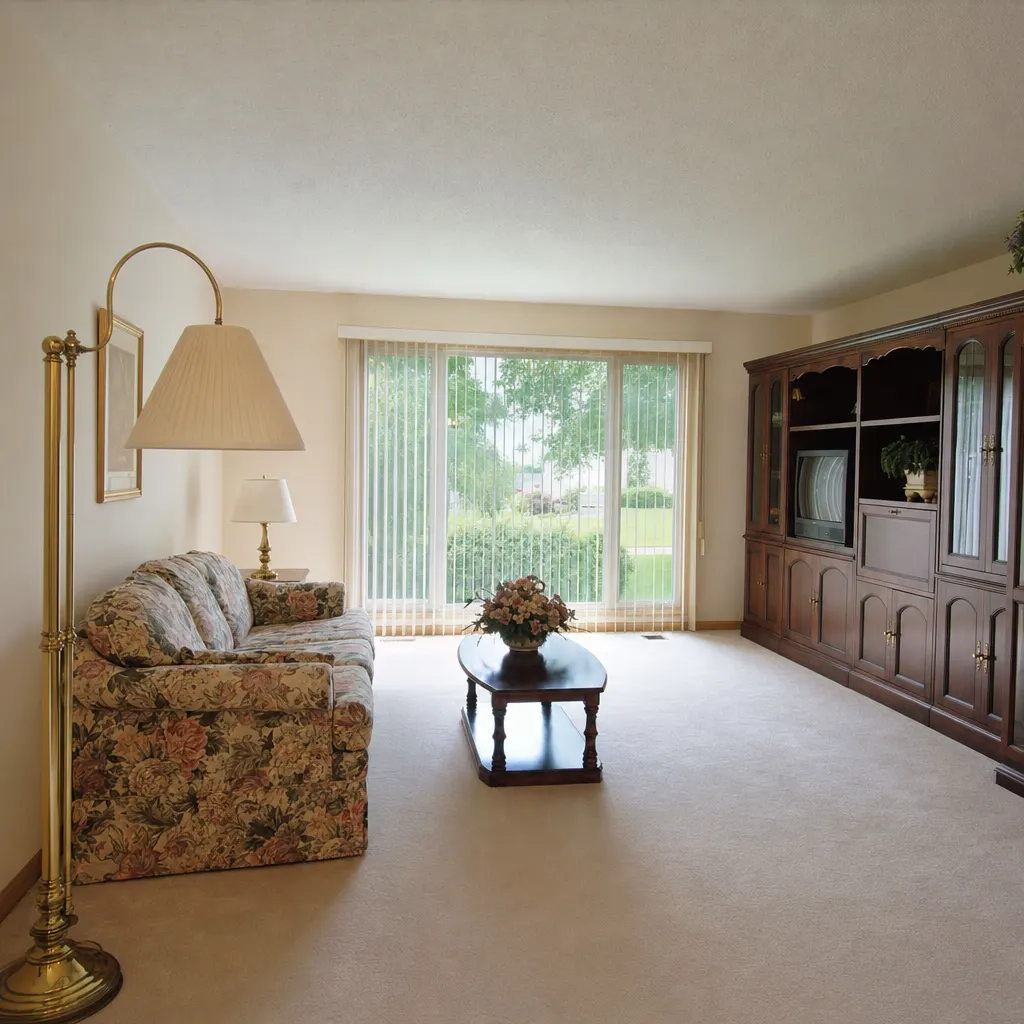
imageRestyle
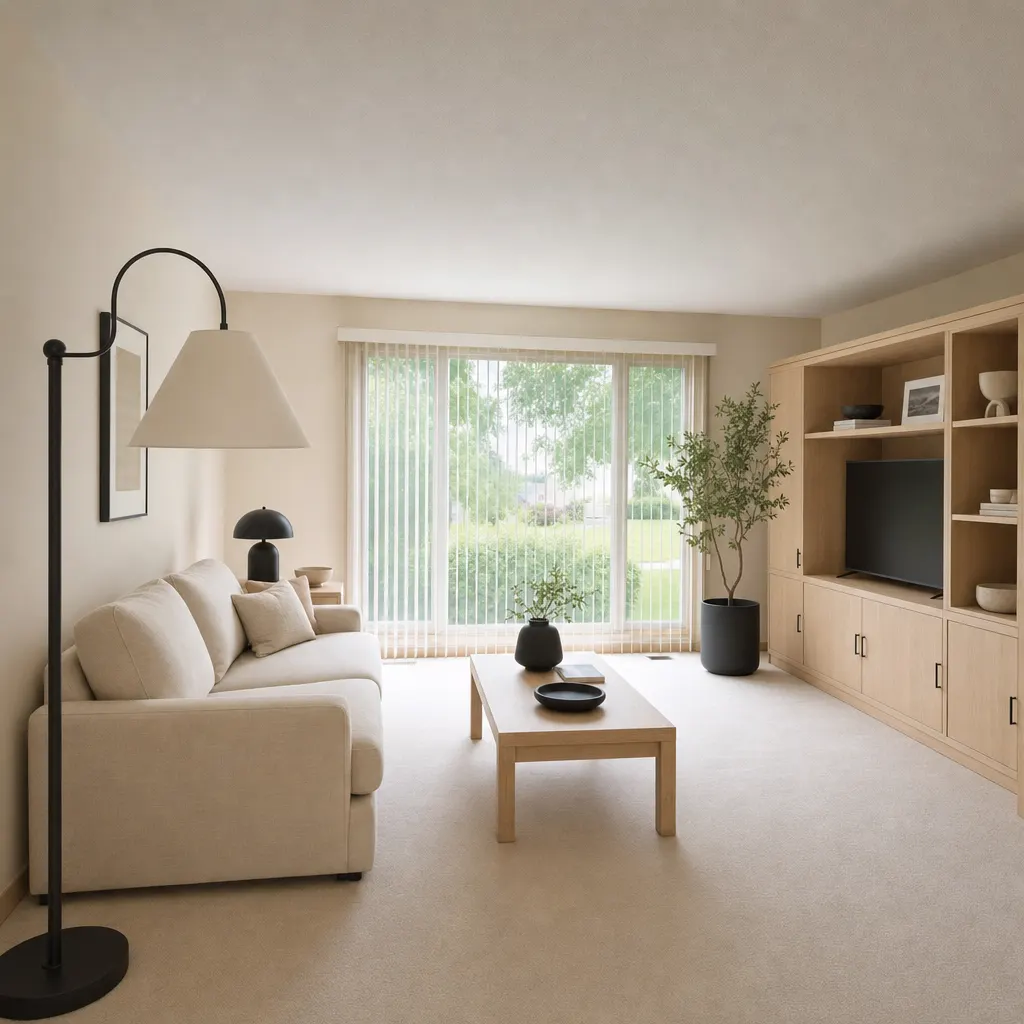
Living room, warm minimalist
1990s beige living room restyled in pale oak and linen. Same window wall, same proportions.
Source: Soku demo asset, generated for this page
Upload the room as it stands and describe the style you want it in. The furniture, finishes and palette are reimagined while the room's shape stays recognisable, which is what makes the result usable as a before-and-after pair rather than just a pretty render. It rebuilds the image rather than editing objects individually, so treat the output as a design direction you can sell, not a shopping list you can order.Upload the room as it stands and describe the style you want it in.
Sample result gallery
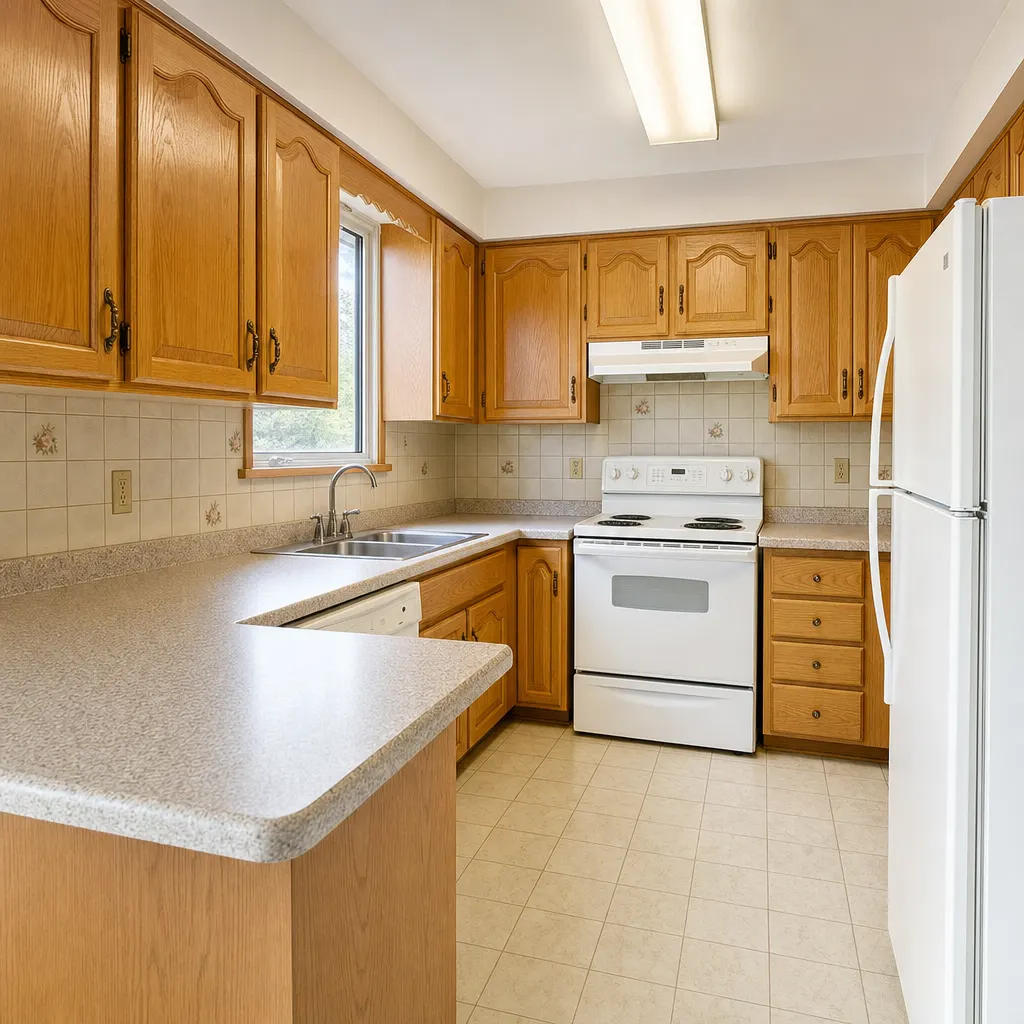
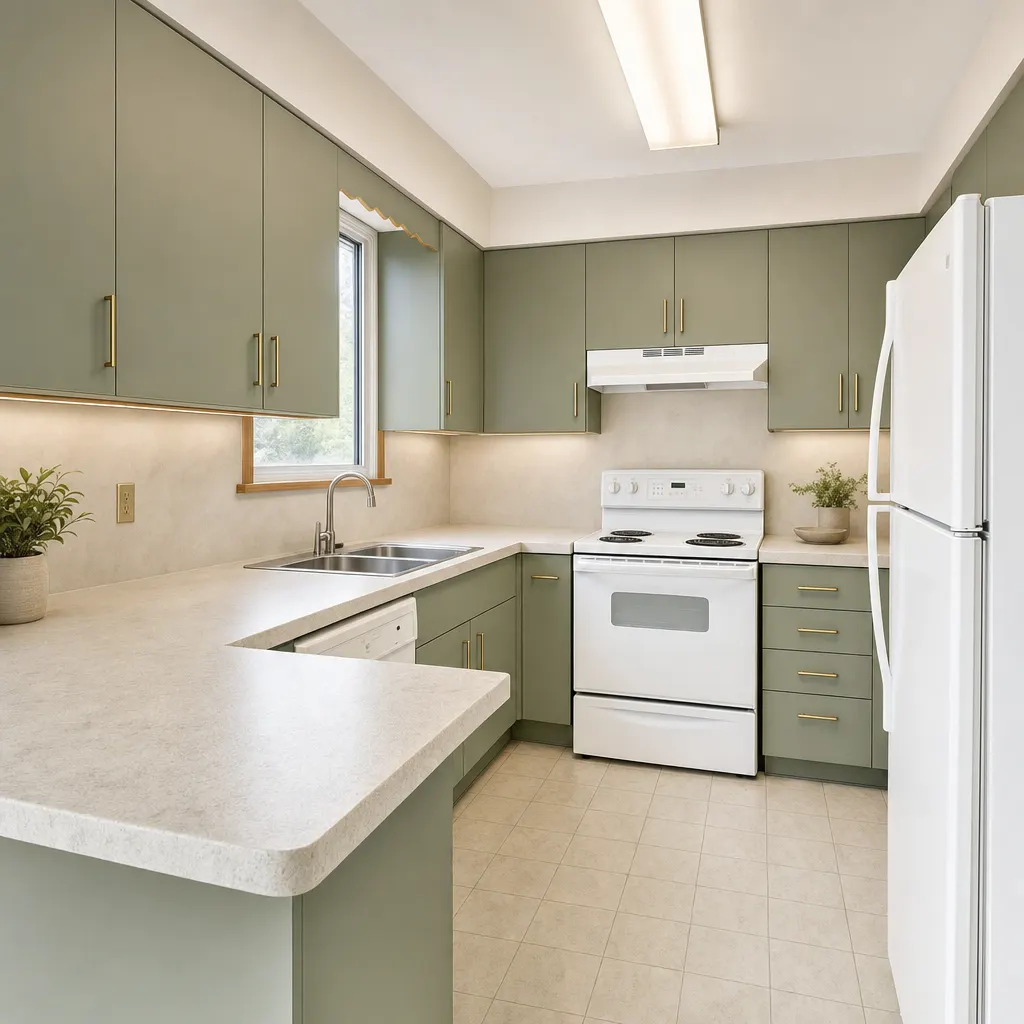
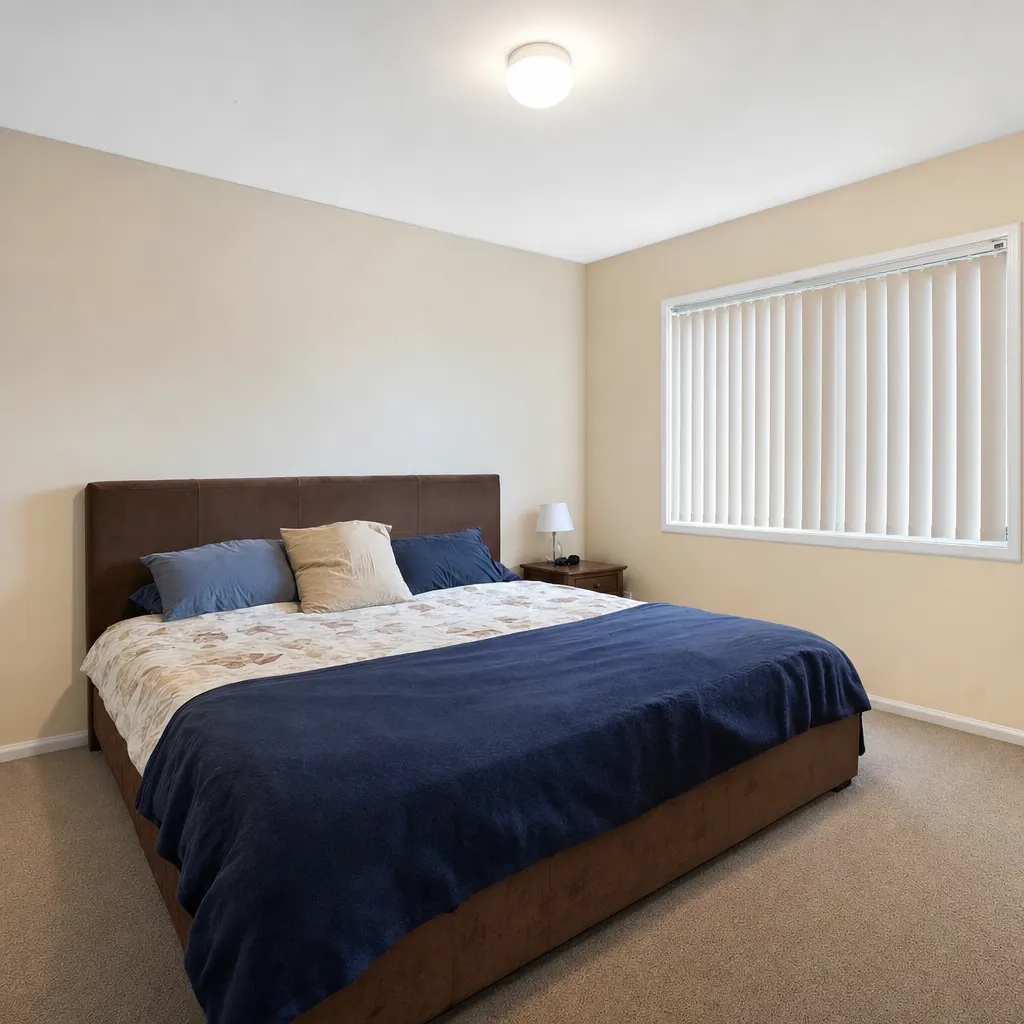
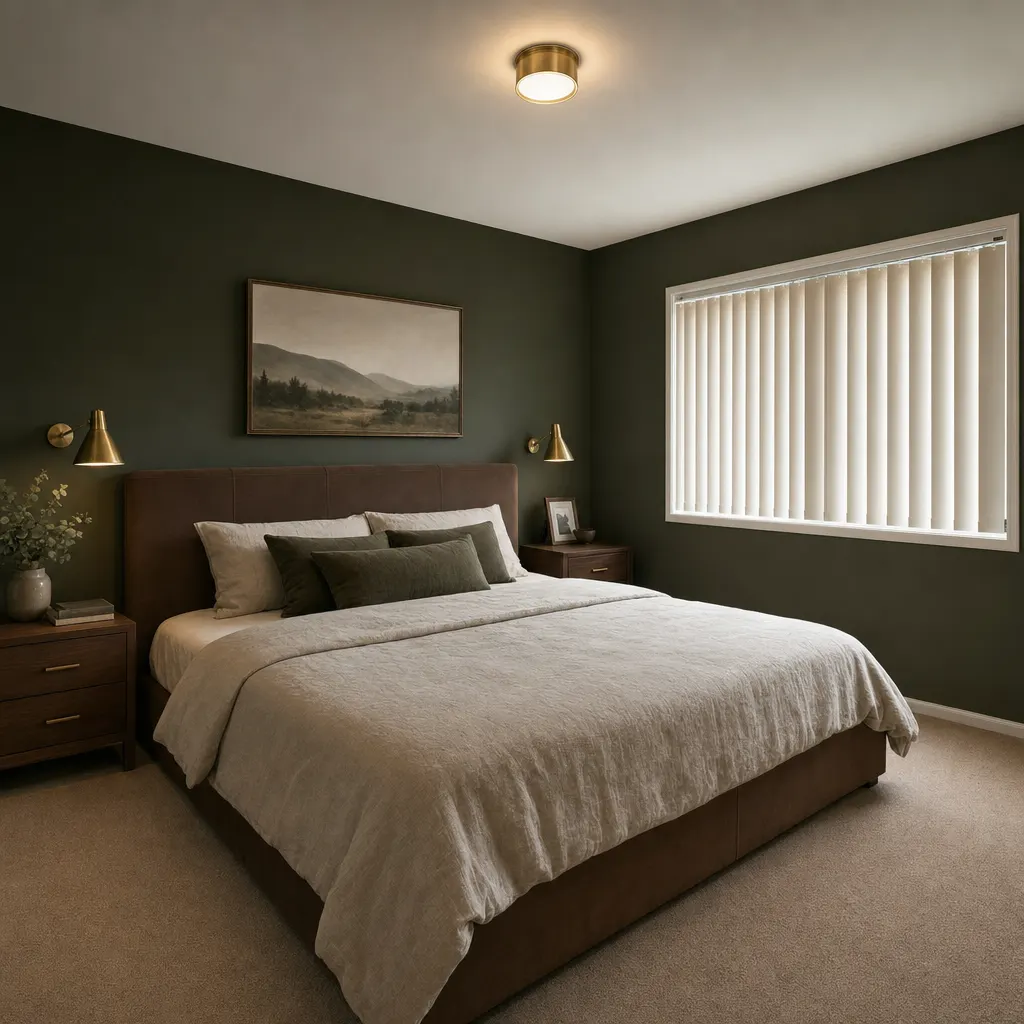
Each pair is one run on our own demo photography. The layout, window positions and ceiling height survive the restyle — that is what makes the pair usable as before-and-after ad creative rather than a stock interior.
1990s beige living room restyled in pale oak and linen. Same window wall, same proportions.
Source: Soku demo asset, generated for this page
Honey-oak kitchen taken to flat-panel sage and stone. Cabinet runs and appliance positions held.
Source: Soku demo asset, generated for this page
Builder-grade bedroom restyled in deep green and brass. Bed, window and door stay where they were.
Source: Soku demo asset, generated for this page
The messier reality is fine — that is the 'before'. Shoot wide and level so the room's proportions read clearly, because those proportions are what the restyle has to stay faithful to.
Give it a named direction and three or four concrete materials — 'Japandi: pale oak, linen, paper lantern, matte black' works far better than 'modern'. Then state what must not move: layout, window positions, ceiling height. Anything you leave unpinned may be reinterpreted.
Download the PNG and run it beside the untouched photo. The before-and-after pair is the creative; the after on its own is just another stock interior.
Use cases
Contractors, kitchen fitters and interior studios sell a transformation they can rarely photograph on demand. Restyling a real customer room gives the ad a specific before, which is the half that makes the after believable.
Furniture and paint brands advertise in showrooms that look nothing like the buyer's house. Restyling ordinary rooms into your product's aesthetic gives you creative that matches the audience's own space.
Run the same room in three schemes, put them against each other as ad variants, and let the click-through decide which look gets the real photoshoot.