Soku AI
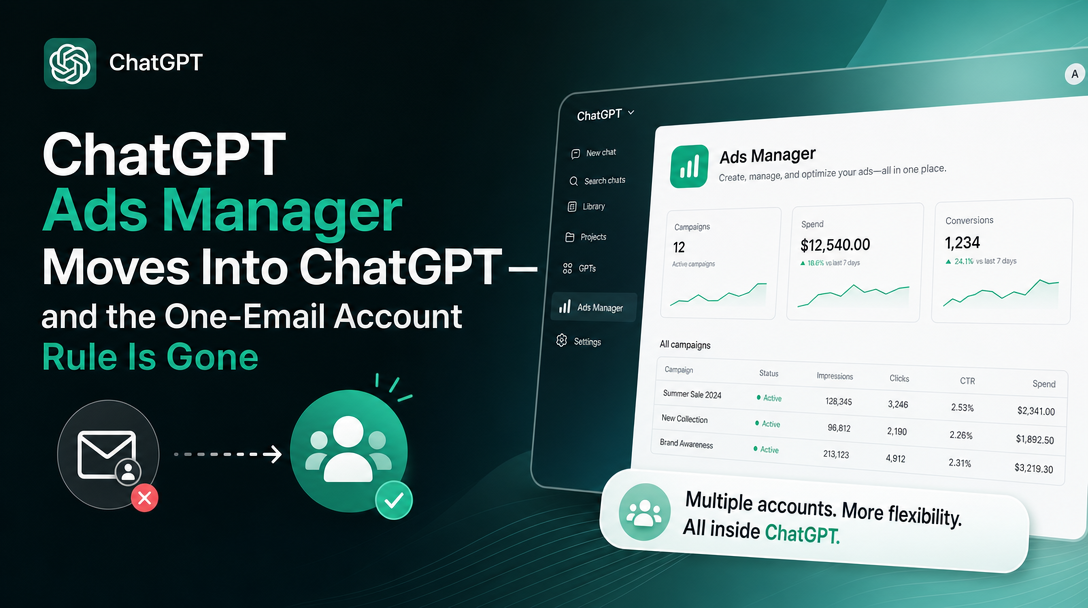
OpenAI updated the Ads Manager Beta Account Setup article on 2026-09-08 with two changes that matter more than their word count suggests. One is a new capability: advertiser account setup can now begin inside ChatGPT. The other is a quiet reversal of a rule that has shaped how every multi-brand advertiser and every agency has had to structure their ChatGPT Ads presence since the beta opened.
Neither was announced in an email. Both are in the documentation today.
Update, 2026-09-18: the flow is now documented, and there is a hard limit of 10
On 2026-09-18 OpenAI rewrote this same article again and replaced the loose eligibility language quoted below with a named section, "Creating additional ad accounts", that gives the steps explicitly:
You can use the same OpenAI login to access multiple ad accounts. Eligible self-serve advertisers can create additional accounts for their business.
1. Sign in to Ads Manager with your existing OpenAI account. 2. Select an eligible existing self-serve ad account that uses credit-card billing. 3. Open the account menu and select Create account, when available. 4. Follow the setup prompts and review your business and account details before submitting. 5. Complete any required billing, verification, and account-review steps for the new account.
Two things in that list are new and load-bearing. Creating an additional account requires an existing self-serve account that is already on credit-card billing — so the first account is still the hard one, and an invoiced account is not a launchpad. And the entry point is a Create account item in the account menu, qualified with "when available," which is OpenAI's usual phrasing for a control that is eligibility-gated rather than universally present.
The genuinely new constraint is a ceiling:
Once you belong to 10 or more ad accounts, you cannot create another account yourself. This count includes accounts you created and accounts you joined by invitation. For example, if you created 2 accounts and joined 8 others, you have reached the creation limit. The limit applies to account creation.
Note what the count includes: accounts you were invited to count against your own creation limit. For an agency-side operator who gets invited into every client account, that ceiling arrives without them ever having created anything. The limit is on creation, not on membership — you can still be invited into more — but the person who does your account provisioning is exactly the person most likely to hit it first.
OpenAI also folded its standalone "Creating additional ad accounts in Ads Manager" article into this one on the same day; that separate URL now returns nothing, so any bookmark to it should be repointed at the account-setup article.
Practical addition to the list below: find out how many ad accounts your provisioning user already belongs to before you need to create the eleventh. If they are near the ceiling, provision from a different eligible user rather than discovering the limit mid-onboarding.
Change one: the one-email rule is reversed
This is the change to read twice, because the previous wording was unusually absolute.
Before, under "Can my company have more than one advertiser account?":
Each new advertiser account must be created using a different email address. An email address that has already been used to create an advertiser account cannot be used to create another one.
Now, in the same place:
An existing email address may be associated with multiple advertiser accounts. Creating another account depends on self-serve billing eligibility, organization permissions, and applicable account-creation limits.
That is not a clarification. It is a reversal of the operative constraint, and it lands in the one paragraph most likely to have been read by anyone who structured accounts in the last three months.
What the old rule forced people to do
If you run four brands, the old sentence meant four separate email addresses that had to exist before you could create four advertiser accounts. In practice that produced one of three workarounds, none of them good:
- Plus-addressing —
[email protected]. Works with some systems and is silently rejected by others, and you find out which after you have committed the account country and currency, which cannot be changed. - Distribution lists and shared mailboxes — an address per brand created in Google Workspace or Microsoft 365 purely to satisfy a signup form, each one now a mailbox someone has to own, monitor and offboard.
- Personal addresses — the worst outcome and the most common one under time pressure. An advertiser account tied to a specific employee's address is an offboarding incident waiting to happen, and the account owner is the person who receives the verification correspondence.
Every one of these is overhead created by a signup rule rather than by anything about how the accounts are actually used.
What changes now
The new text ties the ability to create an additional account to three conditions instead of to your inbox: self-serve billing eligibility, organization permissions, and applicable account-creation limits. That is a meaningful swap. Email uniqueness is a property of you; those three are properties of your organization's standing with OpenAI. It is a more sensible gate, and it is also a less predictable one — the documentation does not publish what the account-creation limits are.
A second paragraph, new on the same day, adds the recovery path:
If an additional account has already been created by someone else, ask an account administrator to invite you. Do not submit duplicate account-creation requests to bypass account review or other eligibility requirements.
Read that as written. The invitation route is the documented answer when the account exists but you are not on it — and OpenAI has now said twice in one article, in two different places, that duplicate applications do not accelerate anything.
The thing that did not change
Directly above the revised paragraph, this sentence is untouched:
Each advertiser requires its own account. If you are managing multiple advertisers, you will need to create an account for each advertiser following the steps above.
So the account-per-advertiser structure is intact. What changed is only the credential you use to create them. If you were hoping for one account with several brands inside it, that is not what happened, and building on that assumption would be a mistake.
Change two: setting up an account from inside ChatGPT
The article gained a whole new section, "Use ChatGPT Ads Manager in ChatGPT":
Eligible business advertisers can use ChatGPT Ads Manager to begin self-serve Ads Manager account setup in ChatGPT and work with supported campaigns, ad groups, ads, and performance insights. Available actions and workspace access may vary.
The documented entry point is chatgpt.com/apps/chatgpt-ads-manager/connector_openai_ads_manager. The documented flow is four steps:
- Open ChatGPT Ads Manager and connect your account when prompted.
- Ask ChatGPT to help set up a business advertiser account. Select an eligible organization or create a new organization when that option is available.
- Review the advertiser name, website, business country or region, currency, time zone, and logo before confirming.
- Open Ads Manager to complete any remaining billing, payment, tax, or advertiser identity-verification steps.
Step four is the honest one and the reason not to over-read this. The conversational surface gets you an advertiser account; billing, payment, tax and identity verification still happen in Ads Manager, and the article repeats that campaigns may not serve until required setup and review are complete. This is a new front door onto the same building, not a replacement for it.
A naming discrepancy worth noting
The OpenAI advertiser product-update email of 2026-09-03 (no public URL; received by advertisers on OpenAI’s ads mailing list) announced this as the "ChatGPT Ads Manager plugin", reachable from Plugins, and described a broader scope than the help centre does — creating campaigns from a website or brief, generating variants, troubleshooting delivery, and previewing recommended changes before applying them, from ChatGPT or Codex.
The help centre, five days later, calls it ChatGPT Ads Manager, links it under /apps/, and describes account setup plus working with "supported campaigns, ad groups, ads, and performance insights."
Both are current. We are treating the documented /apps/ URL and the documented four-step scope as the facts, and the email's broader campaign-authoring description — the Codex access, the brief-to-ads generation, the preview-and-confirm behaviour — as announced but not yet documented in the help centre. If you are writing an internal runbook this week, cite the help centre and mark the rest as unverified rather than assuming the email's scope is live for your account.
Who this actually unblocks
Multi-brand advertisers. The clearest win. Adding a fifth brand no longer requires provisioning a fifth mailbox first, and the accounts can be created under an identity that belongs to the company rather than a person.
Companies that got an account country wrong. Country, currency and time zone still cannot be changed after creation, and the documented remedy is still to create a new advertiser account. That remedy used to carry a hidden second cost — a new email address — and now does not. If you have an account stranded in the wrong currency, this is the week to fix it.
Teams consolidating shadow accounts. If brands were set up on personal addresses during the beta rush, the combination of multi-account association and the documented "ask an account administrator to invite you" path is the route back to a sane ownership model.
Not agencies, yet. The limit is stated plainly and it did not move:
ChatGPT Ads Manager supports eligible business advertiser accounts. Individual advertiser onboarding and agencies creating advertiser accounts on a client's behalf are not supported. An agency can be invited after its client creates an advertiser account.
The client creates the account; the agency gets invited. If you run paid media for other companies, this change makes your clients' lives easier and does not change your own onboarding sequence at all.
What we would do this week
- Audit which email owns each advertiser account. The output you want is a list of accounts whose owner address belongs to an individual rather than to the company. That list was previously expensive to fix and is now cheap.
- Stop provisioning mailboxes for signup. If there is a runbook step that says "create an address for the new brand before creating the ad account", delete it and re-test the flow once.
- Check organization permissions before assuming you can create. The gate moved from your inbox to your organization. The article notes that if your organization already exists, you may need permission from an authorized organization administrator before creating another advertiser account — so the blocker is now a person, and it is worth knowing who.
- Try the ChatGPT surface for setup only. It is documented for account setup and for working with campaigns, ad groups, ads and insights. Do not plan a campaign-authoring workflow around the email's wider description until the help centre catches up with it.
- Do not submit duplicate applications. Stated twice in the article, and worth repeating internally, because the new flexibility makes it more tempting to try.
Sources
Everything above is quoted from official OpenAI documentation, checked on 2026-09-08:
- Ads Manager Beta Account Setup — the revised multi-account paragraph, the new "Use ChatGPT Ads Manager in ChatGPT" section, the four-step setup flow, and the agency limit.
- Ads Manager Availability — which countries can access Ads Manager today.
- Ads Manager Beta Account Setup — re-read 2026-09-18 for the "Creating additional ad accounts" section and the 10-account creation limit quoted in the update above.
- OpenAI advertiser product-update email, 2026-09-03 — the "ChatGPT Ads Manager plugin" announcement, used here only for the naming and scope discrepancy and explicitly labelled as not yet reflected in the help centre.
Previous wording is quoted from our own captured snapshot of the same help-centre article taken on 2026-09-07, one day before the rewrite.
Last verified: 2026-09-18 (original reporting verified 2026-09-08; the update section above verified 2026-09-18). OpenAI is editing these articles frequently — the account-setup page alone changed twice in the last two weeks — so re-check the source before acting on a quote that is more than a few days old.