Soku AI
"Which MCP server should I connect to Google Ads?" looks like the same question as the Meta version — pick the fastest, official-where-possible connector and move on. It isn't. Google's own MCP server is read-only: it can pull reports and read your account, but it cannot create a campaign, change a bid, or pause an ad. That single fact reshuffles the entire ranking, because the connector that's safest is also the one that can only do half the job.
So we'll rank the field twice. First by setup time — the metric every comparison leads with — then by a weighted score that accounts for read-vs-write coverage, account safety, agent fit, and cost. The second ranking is the one to act on, and unlike the Meta Ads MCP comparison, the official server does not win it.
For the full overview — what a Google Ads MCP is, the OAuth model, the step-by-step wiring, and how the pieces fit — see Google Ads MCP: The Complete Guide.
The contenders
Five servers cover the realistic field for connecting an AI agent to Google Ads in 2026:
- Google Ads MCP (official) — Google's first-party server, part of the Google Ads API developer toolkit. Read-only by design.
- Pipeboard — a verified third-party remote connector covering both Google and Meta in one endpoint.
- Composio — a managed integration platform where Google Ads is one of 200+ tools, with read and write actions.
- GoMarble — an open-source (MIT) server you run locally against your own API credentials.
- Flywheel — a remote-config connector covering Google and Meta, unverified.
- Soku — not a raw MCP server but the agent layer on top of one: it connects through the official read path and adds account-to-brand routing plus a human-approval gate on every write. Included in the tables below for comparison, because it's where teams who want managed, multi-brand, write-safe automation actually land.
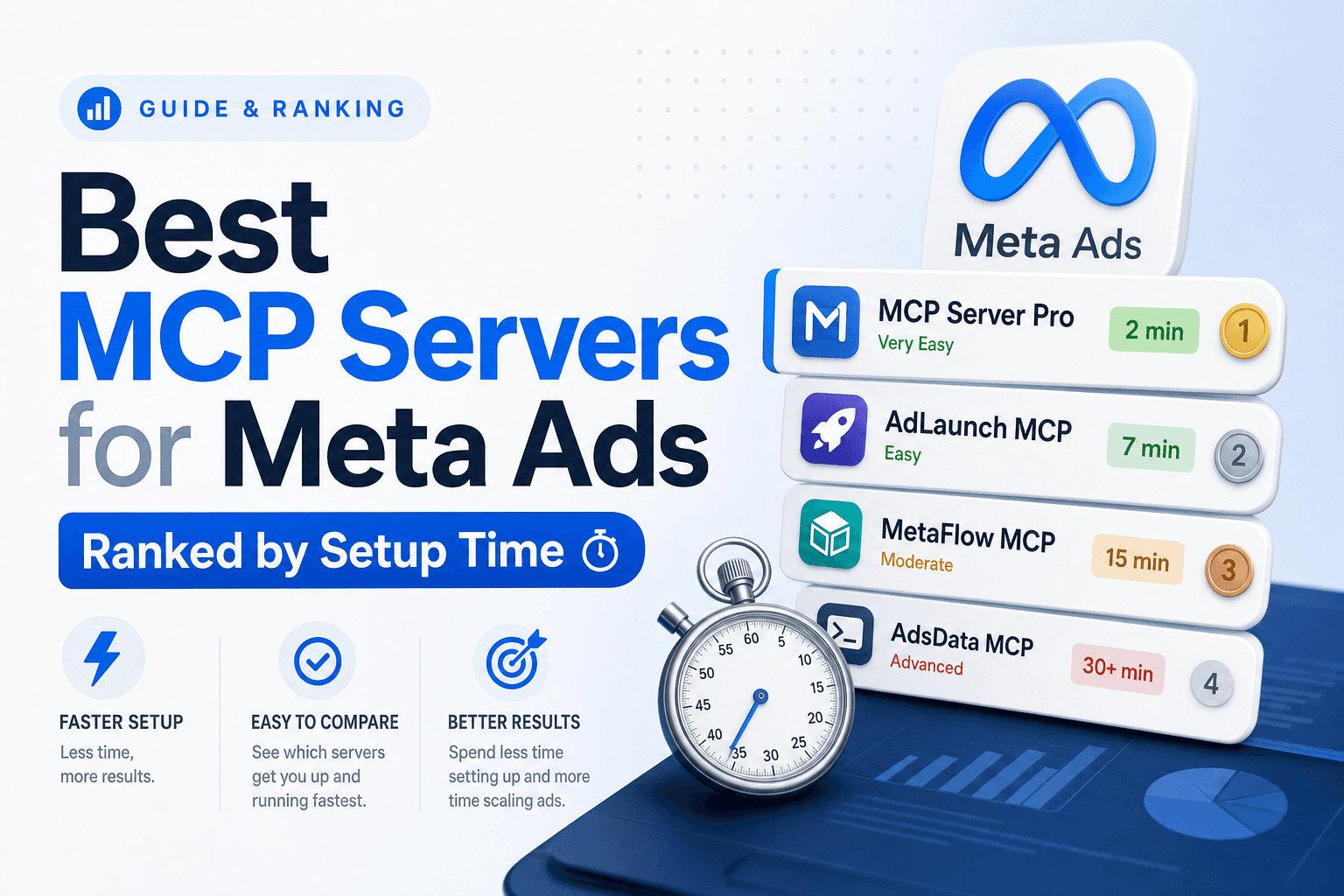
Ranked by setup time
This is the ranking everyone publishes, so let's get it out of the way. Setup-time estimates and the capability split below draw on Google's official MCP documentation for the first-party server and the Scalemate MCP comparison for the third-party field; the scoring and judgment that follow are ours.
| Rank | Server | Setup time | Auth model | Writes? | Cost | Verified? |
|---|---|---|---|---|---|---|
| 1 | Pipeboard | <2 min | Remote URL paste | Yes | Free tier + paid | Verified 3rd-party |
| 2 | Flywheel | <5 min | Remote config | Yes | Free | Unverified |
| 3 | Google Ads MCP (official) | ~5 min | Google OAuth + developer token | Read-only | Free | First-party |
| 4 | Composio | 10–15 min | Account + config | Yes | Paid trial | 3rd-party |
| 5 | GoMarble | 15–20 min | Local install + your API creds | Yes | Free (MIT) | Unverified |
| — | Soku (agent layer) | ~2 min connect | Google OAuth (managed) | Read + gated writes | Free tier + paid | First-party agent |
Note where the official server lands: third, not first. Google's server needs a developer token and an OAuth flow against the Google Ads API, which is more setup than pasting a remote URL — and it still can't write. If setup speed were the whole story, you'd reach for Pipeboard and never look back. It isn't the whole story.
Why setup time is the wrong headline metric
You connect a Google Ads MCP once. The three minutes you save at setup are gone by the next morning; what you live with for months is the auth model, who holds your credentials, and — uniquely for Google — whether the connector can actually act on the account or only read it.
That read/write line is the one that matters most here. An agent that can pull a search-terms report but can't add a negative keyword, shift a budget, or pause a losing ad group is a dashboard with a chat box on top. It closes the observe half of the loop and leaves the act half to you in the Google Ads UI. For some teams — analysts, reporting workflows, anyone nervous about an agent touching live spend — that's exactly the right boundary. For anyone who wanted automation, it's the whole point, missing.
The fastest options have a second problem: the unverified ones (Flywheel, GoMarble) run on your Google Ads credentials and fire API calls against your developer token's quota with whatever rate limiting you bolt on yourself (Scalemate). Google Ads API access is governed by token tiers and daily operation limits; an unthrottled agent looping over a large account can burn through quota or trip access reviews fast.
Re-ranked by what actually matters
Here's our weighting — what we'd optimize for standing up an agent against Google Ads today. Setup time is only 10% of it, and the heaviest weight goes to coverage, because read-only is the defining constraint of this market:
| Factor | Weight | Why |
|---|---|---|
| Read + write coverage | 30% | A read-only connector can't run the act half of the loop — the Google-specific gap |
| Account safety (verified / first-party) | 30% | Credential exposure and quota/access risk; unverified servers hold your token |
| Agent fit (multi-account, gated writes) | 20% | Agencies need account-to-brand routing and human approval before spend changes |
| Cost / longevity | 10% | Free + first-party won't rug a price or disappear |
| Setup time | 10% | A one-time cost; matters least |
Score each option 1–5 on those factors and the order is nothing like the setup-time list:
| Server | Coverage | Safety | Agent fit | Cost | Setup | Weighted |
|---|---|---|---|---|---|---|
| Pipeboard | 4 | 4 | 4 | 4 | 5 | 4.05 |
| Composio | 4 | 3 | 4 | 3 | 2 | 3.40 |
| Google MCP (official) | 2 | 5 | 3 | 5 | 3 | 3.30 |
| GoMarble | 4 | 2 | 3 | 5 | 1 | 2.95 |
| Flywheel | 3 | 2 | 3 | 4 | 4 | 2.55 |
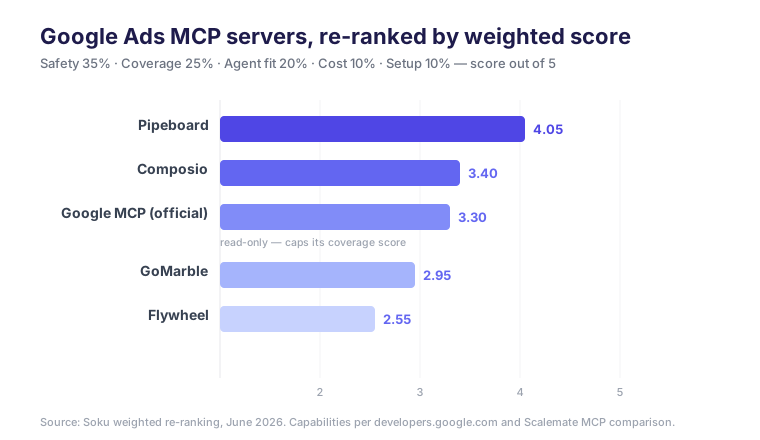
This is the result that separates Google from Meta. On the Meta side, the official server scored a perfect 5 on coverage and won outright. Here, Google's official server takes a 2 on coverage for being read-only — and that drags its weighted score to third (3.30), behind two third-party connectors that can actually write. First-party safety (a clean 5) and zero cost keep it respectable, but a connector that can only read can't top a ranking whose heaviest factor is whether you can act.
Pipeboard takes the top weighted spot because it's the only option that's both verified and full read+write across Google (and Meta in the same endpoint). It's not the safest on paper — first-party will always beat third-party on pure account safety — but it's the best balance of the five axes for a team that wants an agent to actually run campaigns.
The split that overrides everything: read-only vs. read+write
If you take one structural idea from this post, make it this. On Google Ads, the MCP field divides on a line that doesn't exist on Meta:
- Read-only: the official Google Ads MCP. First-party, ban-proof, perfect for reporting and analysis agents — and architecturally incapable of changing your account. The safety and the limitation are the same design decision.
- Read + write: Pipeboard, Composio, GoMarble, Flywheel. These can create campaigns, adjust bids, manage negatives, and pause underperformers — which is also why the unverified ones carry credential and quota risk.
There's no first-party option that both writes and is safe, the way there is on Meta. That's the trade every Google Ads agent builder is forced to make in 2026: first-party safety with no writes, or third-party writes with a trust decision attached. Pick which side of that line your workflow needs before you pick a server.
Verified vs. unverified
Layered on top of the read/write split is the trust split — and the two together decide your real risk:
- First-party / verified: the official Google MCP runs inside Google's own OAuth and developer-token model. Pipeboard operates as a verified third party with scoped permissions.
- Unverified (credential-based risk): Flywheel and GoMarble require your own Google Ads API credentials and developer token, and leave rate limiting to you.
A verified read+write connector (Pipeboard) is the only quadrant that gives you action without handing your raw token to an unverified host. The official server is the safe-but-read-only quadrant. Unverified servers trade safety for either speed (Flywheel) or transparency (GoMarble's open source).
Pick by profile
- You only need reporting / analysis (no live changes): the official Google Ads MCP — free, first-party, read-only, zero risk to your account. The read-only limit is a feature for you. (Setup steps →)
- You want an agent to actually run campaigns, fastest start: Pipeboard — verified, read+write, and covers Meta too in the same connector.
- You're chaining Google Ads into a larger multi-tool workflow: Composio — Google Ads as one of 200+ integrations, with writes.
- You're a developer who wants to read and self-host the source: GoMarble — open-source (MIT); accept the setup cost and self-throttle your API calls.
- You're an agency running many brands / clients: none of the raw connectors solve account-to-brand routing or a spend-approval gate — that's the agent layer. Soku wraps the official connector with per-brand account mapping and a human gate on every write (more below).
Where the agent layer fits
A connector gives an assistant the Google Ads verbs. It doesn't decide which account belongs to which client, keep a human gate on budget changes, or run unattended without pointing the wrong account at the wrong brand. That's the layer above the MCP — exactly the "agent fit" axis where the raw connectors all score in the middle.
In Soku you connect Google Ads once and map each ad account to one or more brands, so a single agent can operate a whole client roster — pulling reports through the read path and routing every write through a brand-scoped, human-approvable action. The read-only-vs-read+write split that defines this market becomes a policy you set per brand, not a property you inherit from whichever server you happened to connect.
More on the full picture, including the step-by-step wiring, in Google Ads MCP: The Complete Guide. If you also run Meta, the ranked Meta Ads MCP comparison covers how that field differs.
FAQ
What's the best MCP server for Google Ads?
It depends on whether you need writes. For reporting and analysis, the official Google Ads MCP is the safe first-party choice — but it's read-only. For an agent that actually runs campaigns, Pipeboard tops our weighted score (4.05) as the only verified read+write option, edging out Composio (3.40) and the read-only official server (3.30).
Can the official Google Ads MCP create or edit campaigns?
No. Google's first-party MCP server is read-only — it pulls reports and reads account data but cannot create campaigns, change bids, or pause ads. For writes you need a third-party connector or an agent layer with its own write path.
Why does the official Google server rank lower than on Meta?
Because Meta's official MCP is full read+write and Google's is read-only. In our ranking, read+write coverage is the heaviest factor (30%), so the official Google server's read-only limit drops it to third behind two third-party connectors that can act on the account.
What's the fastest Google Ads MCP to set up?
Pipeboard (<2 minutes, remote URL paste). The official server takes ~5 minutes because it needs a Google OAuth flow and a developer token — and it still can't write.
Which should an agency use?
A verified connector for safety, plus an agent layer on top for account-to-brand routing and an approval gate before any spend change. Raw connectors don't handle multi-brand routing or gated writes on their own.