Soku AI
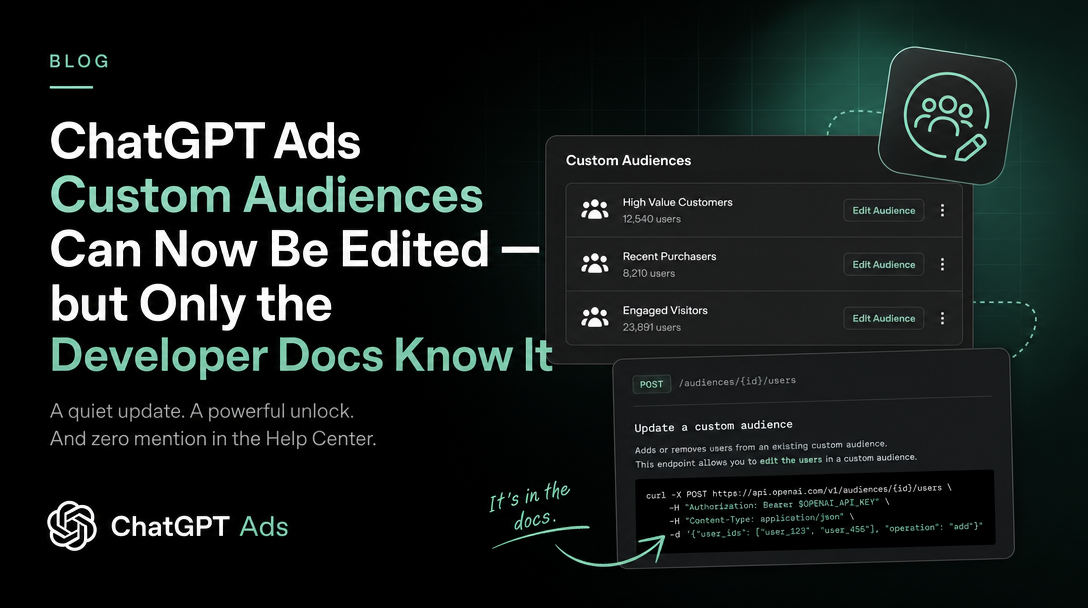
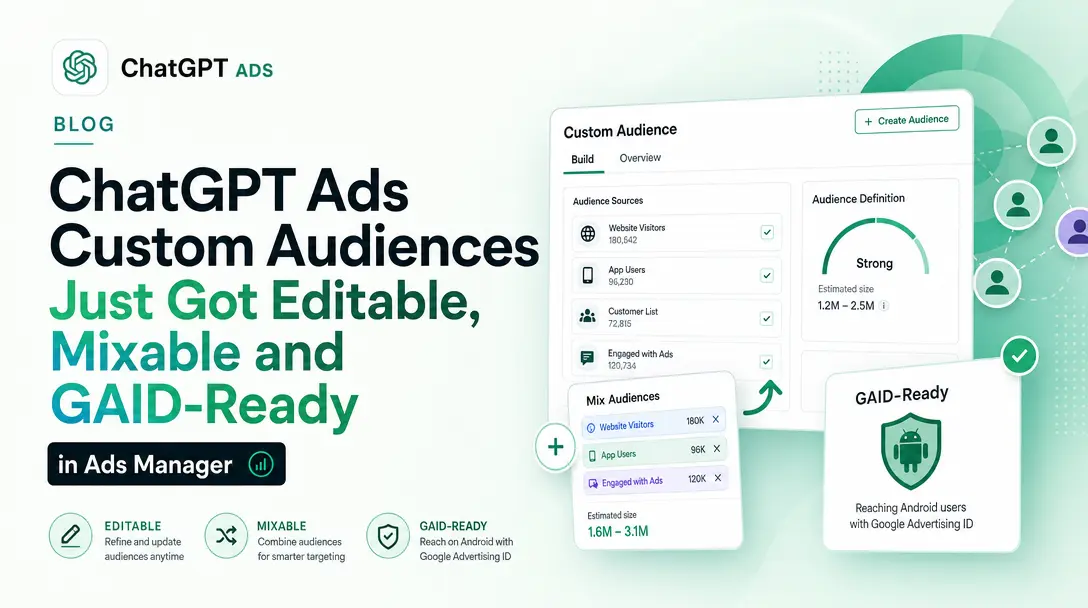
Update, 2026-09-01: the disagreement this article documents is over. OpenAI rewrote the help-centre custom audiences article on 1 September 2026, and it now states that audiences can be edited in Ads Manager, that a single CSV can mix identifier types, and that sub-25,000 audiences are usable for exclusion — resolving in favour of the developer docs on every point below. Ads Manager also gained things the API surface does not describe, including Google Advertising IDs and a mandatory CSV header. See ChatGPT Ads Custom Audiences Just Got Editable, Mixable and GAID-Ready in Ads Manager. The API behaviour described here is unchanged.
On 2026-08-25 OpenAI added a dated entry to the ChatGPT Ads API changelog:
"Added custom audience Add, Remove, Replace, and Merge operations, automatic identifier matching, and support for small and empty exclusion only audiences."
That single line undoes the two rules that shaped how anyone sensible has been building ChatGPT Ads audiences since the feature launched: that an audience is immutable once created, and that an audience is useless below 25,000 matched users.
It also creates a problem. The ChatGPT Ads help centre still states both of the old rules, in plain language, on a page that was live when we captured it on 2026-08-26. OpenAI has changed the product in one documentation surface and not the other.
This page covers what the API now does, in OpenAI's own words, where the two surfaces disagree, and the operational rules — revisions, idempotency keys, conflict codes — that decide whether your audience maintenance is safe to automate.
All quotations are from official OpenAI documentation captured on 2026-08-26. Sources are linked at the end. Nothing here is inferred from an announcement email; there was no ChatGPT Ads product-update email in this window.
The two surfaces, side by side
This is the part to read before anything else, because it determines which documentation you should be building against.
The help centre, in Set up custom audiences for your campaign, still says:
"Custom audiences cannot be edited after creation. To change an audience list, create a new audience and archive the old one."
and
"Note that each custom audience must include at least 25,000 matched users before it can be used. We recommend audiences of at least 100,000 users."
The developer documentation, in Custom Audiences, says:
"Create an audience from a file or start with an empty audience, then add or remove customers as your list changes. You can also replace the full list or merge existing audiences into a new audience."
and
"Small audiences, including empty audiences, can be used for exclusion once they are ready. Inclusion and bid adjustments still require enough matched users."
These are not two descriptions of the same behaviour at different levels of detail. They are contradictory claims about what the product does.
The reconciliation that most likely applies — and we are labelling this as our reading, not OpenAI's statement — is that the help centre documents the Ads Manager interface, where audience membership is genuinely not editable, while the developer documentation documents the Ads API, where it now is. OpenAI does not say this anywhere. Until it does, the safe operating rule is:
- Building through the API? The developer documentation is authoritative.
- Working in Ads Manager? Assume the help centre still describes what you will see on screen.
- Writing a process document for a team that uses both? Say which surface each step applies to, because the answer to "can I edit this audience" is now genuinely different depending on where you are standing.
What actually changed: four operations instead of one
Before this update, the audience lifecycle was create-and-archive. Now there are five distinct actions, and OpenAI tabulates them:
| Goal | Input | Result |
|---|---|---|
| Create | Uploaded file, or a name without a file | A new audience ID |
| Add | Inline identifiers or an uploaded file | Add matched users to the same audience |
| Remove | Inline identifiers or an uploaded file | Remove matched users from the same audience |
| Replace | Uploaded file containing the full desired list | Replace membership while keeping the audience ID |
| Merge | 2 to 64 existing audience IDs | A new, independent union audience |
The phrase carrying the most weight is "while keeping the audience ID". OpenAI is explicit about the consequence:
"The audience keeps its ID and existing campaign and ad-group references."
That is the difference between a maintainable audience and a disposable one. Under the old model, refreshing a suppression list meant creating a new audience, then editing every campaign and ad group that referenced the old one, then archiving it. Under Replace, the campaign never knows anything happened.
Add and Remove are deltas, Replace is a snapshot
OpenAI draws this line clearly, and getting it wrong is the easiest way to destroy an audience:
"An Add file contains only customers to add. A Remove file contains only customers to remove; members omitted from the file remain in the audience. Use Replace when the file is a full snapshot of the desired membership."
The behaviour is idempotent in the useful direction — "Add doesn't duplicate a user who is already a member. Remove doesn't change membership for an absent user" — so re-sending a delta that has already landed is not destructive.
There is also an explicit anti-pattern, which is worth quoting because it is exactly what a naive implementation does:
"Don't emulate replacement by removing every member and adding them back."
Inline for small changes, files for bulk
Add and Remove accept either an uploaded file_id or an inline identifiers array, and inline entries can mix all five identifier types, each carrying its own identifier_type:
curl -X POST "https://api.ads.openai.com/v1/custom_audiences/caud_123/add" \
  -H "Authorization: Bearer $OPENAI_ADS_API_KEY" \
  -H "Content-Type: application/json" \
  -H "Idempotency-Key: custom-audience-add-001" \
  -d '{
    "expected_revision": 0,
    "identifiers": [
      { "identifier_type": "email", "identifier": "[email protected]" },
      { "identifier_type": "gaid", "identifier": "38400000-8cf0-11bd-b23e-10b96e40000d" }
    ]
  }'
The bounds are specific: batches up to 10,000 inline identifiers use the small-update path, larger inline batches fall back to file-based processing, and the whole request body must fit within 16 MiB or the API returns 413. OpenAI notes that 10,000 "is not a hard item-count limit" — it is the threshold where processing changes character.
Mixed-identifier CSVs: identifier_resolution: "auto"
The second half of the changelog line — "automatic identifier matching" — is a real reduction in ETL work.
Previously a file carried one identifier type, declared in identifier_type. Now a single CSV can carry all of them:
email,phone_number,email_sha256,phone_number_sha256,gaid
[email protected],+12025550123,,,
,,057a0fff4c78ae3e14236c36b611061cbdd54ccd72a34b23f77d7a8c4bca4963,,
,,,1a2d415d4fef1dfafe57e0d98af15bbad8cc4bd8ca8ac66e89f2e0ef3941d500,
,,,,38400000-8cf0-11bd-b23e-10b96e40000d
Set identifier_resolution to auto and OpenAI resolves the columns:
"Each populated identifier cell is a matching candidate; a row doesn't require every identifier to match the same user. OpenAI counts each matched user once, so different identifiers can represent one audience member."
That last clause matters for anyone who has been maintaining separate email and phone audiences to widen match rates: the deduplication is handled, so the merged file does not inflate your count.
The size trade-off is documented and slightly counter-intuitive:
"Without it, use a single identifier type and specify that type in
identifier_type; this single-type processing path accepts up to 5,000,000 identifiers. Automatic resolution supports larger files within the same 500 MB upload limit."
So the single-type path has a hard item ceiling of five million; the auto path is bounded only by the 500 MB file size. For a large first-party list, auto is the path with more headroom, not less.
The hashing rules have not changed, and they are still where uploads fail
Worth restating because they are unchanged and still unforgiving:
- Before hashing an email: trim whitespace, lowercase. Do not strip dots or plus tags.
- Before hashing a phone: normalise to E.164 including
+and country code. - Send the 64-character hexadecimal digest, not Base64, hashed over the UTF-8 value with no trailing newline.
- GAIDs must be raw, nonzero, hyphenated UUIDs. Do not prehash GAIDs — OpenAI normalises and hashes them internally.
Small and empty audiences: exclusion is now a separate class
This is the change most likely to alter what campaigns you can actually run.
The old rule was flat: 25,000 matched users or the audience is unusable. The new rule is per-use, and OpenAI tabulates it:
| Intended use | Size requirement |
|---|---|
exclusion | Ready small or empty audiences can be used. No minimum matched size is required. |
inclusion | The audience must meet the matched-user minimum. |
bid_multiplier | The audience must meet the matched-user minimum for bid adjustments. |
For a mid-sized advertiser this is the difference between being able to suppress your existing customers and not. A B2B company with 4,000 customers could not previously build a suppression list at all — it fell under the floor. It now can.
The 25,000 figure survives, but demoted to a planning number for the other two uses:
"For inclusion and bid adjustments, use 25,000 matched users as the public planning threshold. Privacy safeguards can affect the exact boundary, and uploading 25,000 identifiers doesn't guarantee enough matched users."
Two operational warnings come with it. First, there is no creation-time flag for this:
"Don't send an
exclusion_onlycreation field: eligibility depends on how you use the audience."
Second — and this is the one that will catch integrations — status: "ready" does not mean eligible:
"Don't infer bid eligibility from
readystatus or a matched count range. The server validates eligibility when you save the ad group."
The supported way to ask is an explicit query:
curl -G "https://api.ads.openai.com/v1/custom_audiences" \
  -H "Authorization: Bearer $OPENAI_ADS_API_KEY" \
  --data-urlencode "intended_use=exclusion" \
  --data-urlencode "custom_audience_ids[]=caud_123"
The response returns only eligible audiences plus a policy_revision token, which you send back to recheck a selection. OpenAI is careful to warn that this token is a distinct thing from the membership revision: "policy_revision is not membership_revision or a campaign-write parameter." Confusing the two produces 409 custom_audience_policy_revision_mismatch.
Concurrency: revisions, idempotency keys, and five ways to get a 409
Mutable audiences introduce a class of problem immutable ones did not have: two things changing the same list at once. OpenAI's answer is optimistic concurrency plus mandatory idempotency, and the rules are strict enough to be worth following literally.
Every membership operation requires an Idempotency-Key header. The warning attached to it is the important part:
"Reuse the key only to retry the same operation; retries return or resume the first accepted input. Don't change the file, identifiers, or revision under an existing key: a repeated key can return the original operation without checking the new body."
In other words, a key that gets recycled across two different updates will silently apply the first one twice. That is a data-integrity bug that looks like a successful API call.
Replace requires expected_revision. Read the current membership_revision, submit it with the Replace, and a stale value earns 409 custom_audience_replacement_revision_conflict.
The full set of documented failure responses:
| Response | What it means |
|---|---|
409 custom_audience_operation_recovery_required | An Add/Remove was interrupted and may be partially applied. Resend the original POST with the same body and key, then poll the same operation. |
409 custom_audience_mutation_conflict | Competing work was in flight; the edit was not applied. Wait, re-read state, reconsider. |
409 custom_audience_replacement_revision_conflict | Your expected_revision was stale. Refresh it. |
409 custom_audience_policy_revision_mismatch | Eligibility was rechecked against an out-of-date policy_revision. Refresh without the old token. |
503 custom_audience_operation_unavailable | Status temporarily unavailable. Retry with backoff — don't assume failure. |
429 | Back off, retaining the original key for an accepted mutation. |
The recovery guidance for a partially-applied operation is explicit about what not to do:
"Don't use a new key, replay the entire job as new work, or submit an inverse update to guess at recovery."
Note also that custom_audience_mutation_conflict is not confined to the audience endpoints. The campaigns reference now warns that it can surface on a campaign edit:
"A concurrent membership update can return
409 custom_audience_mutation_conflictwithout applying the campaign edit."
So a nightly audience refresh running against the same account as a campaign-management job can cause the campaign job to silently fail. If you are automating both, they need to be sequenced.
Polling is privacy-safe by design
Each operation returns an object with only four fields — operation_id, custom_audience_id, operation, status — and OpenAI is direct about the omission:
"The response exposes only the operation ID, audience ID, operation type, and status; it doesn't return raw identifiers, matching counts, or individual membership outcomes."
There is a related trap on Replace:
"The audience can still show
readyduring replacement. Poll the returned operation to determine when the replacement finishes, rather than relying on audience status alone."
An integration that waits on status == "ready" will conclude a Replace is done before it is.
Merge is a snapshot, not a subscription
Merge looks like the most convenient of the four operations and is the one most likely to be misused.
curl -X POST "https://api.ads.openai.com/v1/custom_audiences/merge" \
  -H "Authorization: Bearer $OPENAI_ADS_API_KEY" \
  -H "Content-Type: application/json" \
  -H "Idempotency-Key: custom-audience-merge-001" \
  -d '{
    "name": "All qualified customers",
    "custom_audience_ids": ["caud_source_1", "caud_source_2"]
  }'
It combines 2 to 64 distinct, ready audiences in the same ad account, counting each matched user once. And then:
"The new audience is independent. The sources don't change, future source updates don't propagate to the merged audience, and existing campaigns don't automatically switch to the new ID."
A merged audience is therefore frozen at the moment you merged. If you build "all customers" by merging six regional lists and those lists are refreshed weekly, the merged audience decays from the first refresh onwards — silently, because nothing errors.
The maintainable pattern, given Replace exists, is usually to keep one audience and Replace its membership from a full snapshot you assemble yourself, rather than to merge six audiences you also have to maintain. Merge earns its place for genuinely one-off unions, not for standing audiences.
One more detail that is easy to miss: "Poll the operation using the custom_audience_id returned by Merge, not a source audience ID."
What this does not change
Worth stating plainly, because a changelog line invites over-reading:
- Europe is still out. "Custom audiences are not supported for campaigns targeting the European Economic Area (EEA) or Switzerland, where personalized ads are not yet available." The new operations do not open these markets.
- Exclusions still take precedence, and the remainder still has to clear the floor. If you include and exclude in the same campaign, "the remaining population must still meet the mi[nimum]". A small exclusion audience does not exempt the campaign from the inclusion minimum.
- Don't include and exclude the same audience in one campaign.
- Bid multipliers are unchanged, still expressed in micros —
1000000is 1×,2000000is 2× — and "Small exclusion audiences aren't automatically eligible for bid adjustments." - Data rules are unchanged. First-party data only, no broker-sourced data, with the rights, notices and consents confirmed before upload under the Ad Tools Terms.
What we would change in a live account this week
Concrete, and scoped to what the documentation actually supports:
- Build the suppression list you previously could not. If your customer file is under 25,000, exclusion is now open to you. This is the single highest-value item in the update for small and mid-sized advertisers, and it costs one upload.
- Stop archiving audiences to refresh them. Move standing lists to Replace so campaign and ad-group references survive. Read
membership_revision, submit it asexpected_revision, poll the operation rather than the audience status. - Audit your idempotency keys before you automate anything. A per-run key is correct; a per-audience or per-day key that gets reused across different payloads is a silent double-apply.
- Sequence audience jobs against campaign jobs.
409 custom_audience_mutation_conflicton a campaign edit is a documented outcome of running both at once. - Replace
ready-status checks with anintended_usequery. Any code that gates onstatus == "ready"or on a matched count range is checking the wrong thing, by OpenAI's explicit instruction. - Do not rewrite your Ads Manager runbook yet. Until the help centre is updated, the interface may still behave the way it documents. Change the API process; leave the manual process alone and note why.
A correction to our own earlier coverage
We published ChatGPT Ads Custom Audiences: The 25,000-Match Floor and the One-Way Door Nobody Mentions on 2026-08-18, and its central framing — that a custom audience is immutable once created — was accurate against the documentation available at the time and is no longer accurate for the API as of 2026-08-25. That page now carries a correction pointing here. We would rather flag our own stale page than leave it ranking on a fact OpenAI has since changed.
Sources
All captured 2026-08-26.
- Custom Audiences — OpenAI Ads developer documentation
- Ads API Overview, including the dated changelog entry
- Campaigns API reference
- Ad Groups API reference
- Files API reference
- Set up custom audiences for your campaign — ChatGPT Ads help centre (still describes audiences as uneditable; quoted above as the contradicting surface)
Last verified: 2026-08-26. OpenAI is documenting this product across two surfaces that currently disagree. We re-check both daily; if the help centre is brought into line, this page will say so.