Soku AI
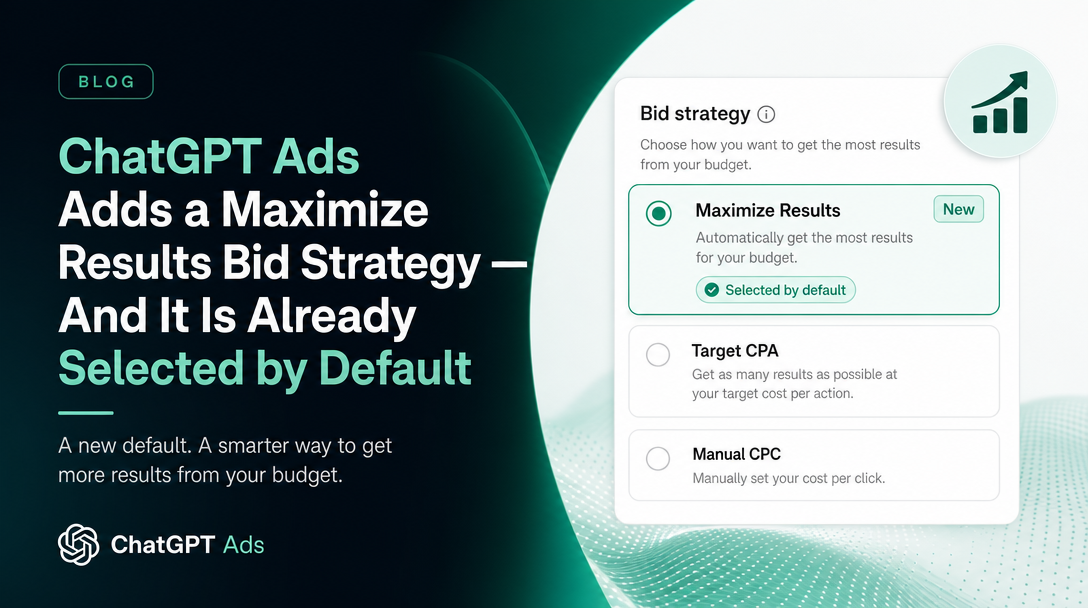
For most of ChatGPT Ads' beta life, bidding has been something you did by hand. You set a max bid, the auction did the rest, and if you wanted the system to chase a conversion you used a conversion-optimized campaign and gave it a Bid Cap. As of the current documentation, there is a third option — and unlike the first two, you do not have to go looking for it. It is already ticked.
Last verified: 2026-08-21. Everything in the "what OpenAI says" sections is quoted or closely paraphrased from official OpenAI documentation captured on that date, with source URLs. Everything labelled "Soku's reading" is our analysis, not OpenAI's position.
What changed, in OpenAI's words
OpenAI has published a dedicated help article, Maximize results bid strategy, describing a new automated bidding mode:
Maximize results is a new bid strategy that lets ChatGPT Ads automatically set and adjust bids on your behalf. It is designed to help get as many results as possible from your budget.
With Maximize results, ChatGPT Ads optimizes toward your selected campaign goal, such as clicks or conversions, and automatically adjusts bids to help maximize that result type within your budget.
So far this is the shape of automated bidding everywhere: hand over bid control, keep budget control, and let the platform spend the budget as productively as it can against whatever the campaign objective already is. Note that it does not introduce a new objective. It sits underneath the objective you already chose — clicks or conversions — and changes only how bids get set to pursue it.
The line that matters operationally is the next one:
For eligible new ad groups, Maximize results is selected by default. You can review or change this selection in the ad group's Bid strategy section.
Soku's reading: this is the actual news. A new bid strategy is a feature; a new default bid strategy is a change to every campaign built after the flip by anyone who does not deliberately opt out. The setup instructions OpenAI publishes make the same point in the imperative — step three is "Review Maximize results, which is selected by default for eligible new ad groups", and step four tells you how to get back to what you had:
To use a different strategy, select Manual: Max bid In the ad group's bid strategy section
That names the alternative for the first time in plain language. The thing you were doing before is called Manual: Max bid, and it is now the road not taken.
Two qualifiers are load-bearing and should not be sanded off. The default applies to eligible ad groups — OpenAI does not publish the eligibility criteria, so you cannot predict from the documentation alone whether a given ad group will get it. And it applies to new ad groups. Nothing in the article says existing ad groups are switched over, and absent an explicit statement, the safe reading is that they are not.
The guarantee OpenAI explicitly declines to make
This is the paragraph to read twice, because it is unusually direct for a help centre:
Maximize results prioritizes result volume and does not guarantee delivery against a specific CPA, CPC, ROAS, or other cost-efficiency target at this time. If you have a specific bid limit you need to stay within, you can use the manual or advanced bid controls available in Ads Manager instead.
Four cost metrics named and disclaimed in one sentence, plus a catch-all. Then a redirect: if you have a limit you need to respect, this is not the tool.
Soku's reading: most platforms' first automated bid strategy is a volume maximiser with no cost ceiling, and most of them say so far less plainly than this. Credit where it is due — OpenAI has put the caveat in the same article as the feature rather than three clicks away. But be clear about what the combination of "selected by default" and "does not guarantee a CPA, CPC, ROAS or other cost-efficiency target" produces: an advertiser who builds a new ad group, accepts the pre-ticked default, and does not read this article gets a bid strategy explicitly designed to maximise volume rather than efficiency, and no documented ceiling on what a result costs.
Your budget is still your budget. Daily budgets and campaign budgets continue to bound total spend. What is unbounded — by documentation, at this time — is the unit cost inside that spend. Maximize results will happily spend your full budget on expensive results if that is what maximises the count, and the documentation makes no promise it will not.
The phrase "at this time" is doing real work too. It is the standard signal that cost-target bidding (a tCPA or tROAS equivalent) is intended but not shipped. Treat its absence as current fact and its arrival as unscheduled.
How this differs from the oCPC Bid Cap
If you already run conversion-optimized campaigns, you may reasonably ask whether this is the same thing renamed. It is not, and the distinction is worth getting right because the two words "bid cap" mean something quite specific in ChatGPT Ads.
From Conversion-optimized Campaigns:
For conversion-optimized campaigns, Bid Cap is the maximum amount you are willing to bid for a conversion. The system uses predicted conversion likelihood to determine a per-click auction bid while optimizing toward your selected conversion event. Billing remains based on valid clicks, and your actual cost per click is determined by the auction.
So an oCPC Bid Cap is a conversion-denominated ceiling that the system translates into per-click bids using predicted conversion likelihood. You are still billed per click, but the number you type is expressed in conversions. That is a real cost control — you have named the most you will bid for a conversion.
Maximize results is the opposite trade. You give up the ceiling entirely and get automated bid management in return. Laid side by side:
| Manual: Max bid | oCPC Bid Cap | Maximize results | |
|---|---|---|---|
| Who sets bids | You | You set the cap, system sets per-click bids | System |
| What the number means | Max per-click bid | Max bid for a conversion | No number |
| Documented cost ceiling | Yes | Yes | No |
| Optimizes toward | Nothing | Selected conversion event | Selected campaign goal |
| Default for new ad groups | No | No | Yes, where eligible |
Soku's reading: the honest way to describe the current menu is that ChatGPT Ads now has two bidding modes with a documented cost control and one without, and the one without is the default. That is not a scandal — it is exactly where Google and Meta started — but it means the burden of choosing correctly has moved onto the advertiser at the moment of ad group creation.
One more constraint worth carrying over from the oCPC article, because it interacts badly with switching strategies later: "Existing CPM or CPC campaigns cannot be converted to oCPC at this time", and both the campaign objective and the selected conversion event "cannot be changed after campaign creation". Bid strategy appears to be an ad group-level setting you can revisit — the article says "You can review or change this selection in the ad group's Bid strategy section" — but the objective it optimizes toward is locked at campaign creation. Choose the objective carefully; you can change your mind about bidding, not about what you are bidding for.
The split nobody is naming: this is Ads Manager only
Here is the finding that took a documentation sweep rather than a press release.
We captured all 51 pages OpenAI publishes across its two ChatGPT Ads documentation surfaces — the help.openai.com Ads collection and the developers.openai.com Ads docs — on 2026-08-21. The string "Maximize results" appears in the help centre. It appears in no document on developers.openai.com.
Meanwhile the Ad Groups API reference continues to describe exactly one bidding field on the ad group object, max_bid_micros, with this note:
max_bid_microsis the CPA bid even though the billing event is a click. For example,100000000is a $100.00 CPA bid for a USD account.
One numeric bid field, no bid-strategy enum, no way to express "let the system decide."
Soku's reading: three consequences follow, and none of them are in either document.
- Ad groups created through the Ads API still take a manual bid. There is no field to set Maximize results and no field to read it back, so an API-created ad group cannot opt into the new strategy and — as far as the public schema shows — cannot report which strategy it is on.
- Your Ads Manager ad groups and your API ad groups may now bid differently by default. A team that builds some campaigns in the UI and some through the API or bulk upload has just acquired a silent inconsistency between the two, with the UI-built ones defaulting to volume maximisation.
- Reconciliation gets harder before it gets easier. If CPA moves on a UI-built ad group and not on an API-built one, bid strategy is now a candidate explanation that the API cannot confirm or deny.
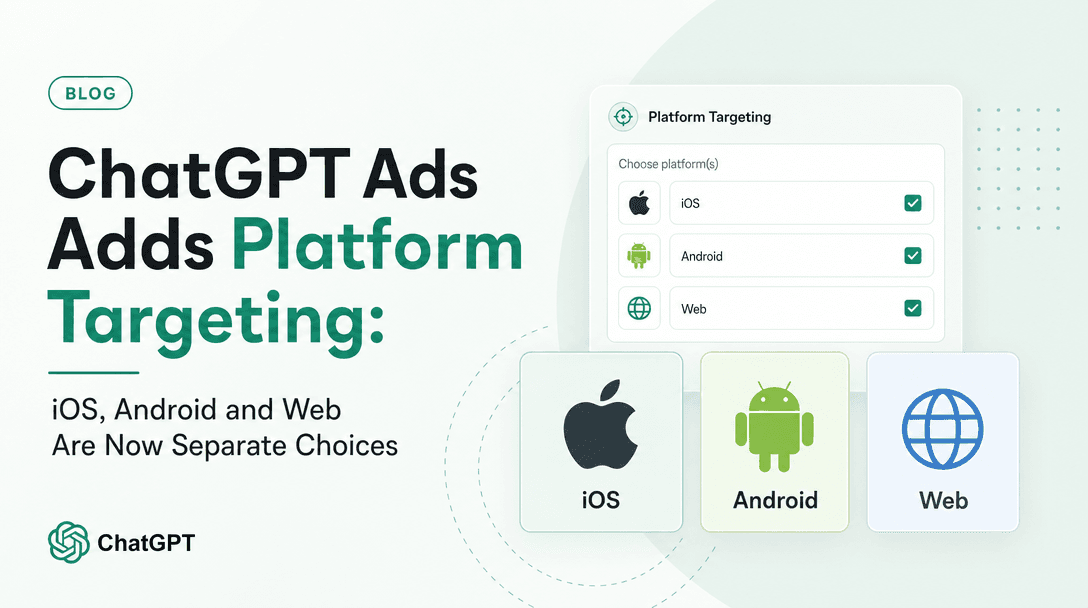
This is the second time in a month we have found the same shape. When platform targeting shipped, the Platforms multi-select existed in the campaign dialog and nowhere in the public API — we wrote that up in ChatGPT Ads platform targeting. The pattern is consistent enough to plan around: Ads Manager is where features land first, and the Advertiser API trails it. If your workflow is API-first, assume you are on a delay, and check the UI for controls your integration cannot see.
What to actually do this week
Concrete, in priority order.
1. Decide your default before your next ad group, not after. The setting is pre-ticked at step three of campaign creation. If your account has a CPA you are accountable for, the decision is Manual: Max bid or an oCPC Bid Cap, and you should make it deliberately rather than by clicking through.
2. Audit ad groups created since the flip. OpenAI does not publish the date Maximize results became the default, and the help article was last updated seven days before our 2026-08-21 capture. Anything built in roughly the last fortnight in Ads Manager is worth opening to check its Bid strategy section against what you assumed it was.
3. If you do test it, fence it. Give it its own campaign with its own budget, and hold the budget deliberately low relative to the account. Because there is no documented cost ceiling, the budget is the ceiling — it is the only cost control you have with this strategy selected.
4. Judge it on cost per result, not on results. Maximize results is designed to raise the numerator. A campaign that doubles conversions and triples spend has done exactly what the strategy promises and exactly what your CFO will object to. Divide spend by conversions yourself; the oCPC article notes you may need to, since Ads Manager does not universally surface a cost-per-conversion column.
5. Do not assume parity in your API integration. If you build ad groups programmatically, nothing has changed for you yet. Do not write code against a bid-strategy field; it does not exist.
The rest of the 2026-08-20 advertiser email, sorted by evidence
OpenAI's advertiser product-update email of 2026-08-20 carried six items. Documentation and email each miss things the other catches, so it is worth separating what is corroborated by official documentation from what is announcement-only. We checked every item against the captured corpus.
Documented — verifiable in the help centre today:
- Maximize results bid strategy — the subject of this article, documented at 20001425.
- Platform targeting — documented in Create Campaigns for ChatGPT Ads. Minor naming discrepancy worth knowing if you are following the email as a checklist: the email calls the control an "Eligible platforms" multi-select; the help article calls it a "Platforms multi-select dropdown". Same control, two names.
- View-through conversions — documented in Measure Results as VTA (1d), available at campaign, ad group and ad level. The help centre adds two qualifiers the email does not: it is available "for eligible accounts" rather than universally, and "View-through conversions are supplemental reporting. They do not affect CPA, post-click conversion rate, bidding, billing, or conversion optimization." We covered this in ChatGPT Ads view-through conversions.
- Brazil and Mexico — both now read Available on the Ads Manager Availability table, which currently lists nine countries: Australia, Brazil, Canada, Japan, Korea, Mexico, New Zealand, the United Kingdom and the United States.
Announced but not yet documented — attributed to the OpenAI advertiser product-update email of 2026-08-20, not to the help centre:
- European expansion. The email states that "Starting next week, ChatGPT Ads will expand to 31 European countries", linking to an OpenAI announcement post. As of our 2026-08-21 capture, the Ads Manager Availability table still lists only the nine countries above and names no European market. Treat the 31-country figure and the timing as an announcement, not as availability you can plan a launch date around. Check the availability table before you promise a client a start date.
- WorkMagic integration. The email states that advertisers can connect ChatGPT Ads to WorkMagic to view performance alongside other channels and send conversion signals back through the Conversions API. The only cited source is WorkMagic's own blog. It does not appear in OpenAI's measurement-partner documentation in our capture, so we are reporting it as announced rather than documented.
Soku's reading on the availability gap: this is the third time the availability table has lagged an announcement, and it lags in both directions — we previously found India appearing in the minimum-budget table while absent from the availability table, which we wrote up in ChatGPT Ads minimum daily budgets by country. If you need to know whether you can actually run in a market, the availability table is the document of record and the email is the leading indicator. Do not swap them.
One documentation change that is not a feature
Worth a short note because it looks like a change and is really a cleanup. The Conversion measurement article previously described automatic advanced matching in the future tense — that it would be enabled for existing Web pixels on 17 August 2026, with instructions for opting out beforehand. That date has now passed, and the help centre text has been rewritten to the present tense:
Automatic advanced matching (AAM) is enabled by default for new Web pixels. It helps connect website conversions to your ads when a click identifier is unavailable.
The forward-looking notice and the pre-deadline opt-out paragraph are gone. In their place is management guidance:
To enable automatic advanced matching for existing pixels, go to Tools → Conversions → Data Source in Ads Manager and select Enable for all Web data sources. To manage an individual pixel, select Edit pixel and use the Automatic advanced matching setting.
Note the surfaces disagree here, and we are reporting the disagreement rather than picking one. The developer-facing Conversion Setup reference still carries the original future-tense note, including that on 17 August "OpenAI will enable automatic advanced matching for all existing Web pixels created through the Ads API, unless it was explicitly disabled or the ad account opted out." Both texts describe the same event; only one has been updated to reflect that it has happened.
Soku's reading: nothing about your pixel changed this week — the change happened on 17 August and we covered it in advance in ChatGPT Ads automatic advanced matching. What changed this week is that the help centre no longer tells you the retroactive enablement occurred. If you did not opt out before 17 August, AAM is on for your existing Web pixels now, and the article that would have told you that has been edited to describe a steady state. Go and check the per-pixel Automatic advanced matching setting rather than trusting your memory of what you did a fortnight ago.
Sources
All captured 2026-08-21 unless noted.
- Maximize results bid strategy — help.openai.com, article 20001425
- Conversion-optimized Campaigns — help.openai.com, article 20001412
- Create Campaigns for ChatGPT Ads — help.openai.com, article 20001210
- Measure Results — help.openai.com, article 20001214
- Ads Manager Availability — help.openai.com, article 20001245
- Conversion measurement — help.openai.com, article 20001409
- Ad Groups API reference — developers.openai.com
- Conversion Setup API reference — developers.openai.com
- OpenAI advertiser product-update email, 2026-08-20, subject "ChatGPT Ads Product Updates" — cited only for the items explicitly labelled announced-but-not-documented above.