Soku AI
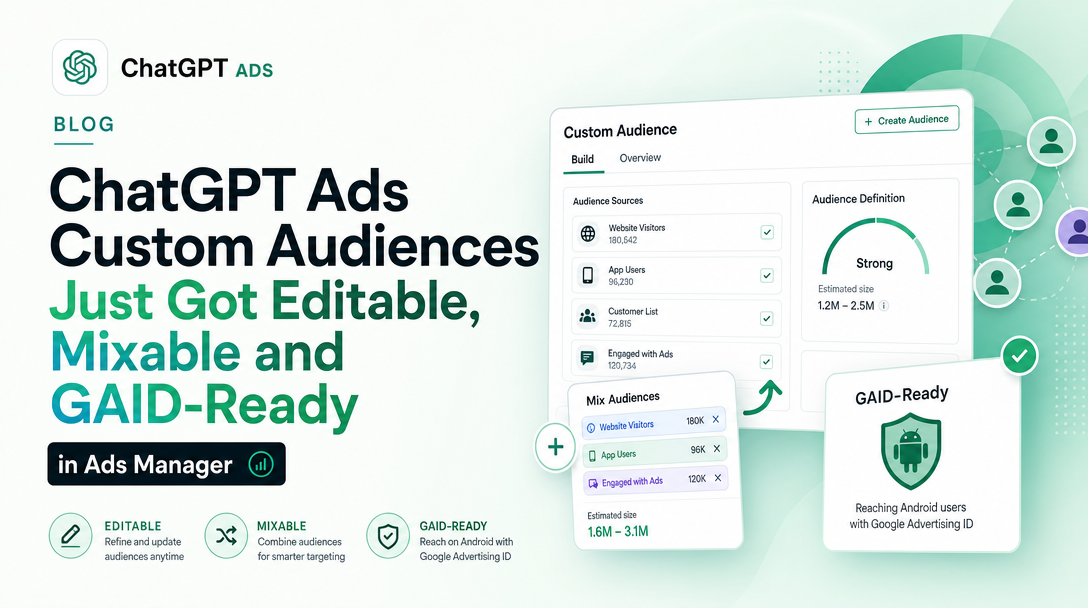
OpenAI rewrote the ChatGPT Ads custom audiences documentation on 1 September 2026, and the rewrite is not a tidy-up. Six things changed in the mechanics, one of them can break an export you already have running, and one of them closes a contradiction between OpenAI's two documentation surfaces that we reported six days ago.
Verified 2026-09-01 against the official help-centre article, captured and diffed against our 2026-08-31 capture of the same page. Every source URL is listed at the end. Where something is our reading rather than OpenAI's wording, it is labelled as such.
The short version
| What | Previously | Now |
|---|---|---|
| Editing an audience | Cannot be edited after creation; create a new one and archive the old | Add, remove or replace members in Ads Manager, keeping existing campaign and ad-group references |
| Identifier types per file | One per upload, do not mix | CSV can mix email, phone, both SHA-256 forms and GAID |
| Google Advertising ID | Not supported | Supported, unhashed, dashes kept |
| CSV header row | Optional | Required |
| Audience size | Uploads capped at 5,000,000 identifiers | Audiences can exceed 5,000,000 via multiple uploads |
| Sub-25,000 audiences | Status Too small, unusable | Status Ready, with an Exclusion only note |
The 25,000-matched-user floor itself has not moved. What moved is what it gates.
1. Audiences are editable, and the help centre finally says so
This is the headline, and it has a backstory worth stating because it changes how much you should trust either surface.
The previous help-centre wording was unambiguous:
Custom audiences cannot be edited after creation. To change an audience list, create a new audience and archive the old one.
The current wording is the opposite:
After creating a custom audience, you can add, remove, or replace members in Ads Manager without recreating the audience or updating campaigns and ad groups that already use it.
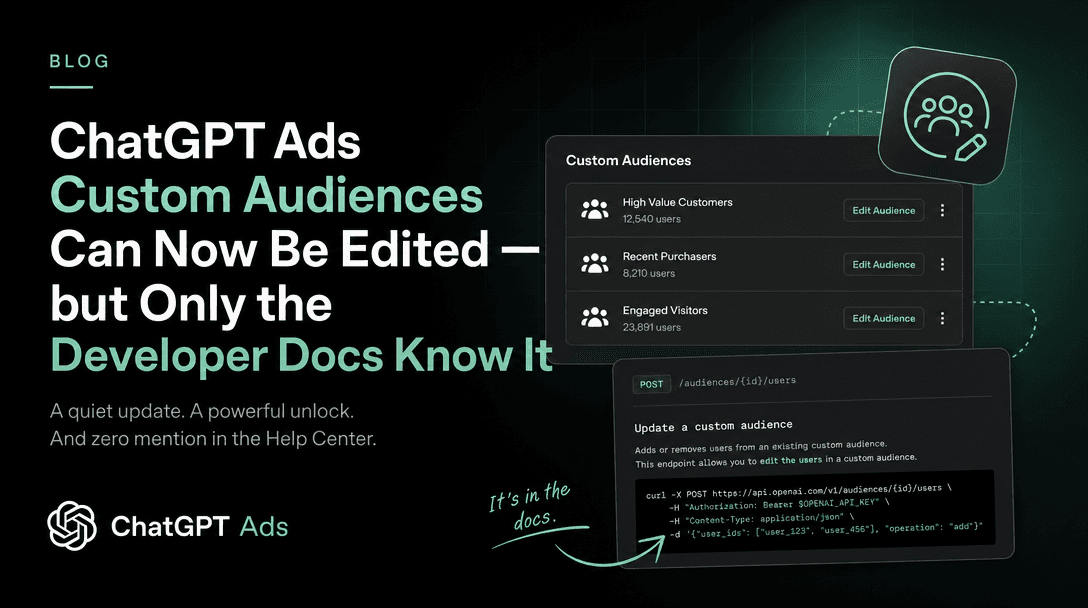
On 25 August, OpenAI's Ads API documentation gained membership operations on audiences while the help centre kept saying editing was impossible. We wrote that contradiction up on 26 August in ChatGPT Ads Custom Audiences Can Now Be Edited — but Only the Developer Docs Know It, and the honest advice at the time was to treat the developer docs as authoritative for API behaviour and the help centre as authoritative for the interface. That gap has now closed, and it closed in the developer docs' favour.
Soku's reading: the useful lesson is not about audiences at all. When OpenAI's two surfaces disagree, the developer documentation has now twice been the leading indicator and the help centre the lagging one. If you are deciding what ChatGPT Ads can do this week, read developers.openai.com first and treat the help centre as a description of what has finished rolling out to the interface.
The operational consequence of editability is that a suppression list stops being a maintenance problem. Under the old rule, keeping a recent-purchaser exclusion current meant creating a fresh audience, waiting out processing, re-pointing every campaign that referenced the old one, and archiving it. The clause that matters most in the new sentence is without … updating campaigns and ad groups that already use it — the audience ID survives the edit, so the campaign wiring survives with it.
2. One CSV can now carry several identifier types
The previous rule:
Use one identifier type per upload. Do not mix emails, phone numbers, hashed emails, or hashed phone numbers in the same file.
The current rule:
Uploads can include email, phone number, SHA-256 hashed email address, SHA-256 hashed phone number, or Google Advertising ID (GAID) identifiers. You can mix supported identifier types in the same CSV upload.
If you have ever exported a customer list for an ad platform, you know why this is more than a convenience. A real CRM export has an email for nearly everyone, a phone number for some, and a mobile ID for a slice of app users. The single-type rule forced that one export into three uploads, three audiences, and three sets of campaign references — and because each audience was matched independently, the same person could count toward the 25,000 floor in one of them and not the others.
The corollary is that your match-rate arithmetic changes. A mixed file gives OpenAI more than one chance to resolve the same person, and OpenAI states that matched users are counted once. Soku's reading: expect a mixed upload to produce a higher matched count than the best single-type upload from the same source data, and expect it to be lower than the sum of the three single-type uploads. If you are comparing this quarter's audience size to last quarter's, the file format is now a variable in that comparison.
3. Google Advertising IDs are supported — and must not be hashed
GAID is new to the supported list, and it has its own formatting rule:
Google Advertising ID (GAID)
- Use a valid Google Advertising ID. - Do not remove dashes, and do not hash the value.
Read that second bullet twice if you are wiring this into an existing pipeline. Every other identifier in this system is either plaintext-and-normalized or SHA-256 hashed, and most first-party data pipelines built for ad platforms hash by default. A GAID pushed through the same hashing step as an email will upload cleanly, process, and match nothing.
The dash rule is the same trap in miniature. A GAID is a UUID with hyphens, and normalization code written for phone numbers strips punctuation as a matter of course.
For anyone implementing the hashed identifiers alongside GAIDs, the normalization rules for the other fields changed shape only two days ago, and the leading-zero rewrite genuinely changes digests for numbers stored in national format — see ChatGPT Ads Identifier Normalization for the exact wording and worked examples.
4. The CSV header is now mandatory — this one can break you
This is the change most likely to fail an existing job, and it is the least visible.
Previously:
CSV files can include a header row or no header. If you use a header, the column must be named one of: email, phone\_number, email\_sha256, or phone\_number\_sha256.
Now:
CSV files must include a header row. In the header row, include a supported column name for each identifier type in the file, such as email, phone\_number, email\_sha256, phone\_number\_sha256, or gaid.
The header stopped being an option and became the mechanism. That follows logically from mixed identifier types — with several columns in one file, something has to say which column is which — but the consequence lands on anyone whose export writes bare rows.
The upload path for TXT is unchanged and asymmetric: a TXT file is still one identifier per line, still single-type, and you still choose the type by hand at step 6. Only CSV gets inference, and only from the header.
Soku's reading: if you have a scheduled export feeding this, the safe move today is to open the file it produces and confirm row one is a header. A headerless CSV that used to work is now a file whose first customer record is being read as a column name.
5. Too small is gone, and small lists became useful
The status vocabulary changed in a way that quietly unlocks a common use case.
Previously there were four statuses, and one of them was a dead end:
- Ready means the audience has been processed, meets the minimum matched audience size, and can be used in campaigns or ad groups. - Too small means the audience does not meet the minimum of 25,000 matched users, so it cannot be used.
Now there are three, and the small case is a first-class outcome:
- Ready means the audience has been processed and can be used. Audiences with fewer than 25,000 matched users show as
Readywith anExclusion onlynote.
The threshold rule underneath it reads:
Note that inclusion audiences and audience bid adjustments require at least 25,000 matched users. Audiences below 25,000 matched users can be used for exclusions. We recommend audiences of at least 100,000 users for inclusion targeting or bid adjustments.
This is the change with the widest reach, because suppression lists are usually small by nature. A list of everyone who bought in the last thirty days, or everyone who churned, or everyone in an open support ticket, is rarely 25,000 people at a mid-market advertiser. Under the previous rule those files were rejected outright, which meant the advertiser most likely to waste budget re-acquiring existing customers was the advertiser least able to stop doing it.
One clause survives the rewrite and is easy to miss: if you use inclusion and exclusion together, the resulting eligible audience after exclusions must still meet the minimum size of 25,000 matched users for inclusion targeting. Exclusions are unbounded on the way in but they still have to leave 25,000 people standing.
6. The 5,000,000 ceiling moved off the audience
Previously:
Uploads can contain up to 5,000,000 identifiers.
Now:
Audiences can contain more than 5,000,000 members. If needed, add members in multiple uploads after the audience is created.
Note what the sentence does: it moves the limit from the audience to the file. The 500 MB / 500,000,000-byte per-file cap is unchanged, so a very large list is now a chunking exercise rather than a hard boundary — and it is only possible because of change #1. Multiple uploads into one audience requires an audience you can add to.
What did not change
It is worth being explicit about this, because a rewrite this broad invites the assumption that everything moved.
- The 25,000 floor itself. It still gates inclusion and bid adjustments, and 100,000 is still the recommendation.
- Processing time. Still about 20–30 minutes, varying with file size.
- Bid multiplier range. Still 0.1x to 10x at ad-group level, with the highest matching multiplier applied when a viewer is in several audiences, and multipliers still do not decide eligibility.
- File retention. Uploaded files are still deleted after processing, usually within 24 hours.
- The email and phone normalization rules. Unchanged in this update — lowercase and trim emails, E.164 with country code for phones, 64-character hex digests for the hashed forms.
- No individual-user visibility. Ads Manager still does not show matched users or let you pick people out of an audience.
What we would do this week
Not advice OpenAI gives — this is our operational read.
- Check your CSV exports for a header row. Fifteen minutes, and it is the only change here that turns a working pipeline into a broken one.
- Re-upload the suppression lists you gave up on. If you have small exclusion files sitting unused because they came back
Too small, they are usable now. - Stop rebuilding audiences on a schedule. Any job that recreates an audience weekly and re-points campaigns at it can become an add-or-replace against a stable audience ID.
- Consolidate your three single-type audiences into one mixed CSV — then re-measure, because the matched count is not the sum of what you had.
- Audit any GAID path for hashing and dash-stripping before the first upload, not after.
Also changed in this window: ad policies v1.5
Separately from the audience rewrite, OpenAI's ad policies moved to v1.5 with an Updated: August 31, 2026 stamp, and the changelog entry reads: v1.5 (Aug 2026): Updated to reflect that legal services are permitted in the US.
The Legal services section previously read that ads for legal advice, representation or legal services are not permitted. It now reads that they are permitted in the US only when the advertiser is licensed to practise law in the jurisdiction where the ad is shown, and adds a new line: Ads for legal services outside of the US are currently prohibited.
That is a whole advertiser vertical moving from banned to conditionally allowed, with the condition being jurisdiction-level licensure rather than national. The same update renamed two section headings to plurals and re-cased the Housing and jobs heading we covered in ChatGPT Ads Now Prohibits Individual Housing and Job Listing Ads; that section's substance is unchanged.
Source-of-truth notes
- The audience changes are documented only in the help centre. No developer-documentation page changed in this window, and
llms.txt— the index that changes when a new ads doc appears — was unchanged. - No advertiser product-update email covered any of this. The most recent ChatGPT Ads Product Updates email in our inbox is dated 2026-08-20, well outside this window. Every claim above is cited to documentation, and none of it rests on an announcement.
- The editability and split-threshold behaviour was documented on the API surface on 2026-08-25, six days before it appeared here. If you need the API-side shape of the same capability — the four membership operations, the revision and idempotency rules — that is in our earlier piece on the API.
- Our original explainer, ChatGPT Ads Custom Audiences, carries a correction notice from 26 August. Two of the rules it was built on are now superseded on both surfaces.
Sources
All captured 2026-09-01.
- Set up Custom Audiences for your Campaign — help.openai.com, the article rewritten in this window.
- OpenAI ad policies — v1.5, updated 31 August 2026.
- Ads API overview — developers.openai.com, unchanged in this window.
- Ads in ChatGPT — general advertiser FAQ.
- Ads Manager Availability — current self-service country list.