Soku AI
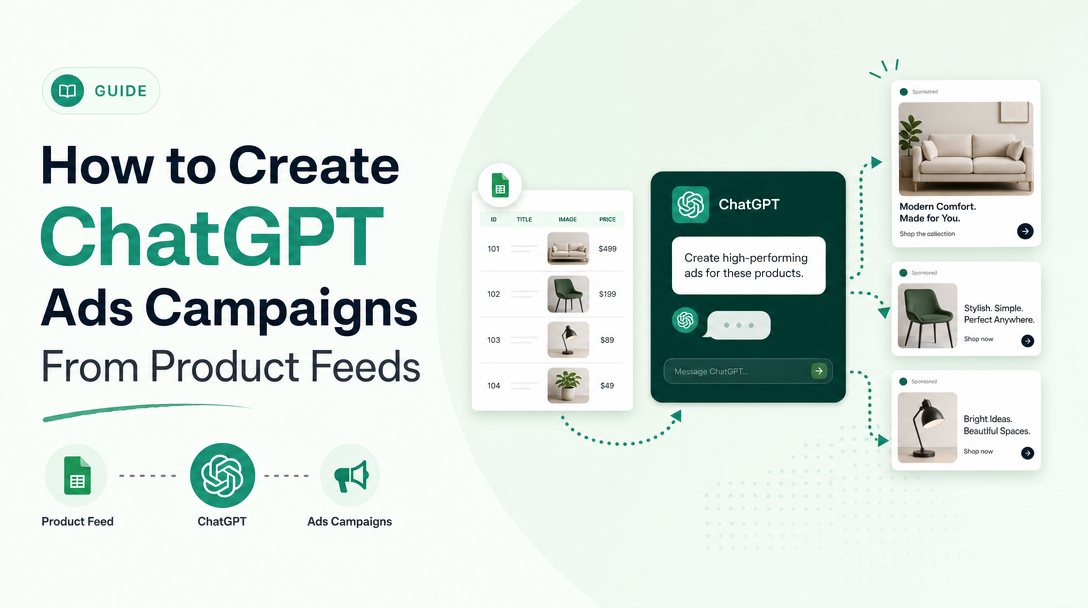
OpenAI just shipped one of the most consequential updates yet to its ChatGPT Ads Manager: you can now upload a product feed directly inside Ads Manager and build campaigns straight from your catalog. For ecommerce advertisers, this is the moment ChatGPT Ads stops being a brand-awareness experiment and starts looking like the catalog-driven channels — Meta Advantage+ and Google Shopping — that already drive most of their revenue.
This is a practical, step-by-step walkthrough of the new feed-driven workflow: what feed-driven campaigns are, the feed-quality fundamentals that decide whether they perform, the exact steps to ingest a feed and spin up a Product Feed campaign, and how to keep it all running with an AI agent instead of a spreadsheet.
For the complete overview of building an ads operation around channels like this, see How to Start an AI Ads Agency. If you are standing up your first ChatGPT Ads account, start with how to start a ChatGPT Ads agency.
What feed-driven campaigns are — and why they matter now
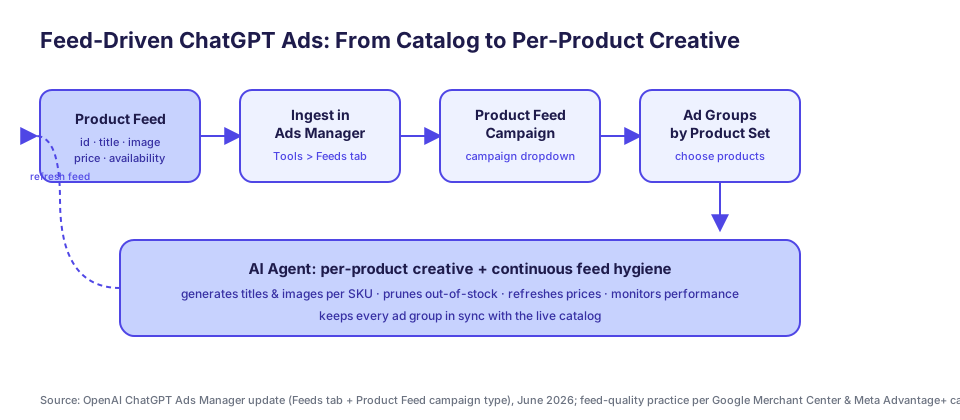
A feed-driven (or "catalog") campaign doesn't ask you to hand-build a separate ad for every product. Instead, you connect a structured product feed — a file with one row per SKU, each carrying an ID, title, image, price, and availability — and the platform generates ads dynamically from that data. As the catalog changes, the ads change with it.
This model won on Meta and Google for one reason: the platforms now automate the buying. Advantage+ and Performance Max decide which product to show which shopper, in which placement, at which moment. The advertiser's leverage shifts away from manual targeting and toward catalog quality. When the machine picks the product, the cleanliness, completeness, and freshness of your feed becomes the single biggest input you still control.
ChatGPT Ads is now on the same trajectory. With the Ads Manager update, OpenAI gives you two new capabilities:
- Ingest your product feed directly in Ads Manager via the Feeds tab.
- Create a campaign and select Product Feed as the campaign type, then choose which products go into each ad group.
That makes ChatGPT a catalog-aware channel. The skills that made you good at Shopping and catalog ads transfer almost directly — and so do the failure modes.
Feed quality is the campaign
Before you touch Ads Manager, get the feed right. OpenAI hasn't published an exhaustive ChatGPT-specific feed spec, but catalog advertising has a decade of hard-won standards on Google and Meta, and they transfer cleanly. Treat the following as your pre-flight checklist.
Required fields, done properly
Every mature feed spec converges on the same core attributes. Google Merchant Center, for example, mandates seven required fields for each product: a unique id, title, description, link, image_link, price, and availability (Google Merchant Center product data specification). If any of these are missing or malformed, the product is disapproved and simply never serves. The same discipline applies wherever you ingest a feed.
Titles: describe, don't shout
Your title is the most-read string in any catalog ad. Google's guidance is explicit: the title should "accurately describe your product and match the title from your landing page," avoid promotional language and ALL CAPS, and — for variants — lead with the distinguishing attribute like color or size (Google product title specification). A title like Acme Merino Wool Crew Sweater – Charcoal – M outperforms 🔥 BEST SELLER!! Warm Sweater every time, because the machine matches it against intent, not hype.
Images: clean, accurate, high-resolution
Images carry the click. Google requires product images of at least 500 x 500 pixels, in a standard format (JPEG, PNG, WebP), with no watermarks, borders, or promotional overlays, and the image must accurately depict the product (Google image_link specification). Meta's catalog guidance goes a step further on apparel: shoppers convert better when they can see the product worn and from multiple angles (Meta Advantage+ catalog ads best practices). Ship your highest-quality shot as the primary image.
Prices and availability: keep them true
A price mismatch between your feed and your checkout is the fastest way to get products disapproved — and to burn trust when a shopper clicks. Google requires the submitted price and currency to match the price on the landing page and at checkout (Google price specification). Equally important: prune out-of-stock items. Meta's own best-practice guidance is to keep the catalog updated so catalog ads only feature in-stock products (Meta Advantage+ catalog ads best practices). A campaign that advertises sold-out SKUs spends budget on dead ends.
The table below is the minimum bar to clear before you ingest anything.
| Field | Why it matters | Practical bar |
|---|---|---|
id | Stable tracking across the product's life | Unique, never reused, one per variant |
title | Primary intent match | Descriptive, variant attributes up front, no hype |
image_link | Drives the click | ≥ 500 x 500 px, clean, no overlays |
price | Trust + approval | Matches landing page and checkout exactly |
availability | Avoids wasted spend | In-stock only; prune sold-out SKUs |
description | Context for matching | Accurate, specific, mirrors the PDP |
Step 1: Ingest your product feed in Ads Manager
With a clean feed in hand, the ingestion step is straightforward. In ChatGPT Ads Manager, open the Tools section and select the Feeds tab, then create a feed. From there you import your catalog directly — no separate merchant console, no intermediary. Ads Manager becomes the single home for both your catalog and your campaigns.
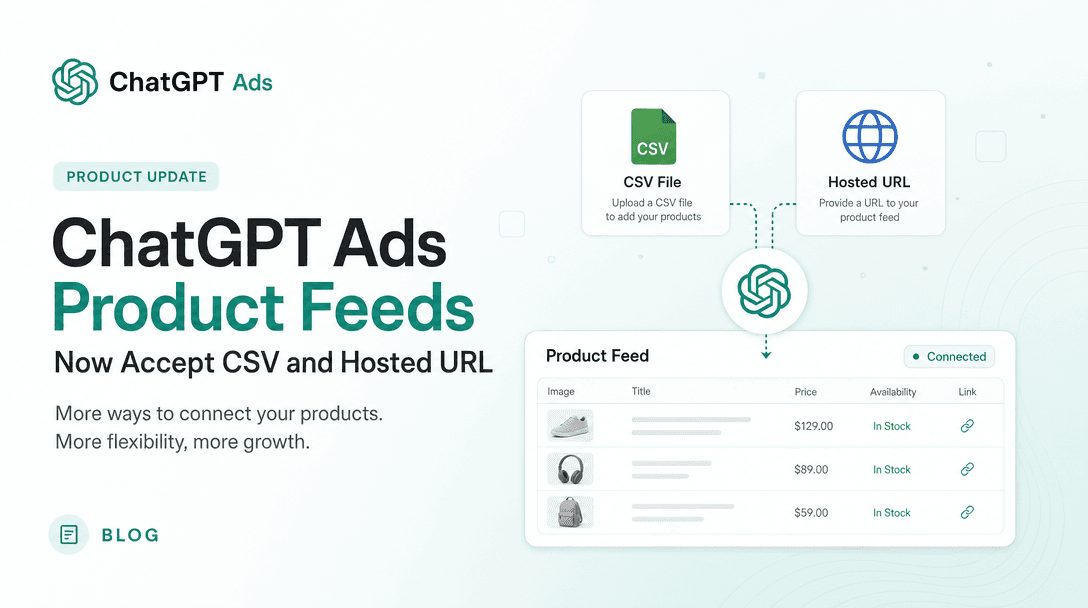
Updated 2026-08-13: ingestion is no longer SFTP-only. Opening the three-dot menu on a feed row now offers three import methods — Upload CSV or TXT (for getting started or occasional manual updates), Hosted URL (when your catalog sits at a stable HTTPS address), and SFTP connection (for teams automating server-to-server pushes). OpenAI also introduced a two-week item expiry, which makes hosted URL or automated SFTP the only sensible steady state. We cover the change, the two-week expiry, and a contradiction that remains in OpenAI's own documentation in ChatGPT Ads product feeds now accept CSV and hosted URL.
A few operational notes:
- Validate the feed file before uploading. A single malformed required field can disqualify a product silently.
- Confirm currency and price formatting match your store. Mismatches surface later as disapprovals, not upload errors.
- Treat the upload as the start of a cadence, not a one-time event. Catalogs drift daily as prices, stock, and new SKUs change — and with items expiring after two weeks, a stalled refresh now drains eligibility rather than merely going stale.
- Check Upload History for processing updates and errors after each refresh.
Step 2: Create a Product Feed campaign
Once the feed is ingested, create a new campaign. In the campaign type dropdown, select Product Feed. This tells Ads Manager to build ads dynamically from your catalog rather than from manually uploaded creative. You then choose which products to include in each ad group — the second half of the new workflow.
This is the same mental model as Meta product sets or Google Shopping product groups: the campaign points at your catalog, and you decide which slice of it each ad group represents.
Step 3: Structure ad groups by product set
The structure of your ad groups is where strategy lives. Don't dump the entire catalog into one undifferentiated group. Instead, segment by economically meaningful sets so you can read performance and control budget at the level that matters:
- By category or collection — outerwear vs. footwear vs. accessories.
- By margin tier — protect high-margin hero products with their own budget.
- By price band — entry-price impulse buys behave differently from considered purchases.
- By lifecycle — new arrivals, best sellers, and clearance each deserve distinct handling.
There is a real tension here. Meta's guidance argues that a larger product set gives the system more room to find the best product for each shopper (Meta Advantage+ catalog ads best practices). That's true — but only when every product in the set is something you're happy to spend on. The operator's job is to draw the boundary: wide enough that the algorithm has room to optimize, tight enough that you're never paying to advertise a loss-leader or a near-sold-out SKU. Start broad, then split out sets only when the data tells you a segment deserves its own budget and bid.
Step 4: Close the loop with conversion data
Feed-driven campaigns are only as good as the signal you feed back into them. The same OpenAI update that introduced product feeds also improved conversion matching through user objects — which is its own topic. To wire up clean conversion tracking so the system optimizes toward real purchases rather than upper-funnel proxies, see our companion walkthrough on ChatGPT Ads conversion tracking with user objects. It's the difference between a catalog campaign that learns and one that guesses.
How an AI agent keeps the feed and creative fresh at scale
Here's the part the platforms don't solve for you. A feed-driven campaign isn't "set and forget" — it's "set and continuously maintain." Prices change. Stock runs out. New SKUs land. Best-sellers shift with the season. Every one of those events should ripple into your campaigns within hours, not at the end of a quarterly audit. For a catalog of a few hundred products, doing this by hand is tedious. For thousands, it's impossible.
This is exactly the work we built Soku to absorb. Running catalog-driven ChatGPT Ads, the operator workflow looks like this:
- Ingest the catalog once, then watch it. The agent connects to your product source and treats it as a living object — detecting price changes, stock-outs, and new arrivals as they happen rather than on a manual refresh.
- Generate per-product creative. For each SKU, the agent drafts a faithful, descriptive title and selects the strongest image, applying the feed-quality rules above automatically — no ALL CAPS, no stale photos, variant attributes up front.
- Keep ad groups in sync with reality. When a product sells out, the agent pulls it from the active set so you stop paying for a dead link. When a new collection drops, it slots those SKUs into the right product set and ad group.
- Refresh on performance, not on a calendar. Click-through rates decay as audiences tire of the same creative; the agent watches that signal weekly and regenerates the products and creative that have gone flat — a discipline lifted straight from catalog-ads best practice.
The result is a feed-driven channel that behaves like a well-run Shopping or Advantage+ account from day one, without a media buyer babysitting a spreadsheet. That same agent-led approach is what ties the whole stack together — see how it fits the broader AI ads agency tech stack.
The takeaway
OpenAI's product-feed update makes ChatGPT Ads a real catalog channel. The mechanics are simple — ingest your feed in the Feeds tab, create a Product Feed campaign, structure ad groups by product set. The hard part is everything around the mechanics: a clean, complete, honest feed and the discipline to keep it that way as your catalog and your performance data move underneath you.
Get the feed-quality fundamentals right, structure your sets with intent, wire up conversion tracking, and let an AI agent carry the continuous maintenance. That's how a feed-driven ChatGPT Ads campaign goes from a promising beta feature to a channel that actually compounds.