Soku AI
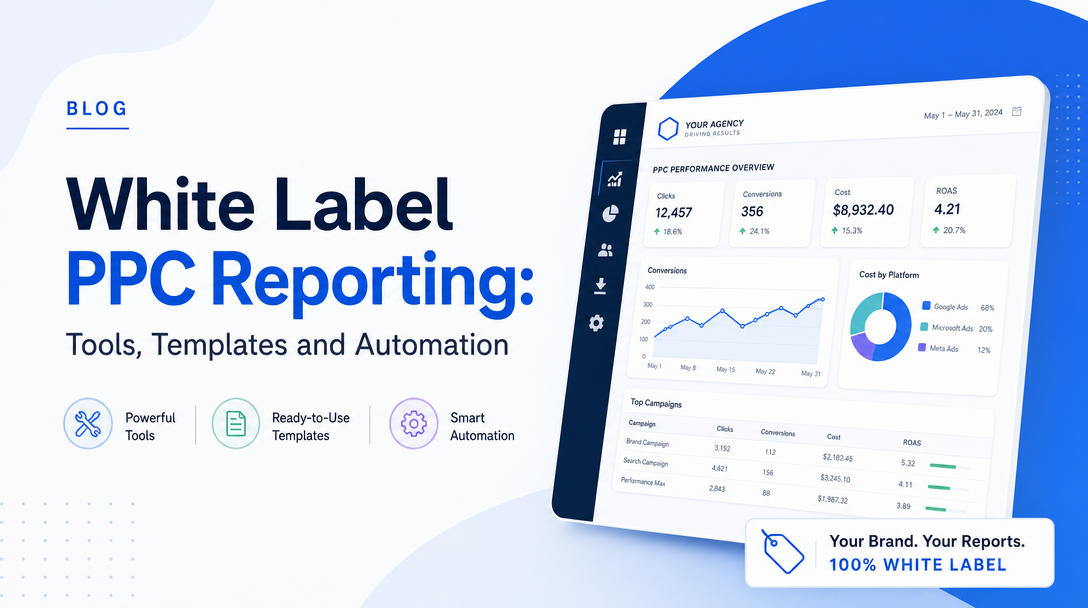
Every reporting vendor claims white-labelling. Almost none of them mean the same thing by it, and the differences only surface after you have migrated twenty clients.
This article covers three things in order: what white-labelling actually consists of (five layers, shipped inconsistently), the report template itself (what belongs in it and what does not), and what automation genuinely covers versus what agencies assume it covers.
For the pure cost comparison of these tools, we have a price-verified breakdown of PPC reporting tools and a switch-side analysis of AgencyAnalytics alternatives. This one is about making the reports good.
White-labelling is five things, not one
Line up the feature lists and "white label" resolves into five separable capabilities:
| Layer | What the client sees | Why it matters |
|---|---|---|
| 1. Brand skin | Your logo, your colours inside the report | Table stakes. Everyone ships it on every tier. |
| 2. Custom domain | reporting.youragency.com, not app.vendor.com | The moment you send a link instead of a PDF, this is the giveaway. |
| 3. Custom sending address | Report arrives from [email protected] | The single most visible layer, and the only one that can break. |
| 4. Client portal | Clients log into your brand, not the vendor's | Matters for retainer clients who check between reports. |
| 5. Attribution removal | No "Powered by X" in footer, page title, PDF metadata | Usually the last one vendors ship, and easy to miss in a trial. |
Layers 1 and 2 are effectively universal on paid plans. Verified 2026-08-05:
- AgencyAnalytics — custom branded logo and colour scheme, custom domain and email, client branding. One plan at $20 USD per client/month billed annually, unlimited staff and client users, 85+ data sources, 14-day trial.
- DashThis — custom logo, colour themes, domain and email, on every tier including Individual at $44/month (3 dashboards, 15 sources). Then Professional $139 (10 dashboards, 40 sources), Business $279 (25/100), Standard $429 (50+/200+). Unlimited users and integrations throughout.
- Swydo — "full white-labeling & branding tools" plus client portal access, from €69/month billed monthly or €62 annually, including unlimited users and 10 data sources; €4.50 per source from 11 to 100. 32+ integrations, 14-day trial, no card.
- Whatagraph — Max at €699/month billed annually, 50+ source credits (verified 2026-08-03).
The useful observation is that white-labelling is not a premium feature any more. DashThis ships all four visible layers on a $44 plan. So it is not a reason to pay more, and any vendor gating it behind an upper tier is charging you for something the market now gives away.
What to check in a trial, in this order: send yourself a report link and look at the URL; send yourself a scheduled email and look at the From address; export a PDF and check its document metadata and footer; and open the client portal in a private window to see whose logo is on the login screen. Ten minutes, and it settles the question that feature lists do not.
The layer that breaks: custom sending addresses
Layer 3 is the one that costs agencies actual client trust, and it fails silently.
When you configure a reporting tool to send as [email protected], that tool is now sending mail that claims to come from your domain. Receiving mail servers check whether your domain authorised it. Two mechanisms do that work:
- SPF — a DNS record listing which servers may send on your behalf. If the vendor's sending infrastructure is not included, the check fails.
- DKIM — a cryptographic signature verified against a public key you publish in DNS. If the vendor's key is not published on your domain, the signature does not validate.
If your domain publishes a DMARC policy of quarantine or reject — increasingly the default, and required by major mailbox providers for bulk senders — a message failing both checks does not go to the inbox. It goes to spam or nowhere, and nobody tells you. The first symptom is a client saying "I never got last month's report", months after you assumed the problem was their filter.
The order of operations that avoids this:
- Get the vendor's SPF include value and DKIM key from their white-label documentation before switching the sender.
- Add the SPF include to your existing SPF record — one record, one
v=spf1, additional includes appended. Two SPF records on the same domain is itself a failure. - Publish the DKIM key at the host the vendor specifies.
- Wait for DNS propagation, then switch the sending address.
- Send a test report to a mailbox on a different provider — Gmail if you run Microsoft 365, or vice versa — open the raw headers, and confirm
spf=passanddkim=pass. - Only then migrate client schedules.
If your agency already sends transactional or marketing mail from the same domain, consider a dedicated subdomain such as reports.youragency.com for reporting, so a deliverability problem in one system cannot damage the sending reputation of the other.
The template: five sections, in this order
Most white-label reports fail for a reason that has nothing to do with branding — they answer questions the client did not ask. The fix is structural.
1. The summary (one paragraph, top of page 1)
Plain language. What changed, why, what you did about it, and what you want the client to decide. If the client reads nothing else, this has to stand alone.
The test: could someone who has never seen the account read this paragraph and know whether the month was good? If it opens with "impressions were up 12%", the answer is no.
2. The commercial numbers (one screen, no scrolling)
Five figures, each with the prior-period comparison:
- Spend — what they paid
- Conversions — what they got, using one definition stated in the report
- Cost per acquisition — the number most clients actually track
- Revenue — from a backend source where one exists
- Return on ad spend — with the attribution basis named
Two rules. Do not add platform-reported conversions across networks into a total: Google and Meta will both claim the same conversion under their own attribution rules, and the sum exceeds reality. State which model the numbers use, once, and never change it mid-engagement without restating history. The full reasoning on why platforms disagree is worth sending to clients once, at the start.
3. Channel breakdown
Where the money went and what it produced, per channel. This is where a client's "why are we still on Microsoft Ads" question gets answered before they ask it.
4. Movements, with reasons
Three to five specific things that moved, each with a cause attached — not a table of every campaign. "Cost per acquisition rose 14%" is data. "Cost per acquisition rose 14% because the brand campaign hit budget cap on the 12th and traffic shifted to prospecting, which converts at a third of the rate — we raised the brand cap on the 19th and CPA recovered to £38 in the final week" is a report.
This section is what clients pay a retainer for, and it is the one section no tool generates for you.
5. Next period
What you are going to do, what you need from them, and what a good outcome looks like. Decisions requested should be explicit and few.
Everything else — impression share, quality score, device and geo splits, keyword tables, search term samples — goes in an appendix or gets cut. A twenty-page report signals volume of work; a five-page report signals judgement. Clients renew on judgement.
What automation actually covers
The assembly is solved. Connecting accounts, refreshing data on a schedule, applying a template across clients, rendering to PDF and delivering by email — every vendor above does this, and none of it is a differentiator.
AI summaries are now standard and are not the thing you think they are. AgencyAnalytics meters an AI Tracker at $20.83/month per 250 credits; Swydo includes AI-powered report summaries in its base price; DashThis and Whatagraph ship equivalents. All of them produce fluent prose describing what the numbers did.
None of them do section 4. A generated paragraph will tell you cost per acquisition rose 14%. It will not tell you whether that was creative fatigue, an auction-pressure change, a budget cap, a landing-page regression, seasonality, or a tracking artefact you should deliberately not react to — because answering that requires looking at things outside the report and having an opinion.
So the honest split is:
| Automated today | Not automated |
|---|---|
| Data collection and refresh | Deciding what changed and why |
| Template application across clients | Choosing what to do about it |
| Scheduling and delivery | Taking responsibility for the recommendation |
| Descriptive summaries | Acting on the account |
The SEO pricing trap
If your white-label reporting covers SEO as well as PPC, check how rank tracking is billed before you compare headline prices.
AgencyAnalytics is the clearest case: the plan is $20 per client per month, but Rank Tracker is a separate add-on at $41.67/month per 500 keywords billed annually, and the AI Tracker is another $20.83/month per 250 credits (verified 2026-08-05). For ten clients at 200 keywords each — 2,000 keywords — that is $166.68/month on top of a $200/month platform bill, an 83% surcharge on the advertised price.
That does not make it the wrong tool. It makes the headline number the wrong basis for comparison. Model your actual keyword volume, then compare. The full add-on arithmetic is in the AgencyAnalytics breakdown.
Where this leaves you
White-labelling is cheap and largely commoditised — verify the five layers in a trial, get the DNS right before you switch senders, and stop paying a premium for a logo upload.
The report template is where the real leverage sits, and it is free: a summary that stands alone, five commercial numbers, a channel view, a handful of movements with causes, and a plan.
And the section that decides whether clients renew — the one explaining why something moved and what you did — is the one no reporting tool writes. That is not a gap in any particular vendor; it is the boundary of the category.
Soku sits on the other side of that boundary. It reads each client's Google, Meta, TikTok and ChatGPT Ads accounts together, works out what genuinely moved the number rather than describing that it moved, and then acts — restructuring campaigns, reallocating budget toward the ROAS or CAC target, and testing creative — so that the branded report you send has something new to say every month.
Verified 2026-08-05: agencyanalytics.com/pricing ($20/client/month billed annually, 85+ data sources, unlimited staff and client users, custom logo, colour scheme, domain and email, 14-day trial, Enterprise at 25+ clients, Rank Tracker $41.67/month per 500 keywords annual, AI Tracker $20.83/month per 250 credits annual); dashthis.com/pricing (Individual $44, Professional $139, Business $279, Standard $429 per month; 3/10/25/50+ dashboards; 15/40/100/200+ sources; unlimited users and integrations; white-label with custom logo, colour themes, domain and email on all tiers); swydo.com/pricing (€69/month monthly, €62/month annual, unlimited users and 10 data sources included, €4.50 per source 11–100, €3.00 for 101–500, €2.00 for 501+, 32+ integrations, full white-labelling, client portal, 14-day trial, no card). Whatagraph verified 2026-08-03: Max €699/month billed annually with 50+ source credits.