Soku AI

Updated 2026-08-06 — the decision is no longer yours to make by inaction. When this article was first published, automatic advanced matching was an opt-in toggle. OpenAI has since made it the default for new Web pixels, and it will enable it for existing Web pixels on 17 August 2026. If you do nothing, it switches on. The new section immediately below covers the change, the opt-out path and the deadline; the rest of the article — what the feature does, what it commits you to, and what the documentation still omits — is unchanged and now matters to every advertiser rather than only to those who chose it.
Last verified: 2026-08-06. Every quotation below was read directly from OpenAI's official help documentation, the original set on 2026-08-03 and the default-on paragraph on 2026-08-06. Where this post moves from OpenAI's statements to our own reading, it says so explicitly.
The 17 August 2026 Deadline
On 2026-08-06, OpenAI added a paragraph to the Conversion Measurement article that changes the nature of this feature entirely:
"Automatic advanced matching (AAM) is now the default for new Web pixels, and on August 17, 2026, we'll also enable it for existing Web pixels to help more advertisers benefit from improved website conversion measurement. If you prefer not to have AAM enabled, or need more time for review, go to Tools > Conversions > Data Source, then Edit pixel to opt out. You can re-enable AAM later when ready."
Three weeks after documenting AAM as something you enable, OpenAI has made it something you decline. That is a fast turn, and it tells you how much the platform wants the signal — which is consistent with AAM being recommended as a best practice for oCPC campaigns, where bidding now runs on predicted conversion likelihood and is therefore only as good as the match rate feeding it.
What is new here, precisely:
| Original documentation (2026-08-03) | Current documentation (2026-08-06) | |
|---|---|---|
| New Web pixels | Opt-in | Default on |
| Existing Web pixels | Opt-in | Enabled automatically on 17 August 2026 |
| Documented action | "Enable for all Web data sources" | "Edit pixel to opt out" |
| Reversibility | Not addressed | "You can re-enable AAM later when ready" |
Note the granularity change in the documented path. The original enablement instruction described a blanket action — Enable for all Web data sources. The opt-out instruction describes Edit pixel, which reads as a per-pixel operation. If you run several pixels and want to opt out selectively, that appears to be possible; the documentation does not say so explicitly, and it does not describe what happens to an account with a mix of opted-out and default-on pixels.
Our reading, not OpenAI's: the phrase "or need more time for review" is doing quiet work in that paragraph. It concedes that enabling a feature which reads customer information from website forms is a decision some advertisers need to run past legal or privacy review, and that three weeks' notice may not be enough to complete one. It also frames opting out as a delay rather than a refusal. If your review will not conclude before 17 August, opt out on that basis and re-enable afterwards — that is the path OpenAI itself describes, and it is a better position than having the feature live while the review is still open.
What to do before 17 August 2026
- Decide whether you are opting out, and on what basis. For most advertisers the feature is worth having. For anyone whose consent tooling or privacy notice does not yet cover browser-side collection of form inputs, the deadline is the constraint, not the merits.
- If you are opting out, do it before the date. Go to Tools → Conversions → Data Source → Edit pixel. Opting out on 18 August means disabling something that has already been running and already moved your numbers.
- Inventory every property carrying the Pixel. The default-on change applies to existing Web pixels; it does not care which of your sites you were thinking about when you set them up.
- Annotate 17 August 2026 in your reporting now, whether or not you opt out. If you stay in, your reported conversions step up on that date. If you opt out, everyone you benchmark against does — including any agency or industry averages you compare to.
- Freeze CPA targets across the transition. Two to four weeks, for the reasons set out in full below.
- If you run oCPC campaigns, do not raise bid caps in the same week. Two variables moving at once — match rate and bid — makes the result uninterpretable, and the bid cap is the one you control.
The rest of this article covers what the feature actually does and what enabling it commits you to. All of it now applies by default.
On 2026-08-03, OpenAI added a new section to its ChatGPT Ads Conversion Measurement article, a matching FAQ entry to Measure Results, and a new best-practice bullet to Conversion-optimized Campaigns. All three describe the same new capability: automatic advanced matching.
Three coordinated documentation edits on the same day is what a product launch looks like in a help centre. This is not wording cleanup.
What OpenAI Actually Says
The verified text, quoted rather than paraphrased.
From Conversion Measurement:
"Automatic advanced matching helps connect website conversions to your ads when a click identifier is unavailable."
"When enabled, the OpenAI Pixel automatically detects supported customer information entered into website forms. The Pixel normalizes and securely hashes this information in the browser using SHA-256 before including it with conversion events. Raw customer information is not sent to OpenAI through automatic advanced matching."
"You do not need to manually pass customer information or make any changes to your Pixel implementation."
"To enable automatic advanced matching, go to Tools → Conversions → Data Source in Ads Manager and select Enable for all Web data sources."
From the new Measure Results FAQ entry:
"Automatic advanced matching helps match website conversions to your ads using supported customer information entered into website forms. The OpenAI Pixel securely hashes this information in the browser before including it with conversion events. To enable it, go to Tools → Conversions → Data Source in Ads Manager and select Enable for all Web data sources. No changes to your Pixel implementation are required."
And the new bullet added to Conversion-optimized Campaigns, under its best-practice list:
"Enable automatic advanced matching for your website pixel to help improve conversion matching and provide additional measurement signals for campaign optimization."
That last one is the tell. OpenAI is not merely documenting a feature — it is recommending it as a best practice specifically for conversion-optimized (oCPC) campaigns, which are the campaigns whose bidding depends most directly on match quality.
Where This Sits: The Third Matching Layer
ChatGPT Ads now has three documented ways to connect a conversion to a click, and it helps to see them as a fallback chain rather than a menu.
Layer 1 — the click reference (oppref). OpenAI appends a click reference to the landing-page URL, in the documented form www.openai.com?oppref=gAAAAAb123. The Pixel captures it and stores it in a first-party cookie so it can be associated with later conversion events, and advertisers can include it in Conversions API calls when available. This is the cleanest signal and the one that breaks most often — redirects strip it, cross-device journeys lose it, and cookie lifetimes end it.
Layer 2 — manual advanced matching. Documented before today and unchanged: an advertiser may send eligible first-party information, such as normalized and hashed contact information, with a conversion event. This is the layer our June 2026 breakdown of user objects covered — and it costs engineering time, which is why adoption of these features is always lower than platforms would like.
Layer 3 — automatic advanced matching (new). The Pixel does layer 2's job by itself, reading supported customer information from your forms and hashing it in the browser.
Our reading, not OpenAI's: the entire point of layer 3 is that layer 2 was too much work for most advertisers. Every ad platform that has shipped hashed-identifier matching has run into the same wall — the feature works, and mid-market advertisers never implement it because it needs a developer. Moving the work into the Pixel removes the implementation cost, which is why the enablement instruction is a single toggle rather than a code change. Expect adoption to be dramatically higher than manual matching ever achieved, and expect platform-reported conversion totals across the whole ChatGPT Ads advertiser base to step up accordingly.
The Trap: Your Reported CPA Is About to Improve
This is the part that will cost someone a bad decision this quarter.
Matching improvements do not create sales. They reveal conversions the platform was already failing to attribute. The day automatic advanced matching switches on — the day you enable it, or 17 August 2026 if you let the default arrive — three things happen at once:
- Reported conversions rise, because previously unmatched events now connect to clicks.
- Reported cost per acquisition falls, because the same spend now maps to more attributed conversions.
- Your actual business results are unchanged.
If you are running conversion-optimized campaigns, there is a second-order effect worth anticipating: the bidding system is now learning from a denser signal. OpenAI's own framing — "provide additional measurement signals for campaign optimization" — says exactly this. Better signal genuinely should improve optimization over time. But the step change on day one is measurement, and the gradual improvement afterwards is performance, and those two get conflated constantly.
The operational discipline is simple and almost nobody does it:
- Record the enablement date as an annotation in whatever you report from.
- Never compare a pre-enablement period to a post-enablement period as a like-for-like performance read.
- Hold your other channels as the control. If ChatGPT Ads CPA improves 30% while Meta and Google are flat, and you enabled matching that week, you did not find a winning channel — you changed a measuring instrument.
- Watch incrementality, not attribution, if the budget is large enough to justify it.
We made the same point when user objects landed in June, and it applies with more force here precisely because this version requires no engineering effort. A change that takes one click will be enabled by people who never read what it does.
What Enabling It Actually Commits You To
OpenAI's documented enablement path is: Tools → Conversions → Data Source → Enable for all Web data sources.
Read that phrasing carefully. The documented instruction describes a blanket action across web data sources, not a per-source or per-page choice. The help text does not describe a way to enable it for one property and not another. Our reading: treat this as an account-level decision affecting every web data source you have connected, and scope your review accordingly — check every site carrying the Pixel, not just the one you had in mind.
Then there is the obligation the toggle does not handle. OpenAI's conversion-measurement guidance is explicit, and it did not change today:
"Conversion data should be shared only when permitted and in compliance with applicable laws and OpenAI terms. Only send conversion data after providing clear and comprehensive information to users about the data you collect on your site or app and obtaining all necessary consents where required by law."
The technical protection is real: normalization and SHA-256 hashing happen in the browser, and OpenAI states raw customer information is not sent. But hashing is a safeguard on transmission, not a legal basis for collection. Our reading: a one-click toggle that begins reading form inputs across all your web properties is a change your privacy notice and consent tooling should reflect before you flip it, not after. The people who enable this in ninety seconds are unlikely to be the people who update the privacy policy, and that gap is the actual risk here — not the cryptography.
Five Things the Documentation Still Does Not Say
Being precise about the gaps is more useful than filling them with inference. As of 2026-08-03, OpenAI's help documentation does not state:
- Which fields count as "supported customer information." Both articles use the phrase without enumerating it. There is no field list and no field-level configuration described in the enablement instructions.
- Whether it can be scoped below "all Web data sources." The only documented path is the blanket one.
- Whether any of it is retroactive. Nothing indicates whether previously collected events are re-matched or whether matching applies only going forward. Assume forward-only until told otherwise.
- Whether match rate is visible anywhere. There is no documented reporting surface showing how many conversions were matched via this route rather than via
oppref, which means you cannot directly measure the feature's effect — only infer it from the step change. - How it interacts with regional consent regimes or consent-mode-style tooling. The guidance places the compliance burden on the advertiser without describing platform-side gating.
We are not going to guess at any of these. If OpenAI's developer documentation specifies the supported-field list, that is where it will appear first, and it is the page to check before enabling on forms that collect sensitive data.
Also Changed Today: The Card Authorization Window
One smaller but genuinely operational change landed in Billing & Payment on the same date.
Before: "When you add a card, OpenAI may place a temporary $100 authorization hold to verify the payment method. The hold is released automatically and may remain on your card for up to 3 days."
After: "When you add a card, your bank may show a temporary $100 authorization while we verify your card. This is not a completed charge, and we automatically release the hold after verification. Depending on your bank, it may remain visible for up to 7 days."
Three real changes: the hold is now attributed to the bank's display rather than to OpenAI placing it, it is explicitly labelled not a completed charge, and the stated window more than doubled from 3 days to 7. If you onboard advertisers or brief finance teams on what to expect at card verification, that number is now 7 — and the "not a completed charge" line is worth quoting verbatim to whoever reconciles the statement.
What To Do This Week
- Decide deliberately, not reflexively — and note that inaction is now a decision. The feature is very likely worth having. It is not worth arriving by default on 17 August before you know which of your properties carry the Pixel.
- Check your privacy notice and consent tooling first. If that review cannot conclude before 17 August, opt out on that basis and re-enable afterwards.
- Annotate the date in your reporting — the day you enable it, or 17 August 2026 if you let the default land.
- Freeze your CPA targets for two to four weeks afterwards, or you will optimise against a measurement artefact.
- Compare against your other channels, not against your own history.
- If you run oCPC campaigns, expect genuine optimization improvement to follow the measurement step change — but on a lag of weeks, not on day one.
The Honest Summary
This is a good change, competently documented, and it removes the main reason advertisers never adopted hashed-identifier matching: the engineering cost. Enabling it will make ChatGPT Ads look better in your reporting almost immediately, and some of that improvement will eventually be real.
The discipline is separating those two. A denser conversion signal is worth having; a reported CPA that improved because you changed how you count is worth nothing, and it is indistinguishable from the real thing unless you marked the date.
Related Reading
- ChatGPT Ads Redefined the oCPC Bid Cap — why match rate now feeds the bid itself, and the field whose meaning changed in the same week.
- ChatGPT Ads Conversion Tracking: Set Up User Objects — the manual matching layer this feature automates.
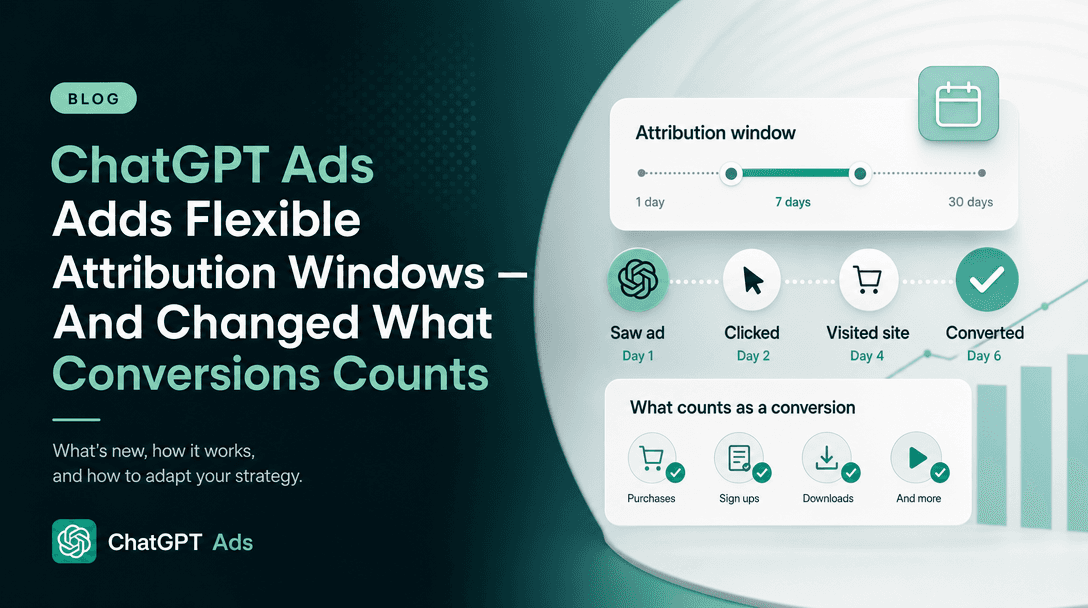
- ChatGPT Ads Attribution: How Tracking Works Without Third-Party Cookies —
oppref, the Conversions API, deduplication and the attribution window. - ChatGPT Ads Measurement Partners — where Hightouch, LiveRamp and Triple Whale fit alongside native measurement.
- ChatGPT Ads: Everything You Need to Know — the channel overview.