Soku AI
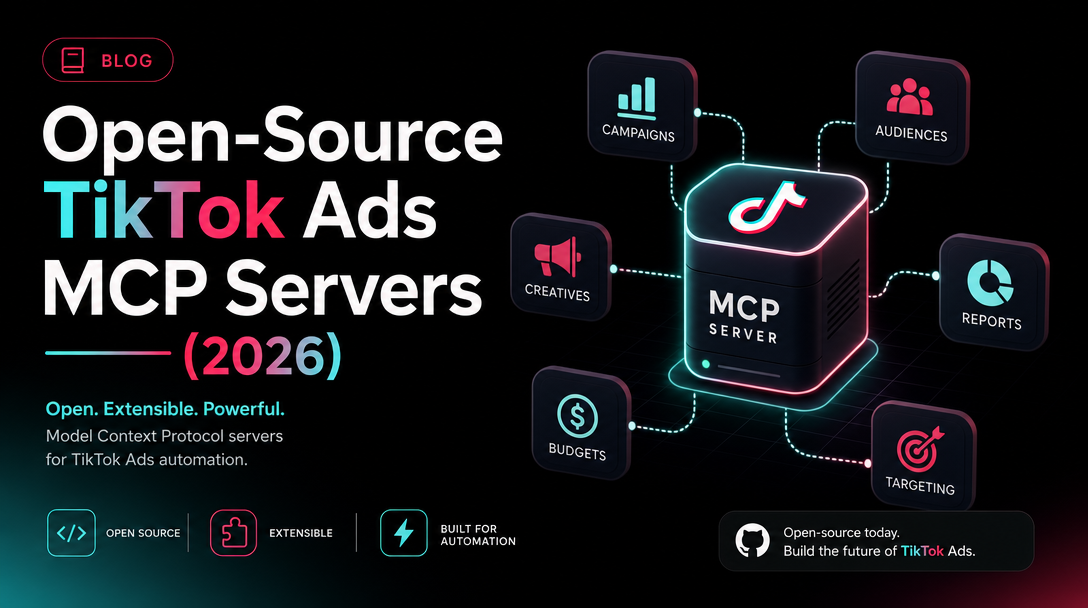
If you went looking for a TikTok Ads MCP server on GitHub today, you found a strange gap: TikTok announced an official one, but you can't install it. So the practical question becomes — what can you actually run right now to point an AI agent at your TikTok ad accounts? The answer is a small, early field of community-built MCP servers that wrap the TikTok Marketing API and run on your own access token.
This post is the honest field guide to that set. For each server we cover what it wraps, how you install or access it, whether it's read-only or read-write, how mature it is, and the account-safety trade-offs of running it on your token. Then a clear "which to pick" verdict by profile. For the bigger picture — what the official server is and how the whole space fits together — start with the pillar: TikTok Ads MCP and Agentic Hub. For the new distribution layer around official skills, see TikTok Agentic Hub for AI Ads.
Why third-party is the only option today
At TikTok World '26 (May 12–13, 2026), TikTok announced an official TikTok Ads MCP server that would let AI agents like Claude and ChatGPT plan, launch, and optimize campaigns directly (TikTok Newsroom, Digiday). That's the headline. The reality, as of early June 2026, is that it's an announcement, not a generally available product — no public docs, no install path, no confirmed GA date.
So if you want an agent touching TikTok ads this quarter, the official server isn't an option yet. What is available is a handful of community servers that talk to the same backend everyone will eventually use: the TikTok Marketing API v1.3. They're early. They're low-star. And — the part that matters most — they run on your access token, not a brokered OAuth handshake. Keep that in mind through everything below.
The servers, one by one
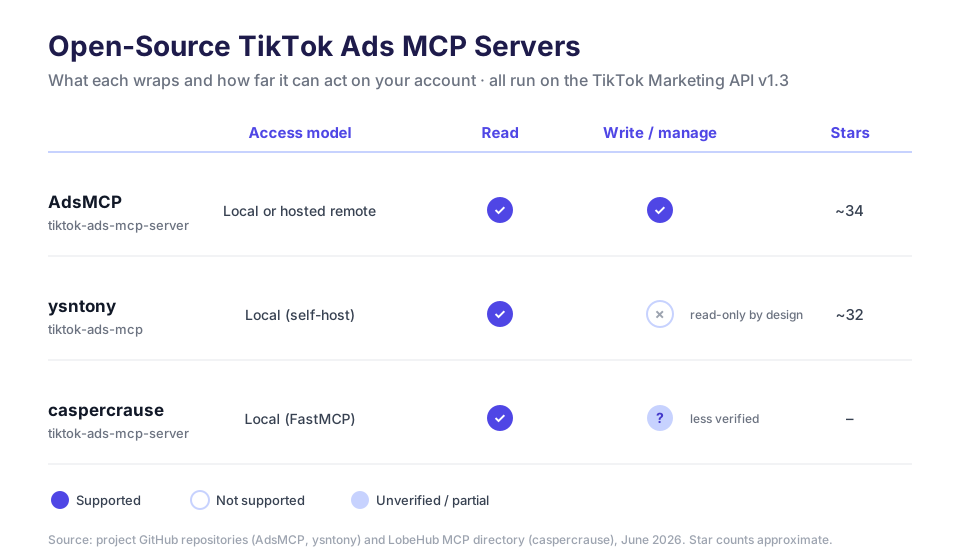
There are three community options worth knowing, plus a category of look-alikes to avoid. Here's the coverage at a glance before we go deep.
AdsMCP — the read-write option with a hosted path
The AdsMCP/tiktok-ads-mcp-server is the most full-featured of the bunch. It's a Python server (MIT-licensed, ~34 stars) that's part of AdsMCP's broader multi-platform product — they ship Google and Meta servers too, with the TikTok one slotting into the same family.
What it wraps: authentication (login and account switching), campaigns, ad groups, and performance reporting at both the campaign and ad-group level. The tools are namespaced with a tiktok_ads_ prefix — tiktok_ads_get_campaigns, tiktok_ads_get_campaign_performance, tiktok_ads_switch_ad_account, and so on. That namespacing matters when you're running multiple ad-platform MCPs side by side; it keeps the tool list legible to the agent instead of colliding generic names.
Access model: you can run it locally in a Python virtualenv against your own credentials, or use AdsMCP's hosted remote-MCP option — a managed endpoint you connect to instead of self-hosting. The hosted path is the differentiator here; most community servers are local-only.
Read or write: read and write. AdsMCP markets this as campaign management, not just reporting — it can create and manage campaigns and ad groups, not only read them. That makes it the most capable option, and also the one to handle most carefully (more on that below).
Maturity: low-star but actively positioned as a product, which usually means more upkeep than a weekend project. Still early — treat any write capability as "test on a throwaway account first."
ysntony — the deliberately read-only option
The ysntony/tiktok-ads-mcp server (Python, ~32 stars) takes the opposite stance, and states it plainly: all tools are read-only and will not modify your campaigns or ad data. That's not a missing feature — it's the design.
What it wraps: six tools covering the reporting surface end to end — Business Centers, authorized ad accounts, campaigns, ad groups, ads, and reports. The tool names are bare (get_campaigns, get_reports, get_ad_groups), without a platform prefix, which is fine if it's the only ads MCP you're running but can get ambiguous if you stack several.
Access model: local self-host against your own TikTok Marketing API credentials.
Read or write: read-only, by design. An agent connected to this server can pull every metric and entity you'd want for analysis, but it physically cannot pause an ad, change a budget, or launch a campaign. For a lot of teams that's the right boundary — you get the observe half of the loop with zero chance of an agent fat-fingering live spend.
Maturity: comparable star count to AdsMCP, smaller scope, and the read-only contract makes it the lowest-risk thing to stand up first.
caspercrause — the additional, less-verified option
A third community server, caspercrause's TikTok Ads MCP server, shows up on MCP aggregators like LobeHub. It's described as a FastMCP-based Python server with multi-account support and natural-language querying over your TikTok ad data.
We're listing it for completeness because it's a real, discoverable option — but the details are less verified than the two above, so treat the specifics (exact tool list, read/write scope) as something to confirm against the repo before you wire it into anything that touches live spend. If you want a natural-language reporting layer and don't mind doing your own due diligence, it's worth a look.
What to not mistake for these
Search "tiktok mcp" and you'll hit servers that look adjacent but aren't ad-ops tools at all. Two common ones:
- seym0n/tiktok-mcp — content analysis (subtitles, video understanding), not the Marketing API.
- trendsmcp/tiktok-trends-mcp — hashtag and trend discovery, again on the content/discovery side.
These wrap TikTok's content and trends surfaces, not the advertising API. They're useful for creative research, but they cannot read your campaigns or change a budget. If your goal is ad operations, they're out of scope — don't confuse a trends explorer for a campaign manager.
Comparison table
| Server | Wraps | Access model | Read / Write | Tool naming | Stars | License |
|---|---|---|---|---|---|---|
| AdsMCP | Auth, campaigns, ad groups, performance | Local or hosted remote | Read + write | tiktok_ads_* prefixed | ~34 | MIT (Python) |
| ysntony | Business Centers, accounts, campaigns, ad groups, ads, reports | Local self-host | Read-only | Bare (get_campaigns) | ~32 | Python |
| caspercrause | Ad data, multi-account, NL querying | Local (FastMCP) | Unverified | — | — | Python |
| seym0n / trendsmcp | Content / trends (not ads) | Local | Read | — | — | — |
All three ads servers wrap the same TikTok Marketing API v1.3. The API they share is worth understanding on its own — see The TikTok Marketing API v1.3, Explained.
The account-safety trade-off (read this part)
Here's the line that should govern your choice, and it's the same line for every server above: they run on your access token. Not a brokered OAuth flow where a vendor holds scoped, revocable credentials on your behalf — your raw token, sitting in your config, firing calls against the live Marketing API.
That has two consequences:
- An unthrottled agent looping over a large account can hammer the API. The Marketing API enforces rate limits, and a chatty agent that paginates aggressively or retries on every hiccup can trip them — at best you get throttled, at worst the pattern looks anomalous enough to draw an access review.
- A write-capable server is one bad agent decision away from a real spend change. A read-only server cannot make that mistake by construction; a read-write one can pause the wrong campaign or push a budget you didn't intend.
None of this means "don't use them." It means: start read-only, throttle deliberately, and test any write path on an account you can afford to break before you point it at production spend. The safest sequence is almost always read-only first, writes later, and never unattended on day one.
If you want the step-by-step for wiring one of these into your assistant, we walk through it here: Connect TikTok Ads to Claude with MCP. And if you're weighing TikTok against the other platforms' MCP options, TikTok vs Meta vs Google Ads MCP lays out how the three fields differ.
Which to pick
There's no single winner — the right server depends entirely on whether you want an agent to read TikTok or to run it.
- Analysis and reporting only (no live changes): ysntony/tiktok-ads-mcp. Read-only by design means zero chance of an accidental spend change, and its six tools cover the full reporting surface. This is the one to start with for almost everyone — it's the lowest-risk way to get an agent looking at your TikTok data.
- You want an agent to actually manage campaigns: AdsMCP. It's the only community option with real read-write coverage, plus a hosted remote-MCP path if you'd rather not self-host. Accept that you're trading safety for capability — test writes on a throwaway account, and throttle hard before any production use.
- You want natural-language reporting and will do your own vetting: caspercrause's server — promising, multi-account, but verify the specifics against the repo first.
- You need creative or trend research, not ad ops: the content/trends MCPs (seym0n, trendsmcp) — just don't expect them to touch your campaigns.
How Soku fits
Every option above asks you to do the same uncomfortable thing: take your TikTok access token, drop it into a low-star community server, and hope your throttling is good enough. That's a workable hack for a solo experiment. It's a hard sell the moment real spend, multiple brands, or a team is involved.
Soku is the managed alternative — a TikTok agent rather than a raw server. Instead of self-hosting on your token, you connect through an OAuth-style connection where the credentials are scoped and revocable, every write goes through a human approval gate before it touches live spend, and each ad account is mapped with per-brand assignment so one agent can safely operate a whole roster without crossing wires. You get the agent-runs-TikTok outcome these servers promise, without holding the account-safety risk yourself. Connect it under Integrations → Bring Your Own.
For the full landscape — official server status, the API underneath, and how the platforms compare — the pillar ties it all together: TikTok Ads MCP: The Complete Guide.
FAQ
Is there an official TikTok Ads MCP server I can install?
Not yet. TikTok announced one at TikTok World '26 (May 12–13, 2026), but it's an announcement, not a generally available product — no public docs, no install path, no confirmed GA date. Third-party servers are the only working option today.
Which open-source TikTok Ads MCP server is read-only?
ysntony/tiktok-ads-mcp is explicitly read-only — its six tools cover Business Centers, ad accounts, campaigns, ad groups, ads, and reports, and it will not modify your data. It's the safest one to start with.
Which one can actually create or manage campaigns?
AdsMCP/tiktok-ads-mcp-server is the read-write option, with tools for campaigns, ad groups, and performance, plus a hosted remote-MCP path. Treat its write capability carefully — test on a throwaway account first.
Are these safe to run on my production ad account?
They run on your own access token against the live TikTok Marketing API, so an unthrottled or write-capable agent carries real risk — rate-limit trips, access reviews, or unintended spend changes. Start read-only, throttle deliberately, and don't run unattended on day one.