Soku AI
Let us start with the thing most articles on this topic will not say plainly: there is no way to see a competitor's keyword list.
Not through Google. Not through Semrush, Ahrefs or SpyFu. Not through any tool at any price. Google holds that data and does not expose it, to anyone, in any product. Every tool that appears to show you a competitor's keywords is showing you an inference built from crawling search results — a useful inference, sometimes a very good one, but an estimate with a knowable error profile, not a list.
That matters practically, because the way you use an estimate is different from the way you use a fact. Bidding a hundred keywords because a tool says a competitor bids them is how you fund a competitor's blind spots and your own.
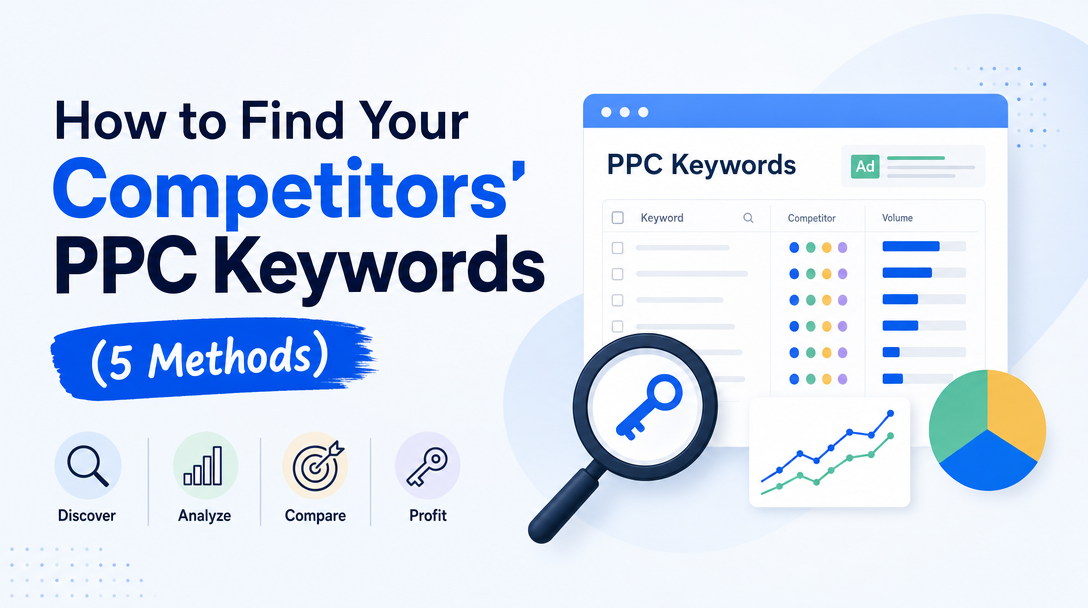
What you can do is triangulate. Five methods, each of which sees a genuinely different slice of the truth and is blind to different things. Used together they produce a picture good enough to act on. Used alone, each one misleads in its own characteristic way.
Method 1 — Auction Insights (the only first-party truth)
This is the one report where the data comes from Google's own auction records rather than from someone's crawler. It is inside your Google Ads account, under any Search or Shopping campaign, ad group, or keyword.
What it actually gives you. Read from Google's own documentation on 2026-08-14, the Search report shows six metrics:
| Metric | What it means |
|---|---|
| Impression share | Impressions you received, divided by the impressions you were eligible to receive |
| Overlap rate | How often a competitor's ad appeared alongside yours |
| Outranking share | How often your ad ranked above theirs, or showed when theirs did not |
| Position above rate | How often their ad appeared in a higher position than yours |
| Top of page rate | How often your ad appeared above the unpaid results |
| Absolute top of page rate | How often your ad was the very first ad |
Shopping campaigns get three of these — impression share, overlap rate and outranking share. Performance Max data is segmented by Search and Shopping channel.
The blind spot, and it is a big one. Auction Insights tells you who you are competing with, not what they are bidding on. You get domains. You never get keywords, match types, bids, budgets or audiences.
The threshold that catches people out. Google does not show insights when impression share is below 10%, and keywords and ad groups must clear a minimum activity threshold for the period. So the report is systematically quietest exactly where you are weakest — in the auctions you barely participate in, which are often the ones you most want to understand. If a report comes back sparse, that is usually a statement about your impression share, not about the competitive landscape.
How to actually use it. Run it at the keyword level rather than the account level. Account-level Auction Insights gives you a list of the usual suspects and tells you nothing you did not know. Keyword-level insights tell you that a competitor you thought was a peer is outranking you on 80% of impressions for one specific high-value term — which is a decision you can act on today.
Read the position above rate before the impression share. A competitor with modest impression share but a high position-above-rate is bidding selectively and aggressively; they have picked a small set of terms and decided to win them. That is a much more informative signal than a broad competitor with high impression share everywhere.
Method 2 — Google Ads Transparency Center
Google's public ad archive. Search a brand and see the ads it has been running, filterable by date range, location and ad format, covering Search, Shopping, YouTube and more.
What it is genuinely excellent at. Creative intelligence. You see the actual ad copy, the actual offers, the actual landing pages, and — because of the date filtering — how all of that has changed over time. A competitor who ran a "free trial" message for eight months and switched to "book a demo" last month has told you something real about their funnel economics.
What it cannot tell you. Keyword targeting. Match types. Bid strategy. Audience settings. Budget. It is an archive of outputs, not of configuration.
How to actually use it. Read the ad copy as evidence of keyword intent. Advertisers write headlines that echo the query, because that is what works. A competitor running five ad variants whose headlines are "Project Management Software", "Project Management Tool", "Best Project Management App" and "Project Management for Teams" has effectively told you the head of their keyword set, because those headlines exist to match those queries.
Also track volume and cadence. A competitor going from four active creatives to forty in a month is scaling. One going from forty to four is either consolidating or in trouble, and both are worth knowing before you plan a quarter against them.
Method 3 — your own search terms report (the most underused)
This is the method almost nobody lists, and it is the second-most-truthful source available, because it is also first-party Google data.
Your search terms report shows the actual queries that triggered your ads. Hidden inside it is a competitive map:
- Competitor brand terms appearing in your search terms tell you where the market already substitutes them for you. If "acme alternative" or "competitor vs [you]" is triggering your ads, there is comparison demand you may or may not want to buy.
- Queries you are matching but not converting are often queries where a competitor's positioning fits better than yours. That is a message about their keyword set as much as yours.
- Broad match expansion is effectively Google telling you what it thinks your competitive set is. When broad match drags you into a query cluster you did not choose, look at who else is showing there.
The blind spot. You only see queries where you appeared. Everything a competitor bids on that you do not compete for is invisible, by construction.
Why it still matters most. It is real, it is free, it is already in your account, and it is about auctions you are actually paying for. Competitive research that changes what you bid on tomorrow beats research about a market you do not participate in. If you do not have a recurring search terms audit in place, start there before buying an intelligence tool.
Method 4 — third-party estimation tools
Semrush, Ahrefs, SpyFu and similar. These are the tools people mean when they say "competitor keyword research", and they are useful — provided you understand what you are looking at.
What they actually do. They maintain a large keyword corpus and repeatedly scrape search results for those keywords from various locations. When a competitor's ad appears for a keyword in the sample, that keyword enters the competitor's estimated portfolio. Spend and traffic figures are then modelled from estimated volume, estimated CPC and estimated position.
Where this is reliable. High-volume, stable, commercially obvious head terms in major markets. If a competitor bids consistently on a popular term, repeated sampling will catch it, and the tools will be right.
Where it degrades, and this is the part to internalise:
- Long-tail terms are under-sampled or absent entirely. The tail is most of the account, so the portfolio you see is systematically biased toward the head.
- Recent changes lag by however long the refresh cycle is. A campaign launched last week may be invisible.
- Geographic and device targeting distorts everything. A competitor bidding only in three metros looks tiny to a tool sampling nationally.
- Dayparting produces the same distortion in time.
- Broad match makes "the keyword they bid on" partly meaningless — an ad appearing for a query does not mean the query is in their keyword list.
- Spend estimates should be treated as directionally interesting and numerically unreliable. They are a product of three estimates multiplied together.
How to actually use it. For discovery, not for planning. The right question is "what keyword themes appear here that I had not considered", not "let me build a campaign from this export". Take the themes, validate the volume in Keyword Planner, and price them yourself.
Method 5 — manual SERP inspection and Ad Preview
The oldest method, and still the only one that shows you the live, in-context truth.
Use the Ad Preview and Diagnosis tool inside Google Ads rather than searching manually. It shows the ad landscape for a query at a chosen location and device without generating an impression, which matters for two reasons: repeatedly searching your own keywords distorts your own campaign data, and it teaches Google's personalisation that you are interested, which contaminates every subsequent manual check.
What this method uniquely gives you. The complete competitive picture for one query at one moment: who is present, in what order, with what extensions, what the Shopping block looks like, how much of the page is paid before an organic result appears, and — increasingly the thing that decides the economics — how much of the answer the AI-generated section has already given away above all of it.
The blind spot. It does not scale. This is a method for ten queries you care about, not a thousand.
How to actually use it. Pick your fifteen highest-value queries and inspect them monthly, in the locations that matter. Record who is present. The change between months is the signal — a new entrant on a term you own, or an incumbent who has stopped showing up, is worth more than any static snapshot.
Putting the five together
Each method answers a different question, and the triangulation is the actual technique:
| Question | Method |
|---|---|
| Who am I actually competing against? | Auction Insights |
| How hard are they competing on this term? | Auction Insights, position above rate |
| What are they saying, and how has it changed? | Transparency Center |
| What themes am I missing entirely? | Third-party estimation |
| Where does the market already substitute them for me? | Your own search terms report |
| What does the auction actually look like right now? | Ad Preview |
A workable cadence:
- Weekly — search terms report, for new competitor brand terms and query drift.
- Monthly — Auction Insights at keyword level on your top campaigns, plus Ad Preview on your fifteen priority queries, plus a Transparency Center check on your two or three real rivals for new creative.
- Quarterly — a third-party estimation sweep for theme discovery, then validate anything interesting in Keyword Planner before acting.
The mistake this research usually leads to
The instinct after a good competitive analysis is to bid on what the competitor bids on. This is usually wrong, and it is worth being explicit about why.
You do not know their margin. You do not know their conversion rate. You do not know their lifetime value, whether that campaign is profitable, or whether it is a brand-awareness line item their CFO has already questioned. A keyword that works at a $200 CPA for a company with $3,000 LTV is a catastrophe for you at $400 LTV. Copying a competitor's keyword set copies their economics, which you cannot see.
The three findings actually worth acting on:
- Terms they win that you also want, where you have a real advantage — better landing page, better offer, better margin. Contest those.
- Terms they have abandoned. A competitor who stopped showing on a term either found it unprofitable or lost focus. Both are worth a cheap test, and the second is a gift.
- Terms nobody is bidding on where the intent is clearly commercial. This is the most valuable output of competitive research and the one people look for least, because it does not appear on any competitor's list — it appears in the gaps between them.
The related discipline is knowing what to exclude. Competitive research surfaces a great deal of traffic that is real, available, and wrong for you; a good negative keyword list is as much a product of this work as any expansion.
Frequently asked questions
Can I see exactly which keywords my competitor bids on?
No. Google does not expose that data to anyone. Every tool showing "competitor keywords" is presenting an estimate inferred from repeatedly scraping search results.
Is the Google Ads Transparency Center free?
Yes, and it requires no account. It shows competitors' actual running ads with date, location and format filters — but no keyword, bid or audience data.
Why is my Auction Insights report empty?
Most likely because your impression share is below 10%, which is the documented threshold below which Google withholds insights. Keywords and ad groups also need to clear a minimum activity level for the selected period.
How accurate are SpyFu and Semrush for PPC keywords?
Reasonably good on high-volume head terms in major markets, and progressively less reliable on long-tail terms, recent changes, and geo- or time-targeted campaigns. Spend estimates multiply three separate estimates and should be treated as directional only.
Does searching my own keywords hurt my campaigns?
It can. Repeated manual searches generate impressions without clicks, which affects your own reported click-through rate, and they teach personalisation that you are interested in that space. Use the Ad Preview and Diagnosis tool instead.
What is the single best free method?
Your own search terms report, followed by Auction Insights. Both are first-party Google data about auctions you are actually paying for, which is where a decision can change something today.
Where to go next
- Google Ads search terms audit — the recurring process that turns method 3 into a habit.
- Google Ads auction insights — a deeper read of the report behind method 1.
- Best ad spy tools — the tooling landscape for method 4, and what each one actually measures.
- Google Ads campaign structure — where the findings from this research actually land.
Sources
Auction Insights metrics, the Search and Shopping metric sets, the Performance Max channel segmentation and the 10% impression-share threshold read from Google Ads Help — About Auction Insights on 2026-08-14. Google Ads Transparency Center capabilities and filters reflect the tool's documented public surface as of the same date. The five-method framework, the blind-spot analysis, the triangulation cadence, the estimation-tool error profile and all recommendations are Soku's own analysis.