Soku AI
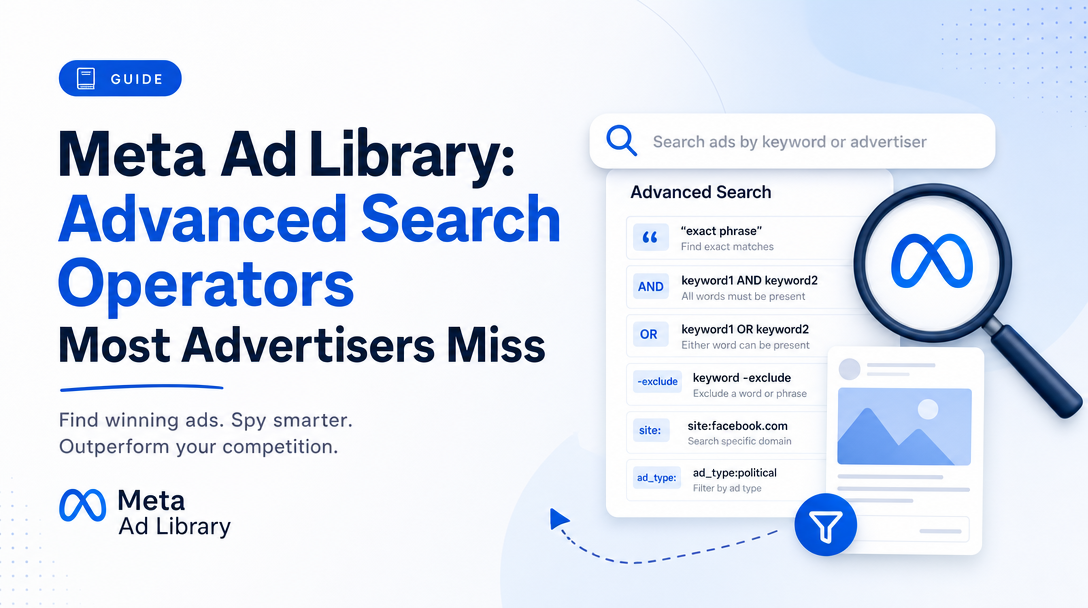
Search "Meta Ad Library tips" and you will be told, confidently and repeatedly, to use boolean operators: AND to combine terms, OR to widen, quotation marks for exact phrases. It is the single most-repeated piece of advice about the tool.
Meta's own API reference documents none of it.
There is no AND operator, no OR operator, and no quotation-mark syntax in the documented interface. What exists instead is a parameter called search_type with exactly two values, plus eight other filters that do far more useful work than any boolean ever would — and that the public web UI either hides or does not expose at all.
This is a guide to what the Ad Library actually supports, verified against Meta's ads_archive API reference on 2026-08-10.
The boolean myth, and what replaces it
The documented behaviour of search_terms is controlled by one parameter:
search_type | Documented behaviour |
|---|---|
KEYWORD_UNORDERED | "Treat each word in search_terms individually, and return results that contain these words in any order." |
KEYWORD_EXACT_PHRASE | "Treat the words in search_terms as a single phrase, and only return results that match that exact phrase." |
That is the entire operator surface. search_terms itself is capped at 100 characters.
Read those two definitions carefully, because they are more useful than they look:
KEYWORD_UNORDEREDis theANDeveryone is trying to type. Passingfree shipping returnsreturns ads containing all three words in any order. You do not need an operator because the default already behaves like one.KEYWORD_EXACT_PHRASEis the quotation mark. Passingrisk free trialwith this set matches that phrase and nothing else.
What genuinely does not exist is OR. There is no documented way to say "ads mentioning either refund or guarantee" in a single query. If you type refund OR guarantee into a search box, KEYWORD_UNORDERED will look for ads containing the words refund, or, and guarantee — which is not what you meant, will return close to nothing, and is why people conclude the Ad Library "does not have much inventory". The correct approach to an OR is two queries and a union in your own spreadsheet.
This matters practically. Every hour someone spends crafting boolean strings is an hour not spent on the filters below, which are where the actual leverage is.
The eight filters that do the real work
These are the documented ads_archive parameters. Most advertisers use one of them — search_terms — and ignore the rest.
| Parameter | Values | What it is actually for |
|---|---|---|
ad_active_status | ACTIVE, INACTIVE, ALL | The most underrated filter in the tool. See below. |
ad_delivery_date_min / _max | YYYY-MM-DD | Isolate a launch window, a seasonal push, or the month a competitor changed strategy. |
media_type | ALL, IMAGE, MEME, VIDEO, NONE | Answer "is this advertiser going video-first?" as a filter rather than by scrolling. |
publisher_platforms | FACEBOOK, INSTAGRAM, AUDIENCE_NETWORK, MESSENGER, WHATSAPP, OCULUS, THREADS | Separate the Instagram strategy from the Facebook one. Note that THREADS is in the enum. |
languages | ISO 639-1 / 639-3 codes | Find the localised variants of a campaign, which is how you infer which markets a brand is actually funding. |
search_page_ids | Up to 10 Page IDs | Track a named competitor set instead of a keyword. The single biggest upgrade to most research workflows. |
ad_reached_countries | ALL or ISO country codes | Required. Also the thing that decides whether you see anything at all — see the coverage section. |
ad_type | ALL, EMPLOYMENT_ADS, FINANCIAL_PRODUCTS_AND_SERVICES_ADS, HOUSING_ADS, POLITICAL_AND_ISSUE_ADS | Regulated-category isolation. |
There is also unmask_removed_content (boolean, defaults to false), and a set of parameters — bylines, delivery_by_region, estimated_audience_size_min / _max — that the documentation restricts to political ads only. If you are doing commercial competitor research, those four will not help you, and any guide that recommends estimated_audience_size for ecommerce research has not read the reference.
The filter nobody uses: ad_active_status=INACTIVE
Everyone researches competitors by looking at what is running now. The far more informative question is what stopped running.
An ad that is live tells you what a competitor is currently willing to spend on. An ad that ran for eleven weeks and then stopped tells you something much more specific: that creative had a lifecycle, and it ended. An ad that ran for four days and vanished tells you it was tested and killed.
ad_active_status=INACTIVE, combined with ad_delivery_date_min and ad_delivery_date_max, turns the Ad Library from a snapshot into a time series. Pair it with search_page_ids for a named competitor and you can reconstruct roughly when they rotated creative, how long their winners survived, and which formats they abandoned.
Soku analysis. The durability signal is the one worth extracting. Across any competitor set, the ads that ran longest are the ads that worked — nobody keeps funding a loser for three months. So sorting a competitor's inactive ads by delivery duration gives you a ranked list of their proven creative, which is a far better input to your own briefs than a scroll through whatever happens to be live today. This is the analysis the Ad Library makes possible and does not do for you.
The coverage wall, which decides everything
Before you plan any of this, understand what the Ad Library will and will not show you, because this is the constraint that ends most projects.
The Ad Library's commercial ad coverage exists because of the EU Digital Services Act. In practice this means that querying with ad_reached_countries set to an EU member state or GB surfaces commercial ads, while querying the US surfaces political and issue ads only. Meta's parameter reference documents the parameter but not this regional scoping, and it is consistently reported across developer guides; if your research plan depends on US commercial ads via the API, verify it against your own token before building anything on top of it.
The practical consequences:
- For EU/UK competitor research, the API is genuinely powerful and the filters above all apply.
- For US-only brands, the public web UI at
facebook.com/ads/libraryremains the route to commercial ads, with a much thinner filter set than the API exposes. - For global brands, query an EU country to see the campaign structure, then assume — do not assert — that the US variants are similar.
API access itself is free but gated: you need a Meta for Developers account, acceptance of the Ad Library API terms, and identity verification involving a government ID, which typically takes one to three business days. Budget for that before promising anyone a dashboard.
A research workflow that actually uses the tool
Most people open the Ad Library, type a competitor name, scroll for four minutes, screenshot two ads, and close it. Here is a version that produces something you can act on.
- Collect Page IDs, not names. Find the Facebook Page ID for each of your five to ten real competitors.
search_page_idsaccepts up to ten, which is a well-chosen limit — it is roughly the size of a genuine competitive set. - Pull the full history, not the live set. Query with
ad_active_status=ALLand a widead_delivery_date_min. You want the dead ads. - Segment by format. Run the same query across
media_type=VIDEOandmedia_type=IMAGE. The ratio, and how it has changed over the last two quarters, tells you where the category is moving. - Segment by platform. Split
publisher_platforms=FACEBOOKfromINSTAGRAM. Brands that run genuinely different creative on the two are worth studying; brands that run identical creative on both are usually not investing in creative at all. - Rank by duration. Compute how long each inactive ad ran. Sort descending. That is your competitor's proven-winner list.
- Read the top ten, not the top hundred. Extract the hook structure, the offer, and the first three seconds. That is the transferable part.
For the messaging-angle layer on top of this, our guide to ad creative testing covers how to turn a competitor's proven hooks into a test matrix of your own, and the best AI tools for Facebook and Instagram ad creatives covers producing the variants once you know what to make.
What the Ad Library will never tell you
Being clear about the ceiling saves a lot of wasted effort.
No spend data. For commercial ads, there are no impressions, no spend, no audience size. Those fields exist only for political and issue ads. Any tool claiming to show you a competitor's Meta spend is estimating, and you should treat the number accordingly.
No performance data. Duration is a proxy for performance, and it is a decent one, but it is a proxy. A long-running ad might be running because it works or because nobody has touched that ad set in four months.
No targeting data. You cannot see who a commercial ad was aimed at. You can sometimes infer it from the creative and the language, which is inference, not data.
No guarantee of completeness. The archive reflects what Meta chose to include under its transparency obligations, not every ad ever served.
Where this fits
Competitor ad research is an input, not a strategy. The Ad Library tells you what a competitor shipped and roughly how long it survived; it cannot tell you what will work for your offer, audience and price point. The only thing that answers that is running your own variants and reading your own numbers back.
That loop — generate the variants, deploy them across Meta, Google and TikTok, read spend and conversion data back, and rank by what actually earned — is what Soku automates. The Ad Library is where you get the hypothesis. Your own account is where it gets tested.
Sources
- Meta
ads_archiveAPI reference — all parameter names, enum values andsearch_typedefinitions, read 2026-08-10 - Meta Ad Library API — access and terms
Parameter definitions above are quoted or paraphrased from Meta's documentation. The research workflow, the durability-ranking method and the assessment of the boolean myth are Soku's own analysis. Meta changes this API without much notice — verify parameters against the reference before building on them.