Soku AI
Excluding Audience Network is the most common reflex in paid social. It usually happens in the first week of a new account, it is almost never revisited, and the reasoning is almost always the same: the traffic looks bad, the placement runs in apps we have never heard of, and someone once saw a screenshot of an ad next to a mobile game.
Some of that reasoning is sound. Most of it is a misreading of what the placement is and what the numbers are telling you. This is a decision guide built from Meta's own documentation, verified on 2026-08-12, with the mechanics separated from the opinion.
What Audience Network actually is
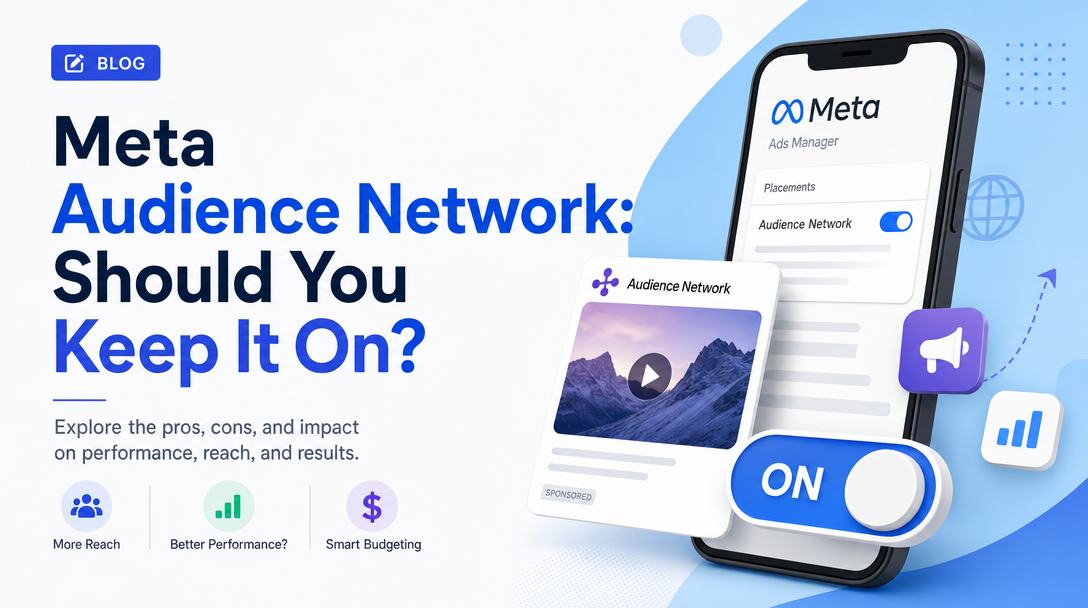
Audience Network is Meta's off-platform inventory: your ads served inside third-party mobile apps and sites, bought through the same auction, targeted with the same audiences, and reported in the same Ads Manager.
In Meta's placement documentation it appears as exactly two selectable placements, grouped under "Apps and sites":
Audience Network native, banner and interstitial: Your ads will appear on apps on Audience Network.
Audience Network rewarded videos: Your ads will appear as videos people can watch in exchange for a reward in an app (such as in-app currency or items).
That split matters more than the shared name suggests, because those two lines describe very different user experiences. Meta's format documentation spells them out:
Native ads are assembled from your ad's component parts — "descriptive text, images, a clickthrough URL or action and other metadata" — into a unit that fits the host app's design. Meta says these "are often better for engagement and make higher eCPMs because they blend in naturally with your interface."
Banner ads are the small strips at the top or bottom of a screen. Meta's own assessment is unusually blunt: "They perform the least well of all formats, because people are accustomed to ignoring them."
Interstitial ads are fullscreen units inside an app, in autoplay and tap-to-play forms. "Autoplay ads play when the interstitial loads. By default, people can skip them after 5 seconds. The maximum ad duration is 2 minutes."
Rewarded video is a gaming-app placement where the user explicitly opts in to watch in exchange for in-app currency or items. The critical mechanical detail, in Meta's words: "People who watch the video receive rewards for complete video views, not clicks or installs." Playable ads — interactive try-before-install units — are available within both the interstitial and rewarded video formats.
So a single "Audience Network" toggle covers a passive banner, a fullscreen skippable video, a design-matched native unit, and a reward-motivated opt-in video. Judging all four on one blended CPA is the first mistake, and the toggle's design makes it easy to make.
Why it is on, and why that is not a trick
Audience Network is included by default because Advantage+ placements is the recommended setting and Advantage+ spans everything. Meta's documentation is explicit:
It is recommended that you choose Advantage+ placements (or Placements with Advantage+ on) for your ads because it allows our delivery system to try to make the most of your budget.
And on the benefit it claims:
In an experiment, ad sets using Advantage+ placements delivered an 11.7% lower cost per action (CPA) on average compared to ad sets using manual placement settings.
Take that number for what it is — a vendor-reported experiment, with no published methodology, on a setting the vendor wants you to use. It is not independent evidence. But it is also not nothing, and it is directionally consistent with how auctions work: a bidder allowed to choose among more inventory can find cheaper impressions than one restricted to a subset.
The other documented line is the one most exclusion arguments quietly ignore:
Adding more placements does not increase the cost of your ad.
You are not buying placements. You are buying results, and the placement mix is how the delivery system tries to get them cheaply. That reframing is the crux of everything below.
The argument against excluding it
Here is the mechanism people miss when they exclude a placement.
Your budget does not shrink when you remove Audience Network. It gets redistributed to the placements that remain — and those are, by construction, the more expensive ones, because the delivery system was choosing Audience Network impressions precisely when they were the cheaper way to reach someone likely to convert. Remove the cheap inventory and the same budget buys fewer, dearer impressions.
The second-order effect is worse and much less visible. Restricting placements shrinks the auction space the optimiser can search. During the learning phase, when the system is trying to find the pockets of your audience that convert, a narrower search means slower learning and a longer period of unstable delivery. On small budgets, where the learning phase is already the binding constraint, this can be the difference between an ad set that stabilises and one that never does.
And then there is the data problem underneath the whole reflex. When people say "Audience Network traffic is bad", the evidence is nearly always a placement breakdown showing high impressions, low CTR, and a poor CPA on that row. That report is real, but it does not say what it appears to say.
It is a correlational report, not an experiment. The delivery system sends Audience Network impressions to a specific, non-random slice of your audience — the people it could reach cheaply there, at moments when they are inside another app doing something else. Those people would have looked different in Feed too. Comparing placement rows is comparing populations the system deliberately selected, not a controlled test of the placement. Attributing the CPA gap to the placement is the same category error as reading platform-reported ROAS as incrementality.
The last-click view understates assisted value. A cheap Audience Network impression that contributes to a conversion later credited to Feed shows up on the Audience Network row as cost with no return.
The honest version of "is Audience Network working?" is not a breakdown report. It is a holdout test: duplicate the campaign, exclude Audience Network in one copy, run both on comparable budgets for a full conversion cycle, and compare total results at the campaign level rather than the placement level. If total CPA improves with it off, exclude it. That test takes two weeks and settles the question for your account, which is the only account that matters.
The cases where excluding it is correct
Three, and they are narrower than the reflex assumes.
1. Brand safety requirements you cannot negotiate. If you are in a regulated category, or you have contractual placement restrictions, or a specific app adjacency is genuinely unacceptable to your legal or brand team, then the cost argument is irrelevant. Note Meta's own caveat, which applies to its controls generally: "While we apply brand safety controls as effectively as possible, we can't guarantee that all content and publishers will be compliant or aligned with your unique brand safety standards." If your standard is absolute, exclusion is the only setting that meets it.
2. Rewarded video against a soft conversion event. This is the one genuinely mechanical trap, and it follows directly from Meta's documentation. Rewarded video users are motivated by in-app currency, and rewards are granted "for complete video views, not clicks or installs." If your optimisation event is cheap and low-intent — a landing-page view, a content view, an app install with no downstream event — you are optimising toward an action that a reward-motivated user will perform readily and then abandon. Volume looks excellent, quality is poor, and reported CPA improves while revenue does not. The fix is usually not excluding Audience Network wholesale but optimising for a deeper event, which changes who the system goes looking for across every placement.
3. Creative that cannot survive the format. A vertical Reels-native ad with on-screen text sized for a fullscreen phone does not work as a small banner in someone else's app. If your creative is built for one placement and shipped everywhere unchanged, the placement is not underperforming — your asset is unreadable there. Meta's asset customisation for placements exists for exactly this, and using it is a better answer than exclusion.
Note what is not on this list: "the CPA on that row looks bad." That is the reason people actually exclude it, and on its own it is not sufficient evidence.
The controls that actually exist
If you do restrict, do it with the right instrument. Meta documents several, and they are not interchangeable.
Account-level controls, which survive Advantage+. This is the setting most teams do not know about, and it is the important one:
Consider setting account controls for your ad account if your business can only advertise on specific placements. These settings are applied even if you're using Advantage+ placements.
If you have a standing, business-wide restriction, this is where it belongs — set once at account level, enforced everywhere, and it does not fight with Advantage+ on every new campaign. Putting the same restriction in ad-set placement settings instead means re-applying it forever and losing Advantage+ on every ad set.
Publisher block lists and brand safety controls let you exclude specific apps and domains rather than the whole placement. Block lists have limits, and the limits differ by level — Meta notes that campaign-level block lists carry a lower URL limit than account or business level, so a long list belongs higher up the hierarchy. This is the right tool when your objection is to particular inventory rather than to off-platform inventory as a concept.
Live-stream exclusion is separate again, and applies to Facebook in-stream video rather than Audience Network: you can exclude partner live streams for specific ads and campaigns, or account-wide in brand safety controls.
Asset customisation for placements is the non-exclusion answer to the creative problem — different assets for different placement groups, one ad set.
One more piece of vocabulary worth knowing: Meta documents a concept called limited spend on placements, its explanation for why a placement you enabled may receive very little delivery. If Audience Network is on and spending almost nothing, that is often the delivery system's verdict on your account rather than a configuration fault — which is itself an argument for leaving the toggle alone and letting the auction decide.
A decision procedure
- Do not exclude at setup. Start with Advantage+ placements. The reflex exclusion costs you cheap inventory and slows learning at exactly the moment learning matters most.
- Check your optimisation event before you check your placement report. If you are optimising for a shallow event, fix that first. Most "Audience Network is junk" diagnoses are really "our conversion event is too easy" diagnoses.
- Customise assets for the apps-and-sites placement group rather than assuming one asset works everywhere.
- If you have a hard brand-safety requirement, set it at account level, so it holds without disabling Advantage+ on every ad set.
- If you still suspect it, run the holdout. Two campaigns, one variable, full conversion cycle, compare at campaign level. Do not settle this from a breakdown table.
- Re-test annually. Inventory, formats and the delivery system all change. A verdict from 2024 is not evidence about 2026.
The general principle is worth stating plainly, because it applies well beyond this one toggle: placement-level metrics describe populations the delivery system selected, not the intrinsic value of the placement. Every automated buying system produces reports that invite this error, and acting on them is how accounts end up expensively over-restricted. If you want to know whether a setting helps, change the setting and hold everything else — the same logic behind incrementality testing and geo holdouts and behind how we think about cross-channel attribution generally.
Sources
All Meta Business Help Center pages, verified 2026-08-12: