Soku AI
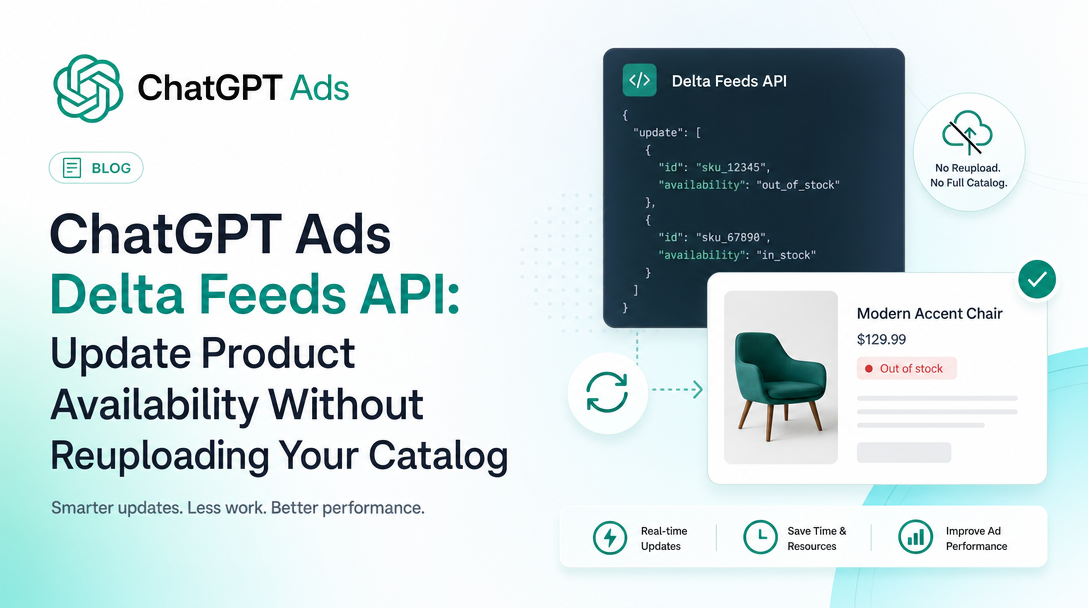
If you run product-feed campaigns in ChatGPT Ads, the single most annoying operational fact until now has been this: the only way to tell OpenAI that a SKU went out of stock was to regenerate and re-upload your entire catalog file over SFTP, then wait for feed processing to pick it up.
That is no longer the only way. OpenAI's developer documentation now publishes a Delta Feeds API — a single PATCH /feeds/{feed_id}/products endpoint that updates availability and titles for individual variants in a linked feed, without touching the rest of the catalog.
Last verified: 2026-08-10. Everything in the "what the docs say" sections below is quoted or paraphrased from OpenAI's own published documentation, linked inline. Everything in the "what this means" sections is Soku's analysis and is labelled as such.
The short version
- New endpoint:
PATCH /feeds/{feed_id}/productsonhttps://api.ads.openai.com/v1. - It updates availability and titles on existing variants. That is the entire surface.
- It does not create feeds, upload catalogs, or add products that are not already in the feed.
- Access is per ad account and off by default — a
403withproduct_feed_api_disabledorproduct_feed_delta_api_disabledmeans you have to ask your OpenAI account team. - The response tells you the request was accepted, not that anything has propagated.
Source: Delta Feeds API, OpenAI developer documentation.
What the documentation actually says
The request
You send a PATCH with a products array. Each product carries its parent ID and one or more variants:
curl -X PATCH \
  "https://api.ads.openai.com/v1/feeds/product_feed_123/products" \
  -H "Authorization: Bearer $OPENAI_ADS_API_KEY" \
  -H "Content-Type: application/json" \
  -d '{
    "products": [
      {
        "id": "running-shoe-001",
        "variants": [
          { "id": "running-shoe-001-black-9", "availability": { "available": false } },
          { "id": "running-shoe-001-white-9", "title": "Running shoe - white, size 9", "availability": { "status": "in_stock" } }
        ]
      }
    ]
  }'
The response is deliberately thin:
{ "id": "product_feed_123", "accepted": true }The field rules that will bite you
The docs are unusually explicit about the ways this request goes wrong, which is worth reading closely because most of them return a flat 400.
| Rule | What the docs say |
|---|---|
availability.available | Boolean. true maps to in_stock, false maps to out_of_stock. |
availability.status | Explicit string such as in_stock or out_of_stock. Overrides available when both are set. |
| Empty arrays | Both products and every variants array must contain at least one item. |
| Duplicate variants | Do not include the same variant more than once in a request. |
| Unknown fields | An unknown field in the body is a 400, not a silent ignore. |
| Fields to omit | Do not send shop_id, scoped_offer_id or target_country — feed ownership, product identity and supported countries are all resolved from the linked feed. |
Source: Delta Feeds API — request fields.
The error table
| Status | Cause |
|---|---|
400 | Missing required field, empty product or variant list, or an unknown field. |
401 | Ads API key missing or invalid. |
403 | Feed API access disabled, or the account lacks permission to manage feed data. |
404 | The feed does not exist, or is not linked to the ad account that owns the API key. |
If the error code is product_feed_api_disabled or product_feed_delta_api_disabled, the docs are direct about it: access has not been enabled, and you should not retry unchanged requests until it is.
The part most people will get wrong
accepted: true is not a success signal in the sense you probably want it to be.
The documentation states it plainly: acceptance means feed processing took the update. It does not mean downstream indexing, ad eligibility or serving has already changed. Those apply asynchronously, and there is no completion timestamp and no downstream processing result in the response. OpenAI's guidance is to use your normal feed and campaign monitoring to verify the outcome.
There is a second asymmetry worth internalising. Marking a product out of stock causes it to stop qualifying for delivery once the change propagates. Marking it back in stock guarantees nothing — the product, campaign, ad group and ad must all still meet the normal serving requirements.
Soku analysis. That asymmetry is the right way round for advertisers, and it should shape how you use the endpoint. Treat delta updates as a fast suppression channel and a slow reactivation channel. Firing a PATCH the moment stock hits zero is high-value and low-risk. Firing one the moment stock is replenished and then assuming the ad is live again is how you end up reporting a bug that is not a bug.
The two documentation surfaces disagree, and that is the story
OpenAI documents ChatGPT Ads across two surfaces, and right now they do not say the same thing about feed updates.
The help centre article Create Campaigns from Product Feeds still lists, under "Before you begin", the flat constraint: "Feeds must be uploaded through SFTP." There is no mention of an API path for updating feed data, and no mention of Delta Feeds anywhere in the article. As of 2026-08-10 that article's stated update date is six days old, so it is not obviously stale.
The developer docs now describe an HTTP endpoint that updates feed product data without SFTP, and the Product Feeds page has been amended to point at it: "After the initial catalog upload, use the Delta Feeds API to update availability or titles for existing product variants without uploading the entire catalog again."
Both statements are true, and the reconciliation is precise rather than contradictory: the initial catalog upload is still SFTP-only, and the public Advertiser API still provides no endpoint to create a feed connection, list linked feeds, or upload a catalog file. Delta Feeds is not a replacement transport. It is a narrow mutation channel bolted onto a catalog that SFTP still has to deliver first.
Soku analysis. We flag this because the failure mode is predictable: someone reads the help centre, concludes there is no API for feed data, and builds a nightly full-catalog SFTP job for a change that affects four SKUs. If your reference for ChatGPT Ads is the help centre alone, you are currently missing a capability that exists. This is the second time in a week that the developer docs have carried a material ads capability the help centre does not mention — the open beta for product-feed conversion bidding was developer-docs-only when it shipped too.
What this changes operationally
Soku analysis follows; none of this is quoted from OpenAI.
Stock-out latency becomes a solved problem. The cost of a full-catalog reupload is not the bandwidth, it is the cadence. Teams batch it — nightly, or every few hours — because regenerating and shipping a whole catalog file for one SKU is absurd. That batching window is exactly how long you keep paying for clicks on a product nobody can buy. A per-variant PATCH collapses that window to whatever your own inventory webhook latency is.
It changes what a feed integration is worth building. Before this, a ChatGPT Ads feed integration was a scheduled export job. Now there are two paths with different shapes: a periodic full sync over SFTP for structural changes — new products, price changes, image changes, anything that is not availability or title — and an event-driven trickle of PATCHes for the two fields that change most often and matter most urgently. That is a meaningfully different piece of engineering, and it is closer to how mature Google Merchant Center integrations already work.
The scope is narrower than it first reads. Availability and title. Not price. Not image. Not description. Not availability and price, which is what most people actually want when a promotion starts. If your urgent change is a price drop, you are still regenerating the catalog. It is worth being clear-eyed that this endpoint solves the single most common urgent case and explicitly declines the second most common one.
Access is gated, so check before you plan. This is enabled per ad account and the docs tell you to contact your OpenAI partner representative. Do not put Delta Feeds on a sprint board before you have confirmed a non-403 response from your own account, because the gating is real and the error is indistinguishable from a permissions misconfiguration on your side.
How to adopt it without breaking anything
A sane rollout, in order:
- Confirm access. Send a PATCH with a single known variant and a no-op availability value. A
403withproduct_feed_delta_api_disabledmeans stop and email your account team. - Verify identifier alignment. The endpoint wants the parent product ID and the variant ID exactly as they exist in the catalog you already uploaded. This is where most integrations fail first, because internal SKU identifiers and feed identifiers drift.
- Wire suppression first. Hook the PATCH to your out-of-stock event only. This is the high-value, low-risk half.
- Keep the full SFTP sync. It is still the only way to add products, change prices and repair drift. Delta updates are additive to it, not a replacement.
- Monitor on your side. There is no completion result in the response, so your evidence that it worked is your own campaign and feed monitoring, not the API.
Where this sits in the ChatGPT Ads picture
Product feeds were already the most interesting surface in ChatGPT Ads — OpenAI's own help centre states that ads created from product feeds "have been among the strongest-performing ads in our program to date". Everything shipping around feeds lately points the same direction: conversion-optimized bidding came to product-feed campaigns in open beta, and now feed data itself becomes mutable over HTTP.
If you are setting up feeds for the first time, start with creating product-feed campaigns in ChatGPT Ads. For the broader platform picture, see ChatGPT Ads: everything you need to know.
Sources
Every factual claim above is drawn from these official OpenAI pages, read on 2026-08-10:
- Delta Feeds API — developer documentation
- Product Feeds — developer documentation
- Create Campaigns from Product Feeds — help centre
- Ads API Overview — developer documentation
Analysis, operational recommendations and the assessment of the surface disagreement are Soku's own and are labelled inline. OpenAI's documentation changes frequently; check the linked pages before acting on a specific field or limit.