Soku AI
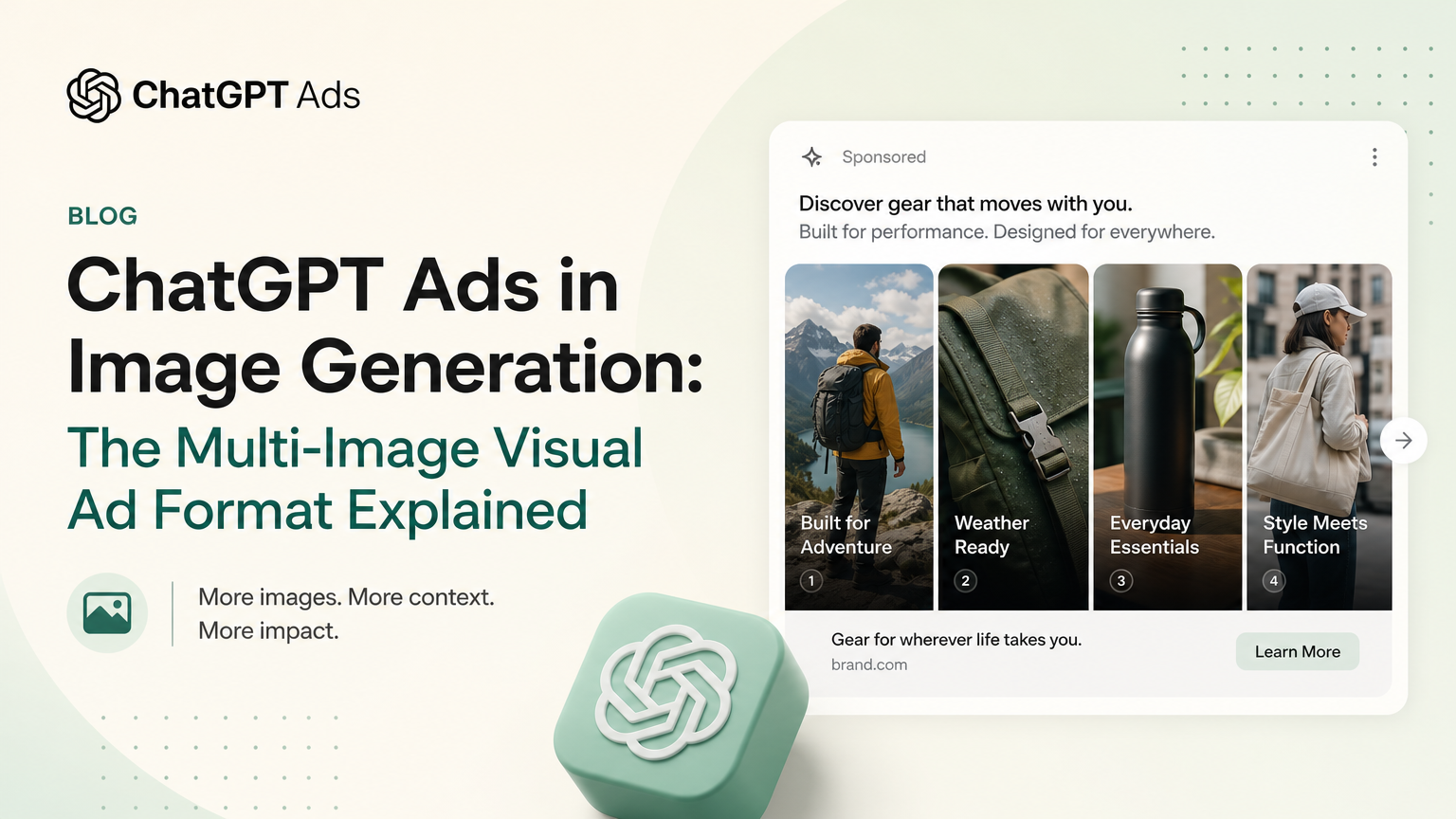
On the evening of 2026-10-18 (UTC) OpenAI rewrote the part of its Ads in ChatGPT help article that tells people where ads appear. The new text says OpenAI is "testing a multi-image visual ad format during image generation in ChatGPT", adds a new FAQ describing what that ad looks like, narrows the description of the normal ad slot to "one ad unit that may contain one or multiple images", and deletes the sentence that said ads do not appear in the ChatGPT Atlas browser.
Two days earlier, on 2026-10-16, advertisers received an email from OpenAI titled "ChatGPT Ads Product Updates" that mentions the same test and a separate set of visual experiments on desktop and mobile.
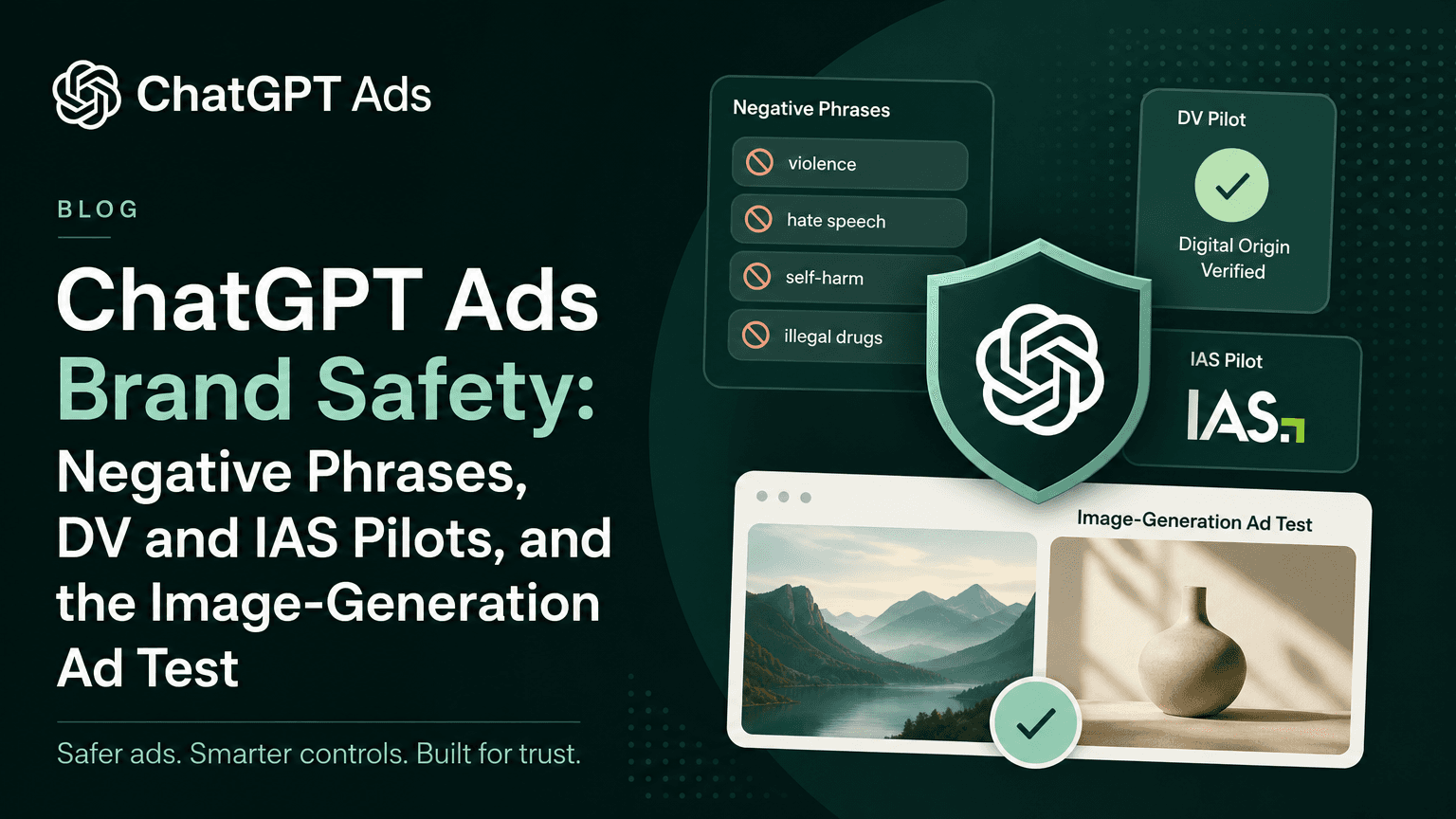
This is the first time the image-generation format appears in OpenAI's help centre. When OpenAI announced it on 2026-10-05, no documentation mentioned it, as we noted in our brand safety and image-generation test breakdown. This article covers what changed in the documentation, the exact wording before and after, where OpenAI's three sources disagree, and what advertisers should and should not do about it. For the overall picture of the channel, start with ChatGPT Ads: everything you need to know.
How to read it: statements backed by OpenAI's documentation are written as fact, with the URL. Items that appear only in OpenAI's advertiser email are attributed to "OpenAI's advertiser product-update email of 2026-10-16" and marked announced, not yet documented. Our interpretation is labelled Soku analysis.
Last verified: 2026-10-19.
What changed, in one minute
- Documented (help article 20001047): OpenAI is "testing a multi-image visual ad format during image generation in ChatGPT." During the test a user "may see an ad with several images from the same advertiser while ChatGPT generates your image." The ad is clickable and "will disappear once your image finishes generating."
- Documented (same article): the below-response slot is now described as "one ad unit that may contain one or multiple images." The old text allowed "one or more ad units" and units with "multiple advertisers."
- Documented, by removal: the sentence "During this test, ads do not appear in the ChatGPT Atlas browser" is gone. Nothing replaced it.
- Not changed: the advertiser-facing Ads in ChatGPT: The Basics article still says "Ads appear below ChatGPT responses" and lists a single ad format. Its only change between our captures was its related-articles list.
- Announced, not yet documented: wider cards and larger images on desktop, full-width images on mobile, a redesigned Conversions overview, weekly performance emails, and a Bug report / Product feedback menu in Ads Manager. All five come from OpenAI's advertiser product-update email of 2026-10-16.
How we found it
Soku captures 62 OpenAI ChatGPT Ads pages every day: help-centre articles, the Advertiser API and measurement documentation, the ad policies and OpenAI's ads announcements. Our 2026-10-19 capture (run started 00:18 UTC) collected all 62 pages, passed its completeness audit and was compared with the previous capture from 2026-10-16 (06:51 UTC). None of the developer documentation pages changed. Help article 20001047 showed "Updated: 39 minutes ago" at capture time, which puts the edit at about 23:40 UTC on 2026-10-18. We re-fetched every page cited here on 2026-10-19 to confirm the text below is live.
The exact wording, before and after
These are OpenAI's words from help article 20001047. "Before" is the 2026-10-16 capture; "after" is live as of 2026-10-19.
| Section | Before (2026-10-16) | After (2026-10-19) |
|---|---|---|
| When and where do ads appear? | "Ads can appear below the end of a response. Ads are clearly labeled as sponsored and visually separated from ChatGPT's response." | "You may see ads below a ChatGPT response. We are also testing a multi-image visual ad format during image generation in ChatGPT. Ads are clearly labeled and shown separately from ChatGPT's response or the image being created." |
| Atlas | "During this test, ads do not appear in the ChatGPT Atlas browser." | Sentence removed. No replacement text. |
| How many ads will I see at a time? | "During the test, you may see one or more ad units below a ChatGPT response when there's a relevant match to your chat. That unit may feature one or more items from an advertiser, or multiple advertisers. For longer conversations, we also consider overall context and user experience." | "You will see one ad unit that may contain one or multiple images below a ChatGPT response. We are also testing a multi-image visual ad format that will appear during image generation in ChatGPT." |
| New FAQ: What does the ad experience look like during image generation? | Did not exist. | "We're currently testing a multi-image visual ad format during image generation. As part of this test, you may see an ad with several images from the same advertiser while ChatGPT generates your image. The ad is clearly labeled and separate from the image you asked ChatGPT to create. You can click the ad to open the advertiser's link. The ad will disappear once your image finishes generating." |
Three details in that table are easy to misread.
The Atlas sentence was removed, not reversed. The current article does not say ads appear in Atlas. It says nothing about Atlas at all, and no other page in our 62-page set mentions Atlas today. Treat Atlas as undocumented, not as a new inventory source.
"Multiple advertisers" disappeared from the below-response description. The new text describes "one ad unit" with "one or multiple images" and does not mention other advertisers. It also does not say multi-advertiser units have stopped. That is unknown.
"During the test" was dropped from the below-response answer. The old answer opened with "During the test"; the new one does not. The article's opening FAQ still says OpenAI is "testing ads", so do not read this as a change in the programme's status.
The image-generation format: what is documented
From the help article, read on 2026-10-19:
- It runs during image generation in ChatGPT, not below a text answer.
- It is a test: "We're currently testing a multi-image visual ad format."
- One ad shows "several images from the same advertiser."
- It is labelled and separate from the image the user asked for.
- It is clickable and opens "the advertiser's link."
- It is temporary: it "will disappear once your image finishes generating."
The same article still says ads may appear only for "users on the Free and Go plans", that Plus, Pro, Business, Enterprise and Edu accounts "will not have ads", and that accounts identified as belonging to people under 18 are not shown ads. It also says Free users who switch to Ads-Free get "no access to some tools like image generation or deep research".
Soku analysis. Taken together, those documented rules mean that where ads are being tested, a Free-plan user who can generate images is one who has kept the ad-supported experience. We made the same point when the format was first announced, and nothing in the new text changes it. The new detail that matters for advertisers is timing: the ad lives only for the length of a generation, then disappears. That is a short, fixed window with the user's attention on an image that is still loading. That is a different moment from a text answer the user can scroll back to.
Where the sources disagree
The image-generation test is described in three OpenAI sources, and they are not worded the same way.
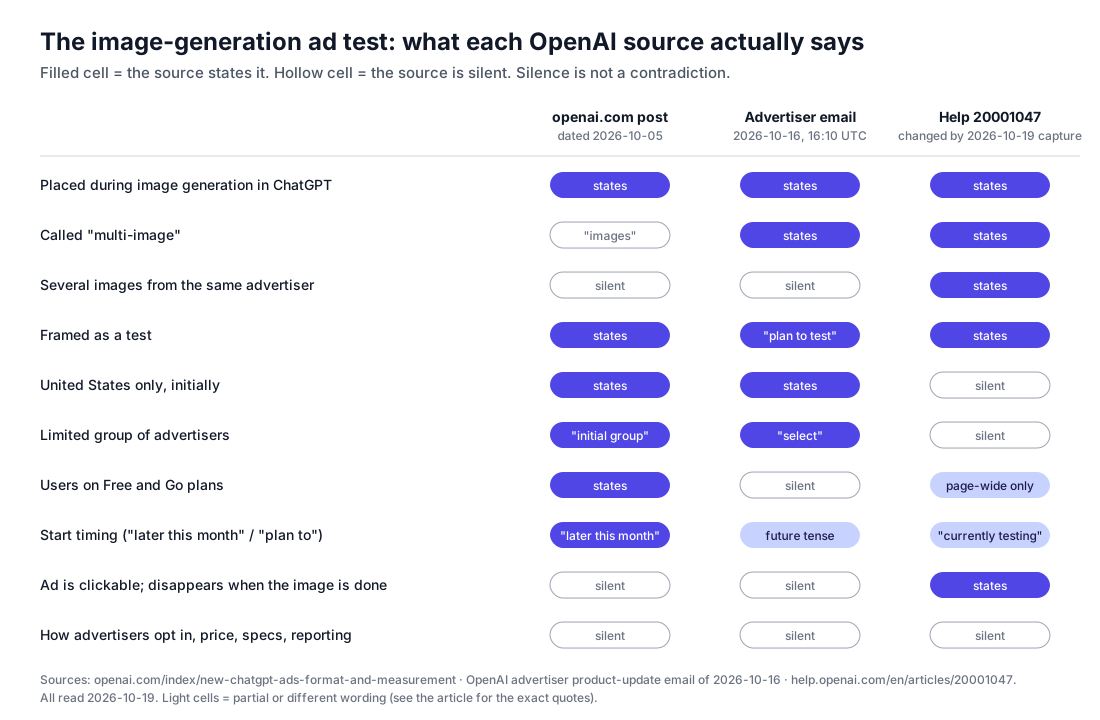
| Detail | openai.com post (dated 2026-10-05) | Advertiser email (2026-10-16) | Help article 20001047 (changed by 2026-10-19) |
|---|---|---|---|
| Name | "new visual ad format" using "images" | "new multi-image visual ad format" | "multi-image visual ad format" |
| Placement | "during image generation in ChatGPT" | "initially during image generation" | "during image generation in ChatGPT" |
| Geography | "in the US" | "in the US" | Not stated |
| Advertisers | "an initial group of advertisers" | "select advertisers" | Not stated |
| Users | "users on the Free and Go plans" | Not stated | Not stated in the FAQ; the article says ads in general appear only on Free and Go |
| Timing | "Testing will begin later this month" | "we plan to test" | "We're currently testing" |
| Same-advertiser images, click, disappears when done | Not stated | Not stated | Stated |
The disagreements are mostly omissions, not contradictions. Two are worth calling out.
Scope. The email and the announcement both limit the test to the US and to a selected group of advertisers. The help article has neither qualifier. It is written for ChatGPT users, not advertisers, so the missing qualifiers do not mean the test is broader. Read the help article as describing what a user in the test sees, and the email as describing who is in the test.
Tense. The email, sent at 16:10 UTC on 2026-10-16, says OpenAI "plan[s] to test" the format. The help article, edited about two days later, says OpenAI is "currently testing" it. Soku analysis: that is consistent with the test starting between the two dates, but OpenAI has not announced a start date, and "currently testing" on a user FAQ could also be written ahead of a rollout. We do not treat it as confirmation that the test is live for any advertiser.
What the 2026-10-16 advertiser email says, item by item
OpenAI's email lists five updates. We checked each one against the help centre and the developer documentation on 2026-10-19.
| Email item | Documentation status on 2026-10-19 | How we treat it |
|---|---|---|
| More measurement partners: Northbeam, DV Rockerbox, INCRMNTAL, and mobile measurement partners Kochava, Tenjin, Airbridge | Documented. Set up Measurement Partner Integrations has setup sections for Northbeam, Rockerbox and INCRMNTAL. Set up Mobile Measurement Partner Integrations names Adjust, Airbridge, AppsFlyer, Branch, Kochava, Singular and Tenjin as supported. Also on the ChatGPT Ads blog, dated 2026-10-05 | Fact |
| Redesigned Conversions page with an overview of event volume and trends, the share of active campaigns optimizing for conversions, and warnings linked to Diagnostics | No help article describes it | Announced, not yet documented |
| Weekly performance emails for advertisers with active campaigns | No help article describes it | Announced, not yet documented |
| Bug report and Product feedback in the Ads Manager account menu | No help article describes it | Announced, not yet documented |
| Experiments with wider cards and larger images on desktop, full-width images on mobile, using existing campaigns and creative, no action required | No help article describes it | Announced, not yet documented; a test |
| A separate test of a multi-image visual ad format, initially during image generation, in the US, with select advertisers | Partly documented in help article 20001047 (see above) | Test |
The partner list deserves one note. The help centre's setup section is headed "Set up Rockerbox", while the email and OpenAI's blog say "DV Rockerbox"; both point to the same Rockerbox integration. All six partners the email names were already listed in the help centre when we last updated our partner guide on 2026-10-05. The email highlights them; it does not add new ones.
The visual experiments, in OpenAI's words. According to OpenAI's advertiser product-update email of 2026-10-16 (announced, not yet documented): "Alongside the Intelligent UI launch in ChatGPT, we're experimenting with more visual ad formats, exploring wider cards and larger images on desktop and more prominent, full-width images on mobile. These tests use existing campaigns and creative, with no action required from advertisers." OpenAI published a post titled "GPT-6 and Intelligent UI for everyone" on 2026-10-07; the email does not say how the two are connected beyond "alongside".
Soku analysis. The two visual items are different things and should be tracked separately. The desktop and mobile experiments change how your existing below-response ad renders. The image-generation test is a different placement with a multi-image ad and a selected group of advertisers. The help article's new "one ad unit that may contain one or multiple images" wording may relate to one or both. OpenAI does not say, so we do not connect them.
Photo by jack atkinson on Unsplash.
Who is affected
- US advertisers chosen for the test. They are the only advertisers the email and the announcement say will run in the image-generation placement. OpenAI has not said how they are chosen or notified.
- Every advertiser with live campaigns. If the email is accurate, your existing image may already be shown wider or larger on desktop and full-width on mobile in some impressions, without any change on your side. That is announced, not documented.
- Brand-safety and suitability owners. The image-generation placement puts an ad next to a picture the user asked for, not next to text. Nothing published says how placement guardrails, context hints or Negative Phrases apply to image prompts. Our brand safety article covers what is documented about guardrails.
- Teams forecasting or reporting by placement. No report, insights field or API value separates image-generation impressions from below-response impressions as of 2026-10-19. The developer documentation, including the Insights API reference, did not change in this capture.
- Anyone who cited the Atlas exclusion. If a client deck, policy note or forecast says "ChatGPT ads do not run in Atlas" with OpenAI's help article as the source, that source no longer says it. Change the claim to "not documented".
What to do now
- Check that your current ad image holds up at larger sizes. If the desktop and mobile experiments run as described in the email, your existing creative is what gets enlarged. Look at the image file you uploaded, not just the small preview. OpenAI has published no new size requirement, so this is a quality check, not a spec change.
- Keep the landing page fast and specific. The image-generation ad opens "the advertiser's link". That is the same click that already lands from below-response ads, so the landing-page work you would do anyway applies.
- Update internal notes on Atlas and multi-advertiser units to say "not documented" instead of quoting the old text.
- Watch for an invitation, don't chase one. If OpenAI selects your account, it will tell you. There is no documented way to request access.
- Record when your creative changes appearance. If you see a wider card or a full-width image in your own checks, note the date and device. That is useful evidence while the experiments are undocumented.
What not to do
- Do not budget for the image-generation placement. It is a test with selected US advertisers and has no setting, price, bid type or report. Planning spend around it is planning around something you cannot buy.
- Do not commission multi-image creative sets for it. OpenAI has not published how many images, which sizes, or whether the ad uses your existing image. Production made now may not fit whatever ships.
- Do not tell stakeholders that ChatGPT ads now run in Atlas, or that units now show only one advertiser. Neither is stated.
- Do not attribute performance changes to the new formats. Without a placement breakdown in reporting, a CTR or CPC shift this week cannot be assigned to a format test.
- Do not treat the email's undocumented items as specs. The Conversions overview, weekly emails and feedback menu may look different when documented, or not reach every account.
How Soku handles this
Soku creates and manages ChatGPT Ads campaigns through Gravity's partner API. The connection is configured in packages/common/config.py (CHATGPT_ADS_MANAGEMENT_API_BASE_URL points to Gravity's openai-ads/v1 interface), and campaign, ad group and ad operations live in packages/ads_ops/chatgpt_ads/.
What that means for this change, verified in our code on 2026-10-19:
- Soku builds each ChatGPT ad as one creative of type
chat_cardwith a title, body copy, landing page and one uploaded image (packages/ads_ops/chatgpt_ads/ads.py). That is the format OpenAI documents for advertisers today. - Soku has no setting for the image-generation placement and no multi-image creative type, because neither OpenAI's documentation nor its API offers one. We will not add a control for a placement we cannot buy.
- When no status is specified, Soku creates new ChatGPT ads as paused (same file). A documentation change like this one does not, by itself, change anything in your account.
Separately, Soku's monitor is the source of the before-and-after text in this article. When OpenAI documents a placement field, creative spec or reporting split for the image-generation format, we will cover it and evaluate support.
Other changes this week
The same capture picked up smaller documentation changes. Each has its own deeper guide.
Minimum daily budgets rose about six-fold in seven currencies. The minimum daily budget table in Create Campaigns for ChatGPT Ads changed for eight currencies: SGD 4.00 to 25.00, THB 33.00 to 205.00, TWD 60.00 to 360.00, VND 19,000 to 120,000, IDR 14,000 to 90,000, MYR 5.50 to 35.00 and PHP 50.00 to 300.00. QAR went the other way, from 70 to 60. USD stays at 25. Country-by-country detail is in ChatGPT Ads minimum budgets by country.
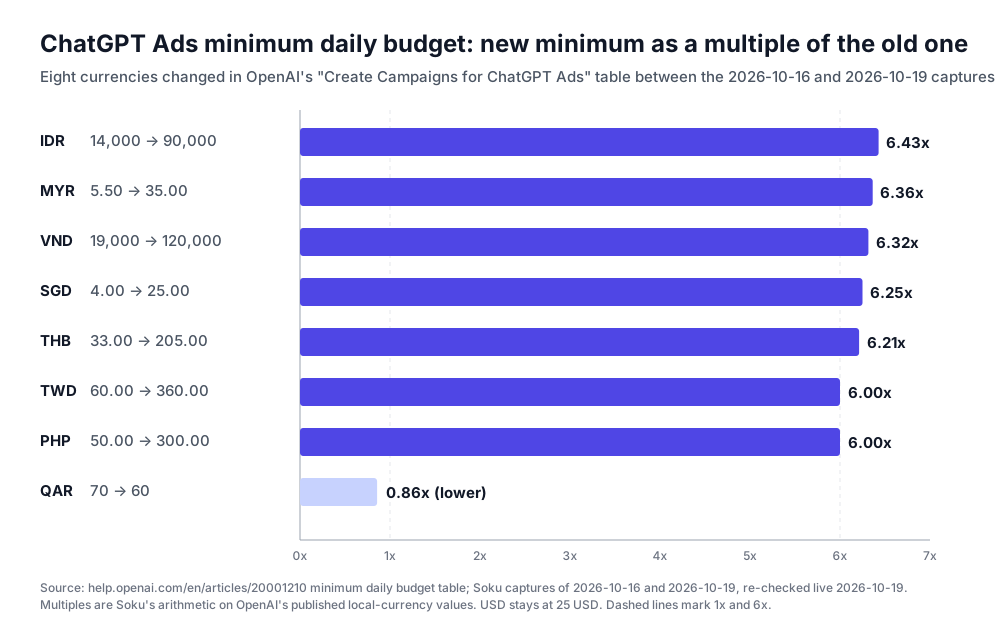
Soku analysis. Seven of the eight changes land at roughly six times the old figure, which suggests the old values for those currencies were out of line with the 25 USD minimum rather than a policy shift. That is our reading; OpenAI gives no reason. If you run campaigns in those currencies near the old floor, check them before your next edit.
Verification can block saving an ad. Troubleshooting common onboarding and policy issues has a new entry, "Verification is blocking me from saving an ad": for self-service accounts that require verification, "using an ad destination on a different website domain can require account verification to be approved first." It also notes that "Starting a retry may use a verification attempt; selecting Save alone does not retry a failed or declined verification." The article also reworded "verification in progress" to say a pending status "does not always mean an active review is underway." Related: ChatGPT Ads ad review rejections.
The Spend column now explains its cutoff. Measure Results adds: "Hover over or focus the Spend column header to see information about estimated spend. When a reporting cutoff is available, the tooltip shows how far the spend data extends in your ad account's time zone." Product and segmented views "may show the estimate notice without a cutoff." Background on delays: ChatGPT Ads reporting delays.
GA4 event mapping is now documented. Connect Google Analytics 4 to OpenAI Ads Manager dropped "Event mapping is coming soon" and now documents a mapping screen that pairs each GA4 event with an Ads Manager event (for example generate_lead to Lead Created), a "GA4 Conversions" campaign column, and a 30-day initial import updated daily. The integration is still marked beta with access through your account manager. Full walkthrough: ChatGPT Ads GA4 integration.
Limits and unknowns
As of 2026-10-19, OpenAI has not published:
- how advertisers are selected for the image-generation test, or whether they can decline;
- pricing, billing basis or bidding for the image-generation placement;
- creative specifications: number of images, sizes, aspect ratios, or whether existing
chat_cardimages are reused; - how ads are matched to an image prompt, and whether context hints, targeting or Negative Phrases apply;
- whether reporting or the Advertiser API will separate image-generation impressions from below-response impressions;
- which apps and surfaces (web, iOS, Android) the test runs on;
- whether ads now appear in ChatGPT Atlas;
- whether multi-advertiser units below responses still occur;
- help documentation for the desktop and mobile visual experiments, the redesigned Conversions overview, weekly performance emails and the feedback menu.
Our method also has limits. We compare text, so a change to an image or layout without a text change can be missed. The help article's "Updated" stamp is relative, so our edit time is an estimate. And we read the advertiser email as received by a Soku-managed account. We cannot confirm every advertiser got the same version.
What we will be watching
The Ads in ChatGPT: The Basics article, for any second ad format; the developer documentation's ads and insights references, for a placement field; and the help centre, for a page on the visual experiments. When any of those changes, this article will be updated with the new wording and date.
Sources
Official OpenAI sources, read on 2026-10-19:
- Ads in ChatGPT, OpenAI Help Center (changed between the 2026-10-16 and 2026-10-19 captures)
- Ads in ChatGPT: The Basics, OpenAI Help Center
- Building advertising for the way people use AI, OpenAI, dated 2026-10-05
- More ways to measure ChatGPT Ads, ChatGPT Ads blog, 2026-10-05
- Set up Measurement Partner Integrations and Set up Mobile Measurement Partner Integrations, OpenAI Help Center
- Create Campaigns for ChatGPT Ads, Troubleshooting common onboarding and policy issues, Measure Results and Connect Google Analytics 4 to OpenAI Ads Manager, OpenAI Help Center
- OpenAI Ads developer documentation, unchanged between captures
- "ChatGPT Ads Product Updates", OpenAI Ads Platform advertiser email, 2026-10-16 16:10 UTC (not publicly hosted; quoted above)
Last verified 2026-10-19 against Soku's capture of 62 OpenAI ChatGPT Ads pages (run started 00:18 UTC, all pages captured, compared with the 2026-10-16 06:51 UTC capture) and a live re-read of every page cited above the same day.