Soku AI
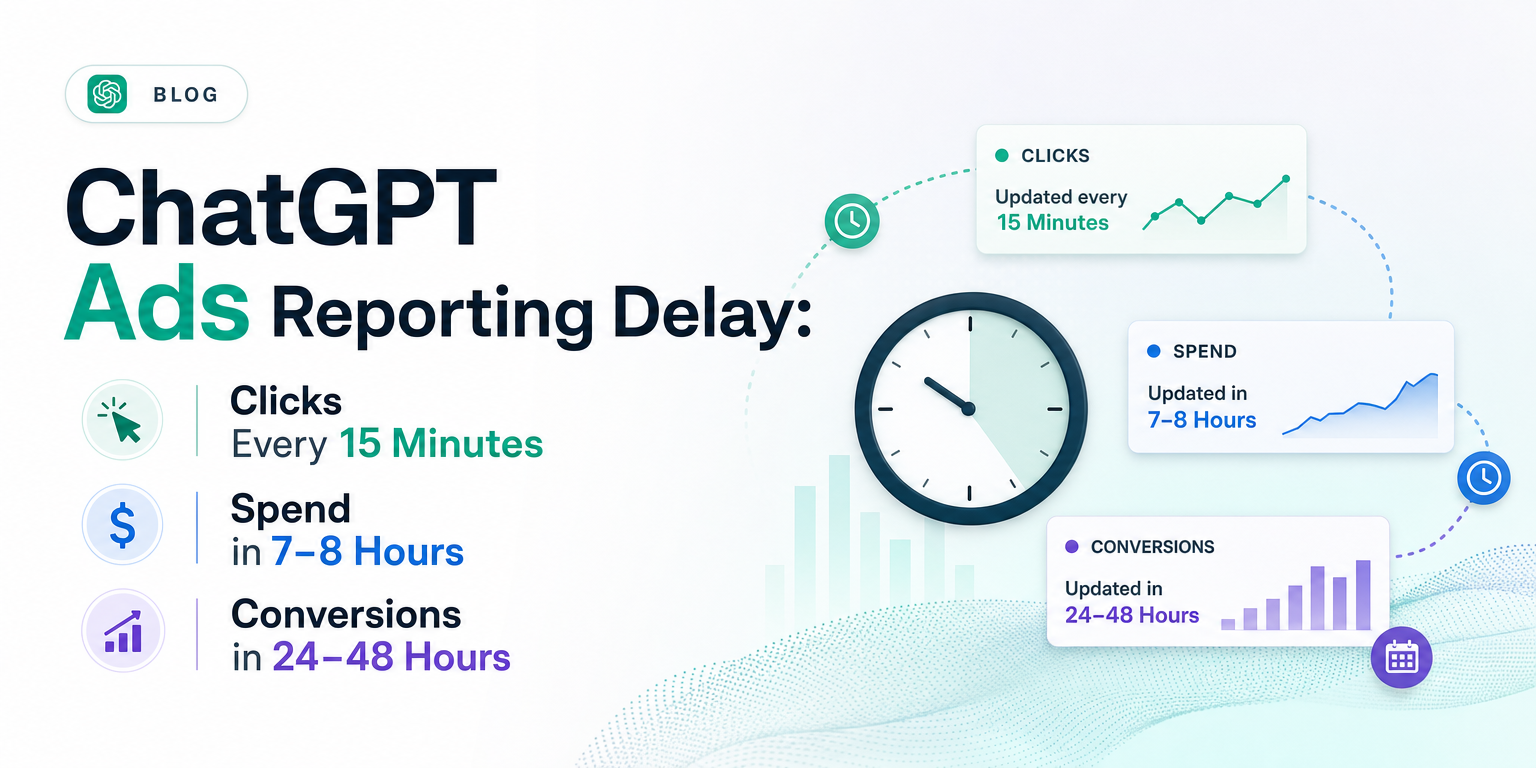
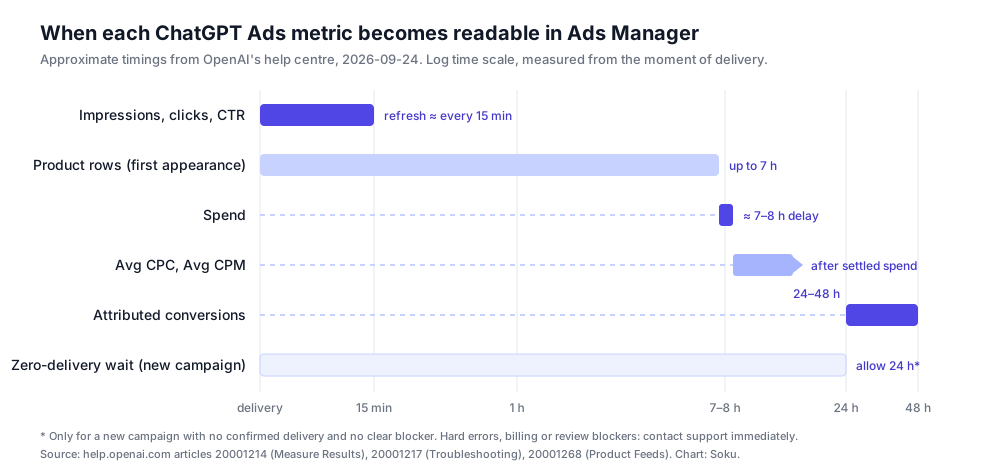
OpenAI has put numbers on ChatGPT Ads reporting latency. Until this week the help centre said impressions and clicks "can appear within minutes" and that spend "can update later". It now says impressions, clicks and CTR refresh approximately every 15 minutes, spend insights are delayed approximately 7–8 hours, CPC and CPM wait for settled spend, and attributed conversions can take 24–48 hours.
That sounds like housekeeping. For anyone who checks a campaign the afternoon it launches, it isn't. Every same-day CPC, CPM and cost-per-conversion figure in ChatGPT Ads Manager is now officially computed on incomplete data, and OpenAI has said so in writing across eight help articles in one pass.
We crawl OpenAI's ChatGPT Ads documentation every day. Our 2026-09-24 capture (58 of 58 pages captured, compared against the 2026-09-23 run) found 31 changed help-centre pages on help.openai.com and no changes to any of the 24 developer-documentation pages on developers.openai.com. The freshness rewrite is the most consequential change in that batch.
Last verified: 2026-09-24. Everything under "What OpenAI documents" is quoted from official help.openai.com articles captured on that date, with links at the point of use. Everything under "Soku analysis" is our editorial reading and is labelled as such. Where the documentation is silent, we say so rather than filling the gap.
The new numbers, in one table
| Metric | Documented freshness | Where it is stated |
|---|---|---|
| Impressions, clicks, CTR | Refresh approximately every 15 minutes | Measure Results, Troubleshooting, Overview, Basics, Launch, Billing, Quickstart, Product Feeds |
| Spend | Delayed approximately 7–8 hours | Same eight articles |
| Avg CPC, Avg CPM | "Depend on settled spend and can update later" | Measure Results, Troubleshooting |
| Attributed conversions | "Can take 24–48 hours to appear" | Measure Results |
| Product rows in the Products tab | Up to seven hours to first appear after delivery begins | Troubleshooting, Product Feeds |
| Zero delivery on a new campaign | Allow at least 24 hours, unless there is a hard error or clear blocker | Troubleshooting |
OpenAI qualifies all of it: Measure Results calls these "approximate refresh times" and warns that "recent totals may change as data is processed", and Troubleshooting adds that they are "approximate timings, not guarantees".
What OpenAI documents
Measure Results gained a "Reporting freshness" section
The core of the change is a new section in Measure Results. It did not exist in the 2026-09-23 capture. It now reads:
"Impressions, clicks, and click-through rate (CTR) typically refresh approximately every 15 minutes. Spend insights are delayed by approximately 7–8 hours, so recent impressions and clicks may appear before the corresponding spend."
"Spend-based metrics, such as average CPC and average CPM, depend on settled spend and can update later. Attributed conversions have a separate processing window and can take 24–48 hours to appear."
"These are approximate refresh times, and recent totals may change as data is processed."
The 24–48 hour conversion figure is not new on its own — the same article already carried a note saying "Please allow 24–48 hours for attributed conversions to be included in reporting." What is new is that it now sits next to the other three clocks, so the article finally explains why a campaign's numbers disagree with each other on the day it launches.
The other seven pages: previous vs current wording
OpenAI then rewrote the same sentence everywhere it appeared. The previous wording is from our 2026-09-23 capture; the current wording is from 2026-09-24.
Ads Manager Beta Overview, under "Monitor performance":
Previous: "Impressions, clicks, and click-through rate can appear within minutes. Spend can update later, so a temporary zero spend value does not necessarily mean that no charges have accrued."
Current: "Impressions, clicks, and click-through rate refresh approximately every 15 minutes. Spend insights may be delayed 7–8 hours, so a temporary zero spend value does not necessarily mean that no charges have accrued."
Previous: "Impressions, clicks, and CTR can appear within minutes. Spend reporting can take longer, so a displayed spend of zero does not necessarily mean no charges have accrued. Reporting times can vary."
Current: "Impressions, clicks, and CTR refresh approximately every 15 minutes. Spend insights may be delayed 7–8 hours, so a displayed spend of zero does not necessarily mean no charges have accrued. Reporting times can vary."
Launch Campaigns and the Quickstart got the same swap. The Quickstart's metric list changed "CTR (can appear within minutes, along with impressions and clicks)" to "CTR (refreshes approximately every 15 minutes, along with impressions and clicks)", and its warning now reads:
Current: "Spend insights may be delayed 7–8 hours; a displayed $0 while impressions or clicks are present does not necessarily mean no charges have accrued."
Previous: "Impressions, clicks, and CTR may update before spend. A zero or delayed spend total does not mean that no charges are accruing."
Current: "Impressions, clicks, and CTR refresh approximately every 15 minutes. Spend insights may be delayed 7–8 hours. A zero or delayed spend total does not mean that no charges are accruing."
Troubleshooting: the 24-hour rule got conditions
The biggest behavioural change is in Troubleshooting Common Issues, under "My campaign launched but is not getting any impressions".
Previous: "Allow at least 24 hours after launch before reporting a delivery issue. Reporting in Ads Manager Beta can also lag ad delivery by up to 7 hours."
Current: "For a newly launched campaign with no confirmed delivery and no clear blocker, allow at least 24 hours after launch before reporting a zero-delivery issue. Once ads are delivering, impressions, clicks, and CTR typically refresh approximately every 15 minutes. Spend insights may be delayed approximately 7–8 hours; CPC and CPM depend on settled spend and update later. These are approximate timings, not guarantees. If you see a hard error or a clear billing or review blocker, contact support without waiting."
The old text told everyone to wait a day. The new text only asks you to wait when there is nothing visibly wrong. A rejected ad, a failed payment or an explicit error is now something to escalate immediately.
The same article's billing question, "Why was I billed for campaign spend that does not match my dashboard?", changed too:
Previous: "Spend accrues as your ads are delivered, while reporting—including impressions, clicks, and spend—typically takes up to 7 hours to appear in Ads Manager Beta."
Current: "Spend accrues as your ads are delivered. Impressions, clicks, and CTR typically refresh approximately every 15 minutes, while spend insights may be delayed approximately 7–8 hours. CPC and CPM depend on settled spend and update later. These are approximate timings, not guarantees. This means a recent invoice or charge may include campaign spend that is not yet visible in your dashboard."
Read the two versions side by side and two things move. Delivery metrics got much faster on paper: the old text put impressions and clicks inside the same "up to 7 hours" bucket as spend. And the spend figure got slightly longer: "up to 7 hours" is now "approximately 7–8 hours".
Product feeds: "up to seven hours" now means something narrower
For product-feed campaigns, the old seven-hour figure was ambiguous. Create Campaigns from Product Feeds said:
Previous: "After delivery begins, allow up to seven hours for reporting to appear."
Current: "After delivery begins, allow up to seven hours for product rows to first appear in the Products tab. This initial population window is separate from campaign metrics: impressions, clicks, and CTR typically refresh approximately every 15 minutes, while spend insights are delayed by approximately 7–8 hours."
The Troubleshooting article's Products-tab entry got the matching edit. Seven hours now refers only to the first time product rows show up. It is not a reporting lag on the campaign itself.
Soku analysis: what this changes in practice
Everything in this section is our reading of the documentation above, not OpenAI's guidance.
1. $0 spend next to clicks is "not reported yet", not "free"
This has always been true, and OpenAI has always warned about it. The new wording just makes the size of the gap explicit. For roughly the first 7–8 hours of delivery, a campaign can show hundreds of clicks and $0.00 spend at the same time.
The practical rule: any view that divides spend by something (CPC, CPM, CPA, ROAS) is meaningless while spend is still catching up. Build dashboards so those ratios show "pending" rather than a number for any window where spend hasn't settled.
2. Same-day CPC and CPM are structurally wrong
OpenAI says average CPC and CPM "depend on settled spend and can update later". So during the gap, the numerator (spend) lags and the denominators (clicks, impressions) are current. That combination produces an average CPC that is understated, not just noisy. Clicks from the last few hours are counted, but the money for them isn't there yet.
That bias runs in one direction, which makes it dangerous. A campaign checked at 3pm on launch day will look cheaper than it is. If you raise a conversion Bid Cap or a budget because the CPC "looks great", you're reacting to reporting lag, not to the auction.
3. Don't judge a conversion campaign on less than 48 hours
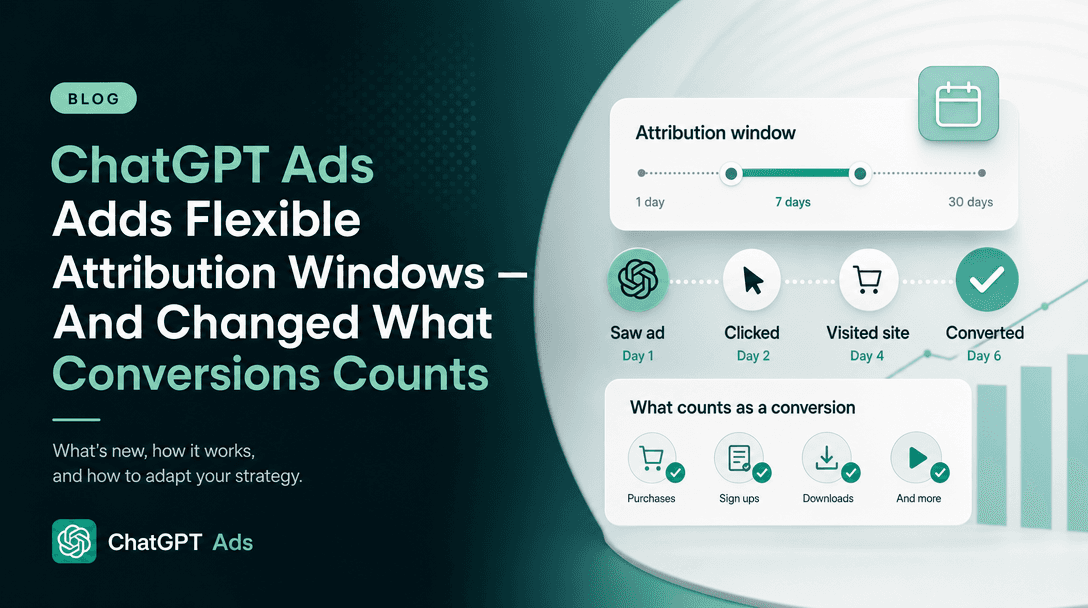
For conversion-optimized campaigns — whether billed on clicks or on impressions — the outcome metric arrives last. Attributed conversions take 24–48 hours. And by default, Measure Results reports Conversions by ad event time, meaning "the time of the ad click or impression that received credit for the conversion". So yesterday's row keeps gaining conversions as later purchases are attributed back to yesterday's clicks, within whatever attribution window you selected (7, 14 or 30 days click-through).
Put those together and a launch-day cost per conversion is wrong twice: spend is incomplete, and conversions are incomplete by even more. Our working rule is to make no bid, budget or creative decision based on cost per conversion for any day younger than 48 hours, and to compare periods only once both have passed that point. OpenAI's own optimization guidance for these campaigns already says to "review performance over enough volume before making large changes to bids, budgets, or creative". The freshness section tells you the minimum time that implies.
If you need a same-day signal, use the metrics that are actually fresh: impressions, clicks and CTR. They answer "is it serving, and is anyone clicking?" They can't answer "is it working?"
4. Pacing checks need to respect a 7–8 hour blind spot
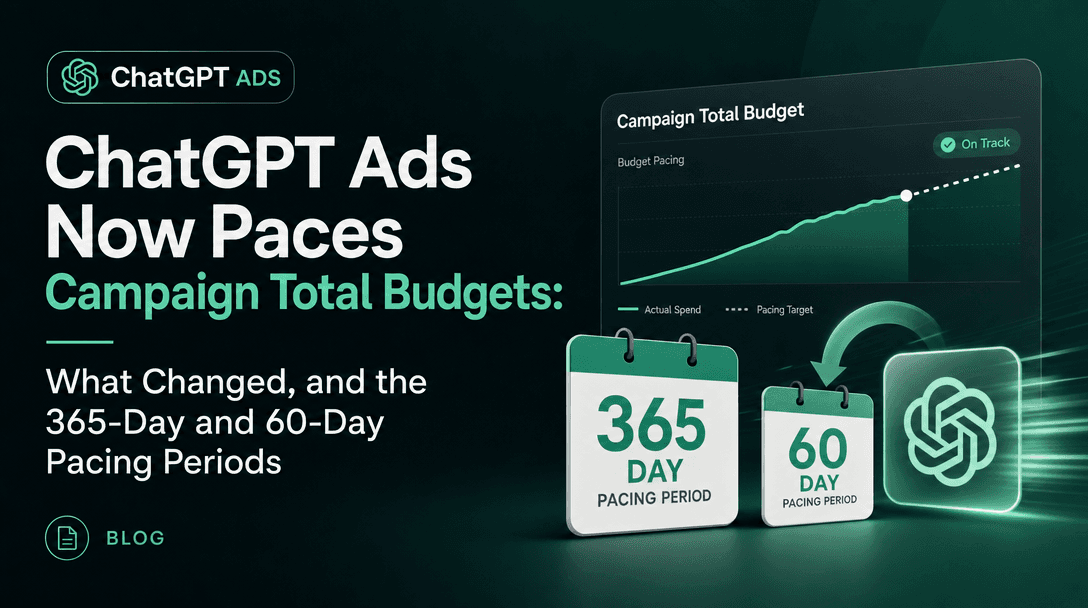
ChatGPT Ads daily budgets are a seven-day average: any single day can bill up to 2× the daily budget, and the seven-day total can't exceed 7×. Now combine that with spend arriving 7–8 hours late.
A mid-afternoon check of "today's spend" is showing you roughly the morning. A campaign that is running hot, which the 2× rule explicitly allows, won't show it in reported spend until the evening, and may only show the full day the next morning. Two things follow.
- Check pacing against yesterday and the rolling seven days, not today. Today's figure is always partial. Yesterday's is mostly settled by mid-morning in the account's time zone.
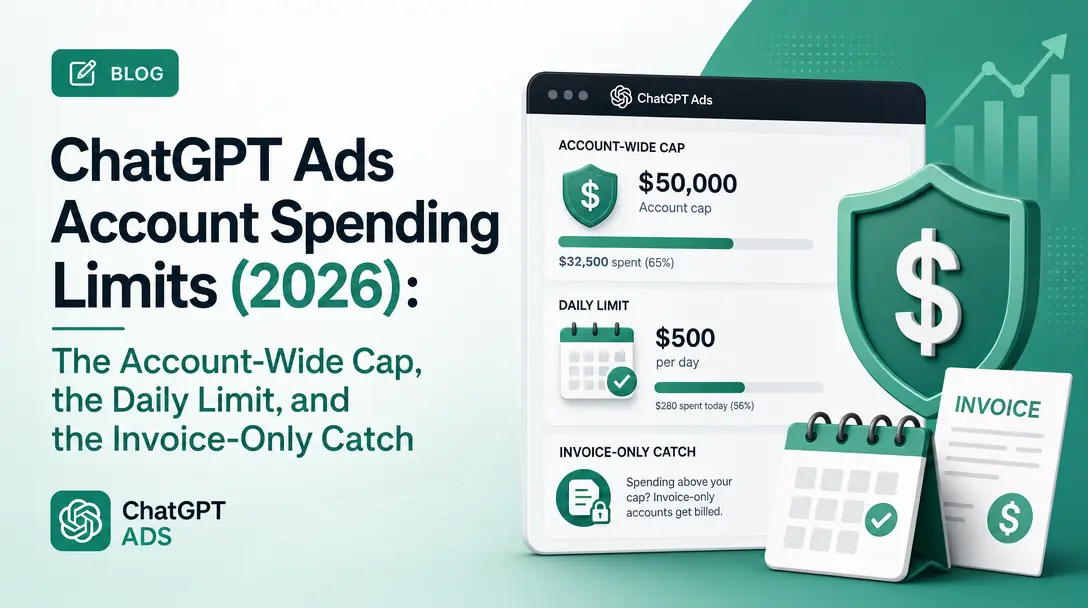
- Don't build a same-day kill switch on reported spend. An alert that fires at "spend > 1.5× daily budget" will fire hours after the fact. If you need a hard ceiling, it has to be a budget-type or account-level control, not a dashboard alert. Eligible invoice-billed accounts can set account spending limits.
5. Reconcile invoices against settled days, never against "today"
OpenAI now says outright that "a recent invoice or charge may include campaign spend that is not yet visible in your dashboard". Self-serve card accounts are charged when they hit their payment threshold, and the Billing & Payment article describes that as a charge trigger, not a budget. A threshold charge can easily fire inside the 7–8 hour window, and at that moment the dashboard will show less spend than you've just paid for.
For finance and agency reconciliation, the clean approach is to reconcile a closed period (a finished day or week, pulled at least a day after it ended) against charges, and to keep the CSV export's daily values rather than cumulative totals, since Measure Results warns that recent totals may change as data is processed.
6. Escalation got faster, not slower
The rewritten troubleshooting rule is good news for anyone launching on a deadline. Previously, "wait 24 hours" applied to everything. Now it applies only to the quiet case: no delivery, no visible blocker. A disapproved ad, a billing failure or a hard error goes to support straight away. If you run launches for clients, that's worth changing in your launch checklist: triage the blocker first, and only fall back to waiting if there isn't one.
7. Product-feed launches: an empty Products tab at hour three is normal
Feed advertisers often read an empty Products tab as a feed problem. The clarified text says the tab only populates after delivery, can take up to seven hours to show rows the first time, and is "an insights-backed reporting view, not a complete feed inventory". To confirm feed readiness, use the product count in the ad-group setup flow. That's the check OpenAI points to, and it's available before launch.
How an agent should schedule ChatGPT Ads readbacks
Soku analysis. This matters most for automation. A person glancing at a dashboard might sense that launch-day numbers look off. A script or an AI agent reading the same numbers will act on them. If you run ChatGPT Ads through any automated system, including Soku, the documented freshness gives you a natural schedule of three readbacks, each answering a different question.
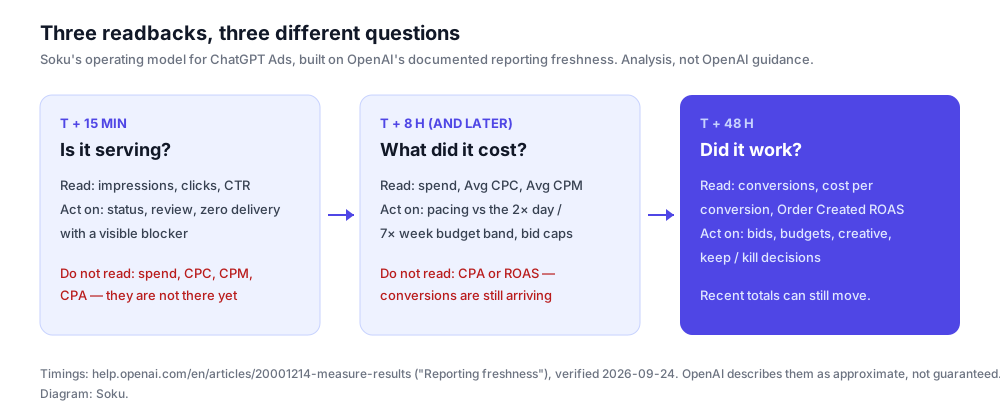
| Readback | Earliest useful time | Safe to read | Safe to act on | Not yet trustworthy |
|---|---|---|---|---|
| Delivery check | ~15 minutes after delivery starts | Impressions, clicks, CTR | Serving status, review and billing blockers, obvious creative problems | Spend, CPC, CPM, conversions |
| Cost check | ~8 hours after the window you care about | Spend, then Avg CPC and Avg CPM once spend settles | Pacing against the 2× day / 7× week band, bid-cap sanity | Conversions, CPA, ROAS |
| Outcome check | 48 hours after the window you care about | Conversions, cost per conversion, Order Created ROAS | Bid, budget and creative changes; keep or kill a test | Still subject to late attribution within the window |
Three implementation details are worth getting right.
- Time-stamp every read with its age. A number read at T+2 hours and the same number read at T+30 hours are different measurements. Store which readback produced each value, so later analysis doesn't mix a pending CPA with a settled one.
- Re-read closed days. Because recent totals can change, an automated system should overwrite yesterday's figures the next day rather than treating the first read as final. That goes double for conversions reported by ad event time.
- Keep the three clocks separate in any alerting. A "CTR dropped" alert can run every 15 minutes. A "CPA rose" alert shouldn't look at any day younger than 48 hours.
That's the logic Soku applies when it reads ChatGPT Ads alongside Google and Meta. Each check waits until the data it depends on has landed, so a half-reported afternoon never triggers a bid change.
What OpenAI has not said
It's worth being exact about the edges of the new text.
- No service-level guarantee. Every timing is "approximate", and the troubleshooting article adds "not guarantees". Don't write these numbers into a client SLA as if OpenAI committed to them.
- No statement about the Ads API. The freshness text is in the help centre and describes Ads Manager. None of the developer documentation pages changed in this update, and we found no equivalent freshness figures in the Insights API reference. The closest thing is on the Ad Account reference: for account spending limits it exposes a
spend_as_offield ("Spend counter update time") and warns thatevaluated_atis "not the freshness of spend data". If you pull reporting through the API, measure its latency yourself rather than assuming it matches Ads Manager. - No explanation of the 7–8 hour mechanics. OpenAI doesn't say whether the delay is a fixed batch, a rolling lag, or depends on time zone. We haven't guessed.
- No change to billing. Nothing in this update changes what you're charged or when. It changes when you can see it.
- One stale label. Billing & Payment still describes conversion campaigns using the "oCPC (click billing) or oCPM (impression billing)" labels that the Conversion optimization campaigns article dropped in the same update. That's cosmetic, but it's the kind of cross-page lag worth knowing about when you quote the docs.
The short version
ChatGPT Ads Manager now runs on three published clocks. Delivery metrics refresh about every 15 minutes. Spend lands about 7–8 hours later, with CPC and CPM after it. Conversions take 24–48 hours. So check serving within the hour, check cost the next morning, and judge performance only after two days. A system that ignores those clocks will reliably overrate every campaign on the day it launches.
Sources
All verified 2026-09-24 against our daily capture of OpenAI's ChatGPT Ads documentation (previous wording from the 2026-09-23 capture):
- Measure Results — new "Reporting freshness" section
- Troubleshooting Common Issues
- Ads Manager Beta Overview
- Ads in ChatGPT: The Basics
- Launch Campaigns
- Billing & Payment
- Quickstart: Launch your first campaign
- Create Campaigns from Product Feeds
Related Reading
- ChatGPT Ads daily budget pacing — the 2× day and 7× week rules your pacing checks sit on.
- ChatGPT Ads conversion-optimized campaigns — click-billed conversion optimization and its locked settings.
- ChatGPT Ads oCPM: impression-billed conversions — where view signals enter optimization.
- ChatGPT Ads attribution and tracking — how conversions are attributed before they are reported.
- ChatGPT Ads product feed campaigns — the feed setup behind the Products tab.