Soku AI
Between our 2026-09-10 and 2026-09-11 documentation snapshots, OpenAI restructured the ChatGPT Ads developer documentation and, in the process, closed a gap we documented three weeks ago. The Campaign Targeting page — which until yesterday was a locations-only document — became a routing page for three separate targeting guides, and a brand-new Platform Targeting page appeared alongside it.
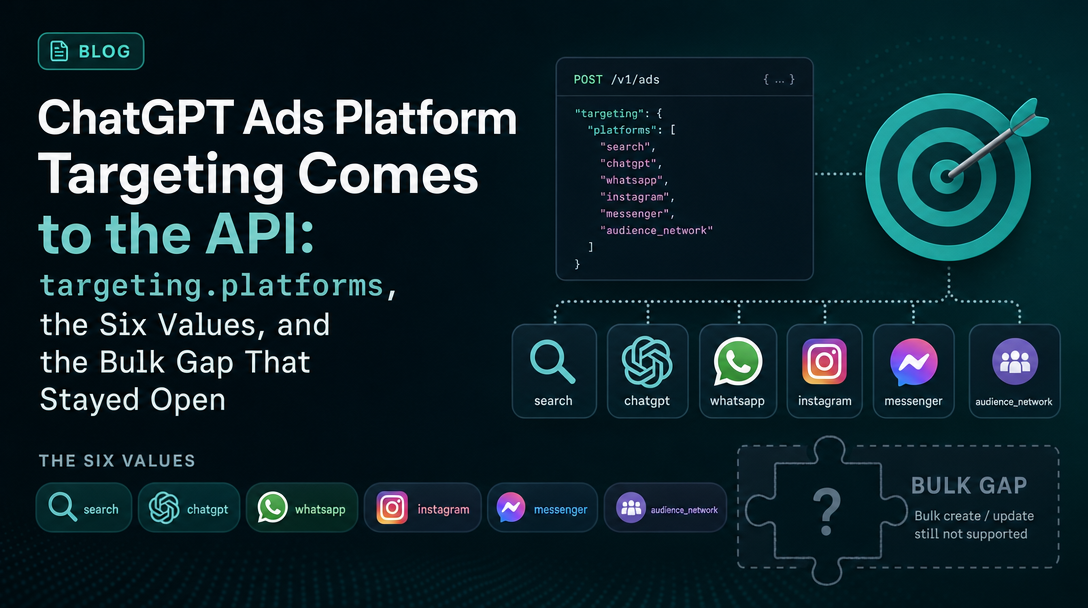
The headline for anyone running ChatGPT Ads programmatically: targeting.platforms.included is now a documented field on the Advertiser API. When we covered platform targeting on 2026-08-17, it existed only as a multi-select in the Ads Manager interface, and we said plainly that the API had no equivalent. That is no longer true. What is still true — and this is the part that decides your rollout plan — is that the Bulk API has no platform field at all.
Last verified: 2026-09-11. Everything in the "what the documentation says" sections is quoted from official OpenAI pages and linked at the point of use. Everything labelled Soku's reading is our editorial analysis.
The change, in exact before-and-after wording
What Campaign Targeting said on 2026-09-10
The page opened by scoping itself to geography, and nothing else:
"Use campaign targeting to control where your ads can deliver. OpenAI Ads supports country, region, and Market targeting. Look up the locations you want, copy their location IDs, then pass those IDs when you create or update a campaign. If you do not provide location targeting, the campaign can target all available locations."
The whole body that followed was /geo_lookup/search, location IDs, and a campaign-creation example whose targeting object contained exactly one key: locations.include.
What the same page says on 2026-09-11
It no longer documents anything itself. It is now an index:
"Use campaign targeting to choose who can see your ads and where they can appear. You can combine location, platform, and custom audience targeting in a campaign. Choose a guide for the targeting criteria you want to configure."
Three sections follow — Location targeting, Platform targeting, Custom audiences — each a pointer to a dedicated page. The location material moved wholesale to a new Location Targeting page. The Ads llms.txt index gained two entries to match, which is how we caught the restructure at all: the index is the canary, and it changed the same night.
Soku's reading: a vendor does not split one doc into three for a page that has one targeting dimension. The restructure is a structural signal that targeting is now a surface OpenAI expects to keep adding to, and it is worth treating the three-way split as the shape the API will grow into rather than as tidying.
The six platform values
This is the substance. targeting.platforms.included accepts these values, and only these:
| API value | Platform | Includes |
|---|---|---|
android_app | Android app | The native ChatGPT app on Android |
android_web | Android web | ChatGPT in a web browser on Android |
desktop_web | Desktop web | ChatGPT in a desktop web browser |
ios_app | iOS app | The native ChatGPT app on iOS |
ios_web | iOS web | ChatGPT in a web browser on iOS |
web | Web | All web platforms, including mobile browsers |
Source: Platform Targeting, captured 2026-09-11.
Two things in that table deserve more attention than they will get.
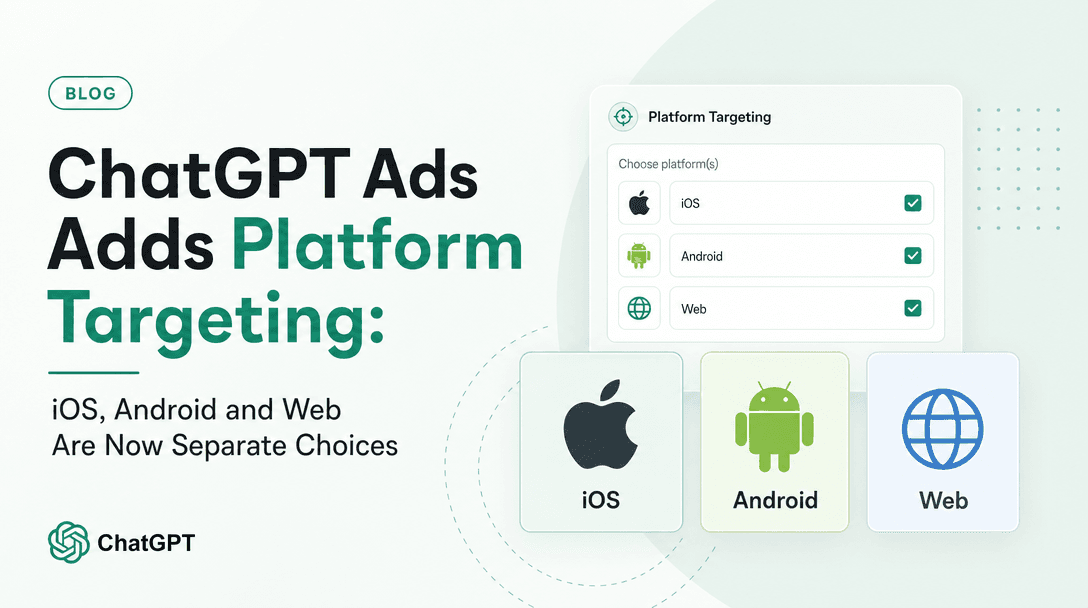
First, the interface and the API do not offer the same granularity. The Ads Manager multi-select we documented in August offered three choices — iOS App, Android App, Web. The API offers six, and the extra three are the web split: android_web, ios_web and desktop_web as separately addressable surfaces. Mobile-browser ChatGPT is now targetable independently of desktop-browser ChatGPT, and that option exists only in the API. For the first time on this platform, the programmatic surface is strictly more capable than the interface rather than lagging it.
Second, web is a deliberate back-compat alias, and OpenAI says so:
"The existing
webvalue continues to include all web platforms. Existing campaigns that usewebdon't need to change. To target only specific web platforms, use their individual values withoutweb."
That last sentence is the operational trap. web is a superset, so including it alongside desktop_web makes the narrower value meaningless — you have asked for all web and then asked for some web. The documentation's instruction is explicit: use the individual values without web. If you are generating targeting arrays programmatically from a config file, this is the kind of thing a naive "append every matching surface" loop gets wrong silently, with no error and a quietly broader delivery footprint than intended.
The clearing semantics, which are unusually strict
Most of the operational risk in this field is not in setting it. It is in unsetting it. OpenAI documents the rules precisely, and they are not the ones you would guess:
"On creation, omitting
targeting.platformsor setting it tonulladds no platform restriction. On update, omittingtargeting.platformspreserves the existing selection. Set it tonullto clear only the platform restriction."
And then, in bold operational terms:
"Don't use
{"platforms": {}}or{"platforms": {"included": []}}to clear the selection; both return HTTP400. Theincludedarray cannot benull."
The campaigns API reference repeats the rule in its update section: "Empty platform objects and empty included arrays return HTTP 400."
So there are four distinct behaviours for what looks like one field:
| What you send on update | What happens |
|---|---|
| Field omitted entirely | Existing platform selection preserved |
"platforms": null | Platform restriction cleared, other targeting untouched |
"platforms": {} | HTTP 400 |
"platforms": {"included": []} | HTTP 400 |
There is also a fifth case, and it is the dangerous one. OpenAI warns that setting the entire targeting object to null "also resets other targeting criteria" — so the lazy way to clear platforms takes your location and custom-audience targeting with it.
Soku's reading: this is a genuinely awkward contract for anyone using a typed client or a serialiser. The common patterns — omit-if-empty, serialise empty collections as [], or send a full object graph every time — produce, respectively: silent no-op, HTTP 400, and a real risk of clobbering location targeting. If you maintain a ChatGPT Ads integration, the correct model is a three-state field (absent / null / non-empty array), not a nullable list. Encode null as an explicit sentinel rather than letting your serialiser decide, and write the test for the 400 before you ship, because the failure surfaces at runtime against a live campaign.
What did not change: the bulk gap
On 2026-08-17 we flagged that platform targeting could not be set through the API or through bulk CSV, and argued that this created a workflow split for exactly the teams most likely to want the feature. Half of that finding has now expired. The other half has not.
As captured on 2026-09-11, the Bulk API documentation contains no occurrence of the word "platform" in the targeting sense — no field, no column, no example. The API gap closed; the bulk gap did not.
Soku's reading: the practical consequence is narrower than it was in August, and sharper. If you manage campaigns through the Advertiser API, platform targeting is now fully yours and you can round-trip it. If you manage campaigns through bulk CSV — which is still how most people running more than a handful of campaigns manage them — you cannot set this field, and a campaign created by bulk upload carries no platform restriction. That is not an inference any more: the campaigns reference now states outright that "omitting targeting.platforms or setting it to null adds no platform restriction."
Which means the August open question has an official answer. We wrote then that the safe assumption was that omitting the field left the campaign eligible on all surfaces, and explicitly labelled that as an inference rather than a fact. OpenAI has now documented it. We are noting that here rather than quietly correcting the old page, because a monitoring practice that only records what is new and never records what got resolved is not worth much.
The mixed-surface warning, restated
One genuine hazard survives the upgrade, and it gets worse now that the API and the interface disagree about granularity. If part of your account is managed by bulk CSV and part by the API, you now have three classes of campaign: API campaigns with six-way platform targeting, interface campaigns with three-way platform targeting, and bulk campaigns with none. Reporting will not separate them for you.
Soku's reading: before adopting platform targeting at account scale, decide which system of record owns the field, and make sure it is the one with the most expressive version of it. A bulk update that does not mention platforms is documented as preserving nothing in particular — the Bulk API does not describe the field at all, so there is no published guarantee about what a bulk edit does to a platform selection set elsewhere. Until OpenAI documents that interaction, keep platform-targeted campaigns out of your bulk-edit path entirely.
What the help centre says about all this
Nothing. This is a developer-documentation-only change.
We check both surfaces every run, and on 2026-09-11 the help-centre ChatGPT Ads collection carried no platform-targeting material corresponding to the API addition — the Create Campaigns for ChatGPT Ads article contains no mention of platforms at all. The help centre did change today, but on unrelated ground: the Billing & Payment article revised the card-verification hold from a flat "$100" to "a temporary $50 or $100 authorization hold, which may appear as the equivalent amount in your card's currency", and Launch Campaigns renamed its bulk option from "Bulk upload via CSV" to "CSV upload for campaigns without product feeds" — a narrowing worth its own note if you run feed-based campaigns at scale.
Soku's reading: the surface asymmetry is the recurring lesson of monitoring this platform. Read only the help centre and you would not know platform targeting reached the API today. Read only the developer docs and you would not know the bulk CSV path just got explicitly scoped away from product feeds. Neither surface is a superset of the other, and the disagreements are usually the most informative part.
What to actually do this week
- If you have an API integration, add the field as a three-state value. Absent,
null, or a non-empty array. Do not let a serialiser emit{}or[]— both are documented 400s. - Audit for
webalongside narrower web values. If your config can emit["web", "desktop_web"], fix the generator; the documentation tells you to use individual values withoutweb. - Do not clear platforms by nulling
targeting. It resets locations and custom audiences too. Null theplatformskey specifically. - Keep platform-targeted campaigns out of bulk CSV workflows until OpenAI documents how a bulk edit interacts with a field it does not model.
- Treat mobile-web as a newly separable buy.
ios_webandandroid_webas distinct fromdesktop_webis net-new inventory control that did not exist in any surface a day ago, and it is API-only. If mobile browser behaviour differs from app behaviour in your conversion data, you can now act on that. - Re-read your card-verification assumption. If your finance process reconciled against a fixed $100 hold, it is now $50 or $100, and in local currency.
Sources
All captured 2026-09-11 unless noted.
- Platform Targeting — new page; the six values, the
websupersetting rule, and the clearing semantics. - Location Targeting — new page; the location material moved here from Campaign Targeting.
- Campaign Targeting — restructured into a three-way index.
- Campaigns API reference —
targeting.platforms.includedfield definition and the HTTP 400 rules. - Bulk API — checked 2026-09-11; contains no platform field.
- Ads llms.txt — documentation index; gained Location Targeting and Platform Targeting entries.
- Custom Audiences — the third targeting guide in the new split.
- Billing & Payment — the $50-or-$100 authorization hold revision.
- Launch Campaigns — the CSV-upload rename.
No OpenAI advertiser product-update email was issued in this monitoring window; the most recent was 2026-09-03, and it did not cover platform targeting. Nothing in this article rests on an email source.
Where to go next
- ChatGPT Ads Adds Platform Targeting — the 2026-08-17 interface-side announcement this post updates.
- ChatGPT Ads Custom Audiences — the third leg of the new targeting split.
- Custom Audience Editing via the API — the other Advertiser API surface worth wiring up.
- ChatGPT Ads: Everything You Need to Know — the running overview.
- How to run ChatGPT Ads with Soku — where this fits in an agent-run account.
FAQ
Can I set ChatGPT Ads platform targeting through the API?
Yes, as of 2026-09-11. The Advertiser API accepts targeting.platforms.included on POST /campaigns and POST /campaigns/{campaign_id}. This is new — the field was not documented on the developer surface as recently as 2026-08-17, when platform targeting existed only in Ads Manager.
What platform values does ChatGPT Ads accept?
Six: android_app, android_web, desktop_web, ios_app, ios_web, and web. The web value is a superset covering all web platforms including mobile browsers, and OpenAI instructs you to use the individual values without web if you want to target specific web surfaces.
How do I clear platform targeting on a ChatGPT Ads campaign?
Set targeting.platforms to null. Do not send {} or {"included": []} — OpenAI documents that both return HTTP 400. Do not set the whole targeting object to null either, because that also resets location and custom-audience targeting.
Does bulk CSV upload support platform targeting?
No. As captured on 2026-09-11 the Bulk API documentation contains no platform field, so campaigns created or edited through bulk upload carry no platform restriction. OpenAI does not document how a bulk edit interacts with a platform selection set through the API or the interface, so keep the two paths separate.
What happens if I omit platform targeting?
On creation, omitting the field or setting it to null applies no platform restriction, so the campaign is eligible on all surfaces. On update, omitting the field preserves whatever selection already exists — it does not clear it.