Soku AI
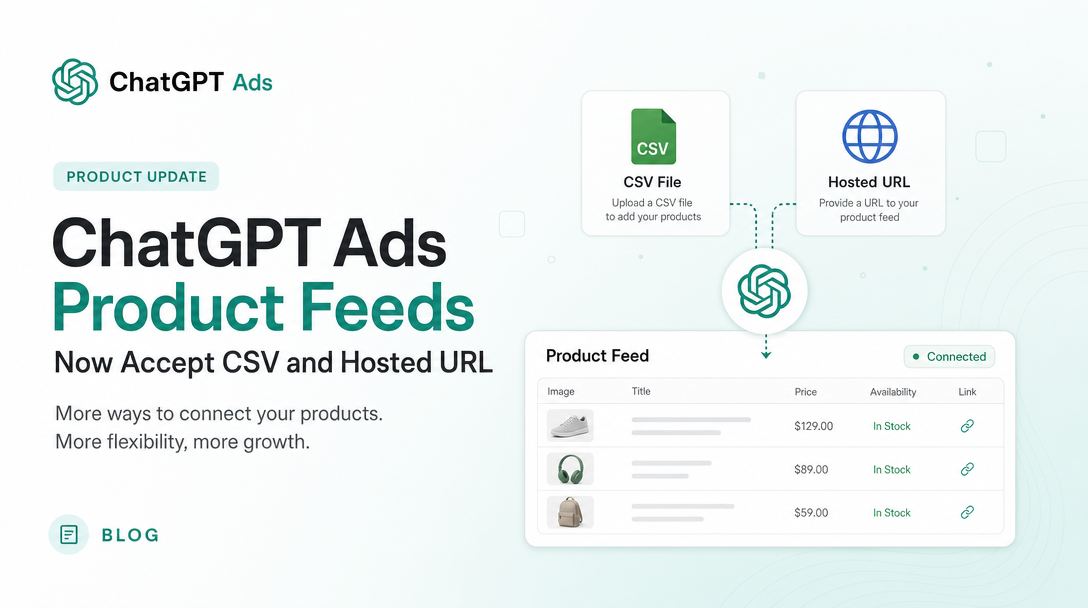
On 2026-08-13, OpenAI rewrote the ingestion half of its ChatGPT Ads product feed documentation. The change is small in word count and large in who can use the product: feed ingestion is no longer SFTP-only.
It also introduced a rule that changes the operating model for anyone who was planning a one-off upload — items expire after two weeks — and it quietly dropped a limit that had constrained account structure.
There is one more thing worth stating up front, because it affects how much of this you should act on: OpenAI's own documentation now contradicts itself on this exact point, in two places. That is reported below rather than resolved, because we cannot resolve it from outside.
All quotations below are from OpenAI's official documentation as captured on 2026-08-13. Soku's analysis is marked as such.
What changed
The help-centre article Create Campaigns from Product Feeds replaced its old "Step 2: Configure your SFTP connection" with "Step 2: Import Products", now offering three methods:
- Upload CSV or TXT: Best for getting started or making occasional manual updates. - Hosted URL: Best when your product catalog is available at a stable HTTPS address. - SFTP connection: Best for technical teams that automate server-to-server uploads.
Previously the same step read, in full: "Select Edit SFTP Connection / Choose your authentication method: password or SSH key / Follow the connection guide in Ads Manager to connect to the SFTP server." There was no alternative path.
Three further changes shipped in the same edit.
A new expiry rule, stated in Step 2:
Items expire after 2 weeks thus it is recommended to use hosted URL, or automated SFTP uploads.
A new error surface, replacing the old instruction to watch the ad group creation modal. Step 3 now reads:
Check Upload History for processing updates and errors
And a new description of what feed ads actually look like:
Product ads use formats designed specifically for showcasing items from your catalog, featuring details such as product images, titles, stars, prices, sales prices, and your brand
That line replaced the older, vaguer statement that feed ads "will use the same format as our current ad units but may evolve in the future." Note the inclusion of stars — a review-rating surface that the previous wording did not mention at all.
The limit that disappeared
The old "Before you begin" section carried this bullet:
Each ad account is limited to one feed connection
It is gone from the current version.
Soku analysis, stated carefully: a bullet's removal from documentation proves the documentation no longer asserts the limit. It does not, by itself, prove the platform limit was lifted. Those are different claims and the second one requires confirmation in Ads Manager. Given the edit also replaced a single connection method with three, the most plausible reading is that "one feed connection" stopped being a coherent constraint once "connection" was no longer the only way in — but treat this as a thing to verify in your own account rather than as an announced capability.
The contradiction
Here is where the documentation disagrees with itself.
The same article that now offers CSV upload and hosted URL still carries this line in "Before you begin", unchanged:
Feeds must be uploaded through SFTP
And the developer-side specification it links to, the file-upload overview, still describes SFTP as the delivery mechanism:
Push feeds to OpenAI via SFTP.
So as of 2026-08-13 there are three official statements in play: Step 2 says three methods, "Before you begin" says SFTP only, and the developer spec says SFTP only.
Soku analysis: the most likely explanation is an incomplete edit — Step 2 was rewritten for a shipped UI change and the surrounding prose was not updated. The step-by-step instructions are the more specific and more recently edited text, and they describe concrete UI affordances ("From the feed row, open the three-dot menu"), which is the kind of detail that tends to track the actual product. But we are reading tea leaves, and the honest position is that the authoritative answer is what your Ads Manager shows you today. Open the feed row's three-dot menu and look.
We flag this rather than picking a winner because we have been here before with this product surface: on 2026-08-06, the developer docs were the only place describing a bid field accurately, and the help centre was wrong. Neither surface is reliably ahead of the other.
Why the two-week expiry is the bigger operational story
The import-methods change gets the attention. The expiry rule is what will actually break accounts.
Items expire after 2 weeks
Soku analysis: this makes the CSV path a trap for exactly the audience it was added for. "Upload CSV or TXT" is presented as "best for getting started or making occasional manual updates" — but on a two-week expiry, "occasional manual updates" is not a stable operating mode. A retailer who uploads a catalogue in week one and does nothing in week three has a campaign whose eligible product set has silently drained.
OpenAI says as much in the same sentence — it recommends hosted URL or automated SFTP precisely because of the expiry. Read the three options as a progression rather than a menu:
- CSV/TXT is for evaluation. Get a hundred items in, confirm the shape is right, see an ad render.
- Hosted URL is the realistic steady state for most retailers. A stable HTTPS endpoint your ecommerce platform already produces, re-fetched by OpenAI, with no server-to-server plumbing to own.
- SFTP is for teams with a real catalogue pipeline and a reason to control push timing.
The developer spec reinforces this. It recommends refreshing "at least daily", using full snapshots on a predictable cadence where each update overwrites the previous file. That is a pipeline description, not a file-upload description — which is a fair signal about what the product expects at scale even while the UI now accepts a manual file.
What the feed itself still has to look like
The import method changed. The format requirements did not, and they are stricter than "upload a CSV" implies. From the file-upload overview:
- Preferred format is parquet (ideally with zstd compression);
jsonl.gz,csv.gzandtsv.gzare also supported. - Encoding must be UTF-8.
- Up to 500k items per shard, with shard files targeted under ~500 MB.
- Start with a small sample of around 100 items to validate before a full push.
Soku analysis: there is an unreconciled gap here too. The help centre now offers "Upload CSV or TXT" while the developer spec lists compressed formats and parquet. Plain uncompressed .csv and .txt are plausibly a UI convenience layer over the same ingestion pipeline, but the spec does not say so. If you take the CSV path, validate with a hundred rows before assuming a large plain-text file will be accepted.
Two other rules carried over unchanged and still matter:
- Products in your feed are ads-eligible by default unless an item is explicitly marked false for ads eligibility.
- Feed products remain beta-scoped to ads and will not appear in organic ChatGPT conversations, "though we may offer that capability in the future."
What to do this week
- Open Ads Manager and check the feed row's three-dot menu. That resolves the SFTP contradiction for your account in about ten seconds, and it is the only reliable answer.
- If you deferred ChatGPT Ads feeds because SFTP was a blocker, revisit now. For most mid-market retailers the hosted-URL path removes the entire reason the project stalled.
- Do not build on the CSV path. Use it to validate with ~100 items, then move to hosted URL before you scale. The two-week expiry makes manual upload a recurring liability rather than a one-time task.
- Check whether you can now create more than one feed. The one-connection-per-account bullet is gone from the docs; confirm in the product before designing an account structure that assumes multiple feeds.
- Put the expiry on a monitor. A silently draining catalogue looks like a performance decline, not an error. Whatever alerting you have on spend and conversions will not catch it — watch eligible product count.
That last point is the one most likely to bite. Soku analysis: an expiring feed degrades gradually and invisibly, and the platform is not obliged to tell you that your eligible item count fell by 60%. Track product count as a first-class metric alongside spend, and check Upload History after every refresh rather than only when something looks wrong.
Where this fits
Soku runs ChatGPT Ads alongside Google, Meta and TikTok as an ads agent, which means feed freshness and eligible-product count are monitored continuously rather than reviewed when a report looks odd — exactly the failure mode a two-week expiry creates.
For the full walkthrough of building feed-based campaigns, see how to create ChatGPT Ads campaigns from product feeds. For the bidding layer on top of feeds, see product feed conversion bidding, and for incremental catalogue updates see the delta feeds API.
Sources
All captured and verified on 2026-08-13:
- Create Campaigns from Product Feeds — OpenAI Help Center
- Product feed file-upload overview — OpenAI developer documentation
No OpenAI advertiser product-update email covering this change was issued in the 24 hours to 2026-08-13; the most recent ChatGPT Ads product-update email at time of writing is dated 2026-08-05 and does not mention feed import methods. This change was documentation-only.
Frequently asked questions
Can you upload a ChatGPT Ads product feed without SFTP?
According to Step 2 of OpenAI's current documentation, yes — CSV/TXT upload and hosted URL are both offered alongside SFTP. Note that the same article's "Before you begin" section and the developer file-upload spec still state that feeds must be uploaded through SFTP, so confirm what your own Ads Manager offers before planning around it.
How long do ChatGPT Ads product feed items last?
Items expire after two weeks. OpenAI explicitly recommends hosted URL or automated SFTP uploads for this reason, because a manually uploaded file will drain out of eligibility without a refresh.
Which product feed upload method should I use?
Use CSV/TXT to validate with a small sample, hosted URL as the steady state for most retailers, and SFTP if you already run a catalogue pipeline and need control over push timing. The two-week expiry makes manual CSV upload unsuitable as a long-term approach.
Can a ChatGPT Ads account have more than one product feed?
The previous documentation stated that each ad account was limited to one feed connection, and that line has been removed. Removal from the documentation is not the same as a confirmed platform change, so verify in Ads Manager before building an account structure that depends on multiple feeds.
What file format does a ChatGPT Ads product feed need?
The developer spec prefers parquet with zstd compression, and also supports jsonl.gz, csv.gz and tsv.gz, UTF-8 encoded, with up to 500k items per shard and files under roughly 500 MB. The help centre separately offers plain CSV or TXT upload through the UI; validate with about 100 items before pushing a full catalogue.
Do ChatGPT Ads product feeds appear in organic ChatGPT conversations?
No. During the beta, feed products are eligible for ads only and do not surface in organic conversations, though OpenAI states it may offer that capability in future.