Soku AI
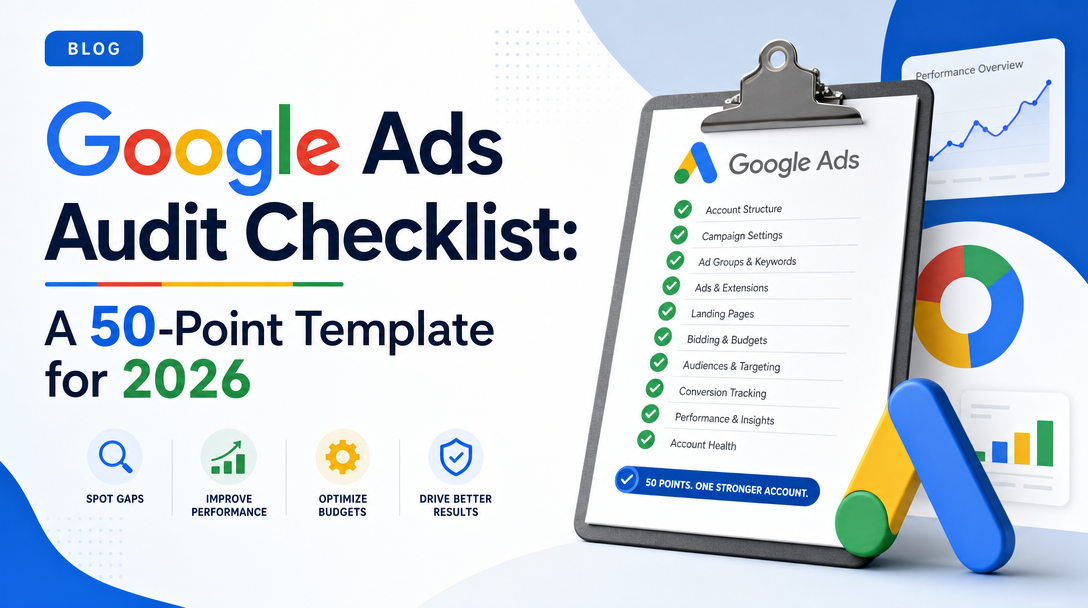
Most Google Ads audit checklists fail for the same two reasons. They tell you to "review your conversion tracking" without saying what a broken setup actually looks like, so the checklist only works for people who already know the answer. And they were written against a Google Ads interface that no longer exists — half the published templates still send you to menus Google retired, or list attribution models Google no longer supports.
This is a working template, not a reading list. Fifty numbered checks, grouped by audit area. Every check states where to look in the current interface and what "bad" looks like — an explicit fail condition, so two different people auditing the same account reach the same verdict. Every check also carries a verification flag: whether an AI agent can settle it from the Google Ads API, whether it needs API data plus human judgment, or whether a human simply has to go look.
That last column is the part we have not seen anywhere else, and it comes from building the thing. Soku ships Google Ads auditing as agent skills, so we had to decide, check by check, what a machine can actually prove. The answer is 32 of these 50 checks are fully machine-verifiable, 11 are hybrid, and 7 are human-only — which tells you exactly how much of your audit can be automated and where your attention is still the scarce resource.
If you want the method behind the thresholds — how spend-weighted Quality Score is computed, how search terms get classified, how creative fatigue is confirmed — this template deliberately does not repeat it. Those live in the deep dives, and each group below links to the right one. Start with the step-by-step guide to auditing a Google Ads account with an AI agent if you want the full narrative version first.
How to use this template
Set the window before you start. Anchor on the last complete day (yesterday in the account's reporting time zone), and use a 30-day diagnostic window with the previous 30 days as comparison. Partial days and lagging conversions produce false failures more often than real problems do.
Score each check PASS, WARN, FAIL, or UNVERIFIED. UNVERIFIED is not FAIL. If an API call did not return a field, or you could not get access to the analytics property, mark it unverified and say what a human needs to look at. Audit scores inflated by missing data are how audit reports lose credibility.
Fix in dependency order, not in checklist order. The numbering is for navigation. The fix order is: measurement first (group B), then stop active bleeding (group F), then structural fixes (groups D, E, G), then reallocation (group I). Changing bids on top of double-counted conversions just moves the error around.
Run each group on its own cadence. A quarterly audit is a labor constraint, not a best practice — and once an agent does the data pulls, the constraint disappears.
| Group | Area | Checks | Cadence |
|---|---|---|---|
| A | Access, billing, and audit trail | 1–4 | Quarterly (change history weekly) |
| B | Conversion tracking and measurement | 5–12 | Monthly, plus after any site or tag change |
| C | Campaign settings and targeting | 13–18 | Monthly |
| D | Account and ad group structure | 19–22 | Quarterly |
| E | Keywords, match types, Quality Score | 23–27 | Monthly |
| F | Search terms and negative keywords | 28–32 | Daily sweep, monthly full pass |
| G | Ads, assets, and extensions | 33–38 | Monthly, plus after any policy email |
| H | Landing pages and post-click | 39–41 | Quarterly, plus after any page change |
| I | Bidding and budget | 42–45 | Weekly |
| J | The 2026 automation layer | 46–50 | Monthly |
In the tables below, the Verify column reads Auto (an agent can settle it from API data alone), Hybrid (API data plus a human decision), or Manual (no API surface — someone has to look).
Group A — Access, billing, and audit trail (checks 1–4)
The group everybody skips, and the group that produces the most alarming findings. You are auditing who can change the account and what has already been changed to it.
| # | What to check | What "bad" looks like | Verify |
|---|---|---|---|
| 1 | User access list is current. Admin > Access and security > Users | A former employee or a churned agency still holding Admin access; an Admin account nobody in the room can name; email domains you do not recognise; a single shared login instead of named users | Manual |
| 2 | 2-Step Verification is enforced. Admin > Access and security > Security | 2SV not required to sign in; a manager account with no security mandate applied to its sub-accounts. Ads accounts are a payment instrument — treat access like one | Manual |
| 3 | Billing is healthy. Billing > Summary | An expiring card, a monthly invoicing threshold that silently pauses delivery mid-month, or an account-level budget cap nobody remembers setting and that is quietly throttling every campaign | Manual |
| 4 | Change history reviewed for the window. Tools > Change history (Google retains 2 years) | Bulk changes with no owner, edits from an unrecognised user, or auto-applied recommendation entries nobody approved. If performance broke on a date, this is the first place to look — not the last | Auto |
Group B — Conversion tracking and measurement integrity (checks 5–12)
If measurement is wrong, every downstream finding is noise, which is why this group is scored before anything else. It is also the most commonly broken area in audited accounts — one review of audited accounts found conversion tracking errors in roughly 70% of them.
| # | What to check | What "bad" looks like | Verify |
|---|---|---|---|
| 5 | Primary conversion action count. Goals > Summary | Zero enabled primary actions (Smart Bidding is flying blind) or six or more (it optimises toward a soup of mixed signals). One to three passes | Auto |
| 6 | Micro and macro conversions separated. Goals > Summary, "Goal" column | Add-to-cart, page view, engaged session, or PDF download sitting in Primary next to Purchase. Two or more micro categories as Primary is a fail — the algorithm will happily buy cheap add-to-carts instead of orders | Auto |
| 7 | No duplicate counting. Goals > Summary, cross-checked against GA4 imports | The same form submission tracked by both the Google tag and a GA4-imported event, both set to Primary. Reported conversions roughly double, CPA halves, and the CRM disagrees with the platform | Hybrid |
| 8 | Counting setting matches the business. Goals > Summary > action > Edit settings > Count | Lead-gen form set to count "Every" conversion, so one person submitting three times reads as three leads; or e-commerce purchases set to "One" | Auto |
| 9 | Attribution model is current. Goals > Summary > action > Edit settings > Attribution model | Anything other than Data-driven or Last click. First click, linear, time decay, and position-based are no longer supported and existing actions were upgraded to data-driven — a template that still lists them was written before the change | Auto |
| 10 | Conversion window matches the sales cycle. Same settings panel, "Conversion window" | A 7-day click window on a B2B account with a 45-day cycle, which silently deletes a third of conversions from the reports. E-commerce typically 7–30 days, lead gen 30, long-cycle B2B 60–90 | Hybrid |
| 11 | Enhanced conversions enabled and healthy. Goals > Settings > Enhanced conversions | Turned off entirely, or turned on but showing "no recent activity" or a diagnostics error — which means it is decorative rather than recovering conversions | Auto |
| 12 | Consent Mode v2 live for EEA and UK traffic. Your consent banner plus the Google tag | EEA traffic served with no consent signals passed to Google. Under Google's EEA consent requirements this degrades ad personalisation and remarketing and stops conversion modelling. No API field will tell you the banner is broken | Manual |
For setting up or repairing the conversion actions these checks look at, including the 2026 tracking status labels (Active, Needs attention, Misconfigured, Awaiting conversions) and the single enhanced conversions switch, see our Google Ads conversion tracking guide.
Group C — Campaign settings and targeting (checks 13–18)
Silent leaks. Each of these is a single toggle that nobody chose deliberately and everybody pays for.
| # | What to check | What "bad" looks like | Verify |
|---|---|---|---|
| 13 | Network opt-ins are intentional. Campaign > Settings > Networks | A Search campaign quietly opted into the Display Network or Search partners, with Display absorbing a meaningful share of spend at a fraction of the intent. Segment by network before you argue about it | Auto |
| 14 | Location option chosen, not defaulted. Campaign > Settings > Locations > Location options | The default "Presence or interest" left on a local service business. Google's advanced location options default to people in, regularly in, or who have shown interest in your locations — great for travel and education, expensive for a plumber | Auto |
| 15 | Exclusions match the real service area. Campaign > Settings > Locations > Excluded | Country-level targeting on a business with a 20-mile service radius; no exclusions on regions you cannot legally or logistically serve; a location report showing spend in places you do not sell to | Hybrid |
| 16 | Language targeting matches the creative. Campaign > Settings > Languages | "All languages" on a single-language site, or a language selected that neither the ads nor the landing page are written in | Auto |
| 17 | Ad schedule and account time zone. Campaign > Settings > Ad schedule; Admin > Account settings | 24/7 delivery for a business that only answers the phone 9–5, with no dayparting and no after-hours landing experience; an account time zone that does not match the business, quietly shifting every day-part report | Hybrid |
| 18 | Auto-apply recommendations are off unless chosen. Campaigns > Recommendations > Auto-apply settings > History | Any auto-apply recommendation toggled on without a named owner — especially "add new keywords", "remove non-serving keywords", and ad suggestions. The History tab shows what was applied on your behalf | Auto |
Group D — Account and ad group structure (checks 19–22)
Structure sets the ceiling for everything else. A messy account can be optimised, but it cannot be optimised past its structure.
| # | What to check | What "bad" looks like | Verify |
|---|---|---|---|
| 19 | Ad group themes are tight. Campaigns > Audiences, keywords and content > Search keywords, grouped by ad group | Thirty-plus keywords spanning three different intents sharing one responsive search ad. This shows up later as a below-average ad relevance component — see the Quality Score audit for the root-cause mapping | Hybrid |
| 20 | No duplicate keywords. Same view, sorted by keyword text | The same keyword and match type live in two ad groups in the same campaign. They do not "compete on price" but they do split the performance history the system learns from, and they make reporting incoherent | Auto |
| 21 | Naming and brand/non-brand segmentation. Campaigns list | Campaign names like "Campaign #3 copy"; brand and non-brand keywords in the same campaign, so a 3x brand ROAS masks non-brand that is underwater. If you cannot report brand separately, you cannot manage it | Manual |
| 22 | No zombie entities. Campaigns and ad group views, filtered on status | Enabled ad groups with zero enabled ads, or zero enabled keywords; campaigns paused for 90-plus days never archived. Google allows 10,000 campaigns and 20,000 ad groups per campaign, so nothing forces you to clean up — the clutter just makes every future audit slower | Auto |
Group E — Keywords, match types, and Quality Score (checks 23–27)
Four of these five are single numbers with published thresholds, which is exactly what you want in a checklist. The method behind them — why the average is spend-weighted, why the two QS cutoffs differ — is in the Google Ads Quality Score audit; here you just need the fail condition.
| # | What to check | What "bad" looks like | Verify |
|---|---|---|---|
| 23 | Match type mix is matched by negative coverage. Search keywords view, "Match type" column | Broad match carrying the majority of spend while the negative keyword list is thin or unmaintained. Broad match is not the problem; broad match without negatives is | Auto |
| 24 | Brand and non-brand performance reported separately. Campaign or label segmentation | A single blended CPA that hides non-brand economics. Brand terms convert at rates non-brand will never reach, so a blended number flatters every decision made from it | Hybrid |
| 25 | Spend-weighted average Quality Score. Search keywords view with Quality Score column, weighted by cost | Below 5.0 fails; 5.0–6.9 warns; 7.0 and above passes. Weight by cost, not by counting keywords — a QS 3 keyword spending $2,000 a month is not equivalent to forty QS 3 keywords spending $5 | Auto |
| 26 | Low-QS spend share. Same view, filtered to Quality Score ≤ 4 | More than 25% of spend flowing through keywords at QS 4 or below fails; 10–25% warns. These are the keywords paying the steepest effective CPC premium | Auto |
| 27 | Null-QS spend share (the data-quality guard). Same view, keywords with no Quality Score | More than 30% of spend sitting on keywords with no Quality Score at all. That is not a Quality Score failure, it is a signal that your QS numbers describe a minority of the account and should not be scored yet | Auto |
Group F — Search terms and negative keywords (checks 28–32)
Usually the largest recoverable dollars in the account, and the only group that deserves a daily cadence. The classification logic — the semantic veto, the isolate-instead-of-negate rule, the Lin-Rodnitzky ratio — is covered in the Google Ads search terms audit.
| # | What to check | What "bad" looks like | Verify |
|---|---|---|---|
| 28 | Wasted spend ratio. Search terms report over the 30-day window | More than 20% of spend on terms that are off-topic or persistently underperforming fails; 10–20% warns. Industry audits attribute 15–30% of non-brand Search and Shopping spend to unmanaged negatives | Hybrid |
| 29 | A shared negative list is applied to every active campaign. Tools > Shared library > Negative keyword lists | The list exists but is attached to three campaigns out of eleven. Google allows 5,000 keywords per list and 20 lists per account — capacity is never the constraint, application is | Auto |
| 30 | Account-level negative keywords in use and scoped safely. Admin > Account settings > Negative keywords | An empty list, or broad-match entries at account level. The account-level limit is 1,000 keywords, it covers Search, Shopping, Performance Max, App, Smart, and Local — and it does not cover YouTube or Display, which need excluded content keywords instead. Use phrase or exact only; a broad account-level negative can suppress legitimate traffic account-wide and nobody will connect the dip to it three weeks later | Auto |
| 31 | Competitor terms handled deliberately. Search terms report, competitor brand queries | Competitor names negated at account level while a deliberately built conquesting campaign is running. This is the single most common way a well-meaning audit destroys a strategy someone chose on purpose | Hybrid |
| 32 | Converting terms you have not claimed. Search terms report, filtered to conversions greater than zero, cross-referenced against your keyword list | More than five converting search terms that are not keywords, or uncovered converting terms carrying more than 15% of search term spend. You are winning by accident, at the mercy of matching behaviour you do not control | Auto |
Group G — Ads, assets, and extensions (checks 33–38)
Every check in this group is a count or a status — no taste involved. That is why it is entirely machine-verifiable. Fatigue detection, which is genuinely harder, is covered in the Google Ads creative audit.
| # | What to check | What "bad" looks like | Verify |
|---|---|---|---|
| 33 | Disapproved ads. Campaigns > Ads, "Status" column | Any disapproved responsive search ad that is the only ad in its ad group — that ad group has silently stopped serving. Three or more disapprovals anywhere is a fail; group findings by policy topic and fix them in one batch | Auto |
| 34 | RSA count per ad group. Ads view, grouped by ad group | An enabled ad group with zero responsive search ads fails; exactly one warns. With a single RSA there is nothing for Google's rotation to shift toward | Auto |
| 35 | Headline and description coverage. Ads view > edit an RSA | Fewer than 8 unique headlines when the format accepts up to 15 headlines and 4 descriptions (30 and 90 characters, paths 15). Under 3 headlines is a hard fail. Ten rephrasings of one idea is one headline wearing ten hats — count distinct angles, not strings | Auto |
| 36 | Pinning discipline. RSA editor, pin icons | Pins on most headline positions, which collapses the combination space the system was designed to test. Pin the legal or brand line if you must; pinning three positions turns an RSA back into an expanded text ad | Auto |
| 37 | Extension and asset coverage. Campaigns > Assets | Fewer than 4 sitelinks or 4 callouts per campaign, no structured snippet set, image assets not enabled on Search. These are the cheapest fixes in the entire audit — minutes of work, no downside | Auto |
| 38 | Ad Strength action items triaged, not chased. Ads view, "Ad strength" column and its action items | Poor-rated RSAs left untouched — and a project to push everything to Excellent. Google reports 15% more conversions on average moving Poor to Excellent, but an Optmyzr study of roughly 20,000 accounts found no strong relationship between Ad Strength and performance. Read it as a completeness signal and act on the action items | Auto |
Group H — Landing pages and post-click (checks 39–41)
The smallest group and the most human. Two of three checks have no API surface at all, which is precisely why they get skipped in automated audits and why they are on this list.
| # | What to check | What "bad" looks like | Verify |
|---|---|---|---|
| 39 | Message match. Click your own top-spending ads | The headline that earned the click is nowhere above the fold on the page; or every ad group points at the homepage. This is also the fastest route to fixing a below-average landing page experience component | Manual |
| 40 | Mobile page speed and Core Web Vitals. PageSpeed Insights on the templates carrying the most spend | LCP above 2.5s, INP above 200ms, or CLS above 0.1 on mobile, per the Core Web Vitals thresholds. Audit the template that takes the spend, not the homepage everybody tests | Manual |
| 41 | Final URL integrity and tracking. Ads and assets views, "Final URL" column | 404s, redirect chains, or tracking templates that drop the gclid; auto-tagging switched off; Final URL expansion pointed at pages you never intended to advertise. Crawl every final URL in the account, not a sample | Hybrid |
Group I — Bidding and budget (checks 42–45)
The group most affected by a change landing this year — see check 44.
| # | What to check | What "bad" looks like | Verify |
|---|---|---|---|
| 42 | Bid strategy matches conversion volume. Campaign > Settings > Bidding | Target CPA on a campaign with fewer than 30 conversions in 30 days, or Target ROAS with fewer than 50. Below those volumes the strategy is learning from noise. Also flag any recommendation to "raise the bid" on a campaign that has no keyword bids because it runs on Smart Bidding | Auto |
| 43 | Budget-constrained winners identified. Campaign view with "Search lost IS (budget)" column | A campaign beating its CPA target while losing more than 15% of impression share to budget. Search lost IS (budget) is the percentage of time your ads did not show due to insufficient budget — this is the highest-confidence upside in most accounts | Auto |
| 44 | Targets reviewed for the 17 August 2026 change. Campaign > Settings > Bidding, on every budget-limited target-based campaign | Budget-limited campaigns whose targets were deliberately set loose because they historically overperformed. From 17 August 2026, budget-limited campaigns on target-based strategies perform more consistently toward the stated target — so campaigns quietly beating a lazy target will converge down to it | Hybrid |
| 45 | Shared budgets and portfolio strategies audited. Tools > Shared library > Shared budgets and Bid strategies | A shared budget spanning campaigns with unrelated goals, so the best performer starves the account's diversification; or a portfolio bid strategy that still contains campaigns paused six months ago and is optimising against their history | Auto |
Group J — The 2026 automation layer (checks 46–50)
This is the group that dates a checklist fastest, and the group most 2025-vintage templates do not have at all.
| # | What to check | What "bad" looks like | Verify |
|---|---|---|---|
| 46 | Performance Max negatives and brand exclusions. PMax campaign > Settings; Tools > Shared library > Brand lists | A PMax campaign with zero campaign-level negative keywords when Google now supports up to 10,000 of them per campaign, and no brand exclusion list — so PMax absorbs brand traffic you were already winning organically and reports it as incremental | Auto |
| 47 | PMax asset group health and search themes. PMax campaign > Asset groups | An asset group under 20 images, 5 logos, or 5 native videos across all three aspect ratios; fewer than 2 asset groups per campaign; search themes unused when you can supply up to 50 per asset group. Auto-generated video standing in for uploaded video is a flag, not a solution | Auto |
| 48 | PMax channel performance report actually reviewed. PMax campaign > channel performance reporting | Judging Performance Max on one blended number. Google shipped channel-level performance reporting with ROI columns and full search terms granularity — a 2026 audit that does not open it is auditing a black box by choice | Auto |
| 49 | AI Max controls are set, not defaulted. Search campaign > Settings > AI Max | AI Max switched on with no brand controls, no URL exclusions, unbounded final URL expansion, and its search terms report never opened. AI Max layers automated search term matching, text customisation, and final URL expansion onto an existing Search campaign — see our AI Max for Search guide and the setup checklist | Hybrid |
| 50 | Dynamic Search Ads migration plan exists. Campaigns filtered to DSA | Active DSA campaigns with no side-by-side AI Max test booked. Google delayed the DSA automigration to February 2027 and restored DSA creation in June 2026 — that is a testing window, not a reprieve. We walk the dates through in the DSA to AI Max timeline post | Auto |
What a machine can actually prove: 32 auto, 11 hybrid, 7 manual
Here is the part we had to work out by building it rather than by reading about it. When you implement an audit as an agent skill, every check forces a decision: is there an API field that settles this, or is the agent about to invent an answer?
| Group | Auto | Hybrid | Manual |
|---|---|---|---|
| A — Access, billing, audit trail | 1 | 0 | 3 |
| B — Conversion tracking | 5 | 2 | 1 |
| C — Campaign settings and targeting | 4 | 2 | 0 |
| D — Account structure | 2 | 1 | 1 |
| E — Keywords and Quality Score | 4 | 1 | 0 |
| F — Search terms and negatives | 3 | 2 | 0 |
| G — Ads, assets, extensions | 6 | 0 | 0 |
| H — Landing pages | 0 | 1 | 2 |
| I — Bidding and budget | 3 | 1 | 0 |
| J — 2026 automation layer | 4 | 1 | 0 |
| Total | 32 | 11 | 7 |
Three things fall out of that distribution, and they change how you staff an audit.
Counting checks automate completely; judgment checks never do. Group G is 6 for 6 auto because every check is a count or a status field — headline counts, disapproval status, sitelink counts. Group H is 0 for 3 because "does the page deliver on the ad's promise" has no field. The line is not difficulty, it is whether Google exposes a fact or you have to form an opinion.
Hybrid checks are where audits get faked. A hybrid check is one where the API gives you the data and a human supplies the business context: is this micro-conversion deliberate, is this competitor campaign strategy, is this location exclusion correct for our service area. An agent that answers these alone is guessing, and a human answering them without the data is guessing differently. The discipline that matters is that the agent reports the evidence and marks the decision as human-owned — Soku's audit skills only assign a root cause when Google's own field explicitly says so, and mark everything else UNVERIFIED rather than counting it as a failure.
The 7 manual checks are disproportionately expensive when they fail. Stale Admin access, a missing consent banner, a landing page that 404s on mobile — none are API-visible, and all of them are worse than any Quality Score problem in the account. The practical consequence: automate the 32, present the 11 with evidence attached, and calendar the 7. Do not let a "100% automated audit" pitch talk you out of the seven checks a machine cannot see.
Run this checklist as an agent prompt
The whole point of a machine-readable checklist is that you can hand it to a machine. If you have an agent connected to the Google Ads API — through the Google Ads integration, or your own setup via the Google Ads MCP guide — this prompt runs the auto and hybrid portions of the template above:
Audit Google Ads account {ACCOUNT_ID} against the 50-point checklist.

Window: 30 complete days ending yesterday in the account time zone,
with the prior 30 days as comparison. Never use partial days.

Baseline: resolve a CPA baseline per campaign in this order —
(1) the campaign's target CPA if set, (2) the campaign's actual CPA
over the window, (3) N/A. If N/A, suspend performance checks for that
campaign rather than scoring against an invented number.

For each of the 50 checks, return: check number, PASS / WARN / FAIL /
UNVERIFIED, the evidence (the exact API field and value you used),
severity, and the affected spend. Rules:
- Assign a root cause only when an API field explicitly states it.
- Mark a check UNVERIFIED, never FAIL, when a field is unavailable.
- Take every cost figure from the API cost fields; estimate nothing.
- Skip checks for campaign types the account does not run, and say so.

Then output: (a) the scorecard rolled up by group, (b) a fix list
ordered measurement -> waste -> structure -> reallocation, and
(c) the 7 manual checks as a task list for a human.

This audit is read-only. Do not pause, edit, bid, or write anything.
Two things make this produce an audit rather than an essay: the evidence requirement (every verdict cites the field it came from) and the read-only constraint. Auditing and acting are separate jobs, and mixing them is how an agent ends up grading its own homework. When an audit does produce executable changes — a negative keyword list, most often — the write belongs behind an explicit human approval gate, presented as a full proposal table first.
Why 2025-vintage checklists are already wrong
Five changes in the last year invalidate specific lines in most published templates. If you are adapting an older checklist rather than starting from this one, patch these first.
| Change | Effective | What it breaks in older checklists |
|---|---|---|
| Rule-based attribution models retired | Live now | Any checklist that says "consider position-based or time-decay attribution". Only data-driven and last click remain |
| PMax campaign-level negative keywords raised to 10,000, search themes 25 to 50 | 2025–2026 | "PMax gives you no query control" is no longer true — an account with zero PMax negatives is now a finding, not a limitation |
| PMax channel performance and full search terms reporting | 2025–2026 | Checklists that treat PMax as unauditable. The channel report exists; not opening it is a choice |
| Target-based bid strategies converge to target when budget-limited | 17 August 2026 | Any advice to "set a loose target and let it overperform" on a budget-limited campaign |
| DSA automigration to AI Max moved to February 2027, DSA creation restored June 2026 | Announced June 2026 | Checklists written against the original September 2026 deadline, in both directions — the panic and the complacency |
The general lesson is worth more than the specific patches: a Google Ads checklist has a shelf life of roughly a year, and the parts that expire first are the automation surfaces. The structural checks — is the ad group tight, is the conversion action the right one, does the landing page deliver — barely move.
Where to go deeper
This template is the run sheet. Four companion guides carry the method behind it:
- How to audit a Google Ads account with an AI agent — the full eight-step narrative version, including the fix-order logic and how an agent runs each step versus a human.
- Google Ads Quality Score audit — how spend-weighted QS is computed, why checks 25, 26, and 27 use three different cutoffs, and the per-keyword root-cause diagnosis behind them.
- Google Ads search terms audit — the semantic veto, the isolate-rather-than-negate rule, the Lin-Rodnitzky ratio, and where each negative keyword should live.
- Google Ads creative audit — the fatigue detection chain behind group G, and how to decide between kill, refresh, and watch.
If you want the checks run rather than read, connect an account through the Google Ads integration and ask for an account audit — the skills apply the same thresholds listed here, read-only, with the evidence attached to every verdict. For bulk fixes after the audit, Google Ads Editor is still the fastest way to apply structural changes offline.
FAQ
How long does this 50-point audit take?
By hand, six to ten hours for an account of any size — most of it exporting and cross-referencing. With an agent doing the 32 automated checks and pre-filling the 11 hybrid ones with evidence, the data work compresses to minutes and the human time collapses to reviewing findings plus the 7 manual checks. That is what makes a monthly cadence realistic instead of an annual one.
Do I have to run all 50 checks every time?
No, and the cadence table above is the point. Group F deserves a daily sweep, group I weekly, groups B, C, E, G, and J monthly, and groups A, D, and H quarterly. Running everything quarterly is the pattern that lets three months of search term waste accumulate between passes.
Which checks matter most if I only have an hour?
Checks 5 through 9 (is the measurement trustworthy), check 28 (how much spend is going to queries that will never convert), check 33 (is any ad group dark because of a disapproval), and check 43 (is a profitable campaign starved of budget). Those four cover the highest-severity failures we see in practice.
Does this checklist work for Performance Max-only accounts?
Groups A, B, C, H, I, and J apply in full. Groups E and G partially — Performance Max exposes no keyword Quality Score, and its assets are audited as asset groups rather than RSAs. Group F applies through PMax campaign-level negatives and the PMax search terms report rather than the classic search terms view.
Can I give this to an agency as an audit brief?
Yes, and that is a good use for it. The fail conditions are the reason it works as a brief: "review the account structure" is unfalsifiable, while "no enabled ad group may have zero enabled RSAs" is something a deliverable either satisfies or does not. Ask for the scorecard format — verdict, evidence, severity, affected spend, per check.
What is the difference between this and a free Google Ads audit tool?
Free audit tools score a subset of the automatable checks and are usually optimised to surface enough red to justify a sales call. The distinction worth holding onto is the one in the verification table: any tool can count your sitelinks, and no tool can tell you whether your competitor campaign is deliberate. Judge an audit by whether it shows its evidence per finding and admits what it could not verify.